
TROMAR VT-9IN1
TROMAR 9-in-1 Air Quality Monitor User Manual
Model: VT-9IN1
導入
Thank you for choosing the TROMAR 9-in-1 Air Quality Monitor. This device is designed to provide real-time detection of various air pollutants and environmental factors, ensuring you have a clear understanding of your indoor air quality. Please read this manual carefully before use to ensure proper operation and maintenance.
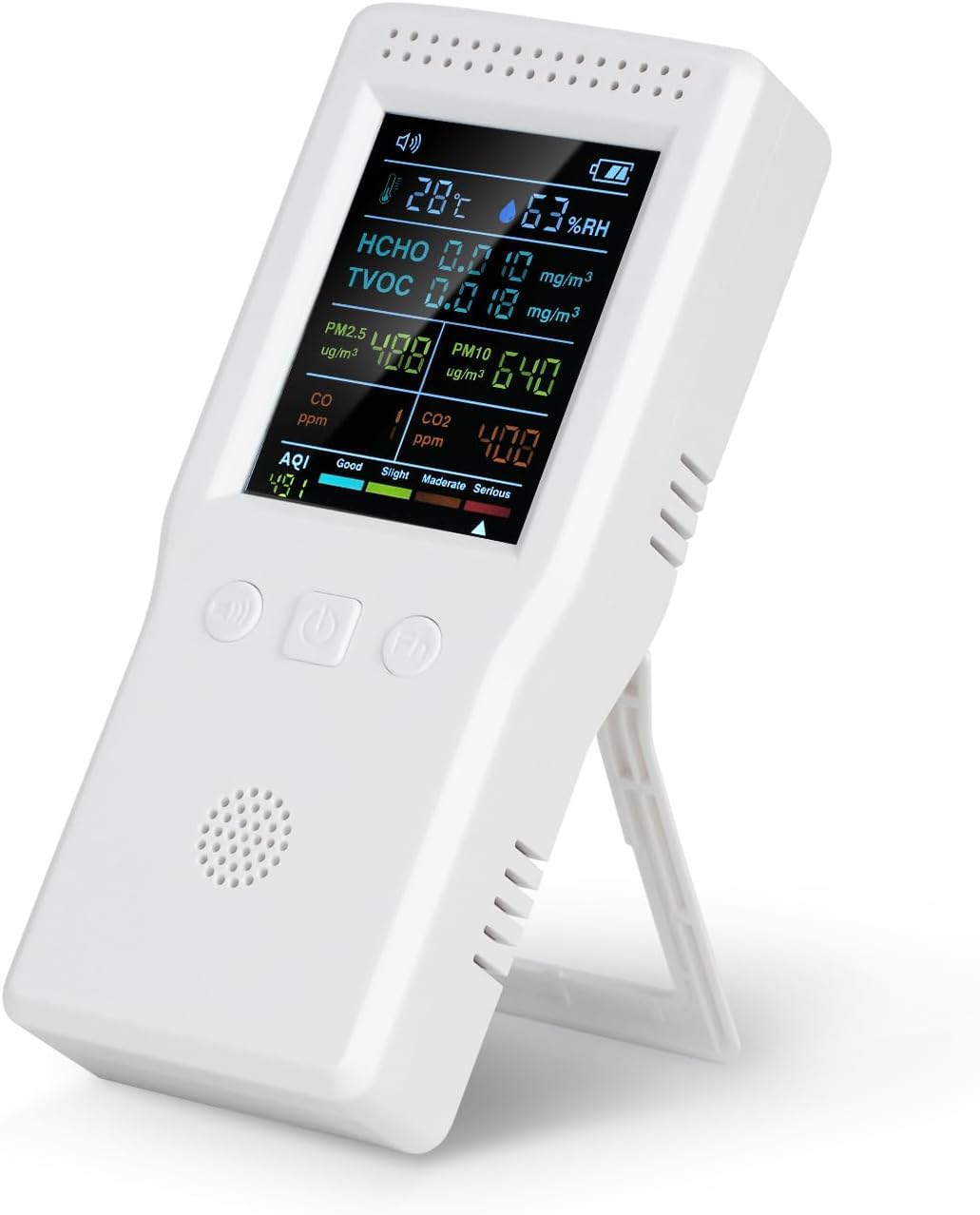
Image: The TROMAR 9-in-1 Air Quality Monitor, showing its digital display with readings for temperature, humidity, HCHO, TVOC, PM2.5, PM10, CO, CO2, and AQI.
主な特徴
- 9-in-1検出: Monitors CO2, CO, HCHO, TVOC, PM2.5, PM10, Temperature, Humidity, and AQI.
- リアルタイム監視: Provides instant readings for comprehensive air quality assessment.
- 簡単操作: Simple interface with no complex app or Wi-Fi required.
- ポータブルデザイン: Compact and lightweight, suitable for various indoor and outdoor environments.
- 充電式バッテリー: Built-in 1500mAh battery with Type-C USB charging, offering 4-6 hours of operation.
- クリアスクリーン表示: Easy-to-read screen for quick air quality assessment.

Image: A detailed diagram of the TROMAR Air Quality Monitor, highlighting and labeling its various components such as Speech State, Temperature, HCHO Concentration, PM2.5 Concentration, CO Concentration, AQI, Buzzer Switch, Mute On/Off, Function Keys, Air Quality Level, CO2 Concentration, PM10 Concentration, TVOC Concentration, Humidity, and Battery Capacity.
設定
開梱
Carefully remove the air quality monitor and all accessories from the packaging. Ensure all items listed in the packing list are present:
- 1 x TROMAR Air Quality Monitor
- 1 x USB充電ケーブル(Type-C)
- ユーザーマニュアル x 1
デバイスの充電
Before first use, fully charge the monitor. Connect the provided USB Type-C charging cable to the device's charging port and the other end to a standard USB power adapter (not included) or a computer USB port.
- ディスプレイのバッテリーインジケーターに充電状態が表示されます。
- フル充電には通常約2〜3時間かかります。
- The device can operate for 4-6 hours on a full charge.

Image: The TROMAR Air Quality Monitor with its USB Type-C charging port visible, connected to a charging cable, illustrating the charging process.
操作手順
電源オン/オフ
- 電源を入れるには、 電源ボタン (usually the middle button) for 3 seconds.
- 電源を切るには、 を長押しします 電源ボタン もう一度3秒間押します。
表示について
The monitor features a clear screen that displays all detected parameters simultaneously. Readings are updated in real-time.
| パラメータ | ユニット | 説明 |
|---|---|---|
| ひっちょ | mg /m³ | Formaldehyde concentration |
| TVOC | mg /m³ | Total Volatile Organic Compounds concentration |
| 温度 | °C | 周囲温度 |
| HUMI | % 相対湿度 | 相対湿度 |
| CO2 | 1PPM | Carbon Dioxide concentration |
| CO | 1PPM | Carbon Monoxide concentration |
| PM2.5 | ug /m³ | Fine Particulate Matter concentration (2.5 micrometers) |
| PM10 | ug /m³ | Coarse Particulate Matter concentration (10 micrometers) |
| AQI | 索引 | Air Quality Index (overall air quality) |
ボタンの機能
- Buzzer Switch Button (Left): Press to toggle the audible alarm on or off.
- 電源ボタン(中央): Press and hold to power on/off. Short press for certain function adjustments (refer to specific model features).
- Function Key (Right): Used for navigating menus or changing display modes if applicable. Refer to on-screen prompts.
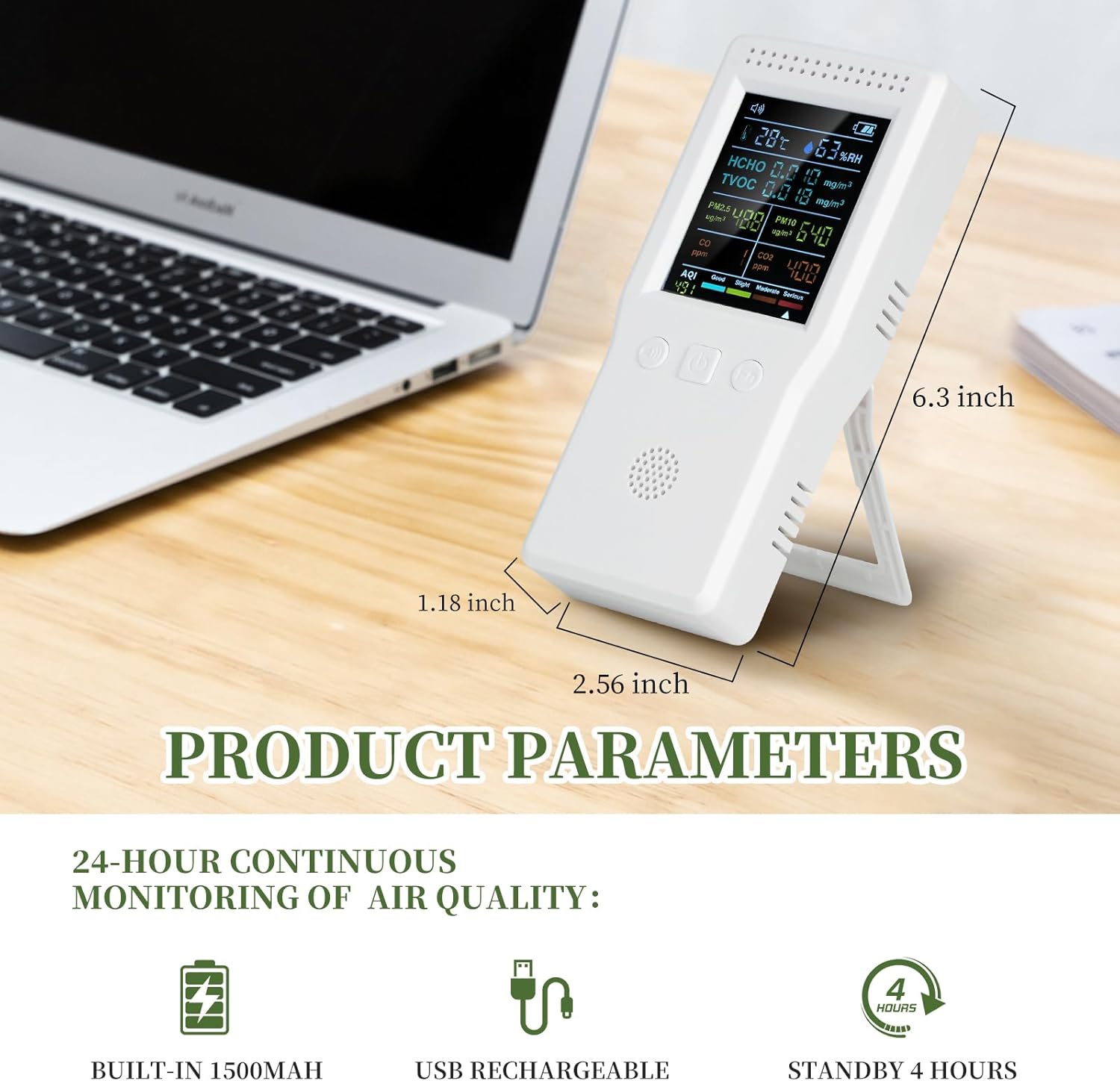
Image: A close-up of the TROMAR Air Quality Monitor's clear digital display, showing various air quality parameters and their readings, emphasizing readability.
メンテナンス
クリーニング
- 柔らかく乾いた布でデバイスを拭いてください。
- 研磨剤入りの洗剤、溶剤、強い化学薬品は使用しないでください。asing または内部コンポーネント。
- Ensure the ventilation holes are clear of dust and debris for accurate readings.
ストレージ
- デバイスは直射日光や極端な温度を避け、涼しく乾燥した場所に保管してください。
- 長期間保管する場合は、バッテリーの寿命を延ばすために、バッテリーが部分的に(約 50%)充電されていることを確認してください。

Image: The TROMAR Air Quality Monitor being splashed with water, demonstrating its solid shell construction. While durable, direct water exposure should be avoided for optimal performance.
トラブルシューティング
| 問題 | 考えられる原因 | 解決 |
|---|---|---|
| デバイスの電源が入りません。 | バッテリー残量が少ないため、デバイスが充電されていません。 | Connect the device to a power source using the USB Type-C cable and allow it to charge for at least 30 minutes before attempting to power on again. |
| 不正確な測定値。 | Ventilation holes blocked; device not calibrated (if applicable); extreme environmental conditions. | Ensure ventilation holes are clear. Move the device to a stable environment. If issues persist, contact customer support. |
| バッテリー寿命が短い。 | バッテリーが完全に充電されていない、またはバッテリーが老朽化している。 | Ensure the device is fully charged before use. Battery performance may degrade over time. |
| 画面が空白またはフリーズします。 | ソフトウェアの不具合、バッテリー残量低下。 | Try restarting the device by holding the power button. If it doesn't respond, connect to charger. If issue persists, contact support. |
仕様
| パラメータ | 価値 |
|---|---|
| モデル番号 | VT-9IN1 |
| HCHO範囲 | 0~9.999mg/m³ |
| TVOC範囲 | 0~9.999mg/m³ |
| 温度範囲 | 0~70℃ |
| 湿度範囲 | 0~99% RH |
| CO2範囲 | 400-5000 PPM |
| CO範囲 | 0-5000 PPM |
| PM2.5/PM10 Range | 0~999μg/m³ |
| AQI Range | 0-999 |
| バッテリー容量 | 1500mAhリチウムポリマー |
| 電源 | Battery Powered (USB Type-C rechargeable) |
| 動作湿度 | 最大99% |
| センサータイプ | 電気化学 |
| アイテム重量 | 9.6オンス |
| パッケージ寸法 | 6.97 x 3.58 x 1.85インチ |
| 欧州連合 | 749671736152 |
保証情報
TROMAR products are manufactured to high-quality standards. This product comes with a standard manufacturer's warranty. Please refer to the warranty card included in your packaging for specific terms and conditions, or visit the official TROMAR web詳細な保証ポリシー情報については、サイトをご覧ください。
Typically, the warranty covers defects in materials and workmanship under normal use. It does not cover damage caused by misuse, accident, unauthorized modification, or improper maintenance.
カスタマーサポート
If you encounter any issues or have questions regarding your TROMAR 9-in-1 Air Quality Monitor, please do not hesitate to contact our customer support team.
- メールアドレス: Refer to your product packaging or the official TROMAR web連絡先メールアドレスのサイト。
- Webサイト: Visit the official TROMAR webFAQ、サポート リソース、お問い合わせフォームのサイト。
- オンライン小売業者のサポート: For purchase-related inquiries, you may also contact the retailer from whom you purchased the product.
Ask a question about this manual
Ask about setup, troubleshooting, compatibility, parts, safety, or missing instructions. Manuals+ will review the question and use this page’s manual context to help answer it.