
導入
Thank you for choosing Micool T35 Open Ear Headphones. These headphones are designed to provide a comfortable and safe listening experience, allowing you to enjoy high-quality audio while remaining aware of your surroundings. Featuring Bluetooth 5.3 connectivity, IPX6 waterproofing, and a long-lasting battery, they are ideal for sports and daily use.
パッケージ内容
パッケージに以下の項目が含まれているか確認してください。
- Micool T35 Open Ear Headphones
- ワイヤレス充電ケース
- USB Type-C充電ケーブル
- ユーザーマニュアル
製品終了view
The Micool T35 headphones feature an open-ear design with earhooks for secure and comfortable wear. The charging case protects and recharges your headphones.

Image: Micool T35 Open Ear Headphones and Charging Case. The image displays the charging case with one earbud inside and the other earbud placed next to it, showcasing the open-ear design and earhook.
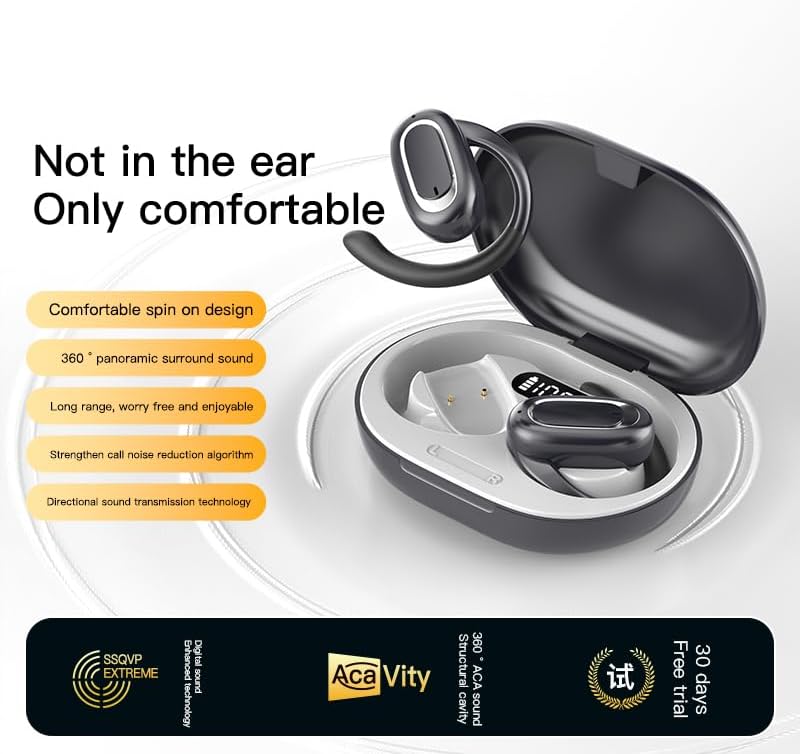
Image: Micool T35 Open Ear Headphones. This image shows both left and right earbuds with their earhooks, highlighting their ergonomic shape.
主な特徴:
- オープンイヤーデザイン: Rests gently on the ear without blocking the ear canal, reducing ear fatigue and maintaining environmental awareness.
- Bluetooth 5.3: 安定した効率的なワイヤレス接続を保証します。
- 人間工学に基づいたイヤーフック: Provides a secure and comfortable fit, even during extended use or physical activity.
- IPX6防水性: 汗や水しぶきにも強く、スポーツにも最適です。
- 長いバッテリー寿命: Up to 12 hours of playback on a single charge, extended to 34 hours with the charging case.
- 指向性音伝達: Minimizes sound leakage while delivering clear audio.
設定
1. ヘッドホンとケースの充電
初めて使用する前に、ヘッドフォンと充電ケースを完全に充電してください。
- ヘッドフォンを充電ケースに入れます。
- USB Type-C ケーブルをケースの充電ポートと電源に接続します。
- 充電ケースを完全に充電するには約1〜2時間かかります。
- A full charge provides up to 12 hours of listening time for the headphones, with the charging case extending total playback to 34 hours.
2.Bluetoothペアリング
To connect your Micool T35 headphones to a device:
- ヘッドフォンが充電されており、充電ケースに入っていることを確認します。
- 充電ケースを開けると、ヘッドホンは自動的にペアリングモードになり、イヤホンのLEDライトが点滅します。
- デバイス(スマートフォン、タブレットなど)で、Bluetooth 設定に移動します。
- 検索する available devices and select "Micool T35" from the list.
- 接続されると、ヘッドフォンの LED インジケーターの点滅が停止します。
- デバイスで Bluetooth が有効になっている場合、ヘッドフォンはケースから取り出すと最後にペアリングしたデバイスに自動的に再接続されます。
操作手順
1. ヘッドホンの装着
The Micool T35 headphones are designed for an open-ear fit with rotatable earhooks.
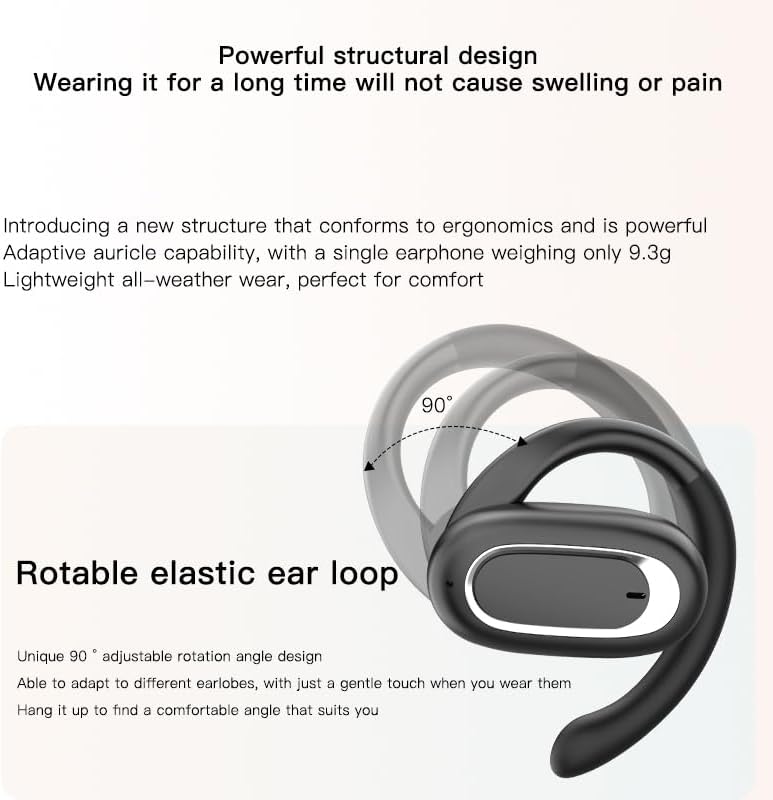
Image: Micool T35 Headphones: Rotatable Earhook Adjustment. The image illustrates the 90-degree rotation capability of the earhook for a customized fit.
- Gently place the earbud on your ear, ensuring the earhook wraps securely around the back of your ear.
- Adjust the rotatable earhook to find the most comfortable and stable position for your earlobe.
- The open-ear design ensures comfort and allows you to hear your surroundings.

Image: Micool T35 Headphones: Usage Scenarios. This image shows individuals using the headphones in various settings: during fitness activities, in an office environment, outdoors while running, and during leisure time.
2.タッチコントロール
The Micool T35 headphones feature intuitive touch controls on each earbud.
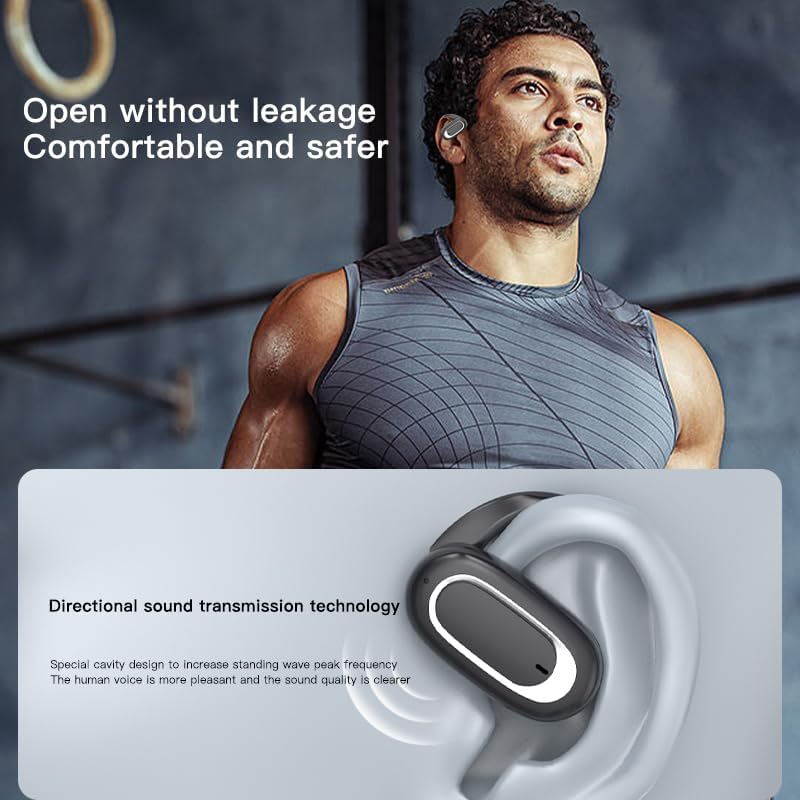
Image: Micool T35 Headphones: Touch Controls Diagram. This diagram illustrates the touch-sensitive area on the earbud and lists the corresponding functions for single tap, double tap, triple tap, and long press.
- 音楽の再生/一時停止: Tap the function key once.
- 通話の応答/終了: ファンクションキーをクリックします。
- 音声アシスタントを呼び出す: Long press the function key for 2 seconds.
- 着信拒否: Long press the function key for 2 seconds during an incoming call.
- Switching Up/Down Tracks: Triple click the left/right ear function keys.
- 音量の増減: Double click the right/left ear function keys.
3.ゲームモード
The Micool T35 headphones support a low-latency game mode for improved audio-video synchronization.

Image: Micool T35 Headphones: Low Latency Game Mode. The image shows a smartphone displaying a mobile game, indicating the headphones' capability for synchronized audio and video during gaming.
To activate game mode, refer to the specific instructions provided in the quick start guide or product packaging, as this feature often requires a specific touch gesture or setting within the connected device.
メンテナンス
適切なメンテナンスを行うことで、ヘッドフォンの寿命とパフォーマンスが向上します。
- クリーニング: ヘッドホンと充電ケースのお手入れには、柔らかく乾いた糸くずの出ない布をご使用ください。研磨剤入りの洗剤や溶剤は使用しないでください。
- 耐水性: The headphones are IPX6 waterproof, meaning they are resistant to strong jets of water. They are suitable for use during workouts and in light rain, but should not be submerged in water. Dry them thoroughly before placing them back in the charging case.
- ストレージ: 使用しないときは、ほこりや損傷からヘッドホンを守るため、充電ケースに入れて保管してください。高温多湿を避け、涼しく乾燥した場所に保管してください。
- バッテリーのケア: バッテリー寿命を延ばすため、長期間使用しない場合でも定期的にヘッドホンを充電してください。バッテリーを頻繁に完全に放電することは避けてください。
トラブルシューティング
If you encounter issues with your Micool T35 headphones, try the following solutions:
- 音が出ない:
- ヘッドフォンが充電されていることを確認してください。
- ヘッドフォンがデバイスと正しくペアリングされているかどうかを確認します。
- ヘッドフォンとデバイスの両方の音量を調整します。
- 別のアプリケーションまたはソースからオーディオを再生してみてください。
- ペアリング失敗:
- デバイスの Bluetooth をオフにしてから、再度オンにします。
- Forget "Micool T35" from your device's Bluetooth list and attempt to pair again.
- ヘッドフォンがペアリングモードになっていることを確認します(LED が点滅)。
- ヘッドホンをデバイスに近づけます。
- 充電の問題:
- 充電ケーブルがケースと電源の両方にしっかりと接続されていることを確認してください。
- 別の USB Type-C ケーブルまたは電源アダプターを試してください。
- Clean the charging contacts on the headphones and inside the case with a dry cotton swab.
- 通話品質が悪い:
- マイクが遮られていないことを確認してください。
- 環境騒音が少ない場所に移動します。
- デバイスのネットワーク信号を確認してください。
仕様
| ブランド | ミクール |
| モデル名 | T35 |
| 接続技術 | ワイヤレス(Bluetooth 5.3) |
| 耳の位置 | 耳を開ける |
| フォームファクター | On Ear (with earhooks) |
| 防水等級 | IPX6 |
| 再生時間 | 最大12時間(1回の充電)、34時間(充電ケース使用時) |
| 充電ポート | USBタイプC |
| コントロールタイプ | メディアコントロール(タッチ) |
| 材料 | プラスチック |
| 対応デバイス | 携帯電話 |
保証とサポート
Micool T35 Open Ear Headphones come with a 1-year limited warranty from the date of purchase. This warranty covers manufacturing defects and workmanship under normal use.
For technical support, warranty claims, or any questions regarding your product, please contact Micool customer service through the retailer where you purchased the product or visit the official Micool brand store:
サポートにお問い合わせいただく際は、購入時の領収書と製品モデル番号 (T35) をご用意ください。