
1.製品オーバーview
The TP-Link Deco X1500 is a Wi-Fi 6 Mesh System designed to provide seamless, whole-home Wi-Fi coverage. This 3-pack system utilizes advanced Wi-Fi 6 technologies to deliver faster speeds, connect more devices, and reduce latency for a superior network experience. It creates a unified network that automatically selects the best connection as you move throughout your home.

Image: A single TP-Link Deco X1500 Mesh WiFi 6 unit, showcasing its compact white cylindrical design.
主な特徴:
- Faster Connections: Wi-Fi 6 achieves speeds up to 1,500 Mbps: 1,201 Mbps on 5 GHz and 300 Mbps on 2.4 GHz.
- より多くのデバイスを接続: OFDMA and MU-MIMO technologies quadruple capacity for simultaneous transmission to multiple devices.
- Enhanced Seamless Coverage: Achieve perfect whole-home coverage with a clearer and stronger Wi-Fi signal generated by Wi-Fi 6.
- 超低遅延: Reduced latency enables more responsive gaming and video chats.
- 統合ネットワーク: Multiple units form a whole-home network that automatically selects the best connection as you move around your home.
- Robust Parental Controls: オンライン時間を制限し、不適切なものをブロックする websites based on unique profile家族メンバーごとに作成されます。
- 簡素化されたセットアップ: The Deco app guides you step-by-step through the setup process.
2. パッケージ内容
パッケージにすべてのアイテムが含まれていることを確認します。
- Deco X1500 ユニット x 3
- 1 xRJ45イーサネットケーブル
- 電源アダプター x 3
- クイックインストールガイド x 1
3. セットアップ手順
Setting up your Deco X1500 Mesh System is straightforward using the TP-Link Deco app. Follow these steps for initial installation:
- Decoアプリをダウンロードしてください: 検索する 'TP-Link Deco' in the App Store (iOS) or Google Play Store (Android) and download the application.
- サインアップまたはログイン: Open the Deco app and sign up for a TP-Link ID. If you already have one, log in.
- メインデコユニットを接続します。
- モデムの電源をオフにします。
- 付属のイーサネット ケーブルを使用して、1 台の Deco ユニットをモデムに接続します。
- モデムの電源を入れ、次に Deco ユニットの電源を入れます。
- アプリ内の指示に従ってください: The Deco app will automatically detect your Deco unit and guide you through the process of creating your Wi-Fi network name and password.
- 追加のデコレーションユニットを追加する: Once the main Deco is set up, the app will prompt you to add the remaining Deco units. Place them strategically throughout your home for optimal coverage. The app will provide guidance on ideal placement.
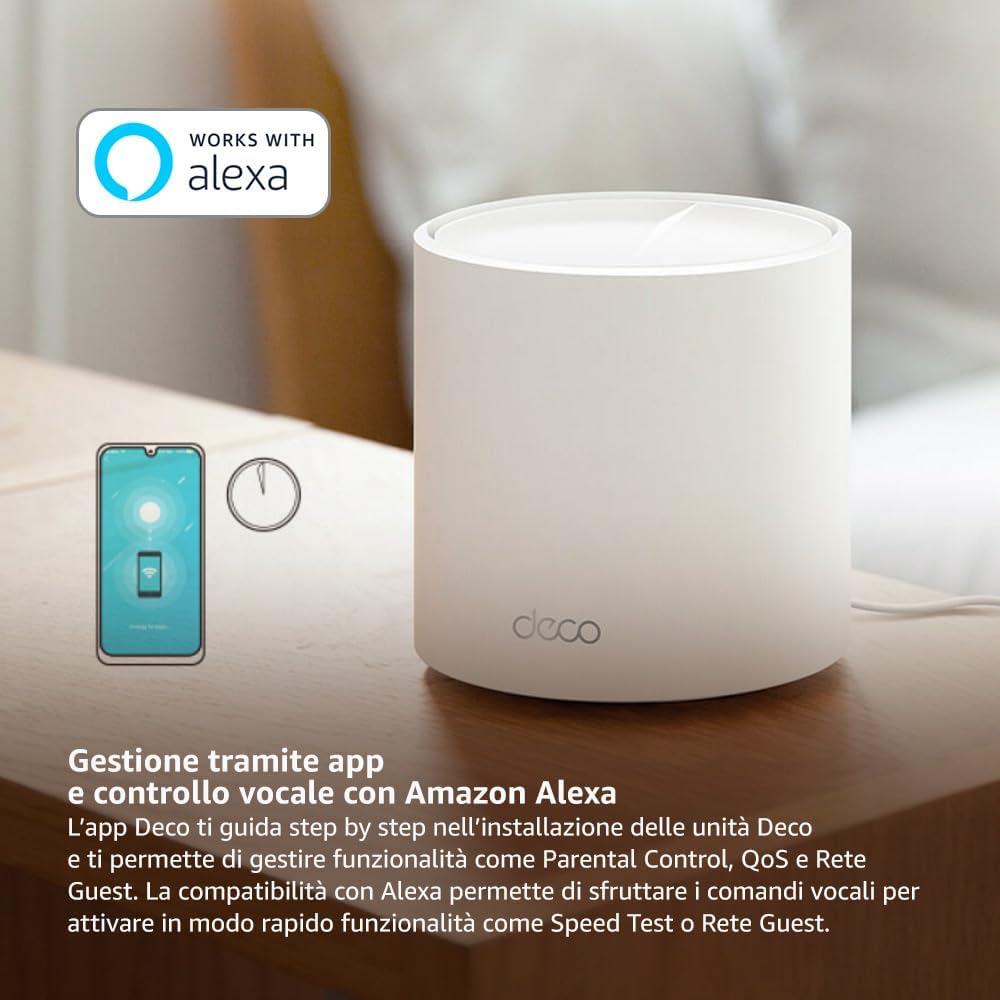
Image: A smartphone screen displaying the TP-Link Deco app, illustrating the step-by-step setup process for the mesh system.
4. 操作手順
The Deco X1500 system is managed primarily through the TP-Link Deco app, offering various features to control and optimize your home network.
Decoアプリの使用:
- ネットワーク管理: View connected devices, monitor network status, and manage Wi-Fi settings.
- ペアレンタルコントロール: プロを作成するfiles for family members, set time limits, and block inappropriate content.
- サービス品質 (QoS): 最適なパフォーマンスを得るためにデバイスまたはアクティビティを優先順位付けします。
- ゲストネットワーク: メインネットワークを安全に保ちながら、ゲスト用に別の Wi-Fi ネットワークを作成します。
- ウイルス対策: Utilize built-in HomeShield features for network protection.
Amazon Alexaによる音声コントロール:
The Deco X1500 is compatible with Amazon Alexa. Link your TP-Link Deco account to your Alexa account to use voice commands for network functions, such as:
- Enabling or disabling the Guest Network.
- Running a speed test.
- Pausing Wi-Fi for specific profiles.

画像: 背面 view of a Deco X1500 unit, showing two Gigabit LAN/WAN auto-sensing Ethernet ports and the power input.
5. メンテナンス
Regular maintenance ensures optimal performance and longevity of your Deco X1500 system.
ファームウェアの更新:
- The Deco app will notify you of available firmware updates. It is recommended to keep your Deco units updated to the latest firmware for improved performance, security, and new features.
- Follow the in-app instructions to perform firmware updates. Do not power off the units during an update.
清掃と配置:
- Clean the Deco units with a soft, dry cloth. Do not use liquid cleaners or aerosols.
- Place Deco units in open areas, away from obstructions like large metal objects, thick walls, or other electronic devices that may cause interference.
- Ensure adequate ventilation around each unit to prevent overheating.
6。 トラブルシューティング
If you encounter issues with your Deco X1500 system, refer to the following common troubleshooting steps.
インターネット接続なし:
- モデムを確認してください: モデムの電源がオンになっており、インターネット接続がアクティブであることを確認してください。
- ケーブル接続: メインの Deco ユニットとモデムを接続するイーサネット ケーブルがしっかりと接続されていることを確認します。
- デバイスを再起動します。 Power cycle your modem and all Deco units. Wait a few minutes for them to restart and re-establish connections.
- Decoアプリのステータス: Check the Deco app for network status and any error messages.
Wi-Fi信号が弱い、またはデッドゾーンがある場合:
- ユニットの配置: Adjust the placement of your Deco units. Try to place them equidistant from each other and the main Deco, avoiding physical obstructions.
- 干渉: Move Deco units away from other electronics (microwaves, cordless phones, Bluetooth devices) that might cause wireless interference.
- ユニットを追加: For very large homes or those with multiple floors, consider adding more Deco units to expand coverage.
デバイスがWi-Fiに接続できない:
- 正しいパスワード: 正しい Wi-Fi パスワードを入力していることを確認してください。
- デバイスの互換性: Verify that your device supports the Wi-Fi standards used by the Deco system (802.11ax/ac/n/a/g/b).
- デバイスを再起動します: 接続しようとしているデバイスを再起動します。
- Check Blacklist: Ensure the device has not been accidentally blacklisted in the Deco app.
7. 仕様
| 特徴 | 仕様 |
|---|---|
| ブランド | TPリンク |
| モデル名 | デコX1500 |
| 特集 | Wi-Fi6 について |
| 周波数帯域クラス | デュアルバンド |
| 無線通信規格 | 802.11ax |
| 対応デバイス | パソコン、スマートフォン、タブレット |
| 推奨用途 | 家 |
| 接続技術 | RJ45 |
| 色 | 白 |
| セキュリティプロトコル | WPA3 |
| Number of Ports (per unit) | 2 x Gigabit LAN/WAN (auto-sensing) |
| 制御方法 | アプリ |
| データ転送速度 | 1500メガビット/秒 |
| LANポート帯域幅 | 1000 Mbps |
| 巻tage | 110.0V |
| Max Upstream Data Transfer Rate | 1201メガビット/秒 |
| アンテナ数 | 内部 |
| スマートホームの互換性 | はい |
| Wi-Fiの生成 | Wi-Fi6 について |
| カバレッジ(3パック) | 最大520平方メートル |
| アイテム重量 | 1.8キログラム |
8. 保証情報
The TP-Link Deco X1500 Mesh System comes with a 3年間の製品保証. This warranty covers defects in materials and workmanship under normal use. For specific terms and conditions, please refer to the warranty card included in your package or visit the official TP-Link webサイト。
9. サポート
For further assistance, technical support, or to access additional resources, please visit the official TP-Link support webサイト:
You can also find FAQs, updated manuals, and community forums on the support page.