
1.製品オーバーview
The THINKCAR THINKSCAN 641 is a wireless OBD2 diagnostic tool designed for comprehensive vehicle system analysis. It provides diagnostic functions for Engine, Transmission, ABS, and SRS Airbag systems, along with full OBD2 modes and 10 essential maintenance reset services. The device features a touchscreen interface and connects wirelessly via Bluetooth to the vehicle's OBD-II port.
1.1 パッケージ内容
- THINKCAR THINKSCAN 641 OBD2 Scanner (x1)
- Bluetooth Connector (x1)
- 製品マニュアル(1部)
1.2 デバイスコンポーネント
Familiarize yourself with the main components of your THINKSCAN 641 device:

Image: THINKCAR THINKSCAN 641 device layout with labeled buttons and ports.
- 4.8インチタッチスクリーン: Main display for navigation and data viewing。
- 電源/画面ロックボタン: 3 秒間押し続けると、オンまたはオフになります。
- 確認ボタン: Used to select options or confirm actions.
- Up, Down, Left, Right Toggle Key: For navigating menus and options.
- リターンキー: To go back to the previous screen or menu.
- TFカードスロット: 拡張可能なストレージ用。
- 充電ポート: 充電ケーブルを接続します。
- OBDインターフェース: Port for the Bluetooth connector.
2. セットアップ
2.1 初期接続
To begin using your THINKSCAN 641, follow these steps to establish a connection with your vehicle:
- 車両の OBD-II ポートを見つけます。通常は運転席側のダッシュボードの下にあります。
- Plug the included Bluetooth 5.0 VCI Dongle into the vehicle's OBD-II port.
- Turn on the vehicle's ignition (engine off, key on).
- Power on the THINKSCAN 641 handheld unit by pressing and holding the Power/Screen Lock Button for 3 seconds.
- The device will automatically attempt to connect via Bluetooth. A stable connection should be established within 3 seconds.
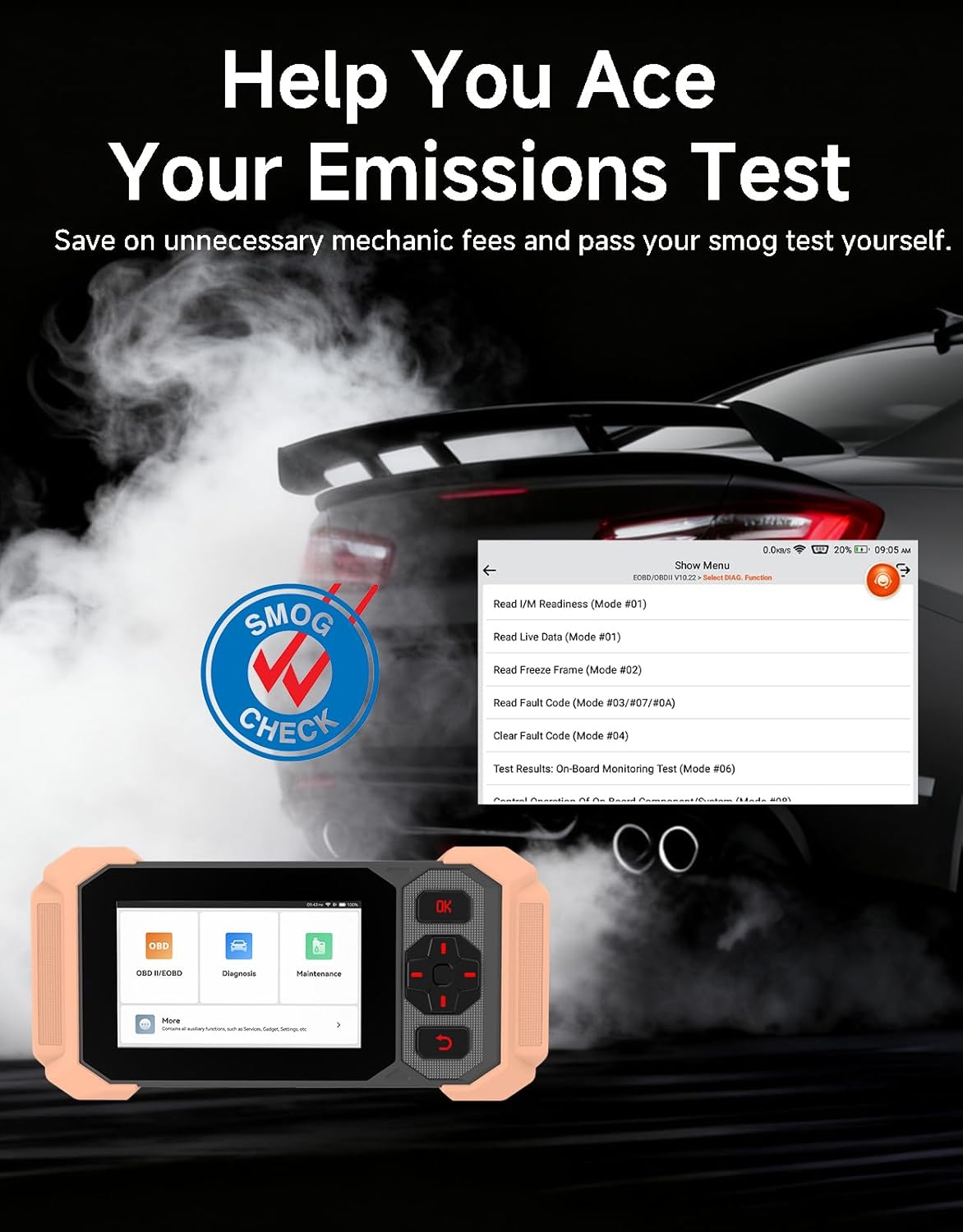
Image: Bluetooth VCI Dongle connected to the vehicle's OBD-II port.
2.2 Automatic Vehicle Identification (AutoVIN)
The THINKSCAN 641 supports AutoVIN functionality, which automatically identifies your vehicle's information upon connection. If AutoVIN fails for your specific vehicle model, you can manually enter the vehicle information to proceed with diagnostics.
2.3ソフトウェアアップデート
The device supports lifetime free software updates via Wi-Fi. Ensure your device is connected to a stable Wi-Fi network to download and install the latest software versions, which include new vehicle models and improved functionalities.

Image: Lifetime Free Update icon.
2.4 Instructional Video: How to Use
Video: This video demonstrates the basic steps for connecting and using the THINKCAR THINKSCAN 641 diagnostic tool, including menu navigation and initiating a scan.
3. 操作手順
3.1 4システム診断
The THINKSCAN 641 provides in-depth diagnostics for four core vehicle systems:
- エンジンシステム: エンジン故障コードの読み取りとクリア、 viewのライブデータを取得し、エンジン関連のさまざまなテストを実行します。
- アンチロックブレーキシステム(ABS): ABS の問題を診断し、ABS 障害コードを読み取ってクリアし、ABS ブリーディングを実行します。
- 補助拘束システム(SRS/エアバッグ): Detects and clears airbag system fault codes, and performs SRS resets.
- トランスミッションシステム: Analyzes transmission performance, reads and clears transmission fault codes.

画像: 上view of 4-System Diagnostic capabilities.
3.2 フルOBD2モード
The device supports all 10 OBD2 test modes, offering comprehensive diagnostic capabilities:
- コードを読む: 診断トラブル コード (DTC) を表示します。
- クリアコード: DTC をクリアし、モニターをリセットします。
- ライブデータ: Shows real-time data stream from vehicle sensors.
- フリーズフレーム: Stores a snapshot of vehicle operating conditions when an emission-related fault occurs.
- I / M準備: 排出関連モニターのステータスを確認します。
- O2センサーテスト: O2 センサー モニターのテスト結果を取得します。
- オンボードモニターテスト: 排出ガス関連のパワートレイン コンポーネントとシステムの結果を取得します。
- EVAP システムテスト: 蒸発ガス排出制御システムのテストを開始します。
- 車両情報: 車両識別番号 (VIN)、キャリブレーション ID、キャリブレーション検証番号 (CVN) を取得します。
- DTC ルックアップ: Provides detailed explanations for diagnostic trouble codes.

Image: Full OBD2 Modes functions display.
3.3 10 Maintenance Reset Functions
The THINKSCAN 641 includes 10 specialized maintenance and reset functions:
- ABSブリーディング: ブレーキシステムからエアを抜きます。
- エアバッグ(SRS)リセット: Resets the airbag system after repairs.
- バッテリーマッチング: 新しいバッテリーを車両の ECU に登録します。
- ブレーキパッドのリセット: Resets the brake pad life after replacement.
- DPF再生: ディーゼル粒子フィルターの再生プロセスを開始します。
- 電子スロットル適応: スロットルボディの位置を再学習します。
- インジェクターコーディング: 新しいインジェクター番号を ECU にコード化します。
- オイルサービスのリセット: オイル交換後にオイルサービスライトをリセットします。
- ステアリング角度リセット: ステアリング角度センサーをリセットします。
- TPMSリセット: タイヤ空気圧監視システムをリセットします。

Image: 10 Maintenance Reset Functions.
3.4 ライブデータのグラフ化
The device allows for real-time graphing of multiple sensor readings simultaneously, aiding in the diagnosis of intermittent issues and performance analysis.

Image: Live Data Stream icon.
3.5 車両の互換性
The THINKSCAN 641 is compatible with all OBDII-compliant vehicles manufactured in 1996 or later, covering over 118 automotive brands. It also supports the CAN FD protocol and FCA AutoAuth certification. Note that access to FCA AutoAuth requires a separate purchase and is currently supported for Renault, Nissan, and Chrysler brands.

Image: Wide compatibility with various car brands and regions.
4. メンテナンス
4.1 Routine Maintenance Resets
Utilize the 10 maintenance reset functions to perform routine service tasks and clear corresponding indicator lights after repairs. This includes tasks such as oil service resets, brake pad replacements, and battery registrations.
4.2ソフトウェアアップデート
Regularly check for and install software updates via Wi-Fi to ensure your device has the latest vehicle coverage and diagnostic capabilities. Updates are provided free for life.
5。 トラブルシューティング
5.1 障害コードのクリア
When a fault code is detected, it is crucial to diagnose and fix the underlying issue before clearing the code. Clearing codes without addressing the root cause will likely result in the fault code reappearing.
Image: Reminder to fix vehicle faults before clearing codes.
5.2 AutoVIN Failure
If the AutoVIN feature does not automatically identify your vehicle, proceed by manually entering the vehicle's information (make, model, year) to continue with the diagnostic process.
5.3 ユーザーインターフェースナビゲーション
While the device is designed for ease of use, some advanced functions may require familiarity with diagnostic procedures. Refer to the built-in DTC Lookup Library for code definitions and consult the online customer service for further assistance if needed.
6. 仕様
| 特徴 | 仕様 |
|---|---|
| ブランド | シンクカー |
| モデル番号 | シンクスキャン641 |
| 電源 | 電池駆動 |
| オペレーティング·システム | アンドロイド8.1 |
| 画面サイズ | 4.3インチ |
| 言語 | 英語(23言語に対応) |
| 自動車適合タイプ | ユニバーサルフィット |
| アイテム重量 | 0.9 ポンド |
| 接続性 | Bluetooth 5.0(ワイヤレス) |
| アップデート | Wi-Fi経由の生涯無料アップデート |
| サポートされているプロトコル | OBDII, CAN FD, FCA AutoAuth (separate purchase for specific brands) |
7. 保証とサポート
7.1 製造元の保証
The THINKCAR THINKSCAN 641 comes with a 3-year manufacturer's warranty, ensuring coverage for potential defects or malfunctions.
7.2 テクニカルサポート
Lifetime free technical support is provided for the THINKSCAN 641. For assistance, you can access the built-in online customer service feature directly from the device. This allows for direct communication with professional support staff to resolve any queries or issues.

Image: Timely Online Feedback and Support.


