
1. はじめに
The Nonstop NSO2-BK is a versatile hotel alarm clock designed for convenience and functionality. It features a clear digital display, multiple charging options including USB-C, and an intuitive interface for setting time and alarms. This manual provides detailed instructions for setting up and operating your alarm clock.
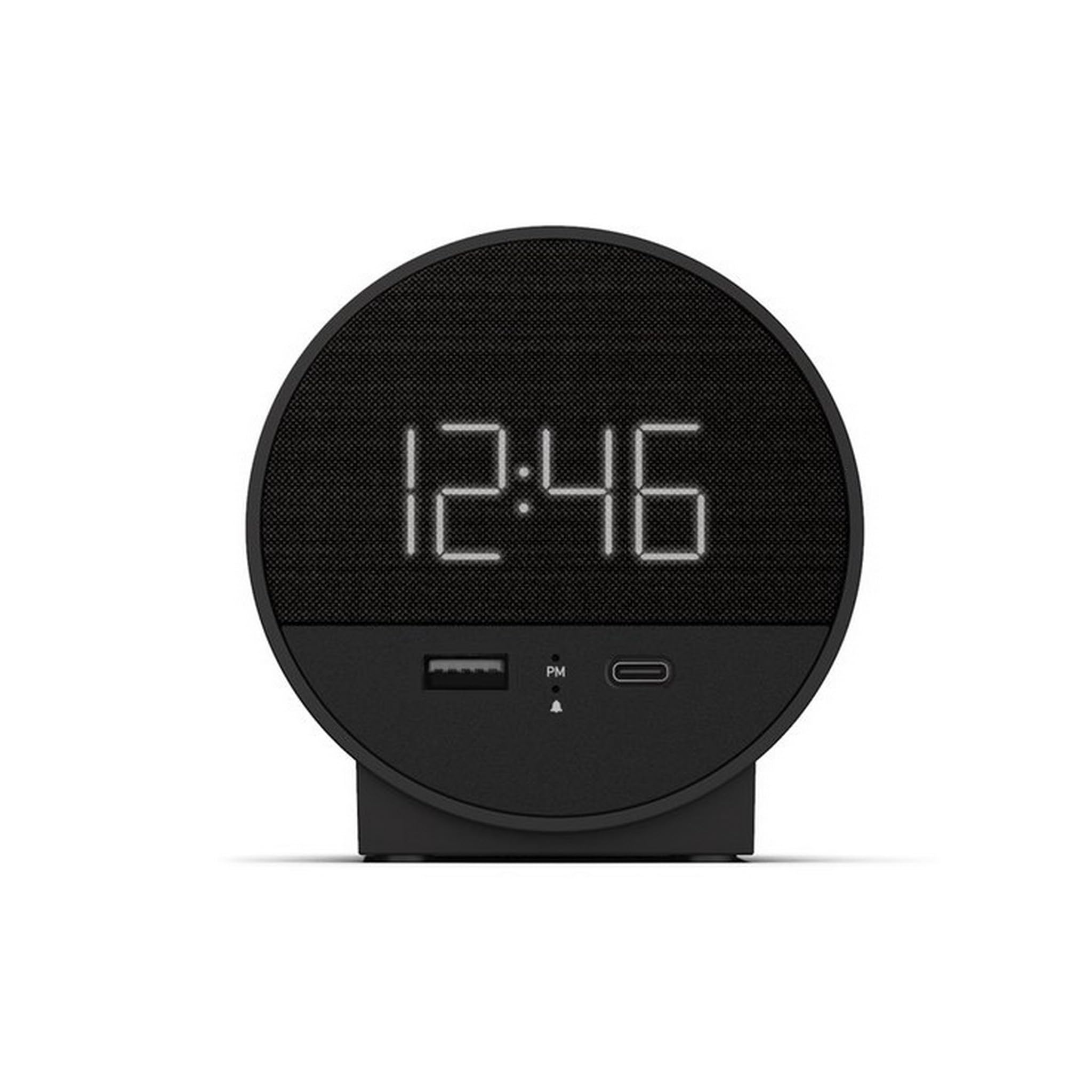
図1: 前面 view of the Nonstop NSO2-BK USB-C Hotel Alarm Clock.
2 製品の特徴
- Digital Time Display: Clear and easy-to-read time.
- Dual Alarm Function: Set two independent alarms.
- Snooze Function: Temporarily silence the alarm.
- Display Dimmer: Adjust screen brightness for comfort.
- USB-C Charging Port: Modern charging for compatible devices.
- USB-A Charging Port: Standard USB charging for various devices.
- Bluetooth Speaker: Connect your smartphone or other devices to play audio.
- Relaxation Sounds: Built-in sound machine for sleep or relaxation.

Figure 2: Close-up of the USB-A and USB-C charging ports on the alarm clock.
3. セットアップ
3.1電源接続
- Unpack the alarm clock and all accessories.
- 電源アダプターを目覚まし時計の背面にある DC 入力ポートに接続します。
- 電源アダプタを標準の電源コンセントに差し込みます。ディスプレイが点灯します。
3.2 Backup Battery (Not included)
停電中でも継続的に時間を計るtages, insert 2 AAA batteries (not included) into the battery compartment on the bottom of the unit. The backup battery maintains time settings but does not power the display or alarm functions.
4. 操作手順
4.1時間の設定
- を押し続けます 時間設定 button (often labeled 'M' or a clock icon) for 3 seconds until the hour digits flash.
- 使用 HR (時間)と 分 (分)ボタンを押して時間を調整します。
- プレス 時間設定 もう一度押して確認し、時間設定モードを終了します。
4.2アラームの設定
The NSO2-BK supports two independent alarms (Alarm 1 and Alarm 2).
- を押し続けます アラーム1 or アラーム2 button (bell icon) for 3 seconds until the hour digits flash.
- 使用 HR そして 分 ボタンを押して希望のアラーム時間を設定します。
- それぞれの アラーム もう一度ボタンを押してアラーム時間を確定します。
- アラームをオン/オフにするには、対応する アラーム button. An indicator light will appear/disappear on the display.
4.3スヌーズ機能
アラームが鳴ったら、大きな スヌーズ button on top of the unit to temporarily silence the alarm for 9 minutes. The alarm will sound again after the snooze period.
4.4 ディスプレイの明るさ調整
を押す スヌーズ/ディマー button (or a dedicated dimmer button if available) repeatedly to cycle through different brightness levels for the display. Select the level that is most comfortable for you.
4.5 充電装置
The NSO2-BK provides convenient charging for your electronic devices:
- USB-Cポート: Located on the front, plug in your USB-C compatible device for fast charging.
- USB-A ポート: Located on the front, plug in your standard USB-A compatible device for charging.
4.6のBluetoothスピーカー
To use the alarm clock as a Bluetooth speaker:
- を押す モード button (labeled 'M') until 'BT' appears on the display.
- モバイル デバイスで Bluetooth を有効にし、利用可能なデバイスを検索します。
- Select 'A21-B' (or similar model name) from the list to pair.
- ペアリングすると、デバイスからのオーディオを目覚まし時計のスピーカーから再生できるようになります。
Video 1: Demonstrates various functions including time setting, alarm setting, snooze, brightness, and charging on a similar multifunctional alarm clock. Note: Specific button labels may vary slightly from your model.
5. メンテナンス
- 本体は柔らかく乾いた布で拭いてください。液体クリーナーや研磨剤は使用しないでください。
- 直射日光、熱源、湿気を避けて保管してください。
- ご自身でユニットを分解したり修理したりしないでください。サポートが必要な場合は、カスタマーサポートにお問い合わせください。
6。 トラブルシューティング
- 電源なし/ディスプレイオフ: Ensure the power adapter is securely plugged into both the alarm clock and a working electrical outlet. Check if the power outlet is functional.
- アラームが鳴らない: Verify that the alarm is activated (indicator light on) and the alarm time is correctly set. Check the alarm volume settings.
- 充電が機能しない: Ensure your device is compatible with USB-C or USB-A charging. Check the charging cable for damage.
- Bluetooth ペアリングの問題: Ensure the alarm clock is in Bluetooth pairing mode ('BT' displayed). Turn off and on Bluetooth on your mobile device and try pairing again.
7. 仕様
| 仕様 | 詳細 |
|---|---|
| モデル | NSO2-BK |
| アイテム重量 | 2ポンド |
| ASIN | B0CKCNX688 |
| 初回利用可能日 | 29年2024月XNUMX日 |
8. 保証とサポート
This Nonstop NSO2-BK USB-C Hotel Alarm Clock comes with a 365-Day Warranty from the date of purchase. For any product-related inquiries, technical support, or warranty claims, please contact our customer service team.
- 返品規則: 30-day refund/replacement period.
- 保証期間: 購入から365日。
- サポートメール: Andoservice@outlook.com