
導入
Thank you for choosing the HyperGear Stealth2 ANC Wireless Headphones. This manual provides detailed instructions for setting up, operating, and maintaining your headphones to ensure optimal performance and longevity. Please read this manual thoroughly before use.

Image: HyperGear Stealth2 ANC Wireless Headphones, Bone color, showcasing key features like Active Noise Cancelling, 40mm Neodymium Drivers, Deep HD Stereo Sound, up to 24-hour playing time, rapid charge, and lightweight foldable design.
パッケージ内容
パッケージにすべてのアイテムが揃っていることを確認します。
- HyperGear Stealth2 ANC Wireless Headphones
- USB-C充電ケーブル
- ユーザーマニュアル(このドキュメント)
製品終了view
ヘッドフォンのさまざまなコンポーネントとコントロールについて理解しておきましょう。

Image: Detailed diagram of the HyperGear Stealth2 ANC Wireless Headphones, highlighting the on-ear controls. Labels include Power On/Off, Enter Pairing Mode, Volume Up/Next Track, Play/Pause/Answer/End Call, Reject Call, Activate Voice Assistant, Gaming Mode On/Off, Volume Down/Previous Track, and Active Noise Cancellation On/Off. Also shows Quick Pairing and Auto Reconnection features.
オンイヤーコントロール:
- 電源ボタン: Press and hold to power on/off. Press and hold to enter pairing mode.
- 音量アップ/次のトラックボタン: 押すと音量が上がります。長押しすると次のトラックに進みます。
- 多機能ボタン(再生/一時停止): Press to play/pause audio. Press to answer/end calls. Press and hold to reject calls. Double-press to activate voice assistant. Triple-press to toggle Gaming Mode.
- 音量を下げる/前のトラックボタン: 押すと音量が下がります。長押しすると前のトラックに戻ります。
- ANCボタン: Press to toggle Active Noise Cancellation on/off.
設定
1. ヘッドフォンを充電する
初めて使用する前に、ヘッドフォンを完全に充電してください。
- 付属のUSB-C充電ケーブルをヘッドフォンの充電ポートに接続します。
- ケーブルのもう一方の端を USB 電源 (例: 壁のアダプタ、コンピュータの USB ポート) に接続します。
- The LED indicator will show charging status. It typically takes about 2 hours for a full charge.
- A 10-minute rapid charge can provide approximately 3 hours of playback.
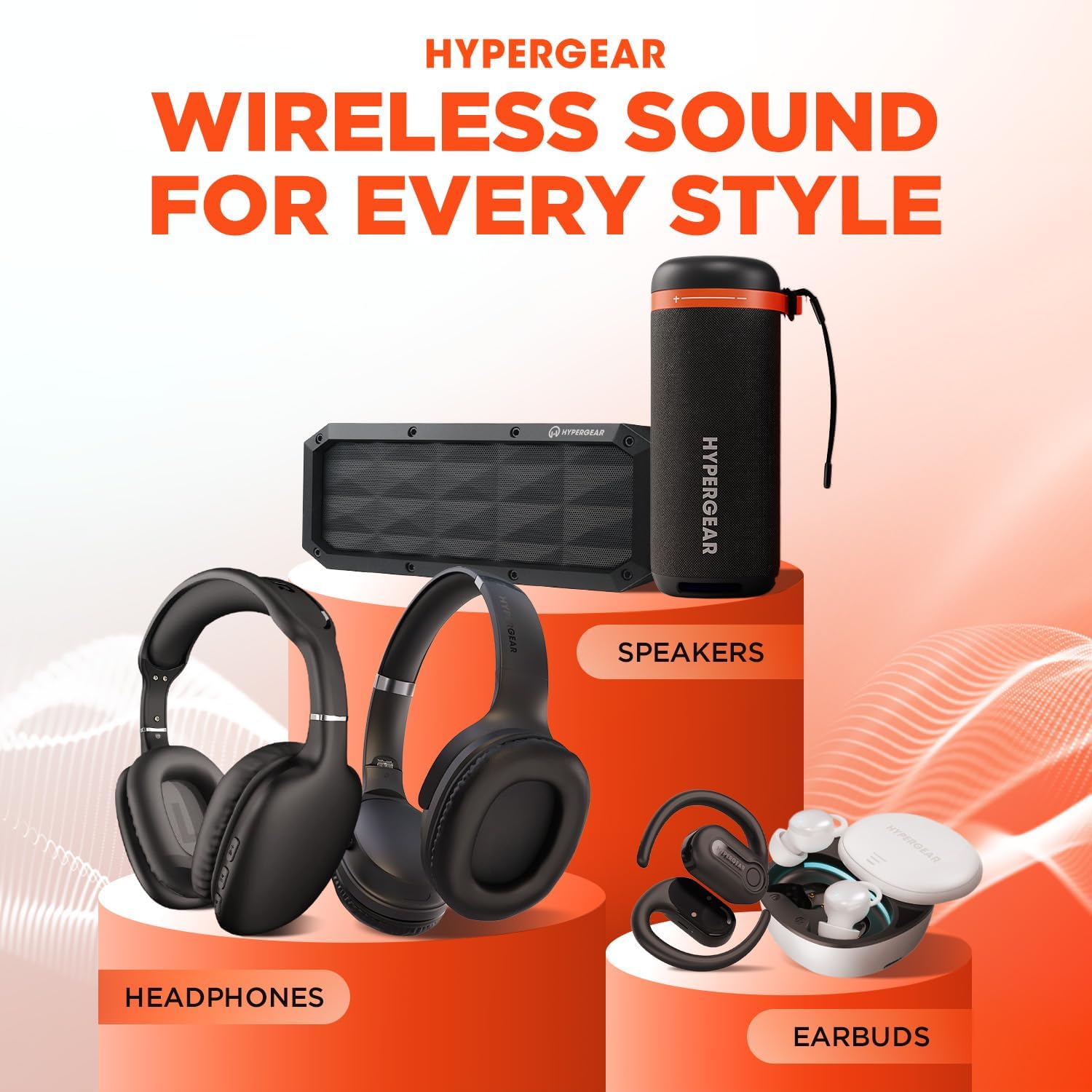
Image: A person wearing HyperGear Stealth2 ANC Wireless Headphones on an airplane, illustrating battery life: 18 hours with ANC on, 24 hours with ANC off. Also highlights rapid charge: 10 minutes of charging provides 3 hours of playback.
2.Bluetoothペアリング
ワイヤレス オーディオを利用するには、ヘッドフォンをデバイスとペアリングします。
- ヘッドフォンが充電され、電源がオフになっていることを確認します。
- LED インジケーターが青と赤に点滅してペアリング モードになるまで、電源ボタンを押し続けます。
- デバイス(スマートフォン、タブレット、コンピューター)で Bluetooth を有効にし、利用可能なデバイスを検索します。
- Select "HyperGear Stealth2" from the list of found devices.
- 接続されると、LED インジケーターが青色に点灯するか、ゆっくり点滅します。
クイックペアリング: The headphones are designed for instant connection with your device in seconds after initial pairing.
自動再接続: The headphones will remember and automatically reconnect to the last paired device when powered on and within range.
操作手順
電源オン/オフ
- 電源をオンにするには、LED インジケーターが点灯するまで電源ボタンを押し続けます。
- 電源を切るには、LED インジケーターが消えるまで電源ボタンを押し続けます。
アクティブノイズキャンセル(ANC)
- Press the dedicated ANC button to toggle Active Noise Cancellation on or off.
- When ANC is active, ambient noise is significantly reduced, providing a quieter listening experience.
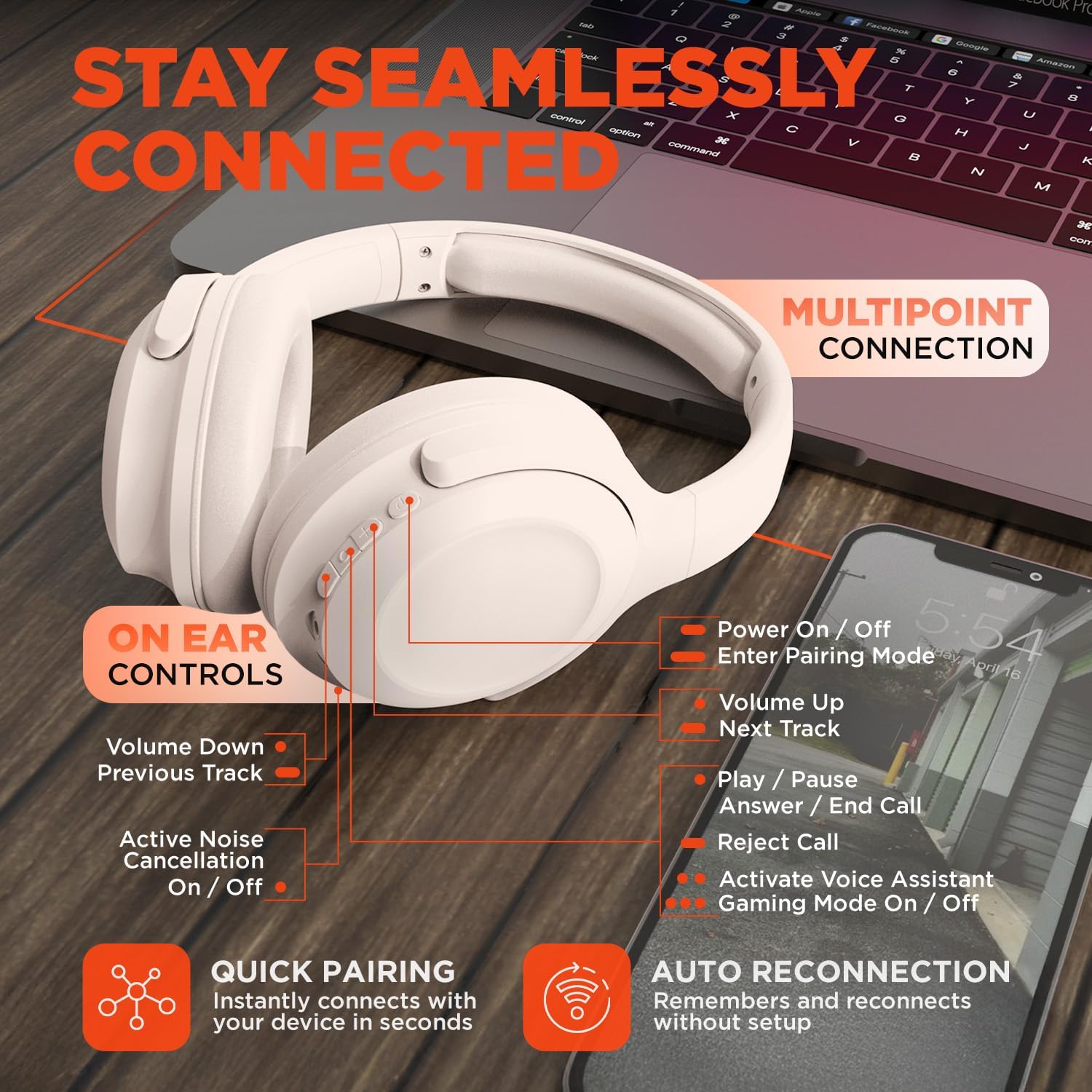
Image: HyperGear Stealth2 ANC Wireless Headphones highlighting "Pure Sound Anywhere" with Dual ANC Microphones for blocking unwanted noise and Adaptive Sound Control for real-time environment adjustment. Also shows compatibility with Siri and Google Assistant, and use cases for exercise, gaming, and travel.
オーディオ再生と通話
- 再生/一時停止: 多機能ボタンをXNUMX回押します。
- 次のトラック: 音量アップボタンを長押しします。
- 前のトラック: 音量ダウンボタンを押し続けます。
- 音量コントロール: 音量を上げるボタンまたは音量を下げるボタンを押します。
- 通話の応答/終了: 多機能ボタンをXNUMX回押します。
- 通話を拒否: 多機能ボタンを長押しします。
音声アシスタント
- マルチファンクションボタンを 2 回押すと、デバイスの音声アシスタント (Siri、Google アシスタントなど) が起動します。
ゲームモード
- Triple-press the Multi-function button to toggle the no-lag Gaming Mode. This mode optimizes audio synchronization for enhanced gameplay.
マルチポイント接続
The headphones support multipoint connection, allowing them to be connected to two Bluetooth devices simultaneously.
- 「Bluetooth ペアリング」セクションの説明に従って、ヘッドフォンを最初のデバイスとペアリングします。
- 最初のデバイスで Bluetooth を無効にします。
- ヘッドフォンをペアリングモードに戻し、2 番目のデバイスとペアリングします。
- 最初のデバイスでBluetoothを再度有効にします。これでヘッドフォンが両方のデバイスに接続されるはずです。
- Audio will play from the device that is actively playing content.

Image: HyperGear Stealth2 ANC Wireless Headphones positioned between a laptop and a smartphone, demonstrating the multipoint connection feature. This allows the headphones to stay seamlessly connected to multiple devices.
メンテナンス
適切な手入れを行うことで、ヘッドフォンの寿命とパフォーマンスが保証されます。
- Keep the headphones dry. Do not expose them to water or excessive moisture. They are not water resistant.
- イヤーカップとヘッドバンドは、柔らかく乾いた布で拭いてください。刺激の強い化学薬品や研磨剤の使用は避けてください。
- ヘッドホンを使用しない時は、涼しく乾燥した場所に保管してください。折りたたみ式なので、コンパクトに収納できます。
- 極端な温度を避けてください。
- ヘッドフォンを分解したり改造したりしないでください。保証が無効になります。
トラブルシューティング
問題が発生した場合は、次の一般的な解決策を参照してください。
| 問題 | 解決 |
|---|---|
| ヘッドホンの電源が入りません。 | ヘッドホンが完全に充電されていることを確認してください。USB-Cケーブルを使って電源に接続してください。 |
| デバイスとペアリングできません。 |
|
| 音が出ない、または音量が低い。 |
|
| ANCは効果がありません。 |
|
仕様
| 特徴 | 詳細 |
|---|---|
| モデル名 | HyperGear Stealth2 ANC Headphones |
| モデル番号 | 15860 |
| 接続技術 | ワイヤレス(Bluetooth) |
| Bluetoothバージョン | 5.2 |
| Bluetooth範囲 | 10メートル |
| オーディオドライバーのサイズ | 40mm |
| 周波数範囲 | 20 Hz - 20,000 Hz |
| 騒音制御 | アクティブノイズキャンセリング |
| バッテリー寿命 | 最大24時間(ANCオフ) |
| 充電時間 | 2時間 |
| 充電ポート | USB-C |
| 材料 | プラスチック |
| アイテム重量 | 0.38キログラム(13.3オンス) |
| 製品寸法 | 7.88 x 2.25 x 10.51インチ |
| 耐水性レベル | 耐水性はありません |
| 欧州連合 | 633755158605 |
保証とサポート
HyperGear products are designed for reliability and performance. For warranty information and customer support, please refer to the warranty card included with your purchase or visit the official HyperGear webサイト。
返品規則: This product typically includes a 30-day return policy for refunds or replacements. Please check your purchase details for specific terms.
メーカー: ハイパーギア