
1. はじめに
This manual provides essential information for the proper use and maintenance of your Freewell Bright Day-6Pack Hybrid ND/PL Filter Kit, designed specifically for the DJI Mini 4 Pro drone. These filters combine Neutral Density (ND) and Polarizer (PL) functionalities to enhance your aerial photography and videography by controlling light and managing reflections.
キット内容:
- ND16/PL Filter
- ND32/PL Filter
- ND64/PL Filter
- ND128/PL Filter
- ND256/PL Filter
- ND1000/PL Filter
- 保護収納ケース

Image: The Freewell Bright Day-6Pack Hybrid ND/PL Filter Kit, showcasing all six filters.
2. セットアップとインストール
Proper installation of the filters is crucial to avoid damage to your drone's gimbal and to ensure optimal performance. Always handle filters with clean hands and avoid touching the glass surface.
インストール手順:
- Ensure your DJI Mini 4 Pro drone is powered off and the gimbal is unlocked.
- Gently twist the original lens cover counter-clockwise to remove it from the drone's camera. Store the original cover safely in the provided case.
- Select the desired Freewell ND/PL filter. Align the filter with the drone's camera lens.
- Carefully push the filter onto the lens and twist clockwise until it clicks securely into place. Ensure the filter is firmly attached but do not overtighten.
- For ND/PL filters, you can rotate the outer ring of the filter to adjust the polarization effect. Look through the camera's live view to achieve the desired reduction in glare or reflection.

Image: A Freewell ND/PL filter correctly installed on the DJI Mini 4 Pro camera gimbal.
動画ガイド:
Video: A step-by-step guide on how to install Freewell filters on the DJI Mini 4 Pro drone, demonstrating the twisting mechanism for attachment and removal.
3. Operating the Filters
Freewell Hybrid ND/PL filters are designed to give you greater control over exposure and image quality in various lighting conditions. They reduce the amount of light entering the camera sensor (ND effect) and minimize glare and reflections (PL effect).
Understanding ND/PL Values:
- ND16/PL (4-stop): Ideal for partly cloudy to bright days, allowing for cinematic motion blur and reduced glare.
- ND32/PL (5-stop): Suitable for very bright conditions, offering significant light reduction and strong polarization.
- ND64/PL (6-stop): Excellent for extremely bright, sunny days, enabling slow shutter speeds for smooth motion and deep color saturation.
- ND128/PL (7-stop): For intense sunlight, allowing for very slow shutter speeds and strong glare reduction.
- ND256/PL (8-stop): Used in exceptionally bright environments for long exposure photography or extreme light reduction.
- ND1000/PL (10-stop): Designed for ultra-long exposure photography, creating silky smooth water or blurred clouds, even in daylight.
Achieving Cinematic Motion Blur:
To achieve a cinematic look, aim for a shutter speed that is approximately double your frame rate (e.g., 1/60th of a second for 30fps video). ND filters help you maintain this shutter speed even in bright conditions, preventing overexposure.
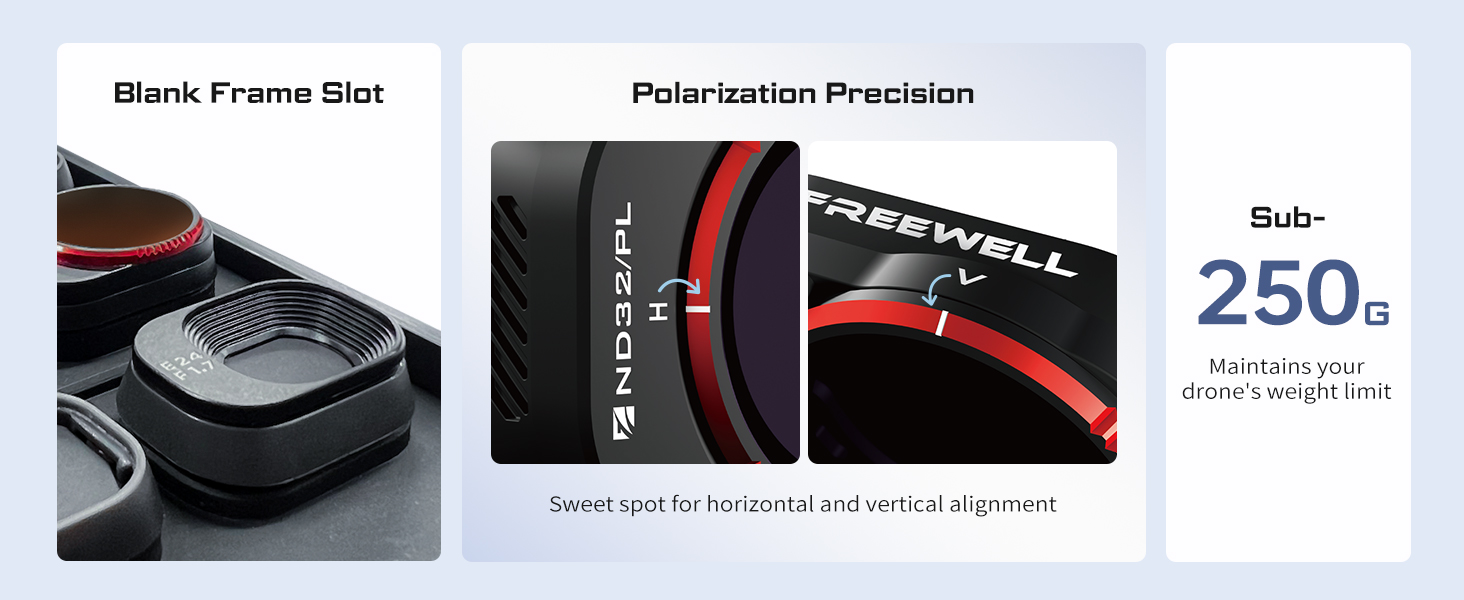
Image: Illustrates the effect of an ND filter on video, creating smoother motion blur compared to footage without a filter.
Reducing Glare and Enhancing Contrast:
The polarizer (PL) component of these filters helps to reduce unwanted glare from reflective surfaces like water, glass, or wet foliage. It also enhances color saturation and contrast, making skies bluer and clouds more defined.
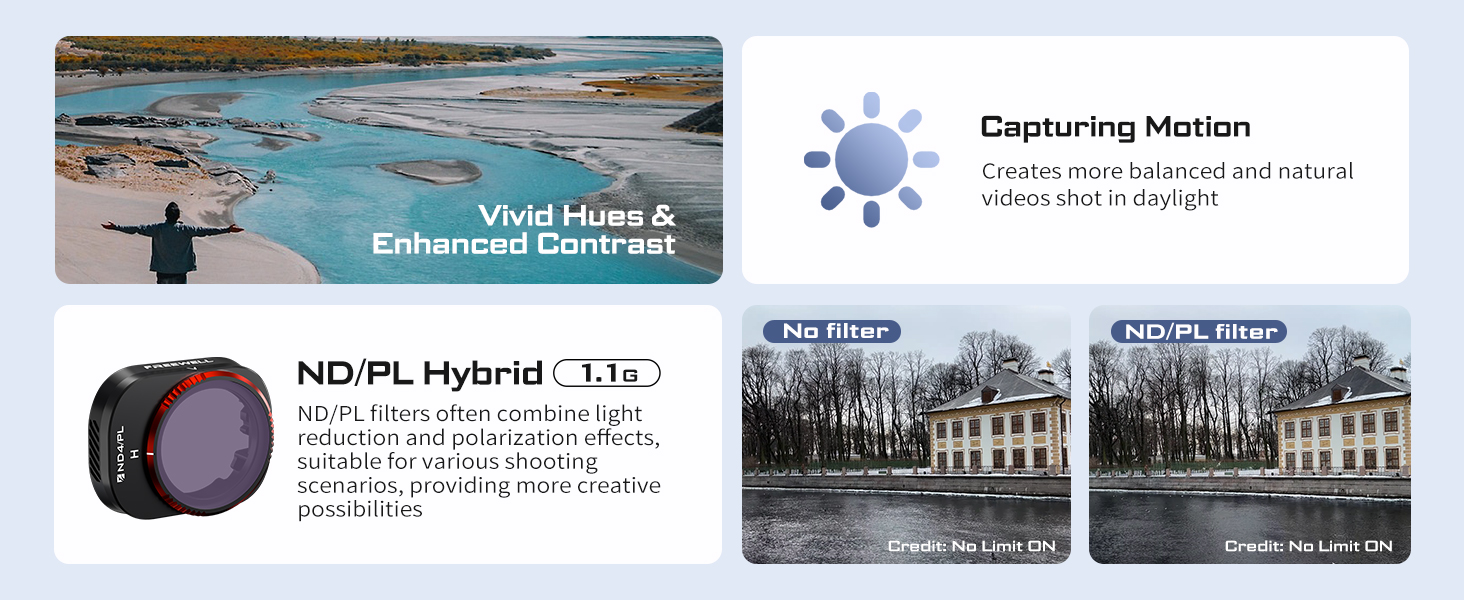
Image: Demonstrates how ND/PL filters contribute to vivid hues and enhanced contrast in drone footage.
Polarization Precision:
The filters feature a precise alignment system for horizontal and vertical polarization, allowing you to fine-tune the effect by rotating the filter ring.

Image: Detail of the ND/PL filter highlighting the 'H' and 'V' marks for precise polarization alignment.
動画ガイド:
Video: A K&F Concept video demonstrating the effects of ND and CPL filters on DJI Mini 4 Pro footage, showing how they reduce light and eliminate reflections in various outdoor scenes.
4. メンテナンス
Proper care and maintenance will extend the lifespan and performance of your filters.
クリーニング:
- Use a microfiber cleaning cloth (often included with filter kits) to gently wipe away dust and smudges.
- For stubborn marks, use a lens cleaning solution specifically designed for optical glass. Apply a small amount to the cloth, not directly to the filter.
- Avoid using abrasive materials or harsh chemicals, as these can damage the multi-coating.
ストレージ:
- Always store filters in their protective case when not in use to prevent scratches and dust accumulation.
- Keep the case in a dry, cool place away from direct sunlight and extreme temperatures.

Image: The fortified armor case for Freewell filters, highlighting features like oil prevention, dust resistance, scratch resistance, and optical brilliance with multi-coating.
5。 トラブルシューティング
If you encounter issues with your filters, consider the following:
- 口径食: Ensure the filter is correctly seated and not misaligned. Check if the drone's camera settings (e.g., wide-angle mode) are causing the issue.
- 不要な色かぶり: While Freewell filters are designed for color neutrality, extreme lighting conditions or incorrect white balance settings can sometimes cause a slight color shift. Adjust white balance in your drone's camera settings.
- Reduced Image Sharpness: Ensure the filter is clean and free from smudges or dust. Verify that the filter is securely attached and not loose.
- 取り付け/取り外しの難しさ: Apply gentle, even pressure when attaching or removing. Avoid forcing the filter. If it's stiff, ensure no debris is obstructing the mechanism.
Understanding White Line in ND/PL Filters:
Video: Explains the phenomenon of a 'white line' that can sometimes appear in ND/PL filters and how to address it.
6. 仕様
| ブランド | フリーウェル |
| モデル番号 | FW-MN4 |
| 材料 | 光学ガラス |
| フォトフィルターのネジサイズ | 1ミリメートル |
| コーティングの説明 | マルチコーティング |
| 写真フィルター効果の種類 | Neutral Density |
| 耐水性レベル | 耐水性はありません |
| 写真フィルター係数 | 16 x (for ND16/PL) |
| 名前を設定 | Bright Day 6Pack Hybrid |
| 対応ビデオカメラモデル | DJI ミニ 4 プロ |
| アイテム重量 | 2.46オンス |
| パッケージ寸法 | 3.07 x 3.07 x 0.91インチ |
7. 保証とサポート
For warranty information or technical support, please refer to the official FREEWELL web購入サイトをご覧いただくか、カスタマーサービスに直接お問い合わせください。購入証明書としてレシートを保管してください。