
導入
The Havit Gamenote KB885L mechanical keyboard is engineered for precision, durability, and customization. It features a gasket structure design, providing a soft and stable typing experience while minimizing noise. The full key rollover with multi-key response ensures fast and accurate input, crucial for gaming. With customizable RGB backlighting, you can personalize your keyboard with various lighting modes and effects. The detachable USB-C cable enhances portability and simplifies cable management. This keyboard is built with mechanical switches rated for 50 million key presses, making it suitable for gamers, typists, and professionals who require long-lasting performance.
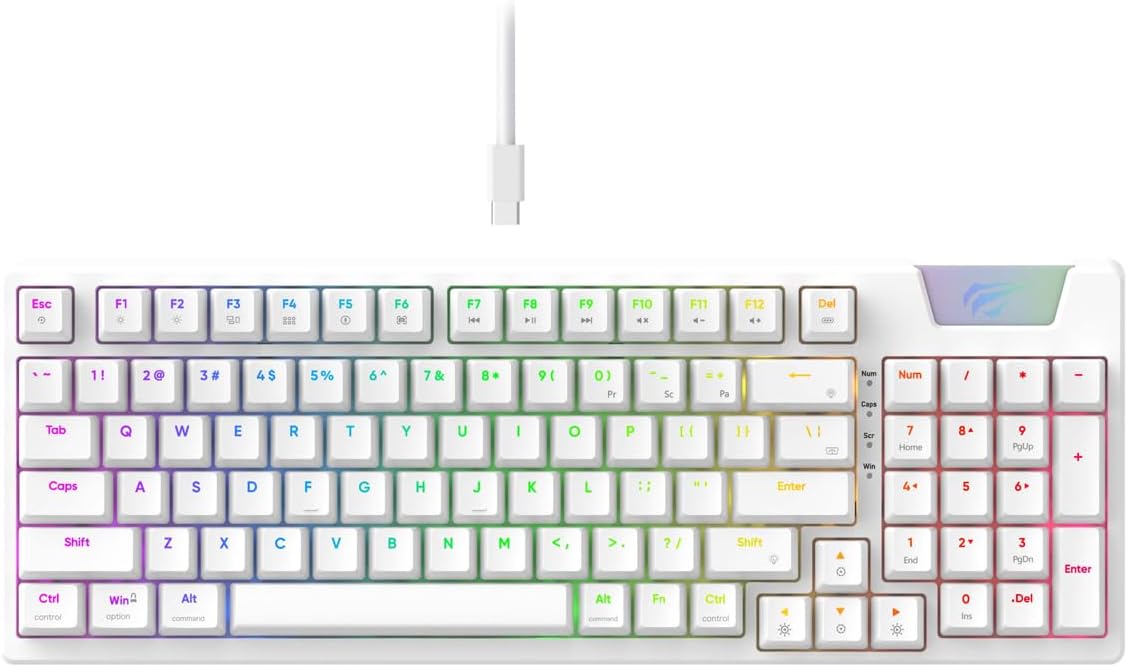
Image: The Havit Gamenote KB885L mechanical keyboard in white, showcasing its full layout and detachable USB-C cable.
セットアップガイド
Follow these steps to set up your Havit Gamenote KB885L mechanical keyboard:
- キーボードを開梱します。 キーボードとその付属品をパッケージから慎重に取り出します。
- USB-Cケーブルを接続します。 Insert the detachable USB Type-C cable into the port on the keyboard.
- コンピュータに接続します: USB ケーブルのもう一方の端をコンピュータの利用可能な USB ポートに差し込みます。
- ドライバーのインストール: キーボードはプラグアンドプレイ対応で、通常は追加のドライバーは必要ありません。オペレーティングシステムが必要なドライバーを自動的に検出し、インストールします。
- テスト機能: Open a text editor or browser to test key presses and ensure all functions are working correctly.

Image: A close-up of the Havit Gamenote KB885L keyboard highlighting its portable design and detachable cable for easy setup and transport.
操作手順
The Havit Gamenote KB885L keyboard offers various features for an enhanced user experience:
RGBバックライトコントロール
キーボードにはカスタマイズ可能なRGBバックライトが搭載されています。以下のキーの組み合わせで照明効果を調整できます。
- Fn + [キー]: Cycle through different RGB lighting modes. (Specific key combinations may vary, refer to on-keyboard legends if available).
- Fn + 矢印キー: 照明効果の明るさと速度を調整します。

Image: The Havit Gamenote KB885L keyboard displaying its vibrant RGB backlighting, illustrating customizable lighting effects.
フルキーロールオーバー(NKRO)
This keyboard supports Full Key Rollover, meaning every key press is registered independently, regardless of how many keys are pressed simultaneously. This feature is essential for fast-paced gaming and typing, preventing ghosting or missed inputs.
人間工学に基づいたデザイン
The keyboard is designed with ergonomics in mind to provide comfort during extended use. Its layout and keycap profile aim to reduce strain on your wrists and fingers.

画像: view of the Havit Gamenote KB885L keyboard highlighting its ergonomic design for comfortable use.
メンテナンス
適切なメンテナンスを行うことで、キーボードの寿命が長くなり、最適なパフォーマンスが確保されます。
- クリーニング: Regularly clean the keyboard with a soft, dry cloth. For deeper cleaning, use compressed air to remove dust and debris from between the keycaps. For stubborn dirt, a slightly damp キーボードに液体が入らないように、中性洗剤を含ませた布を使用してください。
- こぼれを避ける: 内部部品の損傷を防ぐため、キーボードに液体を近づけないでください。液体をこぼした場合は、直ちにキーボードを取り外し、完全に乾いてから再度接続してください。
- ケーブルのお手入れ: Handle the detachable USB-C cable with care. Avoid sharp bends or excessive pulling to prevent damage to the cable or connectors.
- ストレージ: 使用していないときは、キーボードを極端な温度を避け、清潔で乾燥した環境に保管してください。
トラブルシューティング
If you encounter issues with your Havit Gamenote KB885L keyboard, try the following solutions:
- キーボードが応答しない:
- USB-C ケーブルがキーボードとコンピューターの両方にしっかりと接続されていることを確認します。
- キーボードをコンピューターの別の USB ポートに接続してみてください。
- 別のコンピューターでキーボードをテストして、問題がキーボードにあるのかシステムにあるのかを判断します。
- RGB ライトが機能しない:
- Check if the lighting is turned off using the Fn key combinations.
- USB 接続を介してキーボードに適切な電源が供給されていることを確認します。
- キーが登録されない/ゴースト:
- Due to full key rollover, this is unlikely. However, ensure no debris is lodged under the keycap.
- If a specific key is consistently failing, it might indicate a switch issue. Contact support if the problem persists.
仕様
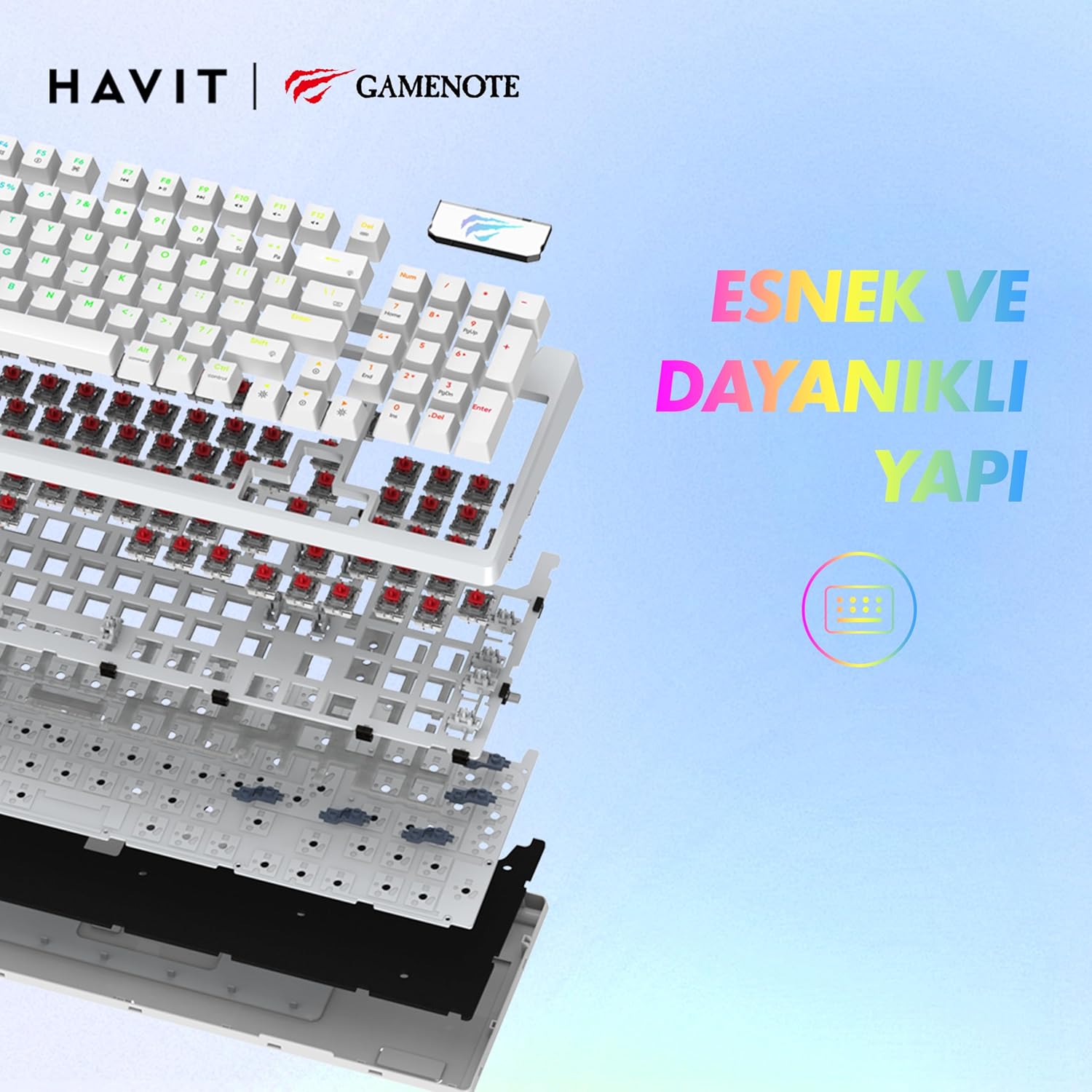
画像: 爆発した view of the Havit Gamenote KB885L keyboard, illustrating its internal gasket structure for enhanced stability and typing feel.
| 特徴 | 詳細 |
|---|---|
| ブランド | ハビット |
| モデル番号 | KB885L |
| 対応デバイス | コンピューター |
| 接続技術 | USB |
| キーボードの説明 | ゲーム |
| 推奨用途 | ゲーム |
| 特集 | ポータブル |
| 色 | 白 |
| バックライトカラーのサポート | RGB (Red, Green, Blue model) |
| スタイル | モダンな |
| 製品寸法(長さ x 幅 x 高さ) | 38.7 x 14 x 4.5 cm |
| 言語 | 英語 |
| 電源 | USB電源 |
| スイッチタイプ | 触覚 |
| キーボードレイアウト | QWERTY |
| 手の向き | 両利き |
| キーの数 | 95 |
| ボタンの数量 | 104 |
| 含まれるコンポーネント | USBケーブル |
| 材料 | プラスチック |
| Key Press Lifespan | 50 Million (from description) |

Image: An illustration highlighting the Havit Gamenote KB885L's durable mechanical switches, rated for a 50 million key press lifespan.
保証情報
The Havit Gamenote KB885L Mechanical Keyboard comes with a 1年間の保証 ご購入日から1年間有効です。本保証は、製造上の欠陥および通常の使用に起因する問題を対象としています。誤用、事故、不正な改造、または不適切なメンテナンスによる損傷は保証の対象外となります。保証請求の際は、購入証明書を保管してください。
カスタマーサポート
For further assistance, technical support, or warranty inquiries, please contact Havit customer service through their official website or the retailer where you purchased the product. Have your model number (KB885L) and proof of purchase ready when contacting support.


