
導入
Thank you for choosing the HAMMER SpeedMotion II Elliptical Trainer. This manual provides essential information for the safe and effective use of your new fitness equipment. Please read it thoroughly before assembly and operation, and keep it for future reference.
The SpeedMotion II offers an innovative and comfortable workout experience, combining dynamic movement with individual intensity control. Its natural, ergonomic design supports effective calorie burning and targets various muscle groups through its 3-fold incline adjustment.

The HAMMER SpeedMotion II Elliptical Trainer provides a full-body workout experience in the comfort of your home, featuring 24 programs, 16 resistance levels, an LCD display, and Bluetooth connectivity.
安全に関する注意事項
- 新しい運動プログラムを始める前に医師に相談してください。
- 使用する前に、すべてのボルトとナットがしっかりと締められていることを確認してください。
- エリプティカルトレーナーを平らで安定した面に置きます。
- 動作中は子供やペットを装置に近づけないでください。
- 適切な運動靴と衣服を着用してください。
- 気分が悪くなったり、めまいがしたり、痛みを感じたりした場合は、直ちに運動を中止してください。
- このデバイスの最大使用者体重は 130 kg です。
セットアップと組み立て
The HAMMER SpeedMotion II Elliptical Trainer requires assembly. An instruction manual is included with the product to guide you through the process. It is recommended to lay out all parts and verify them against the parts list before beginning assembly.
- 開梱: パッケージからすべてのコンポーネントを慎重に取り出します。
- コンポーネントのチェック: 組み立てガイドに記載されているすべての部品が揃っていて、損傷がないことを確認します。
- ベースアセンブリ: フロントスタビライザーとリアスタビライザーをメインフレームに取り付けます。
- Pedal Arms and Flywheel: Assemble the pedal arms and connect them to the flywheel mechanism.
- ハンドルバー: Secure the stationary and moving handlebars.
- コンソールのインストール: Mount the LCD console and connect all necessary cables.
- 傾斜調整: Ensure the 3-fold incline adjustment mechanism is correctly installed and functional.
- 最終チェック: Double-check all connections and ensure the elliptical is stable before first use.
Assembly typically takes approximately 45 minutes for one person, following the detailed, illustrated instructions provided.
操作手順
コンソールオーバーview

The LCD display provides real-time feedback on your workout, controlled by the intuitive Push & Turn button.
The black-backlit LCD display provides clear visibility of your workout data. Use the central Push & Turn Button for intuitive navigation and selection.
- 回転数: 毎分回転数
- スピード: 現在の速度
- 距離: Total distance covered
- Training Time: Duration of your workout
- カロリー消費量: 推定消費カロリー
- 心拍: Measured via handgrip sensors
- 抵抗レベル: Current resistance setting
トレーニングプログラム
The SpeedMotion II features 24つのプリセットトレーニングプログラム to help you achieve your fitness goals. Navigate through the programs using the Push & Turn Button and select the one that suits your needs.
抵抗調整
The elliptical trainer uses a manual resistance mechanism. Adjust the resistance level to increase or decrease the intensity of your workout. Higher resistance targets strength, while lower resistance focuses on endurance.
3-Fold Incline Adjustment

Adjust the incline to target different muscle groups: higher incline for glutes and hamstrings, lower incline for quadriceps.
The 3-fold incline adjustment allows you to vary your workout and target different muscle groups. A higher incline emphasizes the glutes and posterior thigh muscles, while a lower incline places more emphasis on the anterior thigh muscles (quadriceps).
心拍数モニタリング
Integrated handgrip sensors allow for real-time heart rate monitoring. Grip the sensors firmly during your workout to display your heart rate on the LCD console. This helps you stay within your target heart rate zone for optimal training.
Kinomap & Zwift Compatibility
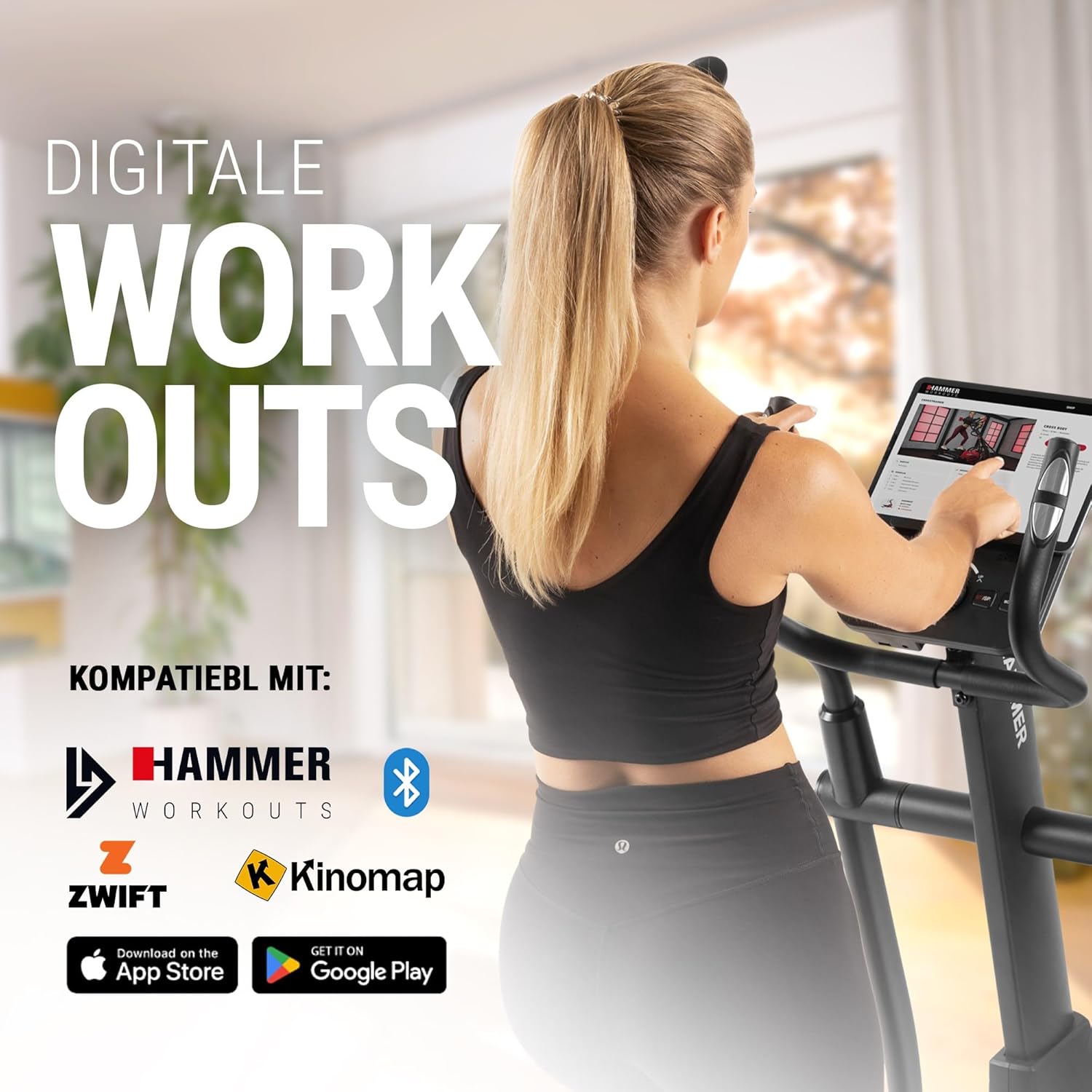
Connect your tablet or smartphone to the elliptical trainer for interactive workouts with Kinomap and Zwift.
The SpeedMotion II is compatible with popular fitness apps like Kinomap and Zwift. Connect your smartphone or tablet via Bluetooth to access virtual training worlds, interactive routes, and track your performance. Download the respective apps from the App Store or Google Play.
メンテナンス
定期的なメンテナンスにより、エリプティカル トレーナーの寿命が長くなり、最適なパフォーマンスが確保されます。
- クリーニング: 機器を広告で拭くamp 使用後は毎回布で汗やほこりを拭き取ってください。研磨剤入りの洗剤は使用しないでください。
- 潤滑: Periodically check moving parts, especially the rollers and tracks, for smooth operation. Lubricate as recommended in the detailed product manual if necessary.
- 締め付け: Regularly inspect all bolts, nuts, and connections. Tighten any loose components to prevent noise and ensure stability.
- ストレージ: Store the elliptical trainer in a dry, temperate environment away from direct sunlight and extreme temperatures.

The SpeedMotion II features a quiet drive system, high-quality rollers for smooth movement, and stability adjustments for a secure workout.
トラブルシューティング
If you encounter issues with your HAMMER SpeedMotion II, refer to the following common troubleshooting tips:
| 問題 | 考えられる原因 | 解決 |
|---|---|---|
| Squeaking or rattling noises | Loose bolts or connections; lack of lubrication on moving parts. | Check and tighten all visible bolts and nuts. Lubricate joints and rollers as per the main manual. |
| ディスプレイが機能しない | Loose cable connection; depleted batteries (if applicable). | Ensure all console cables are securely connected. Check and replace batteries if the unit is battery-powered (AA batteries required, not included). |
| Uneven movement or instability | Uneven floor surface; loose frame components. | Adjust the leveling feet on the stabilizers. Check and tighten all frame connections. |
| 抵抗は変化しない | Issue with the resistance mechanism. | Refer to the detailed manual for specific resistance mechanism troubleshooting or contact customer support. |
If the problem persists after attempting these solutions, please contact HAMMER customer support.
仕様
| 特徴 | 仕様 |
|---|---|
| モデル名 | SpeedMotion II |
| モデル番号 | 11000 |
| 寸法(長さ×幅×高さ) | 160 x 60 x 177 cm |
| アイテム重量 | 61.9キロ |
| 最大ユーザー重量 | 130キロ |
| フライホイール質量 | 18 kg (implied from product title, not explicitly in specs table but in product title) |
| 歩長 | 50センチ |
| ペダル距離 | 14 cm (from feature bullets) |
| 傾斜調整 | 3-fold manual adjustment |
| 抵抗メカニズム | マニュアル |
| プログラム | 24 (from product title and feature bullets) |
| 表示タイプ | Black-backlit LCD, 17.78 cm (7 inches) |
| 接続性 | Bluetooth, Kinomap & Zwift compatible |
| 材質タイプ | 金属 |
| 電源 | 単三電池が必要です(付属していません) |
保証とサポート
保証情報
Specific warranty details for the HAMMER SpeedMotion II Elliptical Trainer are typically provided with your purchase documentation. Please refer to the warranty card or the official HAMMER website for comprehensive information regarding coverage and terms.
カスタマーサポート
For technical assistance, spare parts, or any questions regarding your HAMMER SpeedMotion II, please contact HAMMER SPORT customer service. Contact details can usually be found on the official HAMMER webサイトまたは製品ドキュメントに記載されています。
サポートにお問い合わせの際は、モデル番号 (11000) と購入証明書をご用意ください。