1. はじめに
Thank you for choosing NXGKET Walkie Talkies. This 4-pack of rechargeable two-way radios is designed for reliable long-range communication, featuring 22 FRS channels, 121 privacy codes, and NOAA weather alerts. With a built-in 1800mAh Li-ion battery and USB-C charging, these walkie talkies are ideal for various outdoor activities such as camping, hiking, road trips, and cruises, as well as commercial and job site use. This manual provides essential information for setting up, operating, and maintaining your devices.
2. パッケージ内容
- Walkie Talkies x 4
- 1800mAh Li-ion Battery x 4 (pre-installed)
- 2-in-1 USB-C Cable x 2
- 充電器x 1
- ユーザーマニュアル x 1

Figure 2.1: Included components of the NXGKET Walkie Talkie 4-pack.
3.製品オーバーview
Familiarize yourself with the main parts of your NXGKET Walkie Talkie:

図3.1: 前面と側面 view ラベルの付いたコンポーネントを備えたトランシーバー。
- アンテナ: 信号の送受信に使用します。
- LED懐中電灯: 照明用のライトを内蔵しています。
- 音量/電源ノブ: Rotate to turn the unit on/off and adjust volume.
- LCDディスプレイ: Shows channel, privacy code, battery level, and other indicators.
- イヤピースポート: For connecting compatible audio accessories.
- Lock / NOAA Button: Press to lock/unlock keypad or access NOAA weather channels.
- Scan / Monitor Button: Initiates channel scanning or monitors current channel activity.
- USB-C充電ポート: USB-C充電ケーブルを接続します。
- スピーカー: オーディオ出力用。
- マイクロフォン: 音声入力用。
- 通話音ボタン: Sends an audible call alert to other radios.
- 懐中電灯ボタン: LED 懐中電灯を点灯します。
- メニューボタン: 設定とオプションにアクセスします。
- 上/下ボタン: メニューを移動し、設定(チャンネル、音量など)を調整します。
- PTT(プッシュ・トゥ・トーク)ボタン: 長押しすると音声が送信されます。
4. セットアップ
4.1. バッテリーの充電
Your NXGKET Walkie Talkies come with built-in 1800mAh Li-ion batteries. These batteries are not removable and do not require installation. Before first use, fully charge all walkie talkies.
- Connect one end of the 2-in-1 USB-C cable to the USB-C charging port on the side of the walkie talkie.
- Connect the other end of the USB-C cable to the charger. The charger can accommodate two USB-C cables simultaneously, allowing you to charge two walkie talkies at once.
- 充電器を標準の壁のコンセントに差し込みます。
- The battery indicator on the LCD display will show charging status. Once fully charged, the indicator will typically show a full battery icon.
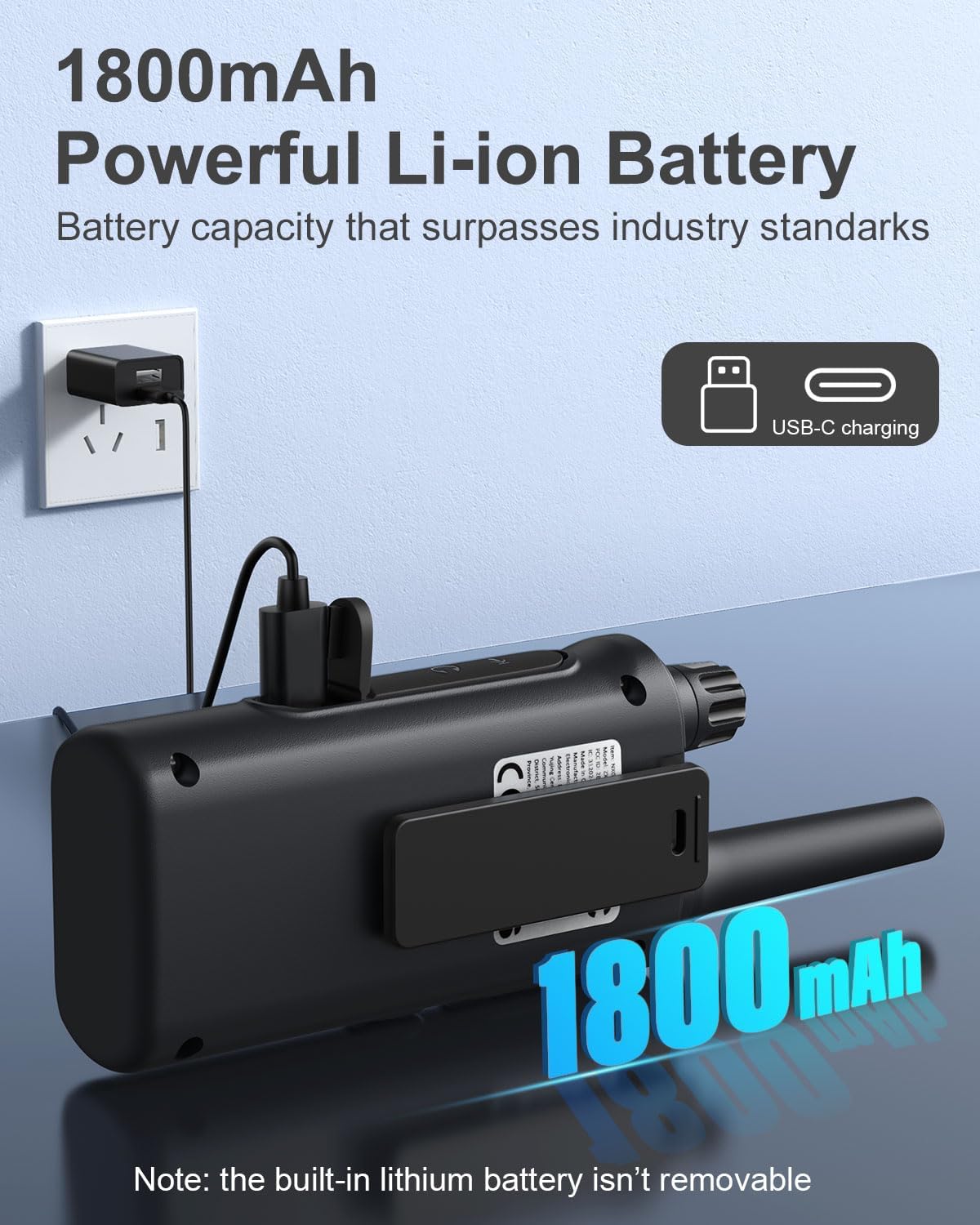
Figure 4.1: Walkie talkie connected to the charger via USB-C.
4.2.電源のオン/オフ
To power on or off your walkie talkie, rotate the ボリューム/パワーノブ clockwise to turn on and counter-clockwise until it clicks to turn off.
5. 操作手順
5.1. チャンネルの選択
Your walkie talkies operate on 22 FRS channels. To communicate with another walkie talkie, both units must be set to the same channel and privacy code.
- With the walkie talkie powered on, press the メニュー button. The channel number on the LCD display will begin to flash.
- 使用 Up or 下 ボタンを押して希望のチャンネル(1~22)を選択します。
- を押す メニュー button again to confirm the channel selection or wait a few seconds for it to automatically set.
5.2. プライバシーコード(CTCSS/DCS)
Privacy codes (CTCSS/DCS) help reduce interference from other users on the same channel by filtering out transmissions that do not use the same code. Your walkie talkies support 121 privacy codes.
- を押す メニュー button twice. The privacy code number will begin to flash.
- 使用 Up or 下 buttons to select your desired privacy code (0-121). Code 0 means no privacy code is active.
- を押す メニュー もう一度ボタンを押して確認するか、自動設定を待ちます。
5.3. 送信と受信
音声を送信するには、 PTT (プッシュ・トゥ・トーク) button located on the side of the walkie talkie. Speak clearly into the microphone. Release the PTT button to listen for a response.
5.4. 音量調整
回転する ボリューム/パワーノブ to adjust the listening volume. Clockwise increases volume, counter-clockwise decreases volume.
5.5. VOX/iVOX Function (Voice-Activated Transmission)
The VOX (Voice Operated eXchange) or iVOX function allows for hands-free communication. When activated, the radio transmits automatically when it detects your voice, without needing to press the PTT button. There are 9 levels of VOX sensitivity.

Figure 5.1: Illustration of walkie talkie use, including hands-free operation.
5.6. NOAA気象警報
Your walkie talkie supports NOAA's National Weather Service, allowing it to scan 10 NOAA radio channels for weather alerts in your area. This feature is crucial for staying informed about severe weather conditions.

Figure 5.2: Walkie talkies providing NOAA weather alerts for various conditions.
5.7.キーパッドロック
To prevent accidental changes to your settings, you can lock the keypad. Press and hold the Lock / NOAA button until a key icon appears on the LCD display. Repeat the process to unlock the keypad.
5.8.内蔵懐中電灯
To activate the built-in LED flashlight, press the 懐中電灯ボタン. Press it again to turn off the flashlight.

Figure 5.3: Walkie talkie with its LED flashlight activated.
5.9.スキャン機能
The auto scan feature allows you to quickly find active channels. Press the Scan / Monitor button to initiate scanning. The radio will cycle through channels and stop on an active one. Press the button again to stop scanning.
5.10.コールトーン
You can send an audible call alert to other radios on the same channel. Press the トーンボタンを呼び出す to transmit a distinct tone, signaling to others that you wish to communicate.
5.11. 使用シナリオ
These walkie talkies are versatile and suitable for a variety of environments:

Figure 5.4: Diverse applications for NXGKET Walkie Talkies.
For a visual demonstration of the walkie talkies in use, please refer to the following official product videos:
NXGKET walkie talkies, Perfect way to keep connection
This video demonstrates the effective communication range and clarity of the NXGKET walkie talkies, showcasing their ability to maintain connection in various environments.
NXGKET Walkie Talkies, Easy to Use
This video highlights the user-friendly interface and straightforward operation of the NXGKET walkie talkies, making them accessible for all ages.
6. メンテナンス
- クリーニング: 柔らかくてamp トランシーバーの外側を布で拭いてください。刺激の強い化学薬品や研磨剤入りの洗剤は使用しないでください。
- ストレージ: Store the walkie talkies in a cool, dry place when not in use. Avoid extreme temperatures and direct sunlight.
- バッテリーのケア: Although the batteries are built-in, it is recommended to fully charge them before long periods of storage and to recharge them every few months to maintain battery health. Avoid completely draining the battery frequently.
- 耐水性: The product is noted as waterproof. However, avoid prolonged submersion or exposure to high-pressure water jets to ensure longevity.
7。 トラブルシューティング
| 問題 | 考えられる原因 | 解決 |
|---|---|---|
| 電源なし | 電池が消耗しています。 | トランシーバーを完全に充電してください。 |
| 送信も受信もできない | Different channel/privacy code; Out of range; Obstructions. | Ensure both radios are on the same channel and privacy code. Move closer to the other radio. Avoid large obstructions like buildings or dense foliage. |
| 音質が悪い、または雑音がある | Weak signal; Interference; Volume too low. | Move to an open area. Adjust volume. Check for sources of electrical interference. |
| キーパッドが反応しない | キーパッドはロックされています。 | Press and hold the Lock / NOAA button to unlock the keypad. |
| NOAA weather alert not working | Not in an area with NOAA broadcast; Feature not activated. | Ensure you are within range of a NOAA broadcast. Activate the NOAA scan feature. |
8. 仕様
| 特徴 | 詳細 |
|---|---|
| モデル番号 | ZX-808 |
| アイテム重量 | 4.2オンス |
| 製品寸法 | 0.9 x 2 x 7.6インチ |
| バッテリー | 4 Lithium Ion batteries (included, built-in) |
| 表示タイプ | 液晶 |
| チャンネル数 | 22のFRSチャネル |
| プライバシーコード | 121(CTCSS/DCS) |
| 周波数範囲 | 462.5625-462.7125 MHz, 467.5625-467.7125MHz, 462.5500-462.7250MHz |
| 通話範囲最大 | 最大5マイル(地形と条件により異なります) |
| 特集 | Digital Display, Voice Operated Transmission (VOX/iVOX), Adjustable Receiver Sensitivity, Rechargeable, NOAA Weather Scan and Alert, Auto Squelch, Auto Memory, Auto Scan, Low Battery Alert, Keypad Lock, Adjustable Power, Drop-protection, Built-in Flashlight |
| 耐水性レベル | 防水 |
| 原産国 | 中国 |
9. 保証とサポート
NXGKET provides a 1年間保証 for this product. Additionally, life-time reliable technical support is available to assist you with any questions or issues you may encounter. For support, please refer to the contact information provided with your purchase or visit the official NXGKET webサイト。


