
導入
Thank you for choosing the ROCAM Digital Projection Alarm Clock, Model CR1024. This device combines a digital alarm clock with a 270° rotatable projection feature, FM radio, dual alarm settings, and a USB charging port. Please read this manual carefully to ensure proper use and to fully enjoy all its features.

Image: The ROCAM Digital Projection Alarm Clock displaying time, date, temperature, and humidity, positioned on a bedside table next to a cup of coffee and a notebook.
製品の特徴
- 270° Rotatable Projection: Project time onto your wall or ceiling with adjustable angle and focus.
- 5段階調光可能なLEDディスプレイ: Adjust the brightness of the main display to your preference.
- FMラジオとスリープタイマー: Enjoy your favorite radio stations and set a sleep timer for automatic shutdown.
- Dual Alarm with Weekend/Weekday Mode: Set two independent alarms with customizable schedules (Mon-Sun, Mon-Fri, Sat-Sun, One-Time).
- USB-C Power Input & USB-A Charging Output: Power the clock via USB-C and charge external devices like smartphones via USB-A.
- バッテリーバックアップ: 停電中でも時間とアラーム設定を維持しますtages(電池は付属しておりません)。
- 温度と湿度の表示: Shows indoor temperature (°C/°F) and humidity.
- ナイトライト機能: Integrated night light for soft illumination.
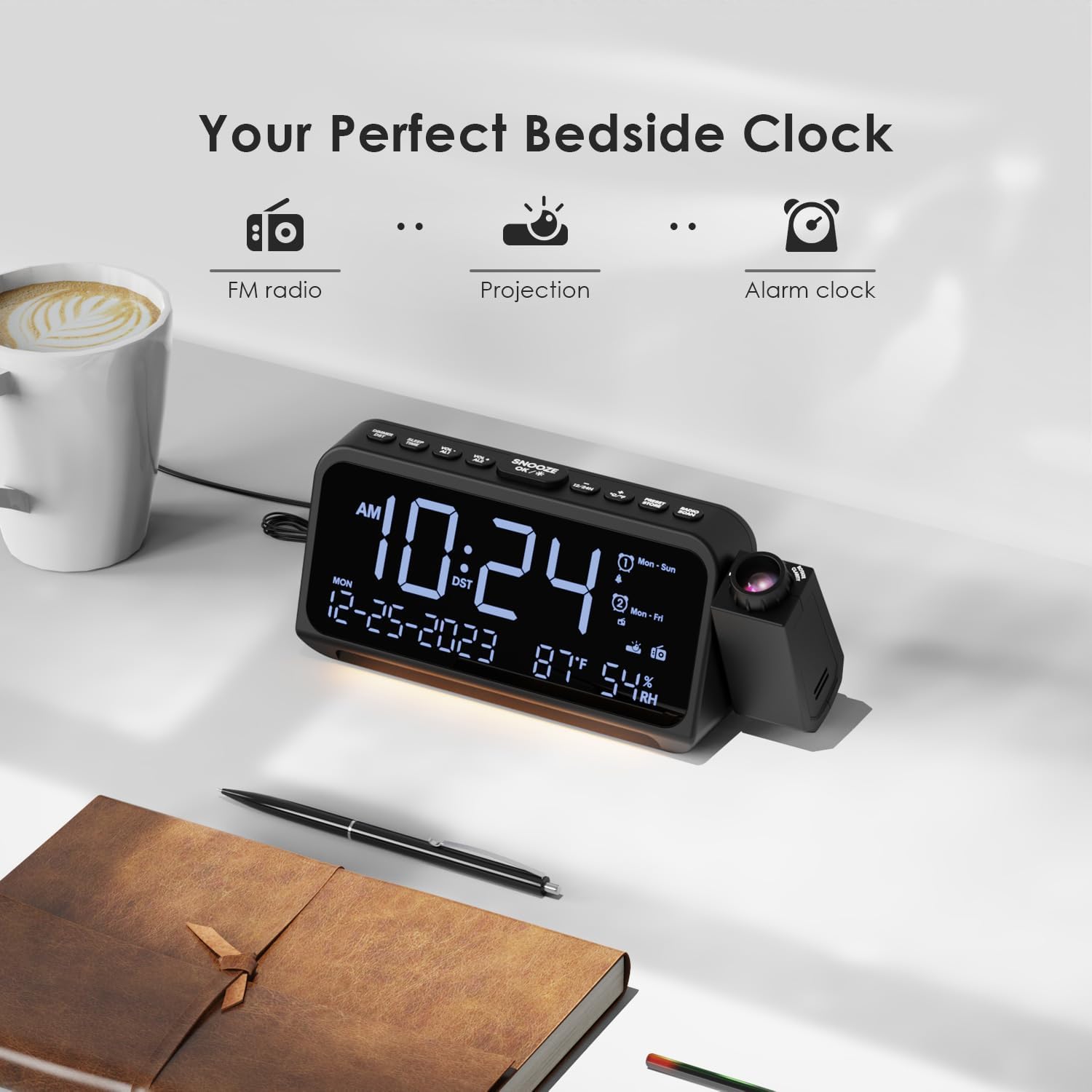
Image: Visual representation of the clock's main functions: FM radio, projection, and alarm clock.
パッケージ内容
パッケージに以下の項目が含まれているか確認してください。
- ROCAM Digital Projection Alarm Clock (CR1024)
- USBType-C電源ケーブル
- 電源アダプター
- ユーザーマニュアル
Note: 1 CR2 battery is required for backup functionality and is not included in the package.

Image: The alarm clock, USB-C cable, power adapter, and user manual laid out, with product dimensions (20cm x 8.7cm x 3.81cm) and weight (240g) indicated.
製品終了view
トップパネルのボタン:
- スヌーズ/OK/*: Snooze alarm, confirm settings, or activate night light.
- VOL-/AL1: Decrease volume, set Alarm 1.
- VOL+/AL2: Increase volume, set Alarm 2.
- 12/24時間: 12 時間形式と 24 時間形式を切り替えます。
- °C /°F: 摂氏と華氏の温度表示を切り替えます。
- PRESET/STORE: FM ラジオのプリセットを保存します。
- RADIO/SCAN: Turn FM radio on/off, scan for stations.
- 時間設定: 時刻設定モードに入ります。
- アラームセット: アラーム設定モードに入ります。
Side Panel & Rear:
- 投影レンズ: 時間を表面に投影します。
- フォーカスホイール: 投影された画像の鮮明さを調整します。
- 投影の回転: Allows 270° adjustment of the projection angle.
- DIMボタン: 投影の明るさを調整します。
- 電源ボタン: Turns the projection on/off.
- Type-C Input (5V-2A): 主電源接続。
- USB-A Output (5V-1A): 外部機器の充電に。
- FMアンテナ: ラジオの受信状態を良くするために延長します。
- バッテリーコンパートメント: For CR2 backup batteries.

画像: 詳細 view of the top control buttons and the projection unit, highlighting the dual alarm settings.

Image: The back of the alarm clock, illustrating the Type-C power input and the USB-A output port for charging other devices.
設定
1. 電源接続:
- Connect the provided USB Type-C cable to the Type-C input port on the back of the alarm clock.
- Plug the other end of the USB cable into the power adapter, then plug the adapter into a standard wall outlet.
- ディスプレイが点灯し、時計の電源がオンになっていることを示します。

Image: The alarm clock is shown connected to a wall outlet via its USB-C power cable and adapter.
2. バッテリーバックアップのインストール:
- 時計の下部にある電池ボックスを見つけます。
- コンパートメントカバーを開きます。
- Insert 1 CR2 battery (not included) according to the polarity markings (+/-).
- Close the battery compartment cover. This battery will preserve time and alarm settings during a power outage.

Image: The bottom of the alarm clock with the battery compartment open, showing where to insert CR2 batteries.
操作手順
1. 時刻と日付の設定:
- を押し続けます 時間設定 ボタンを押します。時間の数字が点滅を始めます。
- 使用 巻+ or vol- 時間を調整するためのボタン。 時間設定 再度確認します。
- 分、年、月、日についてもこのプロセスを繰り返します。
- プレス 12/24時間 to switch between 12-hour and 24-hour format.
- プレス °C /°F to switch between Celsius and Fahrenheit for temperature display.
2. アラームの設定(アラーム1とアラーム2)
- を押し続けます アラームセット button. The Alarm 1 icon and hour digits will flash.
- 使用 巻+ or vol- 希望のアラーム時間を設定するには、 アラームセット 確認します。
- 数分間繰り返します。
- Select alarm mode (Mon-Sun, Mon-Fri, Sat-Sun, One-Time) using 巻+ or vol-。 プレス アラームセット 確認します。
- Choose alarm sound: buzzer or FM radio. Use 巻+ or vol- 選択するには、 アラームセット 確認します。
- To set Alarm 2, briefly press アラームセット again and repeat the steps.
- アラームをオン/オフにするには、短く押します AL1 or AL2ディスプレイにアラームアイコンが表示されたり消えたりします。
Image: The clock display showing options for setting two alarms with different ringtone choices and day modes (Mon-Sun, Mon-Fri, Sat-Sun, One-Time).
3. スヌーズ機能:
アラームが鳴ったら、 スヌーズ/OK/* ボタンを押すと、9分間アラームが一時的に停止します。スヌーズ時間後、アラームは再び鳴ります。
4. Display Brightness (Dimmer):
を押す スヌーズ/OK/* button repeatedly to cycle through 5 levels of display brightness (L-1 to L-5) or turn the display off.

Image: The clock display showing five different brightness levels (L-1 to L-5) for the main LED screen.
5. 投影設定:
- オン/オフ: を押す 電源ボタン on the side of the projection unit to turn the projection on or off.
- 明るさを調整: を押す 暗い button on the side of the projection unit to cycle through 5 levels of projection brightness.
- 角度の調整: Rotate the projection unit up to 270° to direct the time onto your desired surface (wall or ceiling).
- フォーカスを調整する: 回転する フォーカスホイール on the projection unit to sharpen the projected image.

Image: The digital time '10:24' projected in red onto a dark wall, demonstrating the projection feature.

Image: The projection unit rotating 270 degrees, showing how the projected time can be adjusted for optimal viewing。

Image: The projected time showing five distinct brightness levels, from level 1 (dimmest) to level 5 (brightest).
6. FMラジオの操作:
- 受信状態を良くするためにFMアンテナを伸ばします。
- を押す RADIO/SCAN button to turn the FM radio on.
- 押し続ける RADIO/SCAN to automatically scan and save available stations.
- 使用 巻+ or vol- to manually tune to a station or cycle through saved presets.
- プレス プリセット/保存 to save the current station as a preset.
- プレス RADIO/SCAN again to turn the FM radio off.

Image: The clock displaying an FM radio frequency (108.0 MHz) and options for a sleep timer (OFF, 15, 30, 60, 90 minutes).
7.スリープタイマー:
When the FM radio is on, press the スヌーズ/OK/* button repeatedly to set a sleep timer (15, 30, 60, 90 minutes, or OFF). The radio will automatically turn off after the selected duration.

Image: A hand pressing a button on the clock, with sleep timer options (P01, P06, P12, P15, P20) displayed, indicating timed radio playback.
8. USB Charging Output:
Connect your smartphone or other USB-powered device to the USB-A output port (5V-1A) on the back of the clock to charge it. Ensure the alarm clock is powered via its USB-C input.
メンテナンス
- クリーニング: 時計は柔らかく乾いた布で拭いてください。研磨剤入りの洗剤や溶剤は使用しないでください。
- バッテリー交換: 停電中に時計が遅れた場合tage, replace the CR2 backup battery.
- 配置: Avoid placing the clock in direct sunlight, high temperatures, or high humidity.
トラブルシューティング
| 問題 | 解決 |
|---|---|
| 時計の表示が空白です。 | Ensure the USB-C power cable is securely connected to both the clock and a working power outlet. Check if the display brightness is set to OFF. |
| アラームは鳴りません。 | Verify that the alarm is activated (alarm icon visible). Check the alarm volume. Ensure the alarm mode (Mon-Sun, Mon-Fri, etc.) is correctly set for the current day. |
| 投影がぼやけています。 | 回転する フォーカスホイール on the projection unit until the image is clear. Ensure the projection surface is within optimal range. |
| FMラジオの受信状態が悪い。 | Fully extend the FM antenna. Try repositioning the clock to improve signal. Perform an auto-scan to find stronger stations. |
| USB充電ポートが機能しません。 | Ensure the alarm clock is powered by the USB-C input. Check the charging cable and the device being charged. |
仕様
- モデル番号: CR1024
- 寸法: 20 x 3.81 x 8.7 cm (長さ x 幅 x 高さ)
- 重さ: 240グラム
- 電源入力: USBタイプC、5V-2A
- USB出力: USB Type-A, 5V-1A
- バッテリーバックアップ: CR2電池1個(別売)
- FM周波数範囲: 87.5 - 108 MHz
保証とサポート
ROCAM products are designed for reliability and performance. This product comes with a standard manufacturer's warranty. For specific warranty details, please refer to the warranty card included in your package or contact ROCAM customer support.
If you encounter any issues or have questions regarding your ROCAM Digital Projection Alarm Clock, please contact our customer support team. Contact information can typically be found on our official webサイトまたは製品パッケージに記載されています。