
1. はじめに
The Emerson EMT-1200 Multimedia Recorder is designed to effortlessly digitize and preserve your cherished memories by converting various media formats into modern digital files. This manual provides comprehensive instructions for setting up, operating, and maintaining your device.
2. 箱の中身
- Emerson EMT-1200 Multimedia Recorder
- AC電源アダプター
- クイックスタートガイド
- AVケーブル
- ユーザーマニュアル
3.製品オーバーview
The Emerson EMT-1200 is a versatile multimedia recorder featuring a 4.3-inch LCD screen, multiple input/output options, and app integration for seamless media conversion and playback.

Image: The Emerson EMT-1200 Multimedia Recorder shown with various media sources like phones, DVDs, and USB drives, highlighting its multi-functionality.
主な機能とコンポーネント:
- 4.3インチLCDスクリーン: 事前にviewing recordings and navigating menus.
- オーディオ入力(RCA): Red and white ports for stereo audio input.
- Video In (RCA): Yellow port for composite video input.
- HD Out (HDMI): 外部ディスプレイに接続します。
- USBポート: USBドライブを接続します。
- カードスロット: SDカードを挿入します。
- DVD/CD Drive: For disc media.
- 電源ボタン: デバイスの電源をオン/オフにします。
- 取り出しボタン: To open/close the disc tray.
- 録音ボタン: 録画を開始/停止します。
- Navigation Buttons (ENTER, RETURN, UP/DOWN/LEFT/RIGHT): For menu control.

画像: 上 view of the Emerson EMT-1200, highlighting the 4.3-inch LCD screen and the central control panel with navigation and function buttons.

画像: 正面 view of the Emerson EMT-1200, showing the Audio In, Video In, HD Out, and USB ports on the left side.

画像: サイド view of the Emerson EMT-1200 with the DVD/CD tray open, ready for disc insertion.
4. セットアップ
- Place the Recorder: Position the EMT-1200 on a clean, stable surface.
- 接続電源: Connect the AC power adapter to the DC IN 5V port on the recorder and plug the adapter into a wall outlet or surge protector.
- 電源オン: Press the Power button on the device. The Emerson logo will appear on the screen.
Video: This video demonstrates the basic setup process for the Emerson EMT-1200 Multimedia Recorder, including connecting power and initial boot-up.
5. 操作手順
5.1 Recording from VHS
- Connect VHS Player: Use the AV cable to connect the LINE OUT ports of your VHS player to the AUDIO IN (Red/White) and VIDEO IN (Yellow) ports on the EMT-1200.
- VHSテープを挿入します: Place the VHS tape you wish to record into your VHS player.
- ソースを選択: On the EMT-1200, navigate to the main menu and select "Video -> USB/Card" or "Video -> DVD" depending on your desired output.
- 録画を開始: Begin playback on your VHS player, then press the REC button on the EMT-1200 to start recording. Press REC again to stop.

Image: The Emerson EMT-1200 connected to a VHS player via AV cables, illustrating the process of converting VHS tapes to digital formats.
Video: This video demonstrates how to record content from a VHS player to the Emerson EMT-1200 Multimedia Recorder.
5.2 Recording from DVD/CD
- Insert Source Disc: Eject the disc tray and insert the DVD or CD you wish to record from. Close the tray.
- ソースを選択: From the main menu, select "CD/DVD -> USB/Card" or "CD/DVD -> Memory" based on your desired storage.
- 録画を開始: Play the content on the disc, then press the REC button on the EMT-1200 to start recording. Press REC again to stop.
Video: This video guides you through the process of recording content from a DVD to the Emerson EMT-1200 Multimedia Recorder.
Video: This video demonstrates how to record audio from a CD to the Emerson EMT-1200 Multimedia Recorder.
5.3 Recording from USB/SD Card
- インサートストレージ: Insert a USB drive into the USB port or an SD card into the CARD slot.
- ソースを選択: From the main menu, select "USB/Card -> DVD" or "USB/Card -> CD" to transfer files from your USB/SD to a disc.
- 録画を開始: Follow the on-screen prompts to select files and initiate the transfer.
Video: This video explains how to record files from a USB drive to a DVD using the Emerson EMT-1200 Multimedia Recorder.
5.4 転送 Files from iOS/Android App
- アプリをダウンロードする: Download the "Friendly Memories" app from the App Store (iOS) or Google Play Store (Android).
- Wi-Fiに接続します: Power on the EMT-1200. On your smartphone/tablet, go to Wi-Fi settings and connect to the device's Wi-Fi network (e.g., "DVD_SERVER_XXXX"). Enter the password found in your user manual.
- Grant Access: In your phone's settings, ensure the "Friendly Memories" app has access to the photos and videos you wish to transfer.
- アップロード Files: Open the "Friendly Memories" app, select the files you want to transfer, and choose your desired destination (USB, SD Card, or DVD) on the EMT-1200.

Image: An iPhone displaying the "Friendly Memories" app interface, connected wirelessly to the Emerson EMT-1200 for file 転送。
Video: This video demonstrates how to use the iOS app to transfer files to the Emerson EMT-1200 Multimedia Recorder.
5.5 Media Playback & HD Output
- ディスプレイに接続: Connect an HDMI cable from the HD OUT port on the EMT-1200 to your TV or monitor's HDMI input.
- 入力を選択します: On your TV/monitor, select the corresponding HDMI input source.
- Select Media Player: On the EMT-1200, navigate to the main menu and select "Media Player".
- Choose Source: Select the source (USB, Card, or CD/DVD) where your media fileが保存されます。
- メディアを再生: 希望するものを参照して選択 file 遊ぶ。

Image: The Emerson EMT-1200 connected to a larger TV screen via HDMI, allowing users to view their digitized media on an external display.
Video: This video demonstrates the media player functionality and HD output capabilities of the Emerson EMT-1200 Multimedia Recorder.
6. 設定
Access the "Setup" menu from the main menu to configure various device settings:
- 録音フォーマット: Choose between MPG (for Blu-ray players) or MP4 (for computers and DVD players).
- DVD Burn Type: Select "Data" for data-only files or "Video" for video format compatible with DVD/Blu-ray players.
- 記録品質: Adjust the recording quality to High, Medium, or Low. Note that higher quality results in larger file sizes and longer recording times.
- Auto Stop Timer: Set a preset time (e.g., 30 minutes, 60 minutes, 2 hours) for the recording to stop automatically.
- Auto Chapter: Enable this feature to automatically break recordings into chapters at specified intervals (e.g., 5, 10, or 15 minutes).
- カラーシステム: Set the video color system (e.g., NTSC).
- OSD言語: Select the On-Screen Display language (English, Deutsch, Français, Nederlands, Español).
- 日付設定: Adjust the current date.
- 時間設定: 現在の時刻を調整します。
- デフォルトの設定: すべての設定を工場出荷時のデフォルトにリセットします。
7。 トラブルシューティング
If you encounter issues with your Emerson EMT-1200, please refer to the following common troubleshooting tips:
- 電源なし: Ensure the AC power adapter is securely connected to both the device and a working power outlet.
- ディスプレイに信号なし: Verify all AV or HDMI cables are correctly connected to both the recorder and the external display. Ensure the correct input source is selected on your TV/monitor.
- 録音の問題: Check that the source media (VHS, DVD, etc.) is playing correctly. Ensure the destination media (USB, SD card, blank DVD) has sufficient space and is compatible with the device.
- アプリ接続の問題: Confirm your smartphone/tablet is connected to the EMT-1200's Wi-Fi network and the correct password has been entered. Check app permissions for media access.
- ディスク取り出しの問題: If a disc does not eject, ensure the device is powered on and press the Eject button firmly. Do not force the disc tray.
For more detailed troubleshooting, please consult the full user manual or visit the Emerson support webサイト。
8. 仕様
| 特徴 | 詳細 |
|---|---|
| ブランド | エマーソン |
| モデル名 | EMT-1200 |
| 特集 | USB録画(DVR) |
| 解決 | 1280×720 |
| コネクタタイプ | マイクロUSB |
| 接続技術 | USB |
| アイテム重量 | 1 ポンド |
| 製品寸法 | 長さ6.1インチ x 幅1.85インチ x 高さ6.1インチ |
| ビデオ出力解像度 | 1080p |
| 対応デバイス | テレビ、スマートフォン |
| コントローラータイプ | ボタンコントロール |
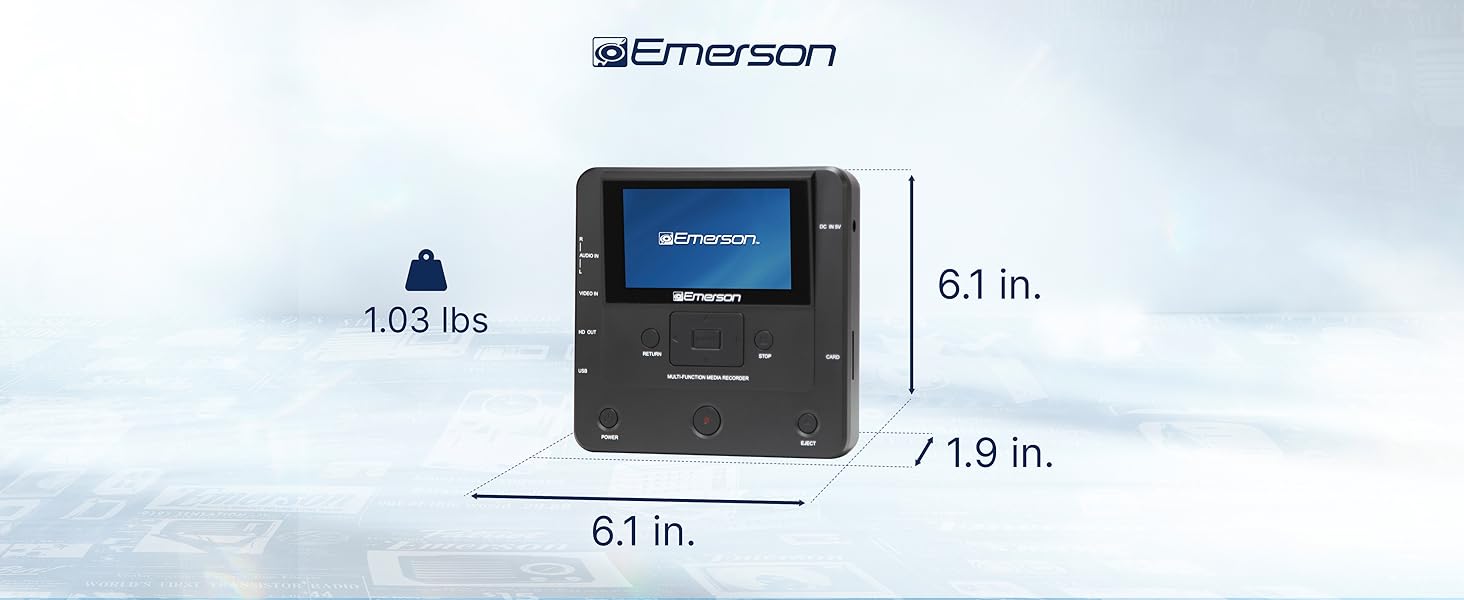
Image: The Emerson EMT-1200 Multimedia Recorder with its dimensions labeled: 6.1 inches Length, 1.9 inches Width, 6.1 inches Height, and a weight of 1.03 pounds.
9. メンテナンス
To ensure the longevity and optimal performance of your Emerson EMT-1200 Multimedia Recorder, follow these maintenance guidelines:
- クリーニング: Use a soft, dry cloth to clean the exterior of the device. Avoid using liquid cleaners, aerosols, or solvents.
- ストレージ: デバイスは直射日光や極端な温度を避け、涼しく乾燥した場所に保管してください。
- ディスクケア: Handle discs by their edges to avoid fingerprints and scratches. Keep discs in their protective sleeves when not in use.
- 換気: 過熱を防ぐため、デバイスの通気口が塞がれていないことを確認してください。
10. 保証とサポート
Your Emerson EMT-1200 Multimedia Recorder comes with a limited warranty to ensure your satisfaction.
- 保証期間: 1 Year Parts, 90 Days Labor.
- メーカー: ナクサエレクトロニクス株式会社
For warranty claims, product updates, extended support documentation, or frequently asked questions, please visit the official Emerson Audio webサイトをご覧いただくか、カスタマー サポートにお問い合わせください。