
1. はじめに
Thank you for choosing the FLEXISPOT L-Shaped Electric Standing Desk. This manual provides essential information for the safe assembly, operation, and maintenance of your new desk. Please read these instructions carefully before use and retain them for future reference. This desk is designed to provide a versatile and ergonomic workspace, allowing seamless transitions between sitting and standing positions.
2. 安全に関する注意事項
安全な操作を確保し、怪我や損傷を防ぐために、次の安全ガイドラインを守ってください。
- 使用前にすべてのコンポーネントがしっかりと固定されていることを確認してください。
- 操作中は子供やペットをデスクから遠ざけてください。
- Do not place hands or other body parts near moving parts of the desk frame.
- Avoid overloading the desk. The maximum load capacity is 80 kg.
- 机の上に座ったり立ったりしないでください。
- デスクは乾燥した屋内でのみ使用してください。
- 清掃またはメンテナンスの前に電源を切ってください。
- 部品が破損または不足している場合は、直ちにカスタマーサポートにご連絡ください。ご自身でデスクを修理しようとしないでください。
3. パッケージ内容
Please verify that all parts are present and undamaged before beginning assembly. Refer to the assembly diagram for a complete list of components.
- L-Shaped Desktop (2 parts)
- 4-Leg Frame (Dual Motor Mechanism)
- インテリジェントコントロールパネル
- 電源アダプタとケーブル
- 組み立てハードウェア(ネジ、工具など)
- ユーザーマニュアル
4. セットアップと組み立て
組み立てには通常2人必要です。以下の手順を慎重に行ってください。
- コンポーネントを解凍します: すべての部品をパッケージから慎重に取り出し、傷がつかないように柔らかく清潔な表面の上に広げます。
- Assemble the 4-Leg Frame: Connect the frame components according to the included diagram. Ensure all bolts are tightened securely. The 4-leg design provides enhanced stability.
- Install Dual Motor Mechanism: The dual motor system is integrated into the frame. Ensure all motor connections are secure. This mechanism allows for smooth and precise height adjustments.
- デスクトップパネルを取り付ける: Carefully place the two desktop panels onto the assembled frame. Align the pre-drilled holes and secure the desktop to the frame using the provided screws. The L-shaped design offers ampワークスペース。
- コントロールパネルのマウント: Attach the intelligent control panel to the underside of the desktop in an easily accessible location. Connect the control panel cable to the main control box.
- 接続電源: Plug the power adapter into the control box, then plug the power cord into a standard electrical outlet.
- 初期リセット: After connecting power, perform an initial reset. Press and hold the 'Reset' button (usually marked with a circular arrow) until the desk reaches its lowest position and then slightly rises. This calibrates the desk.
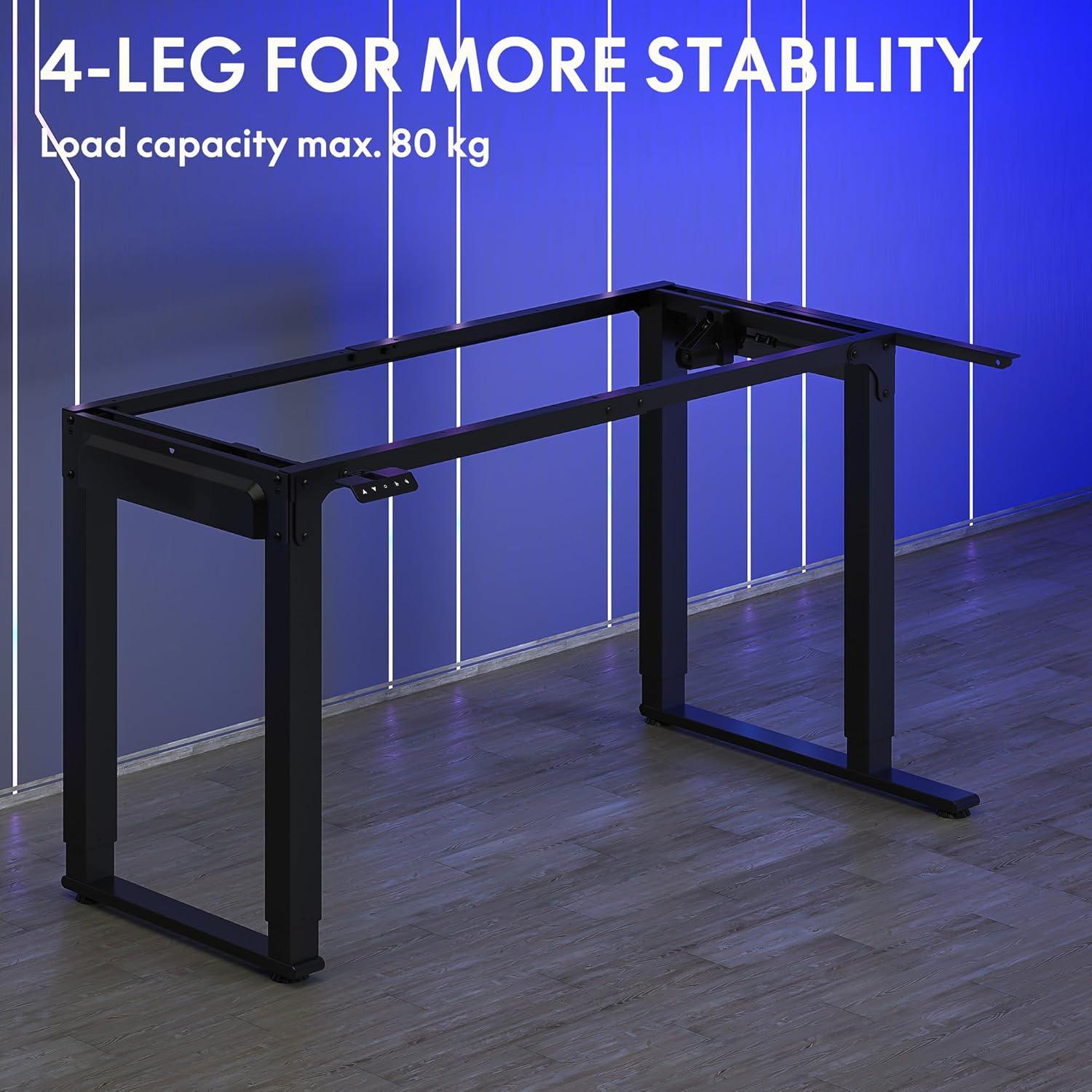
Image: The robust 4-leg frame provides superior stability for the L-shaped standing desk.

Image: Detail of the dual-motor mechanism, ensuring accurate and smooth height positioning.
5. 操作手順
Your FLEXISPOT L-Shaped Electric Standing Desk features an intelligent control panel for easy height adjustment and memory presets.
5.1 コントロールパネル機能

Image: The intelligent control panel with clearly labeled buttons for desk operation.
- 上/下ボタン(▲/▼): 押し続けると、デスクの高さを連続的に上下に調整できます。希望の高さで離すと停止します。
- Reset Button (↺): Used for initial calibration or to reset the desk if an error occurs. Press and hold until the desk moves to its lowest point and slightly rises.
- Sitting Preset Button (👭): Press to automatically move the desk to your programmed sitting height.
- Standing Preset Button (👭 with upward arrow): Press to automatically move the desk to your programmed standing height.
5.2 メモリプリセットの設定
好みの座り心地や立ち心地の高さを保存するには:
- 上/下ボタンを使用して、デスクを希望の高さに調整します。
- Press and hold the desired preset button (Sitting or Standing) for approximately 3-5 seconds until you hear a beep or see the display flash. This indicates the height has been saved.

Image: The desk can be adjusted from a minimum height of 72cm to a maximum of 117cm.

Image: The spacious L-shaped desktop (180cm x 110cm) provides ample room for multiple computers and accessories.
6. メンテナンス
定期的なメンテナンスにより、デスクの寿命が長くなり、最適なパフォーマンスが確保されます。
- クリーニング: デスクトップとフレームを柔らかくて乾いた布で拭きます。amp 布で拭いてください。刺激の強い化学薬品や研磨剤入りの洗剤は使用しないでください。
- 検査: すべてのネジと接続部がしっかりと締まっているか定期的に確認してください。必要に応じて締め直してください。
- ケーブル管理 Ensure power cables and other device cables are properly managed to prevent entanglement or damage during height adjustments.
- モーターケア: The dual motors are designed for durability. Avoid obstructing the desk's movement or exceeding the weight limit to prevent strain on the motors.

Image: The desk features safe and stylish rounded corners.
7。 トラブルシューティング
デスクで問題が発生した場合は、次の一般的な問題と解決策を参照してください。
| 問題 | 考えられる原因 | 解決 |
|---|---|---|
| 机は動きません。 | 電源ケーブルが外れています。コントロール パネル ケーブルが緩んでいます。過負荷保護が作動しています。 | Check power connections; Ensure control panel cable is secure; Reduce weight on desk and perform a reset. |
| 机の動きが不均一であったり、異常な音がしたりします。 | Unbalanced load; Loose connections; Obstruction. | Distribute weight evenly; Check and tighten all frame connections; Remove any obstructions. Perform a reset. |
| 高さのプリセットが機能していません。 | プリセットが正しく保存されませんでした。 | Re-save the desired height by holding the preset button until confirmation. |
| 机が途中で止まります。 | Overload protection; Overheating protection. | Reduce weight on the desk. Allow the desk to cool down for 20-30 minutes if it has been used continuously. |
これらの解決策を試しても問題が解決しない場合は、FLEXISPOT カスタマー サポートにお問い合わせください。
8. 仕様
| 特徴 | 詳細 |
|---|---|
| モデル番号 | QS2LB-1811 |
| ブランド | フレキシポット |
| デスクタイプ | L字型電動スタンディングデスク |
| モータータイプ | デュアルモーター |
| フレームタイプ | 4-Leg Frame |
| 高さ調整範囲 | 72cm~117cm |
| デスクトップの寸法(長さ x 幅) | 180 cm × 110 cm |
| 最大積載量 | 80キロ |
| 騒音レベル | 50dB未満 |
| 材料 | 合金鋼(フレーム) |
| 色 | 黒 |
| アイテム重量 | 30キログラム |
9. 保証とサポート
FLEXISPOT products are designed for quality and durability. For specific warranty information, please refer to the warranty card included with your purchase or visit the official FLEXISPOT website. If you require technical assistance, have questions about assembly, or need to report a missing/damaged part, please contact FLEXISPOT customer support directly. Ensure you have your model number (QS2LB-1811) and purchase details available when contacting support.
連絡先: Please refer to the contact details provided on the FLEXISPOT official web最新のサポート チャネルについては、サイトまたは購入ドキュメントをご覧ください。