
1. はじめに
This manual provides instructions for the assembly, operation, maintenance, and troubleshooting of your FLEXISPOT E6 Pro Electric Standing Desk. Please read this manual thoroughly before use to ensure proper function and safety.

Figure 1: FLEXISPOT E6 Pro Electric Standing Desk
2. 安全情報
重要な安全上の注意事項:
- Ensure the desk is properly anchored to the wall or floor when height is adjusted, especially if loading heavy items.
- 可動部品による怪我を防ぐため、操作中は子供やペットをデスクから遠ざけてください。
- Do not place hands or other body parts near the lifting mechanism while the desk is in motion.
- デスクに過度の荷重をかけないでください。最大荷重については仕様セクションを参照してください。
- 付属の電源アダプターとコンポーネントのみを使用してください。
- If any unusual sounds or movements occur, immediately stop operation and unplug the desk.
3. 組み立て手順
Assembly is required for this product. It is recommended to have two people for assembly due to the weight and size of the components. All necessary hardware and tools are typically included. Follow the steps below for a smooth assembly process.
3.1 開梱と準備
- パッケージを慎重に開けて、すべてのコンポーネントを取り出してください。
- 付属の部品リストに照らしてすべての部品が揃っていることを確認します。
- 傷がつかないように、すべてのコンポーネントを柔らかく清潔な表面に並べます。
3.2 フレームの組み立て
Attach the desk legs to the crossbar and feet. Ensure all screws are tightened securely.
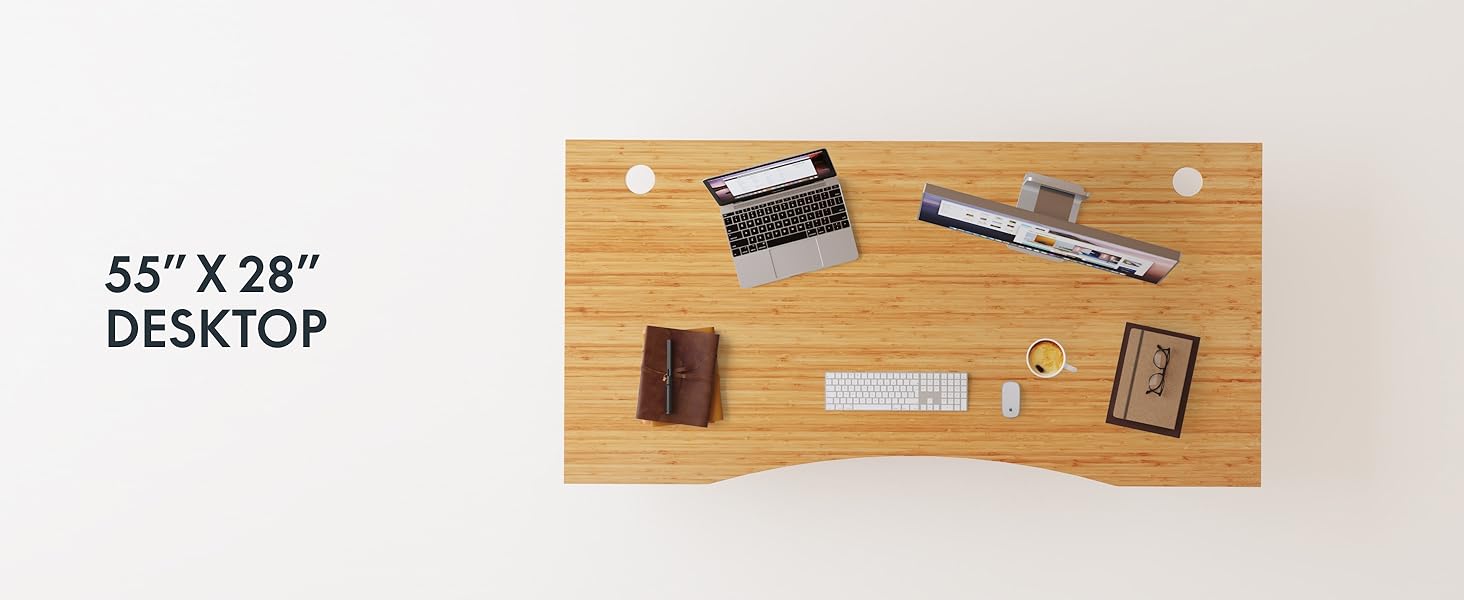
Figure 2: Desk Frame Assembly
3.3 デスクトップアタッチメント
Carefully place the bamboo desktop onto the assembled frame. Align the pre-drilled holes and secure the desktop with the provided screws. The desktop features a curved design for ergonomic comfort.

Figure 3: Curved Bamboo Desktop
3.4 Control Panel and Cable Management
Mount the digital control panel to the underside of the desk. Connect all motor and power cables according to the diagram. Utilize the integrated cable management holes to organize wires and prevent clutter.

Figure 4: Control Panel and Cable Management

Figure 5: Cable Management Hole
4. 操作手順
The FLEXISPOT E6 Pro desk features a user-friendly digital control panel for height adjustment and memory presets.

図6: デジタルコントロールパネル
4.1 机の高さ調整
- を押す 上矢印 机を上げるボタン。
- を押す 下矢印 机を下げるボタン。
- 希望の高さでボタンを放します。
4.2 メモリプリセットの設定
The control panel allows you to save up to two preferred height settings.
- 机を希望の高さに調整します。
- を押す 「M」 ボタン。ディスプレイが点滅します。
- どちらかを押してください 「1」 or 「2」 button within 3 seconds to save the current height to that preset.
- 保存した高さを呼び出すには、対応する 「1」 or 「2」 ボタンを押すと、デスクは保存した位置に自動的に移動します。
4.3USB充電ポート
A USB port is integrated into the control panel for convenient charging of your devices.
4.4 衝突防止機能
The desk is equipped with an anti-collision system that automatically stops and slightly reverses movement if it encounters an obstruction during height adjustment. This feature helps prevent damage and injury.

図7: 衝突防止システムの動作
5. メンテナンス
定期的なメンテナンスにより、スタンディング デスクの寿命が長くなり、最適なパフォーマンスが確保されます。
- クリーニング: The bamboo desktop has a smooth, waterproof surface, making it easy to clean. Use a soft, damp cloth with mild soap to wipe down the surface. Avoid abrasive cleaners or harsh chemicals.
- 検査: すべてのネジと接続部がしっかりと締まっているか定期的に確認してください。必要に応じて締め直してください。
- ケーブル管理 ケーブルがきちんと整理され、挟まれたり絡まったりしていないことを確認してください。ケーブルが挟まれたり絡まったりすると、デスクの操作に支障をきたす可能性があります。

Figure 8: Waterproof Bamboo Surface
6。 トラブルシューティング
If you encounter issues with your FLEXISPOT E6 Pro desk, refer to the following common problems and solutions:
| 問題 | 考えられる原因 | 解決 |
|---|---|---|
| 机は動きません。 | Power cable disconnected, control panel locked, or motor error. | Check power connections. Unlock control panel if applicable. Unplug for 10 seconds and plug back in to reset. |
| 高さ調整が不均一です。 | Uneven load, loose connections, or motor synchronization issue. | Ensure weight is evenly distributed. Check all frame connections. Perform a reset procedure (refer to full manual if available). |
| Desk stops unexpectedly. | Anti-collision system activated, or overload. | Check for obstructions. Reduce weight on the desk if exceeding maximum capacity. |
| 動作中にノイズが発生します。 | Loose components or normal motor sound. | Tighten all screws. A low hum from the dual motors (less than 45 dB) is normal. |
問題が解決しない場合は、FLEXISPOT カスタマー サポートにお問い合わせください。
7. 仕様
| 特徴 | 詳細 |
|---|---|
| ブランド | フレキシポット |
| モデル番号 | ET365 |
| 製品寸法 | 奥行き77.9インチ x 幅29.5インチ x 高さ23.6インチ |
| デスクトップサイズ | 78インチ×30インチ 全体 |
| 色 | Black Frame + Curved Bamboo Top |
| ベース素材 | 金属 |
| 上部の材質の種類 | 木材(竹) |
| 昇降機構 | 電動デュアルモーター |
| 最小高さ | 23.6インチ |
| 最大高さ | 48.8インチ |
| 最大重量の推奨 | 352 ポンド |
| 騒音レベル | 45dB未満 |
| 必要な組み立て | はい |
8.保証とサポート
8.1 保証情報
FLEXISPOT provides the following warranty coverage for your E6 Pro Electric Standing Desk:
- 10年間の保証: デスクのフレームとモーター。
- 2年間の保証: コントロールパネルと電子機器。
この保証は、通常の使用における製造上の欠陥および故障を対象としています。保証請求の際は、購入証明書を保管してください。
8.2 カスタマーサポート
For any assistance, questions, or warranty claims, please contact FLEXISPOT customer support. You can find more information and contact details on the official FLEXISPOT webサイトまたは購入プラットフォームを通じて購入できます。
Visit the official FLEXISPOT Store: AmazonのFLEXISPOTストア