
導入
Thank you for choosing the Coby Pro Fitness True Wireless Earbuds. These earbuds are designed to provide a high-quality audio experience with features tailored for an active lifestyle. They offer a secure fit, sweat resistance, noise isolation, HD audio, and seamless connectivity with Bluetooth 5.3. This manual will guide you through the setup, operation, and maintenance of your new earbuds.
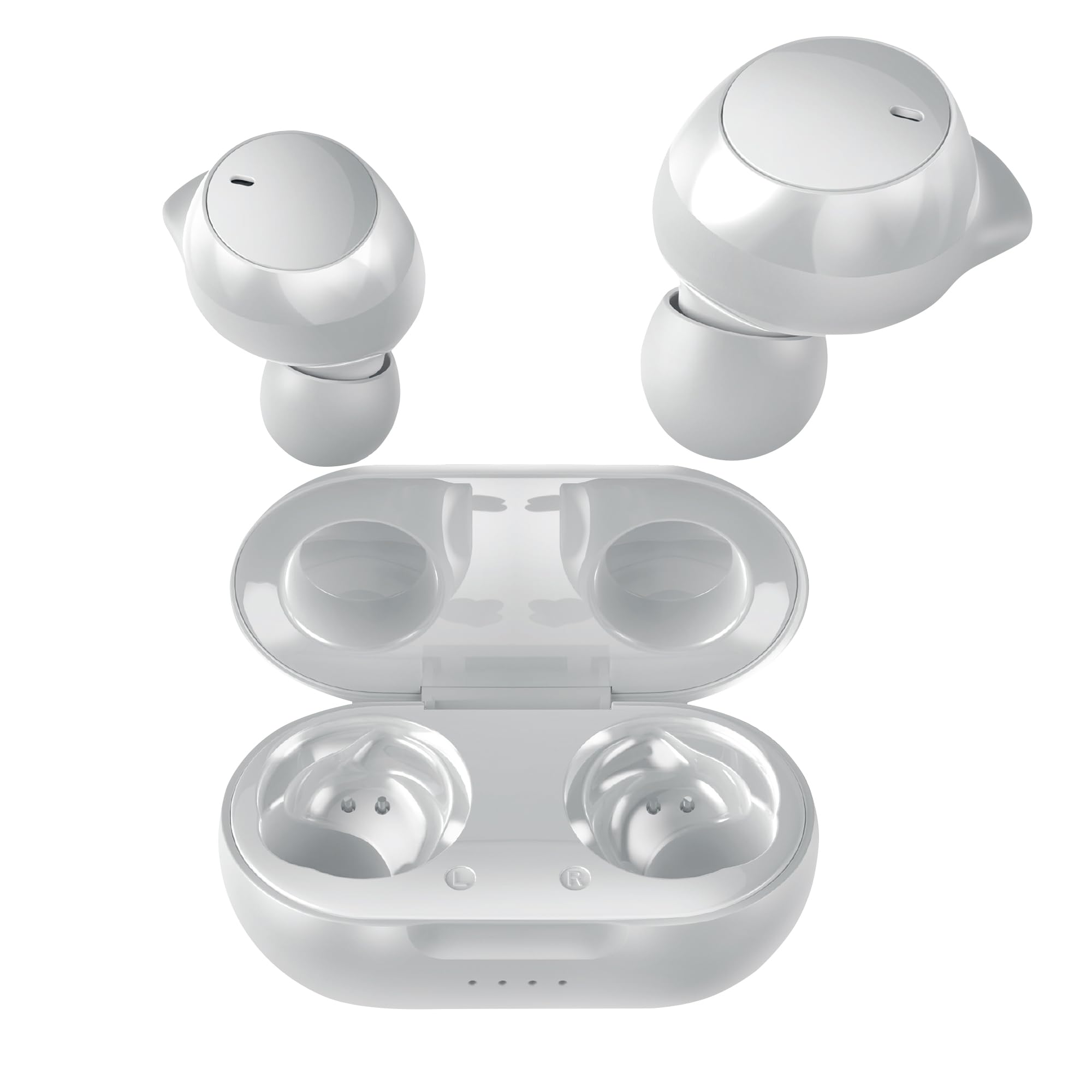
Image: Coby Pro Fitness True Wireless Earbuds and their charging case.
設定
パッケージ内容
- Coby Pro Fitness True Wireless Earbuds (Left and Right)
- 充電ケース
- USB充電ケーブル
- 複数サイズのシリコン製イヤーチップ
- ユーザーマニュアル
イヤホンとケースを充電する
- イヤホンを充電ケースに入れ、それぞれのスロットに正しく装着されていることを確認します。
- USB 充電ケーブルをケースの充電ポートに接続し、もう一方の端を USB 電源 (壁のアダプター、コンピューターの USB ポートなど) に差し込みます。
- The indicator lights on the charging case will illuminate to show charging status. A full charge typically takes approximately 1-2 hours for the earbuds and 2-3 hours for the case.
- 充電が完了すると、インジケーターライトが点灯または消灯します。充電ケーブルを外してください。
初期ペアリング
イヤホンをデバイスと初めてペアリングするには、次の手順に従ってください。
- Ensure the earbuds are charged. Open the charging case. The earbuds will automatically enter pairing mode, indicated by a flashing LED light on one or both earbuds.
- スマートフォン、タブレット、その他の Bluetooth 対応デバイスで、Bluetooth 設定に移動します。
- 検索する available devices. You should see "Coby CETW553" or a similar name appear in the list.
- Select "Coby CETW553" to connect. Once connected, you will hear an audio prompt, and the earbud LED lights will stop flashing.

Image: Illustration of earbuds automatically pairing with a smartphone.
イヤホンの装着
For optimal sound quality and a secure fit, choose the correct size ear tips and insert the earbuds properly:
- Experiment with the different sizes of silicone ear tips provided to find the pair that creates a comfortable and snug seal in your ear canal. A good seal is crucial for noise isolation and bass response.
- Gently insert each earbud into your ear, twisting slightly until it feels secure and comfortable. The earbuds are ergonomically designed to stay in place during physical activity.

Image: A woman demonstrating the snug and secure fit of the ear tips.
イヤホンの操作
電源オン/オフ
- 電源オン: 充電ケースを開けると、イヤホンは自動的に電源が入ります。または、両方のイヤホンのタッチコントロールエリアを3秒間長押ししてください。
- 電源を切る: イヤホンを充電ケースに戻し、蓋を閉めてください。自動的に電源が切れます。または、両方のイヤホンのタッチコントロールエリアを5秒間長押ししてください。
音楽再生に
- 再生/一時停止: どちらかのイヤホンのタッチコントロール領域を 1 回タップします。
- 次のトラック: 右のイヤホンのタッチコントロール領域をダブルタップします。
- 前のトラック: 左のイヤホンのタッチコントロール領域をダブルタップします。
- ボリュームアップ: 右のイヤホンのタッチコントロール領域を3回タップします。
- ボリュームダウン: 左のイヤホンのタッチコントロール領域を3回タップします。
通話管理
- 通話の応答/終了: どちらかのイヤホンのタッチコントロール領域を 1 回タップします。
- 通話を拒否: どちらかのイヤホンのタッチコントロール領域を 2 秒間押し続けます。
音声アシスタント
The earbuds are compatible with Siri and Google Assistant. To activate your device's voice assistant:
- 音声アシスタントを有効にする: どちらかのイヤホンのタッチコントロール領域を 2 秒間押し続けます (通話中でないとき)。

Image: Earbuds shown with compatibility logos for Siri and Google Assistant.
メンテナンス
クリーニング
- 最適なパフォーマンスと衛生を保つために、イヤホンと充電ケースを定期的に清掃してください。
- Use a soft, dry, lint-free cloth to wipe the exterior surfaces of the earbuds and case.
- イヤーチップはイヤホンから取り外し、中性洗剤と水で洗ってください。しっかりとすすぎ、完全に乾いてから再度取り付けてください。
- Gently remove any earwax or debris from the earbud mesh using a clean, dry cotton swab or a small, soft brush. Avoid using sharp objects.
ストレージ
- 使用していないときは、損傷を防ぎ、充電を保つために、イヤホンを常に充電ケースに保管してください。
- Store the charging case and earbuds in a cool, dry place, away from extreme temperatures, humidity, and direct sunlight.
トラブルシューティング
| 問題 | 解決 |
|---|---|
| イヤホンがデバイスとペアリングされない |
|
| 片方のイヤホンしか機能しない |
|
| 音が出ない、または音量が小さい |
|
| 充電ケースが充電されない |
|
仕様
| 特徴 | 詳細 |
|---|---|
| モデル番号 | COBY-CETW553 |
| 接続技術 | ワイヤレス(Bluetooth) |
| Bluetoothバージョン | 5.3 |
| 耳の位置 | 耳に装着 |
| 騒音制御 | 遮音性 |
| 耐水性レベル | 耐水性(防汗) |
| バッテリーの平均寿命(イヤホン) | 5時間(1回の充電あたり) |
| 周波数範囲 | 20 Hz - 20,000 Hz |
| オーディオドライバータイプ | ダイナミックドライバ |
| 制御方法 | 音声、タッチ |
| 対応デバイス | Smartphones, Tablets, Smart Speakers, Laptops, Desktops |
| 材料 | シリコン(イヤーチップ) |
| アイテム重量 | 1.4オンス |
保証情報
The Coby Pro Fitness True Wireless Earbuds (Model CETW553) come with a 90日間のメーカー保証. This warranty covers defects in materials and workmanship under normal use. Please retain your proof of purchase for warranty claims. For specific terms and conditions, or to initiate a warranty claim, please refer to the official Coby webサイトをご覧いただくか、カスタマー サポートにお問い合わせください。
サポート
If you encounter any issues not covered in this manual or require further assistance, please visit the official Coby website for FAQs, support resources, and contact information. You can typically find support details on the product page or in the 'Support' section of the Coby brand webサイト。