
エレファスBL128
ELEPHAS ミニポータブルプロジェクター ユーザーマニュアル
モデル: BL128
1. はじめに
Thank you for choosing the ELEPHAS Mini Portable Projector. This compact and versatile device is designed to provide a high-quality viewing experience for entertainment, education, and business presentations. With its advanced features and user-friendly design, you can enjoy large-screen projection anywhere.
The ELEPHAS Mini Projector, comparable to a smartphone in size, incorporates upgraded 2023 technology. It features a built-in HIFI speaker for rich audio without the need for external speakers and an efficient heat dissipation system to minimize fan noise. Supporting 1080P HD resolution and equipped with a German Emerald Glass Lens, it delivers vibrant, detailed images up to 200 inches. Its multimedia capabilities allow easy connection to a wide range of devices.

Image: The ELEPHAS Mini Portable Projector, shown with its included mini tripod, demonstrating its compact size and portability when held in a hand.
2. パッケージ内容
パッケージをよくチェックして、すべてのアイテムが揃っていることを確認してください。
- ELEPHAS Mini Portable Projector (Model BL128)
- ミニ三脚
- キャリーバッグ
- リモコン(電池は付属しません)
- 電源アダプター
- ユーザーマニュアル

Image: The ELEPHAS Mini Portable Projector displayed alongside a smartphone and its dedicated carrying case, illustrating its compact dimensions (15cm x 11cm x 6cm) for easy transport.
3 製品の特徴
The ELEPHAS Mini Portable Projector offers a range of features designed for optimal performance and user convenience:
- 超コンパクト設計: Easily fits in your hand, making it highly portable for indoor and outdoor use.
- 1080P HD サポート: Delivers clear and detailed images with support for Full HD resolution.
- 内蔵HIFIスピーカー: Provides excellent sound quality without the need for external audio devices.
- 効率的な放熱: Advanced cooling system significantly reduces fan noise for a quieter viewing の経験。
- German Emerald Glass Lens: Equipped with a high-quality lens supporting 24-bit true colors and over 16.77 million colors for vivid projection.
- 大画面投影: Capable of projecting an impressive screen size of up to 200 inches.
- 多彩な接続性: Features multiple ports including USB, HDMI, AV, and Audio for broad device compatibility.
- 幅広いデバイス互換性: Connects seamlessly with laptops, PCs, TV boxes, TV sticks, Chrome Books, tablets, Blu-Ray DVD players, USB drives, media players, and smartphones (iOS, Android, Windows).

Image: An internal diagram illustrating the advanced optical path and components of the projector, highlighting the German Osram LED projection technology and Emerald Glass Lens responsible for high-quality image output.
4.セットアップガイド
Follow these steps to set up your ELEPHAS Mini Portable Projector:
- 配置: Place the projector on a stable, flat surface, such as a table, at the desired distance from your projection screen or wall. Ensure there are no obstructions blocking the lens or ventilation ports.
- 電源接続: 電源アダプタをプロジェクターの電源入力ポートに接続し、アダプタを電源コンセントに差し込みます。
- 電源オン: プロジェクターまたはリモコンの電源ボタンを押してデバイスの電源を入れます。インジケーターライトが点灯します。
- フォーカス調整: Once the projector is on, adjust the focus ring (usually located near the lens) until the projected image appears clear and sharp.
- デバイスを接続する: Refer to the 'Connectivity' section to connect your desired input devices (e.g., laptop, smartphone, USB drive).

Image: Two individuals enjoying an outdoor movie night, with the ELEPHAS Mini Portable Projector projecting onto a screen inside a tent, demonstrating its suitability for portable outdoor entertainment.
5. 操作手順
This section outlines the basic operation of your projector:
- リモートコントロール: Use the included remote control to navigate menus, select input sources, adjust volume, and control playback. Ensure batteries are inserted correctly.
- 入力ソースの選択: Press the 'Source' button on the remote or projector to cycle through available input options (HDMI, USB, AV). Select the input corresponding to your connected device.
- 音量コントロール: Use the volume up/down buttons on the remote to adjust the audio output from the built-in speaker.
- 画像調整: In addition to the manual focus ring, some settings like aspect ratio or keystone correction might be available in the projector's on-screen display (OSD) menu. Access the OSD menu using the 'Menu' button on the remote.
- 電源を切る: Press the power button again to turn off the projector. It is recommended to allow the projector to cool down before unplugging it.
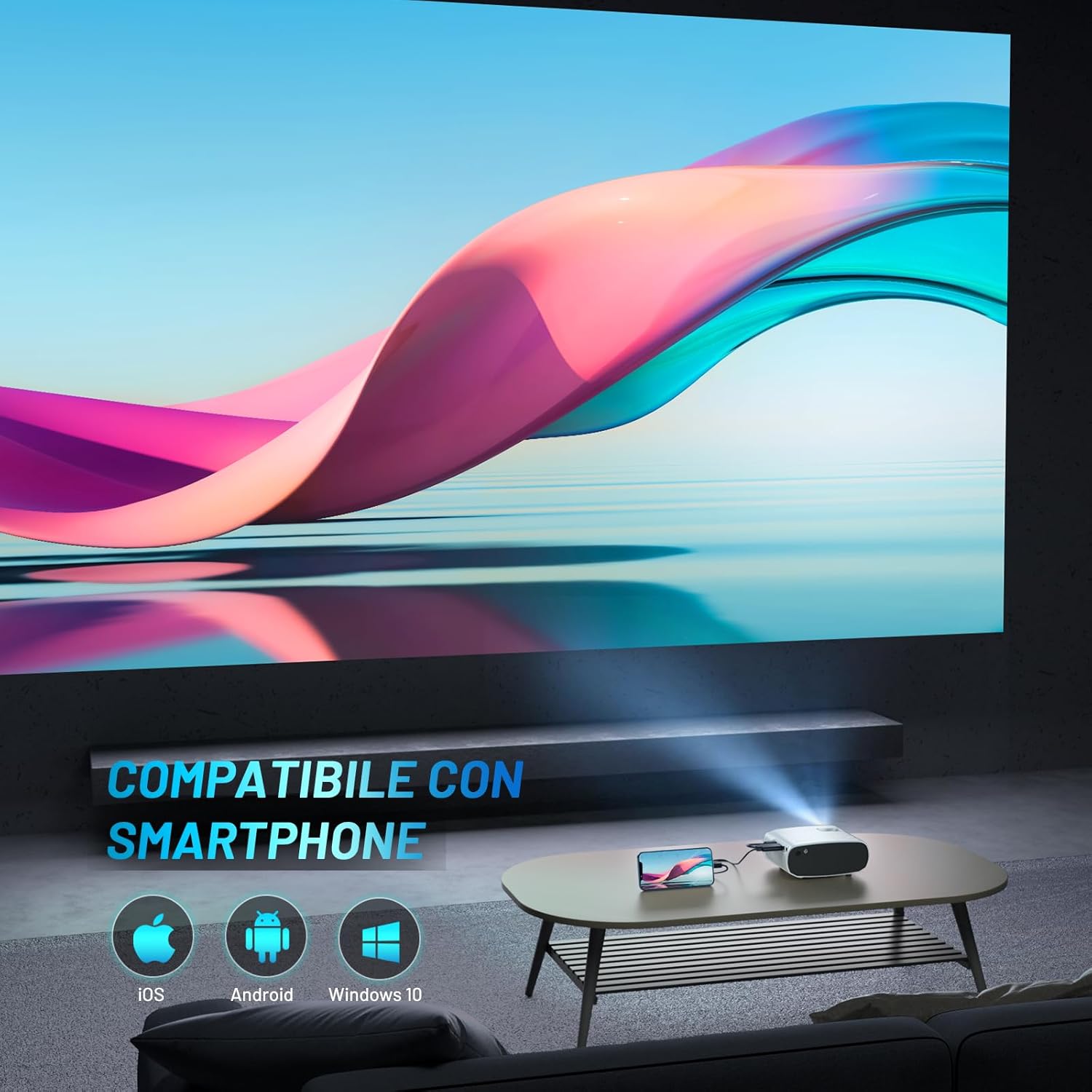
Image: The ELEPHAS Mini Portable Projector set up in a living room, projecting content onto a wall while connected to a smartphone, demonstrating its ease of use for home entertainment.
6. 接続性
The ELEPHAS Mini Portable Projector offers various connection options to suit your needs:
- HDMIポート: Connect devices such as laptops, PCs, TV boxes, TV sticks (e.g., Roku Stick, Fire TV, Chromecast), gaming consoles (XBOX, PS4), and Blu-Ray DVD players for high-definition video and audio transmission.
- USBポート: Plug in USB flash drives to play multimedia content directly (videos, photos, music).
- AVポート: Use the AV cable (not always included, check package) to connect older devices with composite video and stereo audio outputs.
- オーディオ出力ポート: Connect external speakers or headphones for a more immersive audio experience, though the built-in HIFI speaker is often sufficient.
- スマートフォンの互換性: The projector supports direct connection with iOS, Android, and Windows smartphones, often requiring a compatible adapter or cable (not included) for screen mirroring.

Image: A visual diagram illustrating the projector's extensive multimedia support, showing connections to various devices such as Roku Stick, Fire TV, Chromecast, external speakers, USB disk, phone/tablet/PC, XBOX/PS4, and DVD player.
7. メンテナンス
適切なメンテナンスを行うことで、プロジェクターの寿命が長くなり、最適なパフォーマンスが確保されます。
- レンズクリーニング: プロジェクターレンズは、光学面専用の柔らかく糸くずの出ない布で優しく拭いてください。研磨剤入りのクリーナーを使用したり、過度の力で拭いたりしないでください。
- 換気ポート: Regularly check and clean the ventilation ports to prevent dust buildup, which can hinder heat dissipation and affect performance. Use a soft brush or compressed air.
- ストレージ: When not in use, store the projector in its carrying bag in a cool, dry, and dust-free environment. Avoid extreme temperatures or humidity.
- 電源を適切にオフにします: 必ず指定された電源ボタンを使用してプロジェクターの電源をオフにし、プラグを抜く前にシャットダウン サイクルが完了するのを待ちます。
8。 トラブルシューティング
プロジェクターで問題が発生した場合は、次の一般的な問題と解決策を参照してください。
| 問題 | 考えられる原因 | 解決 |
|---|---|---|
| 画像が投影されない | 電源が入っていない、入力ソースが正しくない、ケーブルの接続が緩んでいる | Ensure power adapter is securely connected and outlet is active. Select the correct input source (HDMI, USB, AV). Check all cable connections. |
| 音が出ない | Volume too low; Muted; External audio device not connected/configured | Increase volume using remote. Check if projector or source device is muted. Ensure external speakers are properly connected if used. |
| 画像がぼやけている/不明瞭です | Focus not adjusted; Projector too far/close; Lens dirty | Adjust the manual focus ring until the image is sharp. Ensure projector is within optimal projection distance. Clean the lens. |
| Image edges are not sharp | Inherent characteristic of some compact projectors; Keystone correction needed | While the projector offers good overall clarity, slight softness at the extreme edges can be a characteristic of compact projectors. Ensure the projector is perpendicular to the screen and adjust keystone correction if available in settings. |
| ファンの音が大きい | Normal operation; Blocked vents | A certain level of fan noise is normal for cooling. Ensure ventilation ports are not blocked and are clean. The projector features an efficient heat dissipation system to minimize noise. |
9. 仕様
| ブランド | エレファス |
| モデル番号 | BL128 |
| 色 | 白 |
| 製品タイプ | ポータブルプロジェクター |
| 接続技術 | USB、HDMI |
| 特集 | Portable, Built-in Speaker, Efficient Heat Dissipation System |
| 対応デバイス | Smartphone, Laptop, PC, TV Box, TV Stick, Chrome Book, Tablets, Blu-Ray DVD Players, USB Drives, Media Players |
| ディスプレイ解像度 | 1920 x 1080 (1080P HD 対応) |
| 表示タイプ | 導かれた |
| フォームファクター | ポータブル |
| 取り付けタイプ | 卓上マウント |
| 含まれるコンポーネント | Mini Tripod, Carrying Bag |
| 推奨用途 | ビジネス、教育、ゲーム、ホームシアター |
10. 保証とサポート
For specific warranty details regarding your ELEPHAS Mini Portable Projector, please refer to the warranty card included with your purchase or the product listing on the retailer's webサイト。保証条件は通常、購入日から一定期間内の製造上の欠陥をカバーします。
For technical support, troubleshooting assistance beyond this manual, or any other inquiries, please contact ELEPHAS customer service. Contact information can usually be found on the product packaging, the official ELEPHAS webサイトまたは購入場所からご購入いただけます。
Note: No official product videos were found for this model at the time of manual creation.
Ask a question about this manual
Ask about setup, troubleshooting, compatibility, parts, safety, or missing instructions. Manuals+ will review the question and use this page’s manual context to help answer it.