
1. はじめに
This manual provides detailed instructions for the installation, operation, and maintenance of your EVGATSAUTO K2MRH3A Digital Programmable Thermostat. This device is designed for water heating systems, offering intelligent temperature control and energy-saving features. Please read this manual thoroughly before installation and use to ensure proper function and safety.
2. パッケージ内容
開梱したら、以下にリストされているすべてのアイテムが揃っていて良好な状態であることを確認してください。
- 1 x Temperature Controller (Digital Thermostat)
- ユーザーマニュアル (本書) x 1
- 取り付けネジ2本

Figure 1: EVGATSAUTO K2MRH3A Digital Thermostat and included mounting screws.
3 製品の特徴
- インテリジェント温度制御: Allows precise temperature management for water heating systems.
- 省エネ: Features low consumption touch buttons and intelligent programming to optimize energy use.
- 複数の制御モード: Supports intelligent timing, direct touch control, and programmable time control.
- 耐久性のある構造: Made from flame-retardant PC material with an IP20 rating for safety and longevity.
- クリアなLCDディスプレイ: Features a dark black LCD screen for easy readability of current and set temperatures, time, and operating modes.
- 幅広い用途: Suitable for various environments including homes, offices, hospitals, and commercial spaces.
4. 技術仕様
| パラメータ | 価値 |
|---|---|
| アイテムタイプ | デジタルサーモスタット |
| IP 定格 | IP20 |
| シェル素材 | 難燃性PC |
| 温度センサー | NTSC について |
| 温度精度 | ±1℃ |
| 表示タイプ | 液晶 |
| 職場環境 | -5〜50℃ |
| 消費電力 | <1W |
| 温度設定範囲 | 5~60℃ |
| 表示範囲 | 0~50℃ |
| 入力ボリュームtage | 交流90-240V |
| 最大荷重 | 3A |
| 最大出力 | 3500W |
| 制御モード | Intelligent timing; Touch control; Programming time control |
| 色 | 黒 |
5. 安全情報
デバイスの損傷や人的傷害を防ぐために、次の安全上の注意事項を守ってください。
- Installation should only be performed by a qualified electrician in accordance with local electrical codes.
- Ensure the power supply is disconnected before installation, maintenance, or removal of the thermostat.
- デバイスを水や過度の湿気にさらさないでください。
- サーモスタットをご自身で分解したり修理したりしないでください。資格のあるサービス担当者にご相談ください。
- デバイスを可燃性物質や直接の熱源から遠ざけてください。
6. セットアップとインストール
This section outlines the general steps for installing your digital thermostat. For detailed wiring diagrams and specific installation requirements, consult a professional electrician.
6.1 サーモスタットの取り付け
- 場所を選択してください: Select an indoor wall location, away from direct sunlight, drafts, or heat sources that could affect temperature readings.
- 電源を切る: 回路ブレーカーで暖房システムへの主電源をオフにします。
- 配線の準備: Follow the wiring diagram provided by your electrician or heating system manufacturer. Connect the AC 90-240V input and heating load wires to the appropriate terminals on the thermostat.
- 壁に固定する: Mount the thermostat base to the wall using the provided screws. Ensure it is level and securely fastened.
- Attach Display Unit: Carefully attach the display unit to the mounted base, ensuring all connections are secure.
- 電力を回復する: 設置が完了して検証されたら、暖房システムの電源を復元します。

図2:側面 view of the thermostat, illustrating its compact design for wall mounting.

図3: 前面 view of the thermostat, showing the LCD display with current time and temperature settings.
7. 操作手順
The EVGATSAUTO K2MRH3A thermostat offers intuitive touch controls and programmable settings.
7.1ディスプレイオーバーview
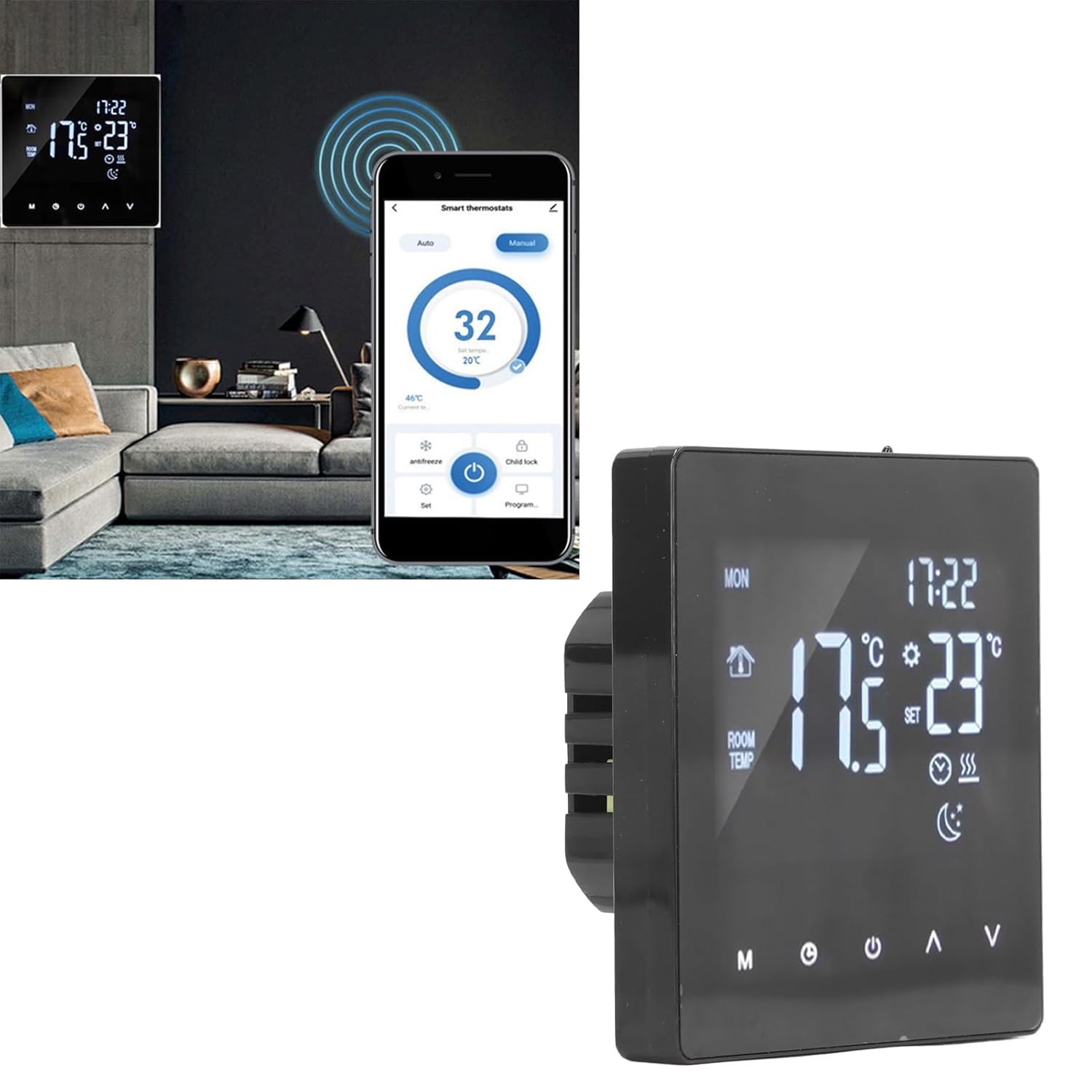
Figure 4: Close-up of the thermostat display, highlighting icons for mode, time, room temperature, set temperature, and heating status.
7.2 基本操作
- 電源オン/オフ: を押す 力 button (usually represented by a circle with a vertical line) to turn the thermostat on or off.
- 温度調整: 使用 上へ(▲) そして 下へ(▼) arrows to increase or decrease the desired set temperature.
- モード選択: を押す モード(M) button to cycle through available operating modes (e.g., Manual, Auto, Program).
- Clock/Time Setting: を押す クロック button (often represented by a clock icon) to access time settings. Use the Up/Down arrows to adjust hours and minutes.
7.3 プログラミングスケジュール
The thermostat allows you to set a weekly heating schedule to optimize comfort and energy efficiency. Refer to the specific programming instructions in the full user manual for detailed steps on setting daily schedules, temperature points, and periods.

図5: サイドプロfile of the thermostat, highlighting its slim design when mounted.
7.4 Advanced Features (If Applicable)
- チャイルドロック: Some models may feature a child lock function to prevent unauthorized changes to settings. Consult the full manual for activation.
- 凍結防止モード: This mode maintains a minimum temperature to prevent pipes from freezing.
- スマートホーム統合: While this specific model is a standalone unit, some EVGATSAUTO thermostats may offer compatibility with smart home systems for remote control via an app.

Figure 6: The thermostat displayed alongside a smartphone showing a potential smart control application interface. Note: App control functionality may vary by model and region. Please refer to product specifications for confirmation.
8. メンテナンス
The EVGATSAUTO K2MRH3A thermostat requires minimal maintenance to ensure optimal performance.
- クリーニング: ディスプレイを軽く拭いて、asin柔らかく乾いた布で拭いてください。研磨剤入りの洗剤や溶剤を使用したり、直接スプレーしたりしないでください。
- 障害物を避けてください: Ensure that the thermostat's vents (if any) are not blocked by furniture or curtains, as this can affect temperature readings.
- 定期点検: Periodically check the wiring connections for any signs of wear or looseness. (Only perform if qualified and power is off).
9。 トラブルシューティング
サーモスタットに問題が発生した場合は、次の一般的な問題と解決策を参照してください。
| 問題 | 考えられる原因 | 解決 |
|---|---|---|
| サーモスタットのディスプレイが空白です。 | 電源がありません。 | 回路ブレーカーと配線の接続を確認してください。電源が復旧していることを確認してください。 |
| 暖房システムが応答しません。 | Incorrect settings; Wiring issue; System fault. | Verify thermostat mode (e.g., not in 'Off' mode). Check set temperature. Inspect wiring (if qualified). Consult heating system manual. |
| 温度の読み取りが不正確です。 | サーモスタットの位置は通風や熱源の影響を受けます。 | サーモスタットが直射日光、隙間風、または熱を発する器具にさらされていないことを確認してください。 |
| 設定を変更できません。 | チャイルドロックが作動しました。 | Refer to the full manual for instructions on deactivating the child lock feature. |
これらの解決策を試しても問題が解決しない場合は、カスタマー サポートまたは資格のある技術者にお問い合わせください。
10. 保証と顧客サポート
EVGATSAUTO products are manufactured to high-quality standards. For specific warranty details, please refer to the warranty card included with your purchase or visit the official EVGATSAUTO website. For technical assistance, troubleshooting, or service inquiries, please contact EVGATSAUTO customer support through the contact information provided on our webサイトまたは購入書類をご覧ください。
メーカー: EVGATSAUTO
発売日: 10年2023月XNUMX日