
1. はじめに
This manual provides essential information for the proper use and maintenance of your MOVE SPEED Vpro Series 256GB USB 3.2 Gen2 Dual Interface SSD Thumb Drive. Please read this manual thoroughly before using the device to ensure optimal performance and longevity.
The MOVE SPEED Vpro Series SSD Thumb Drive offers high-speed data transfer with both USB 3.2 Gen2 Type-A and Type-C interfaces, providing versatile compatibility across various devices.
2. 箱の中身
- MOVE SPEED Vpro Series 256GB SSD Thumb Drive x1
- Keychain Leather Case x1
- ユーザーマニュアル x1

Image: The MOVE SPEED Vpro Series SSD Thumb Drive and its included leather case.
3. セットアップ
3.1 物理的な接続
The MOVE SPEED Vpro Series SSD Thumb Drive features a dual-interface design, offering both USB 3.2 Gen2 Type-A and Type-C connectors. To use, simply flip open the protective cover to reveal the desired connector.
- Identify the appropriate port on your device (computer, laptop, smartphone, etc.).
- Gently insert the corresponding connector (USB-A or USB-C) of the thumb drive into the device's port. Ensure a firm connection.

Image: The thumb drive with its dual USB-A and USB-C interfaces.
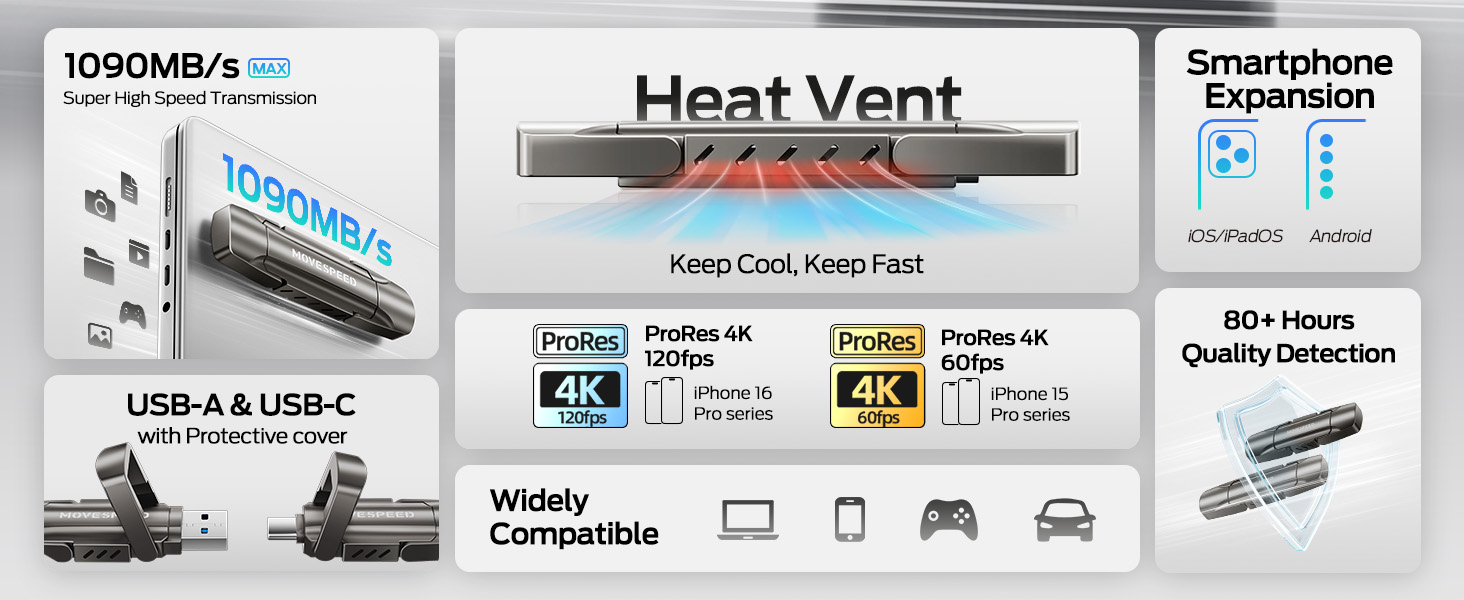
Image: The drive connected to both a laptop and a smartphone, demonstrating its dual interface functionality.
3.2 初期認識
The device is plug-and-play. Upon successful connection, your operating system (Windows, macOS, Android, iOS) should automatically detect the drive and make it accessible. It may appear as a removable disk or external storage device.
4.運用
4.1データ転送
The MOVE SPEED Vpro Series SSD Thumb Drive supports read and write speeds of up to 1000MB/s when connected to a compatible USB 3.2 Gen2 (10Gbps) port or above. Actual speeds may vary based on the host device, file サイズ、オペレーティング システム。
- To Copy Files: ドラッグアンドドロップ files or folders from your device to the thumb drive's directory, or use the 'Copy' and 'Paste' functions.
- To Move Files: ドラッグアンドドロップ files or folders from your device to the thumb drive's directory while holding the 'Shift' key (Windows) or 'Command' key (macOS), or use the 'Cut' and 'Paste' functions.
Video: Demonstrates the high-speed data transfer capabilities of the MOVE SPEED Vpro Series SSD Thumb Drive, showing quick file デバイス間の転送。
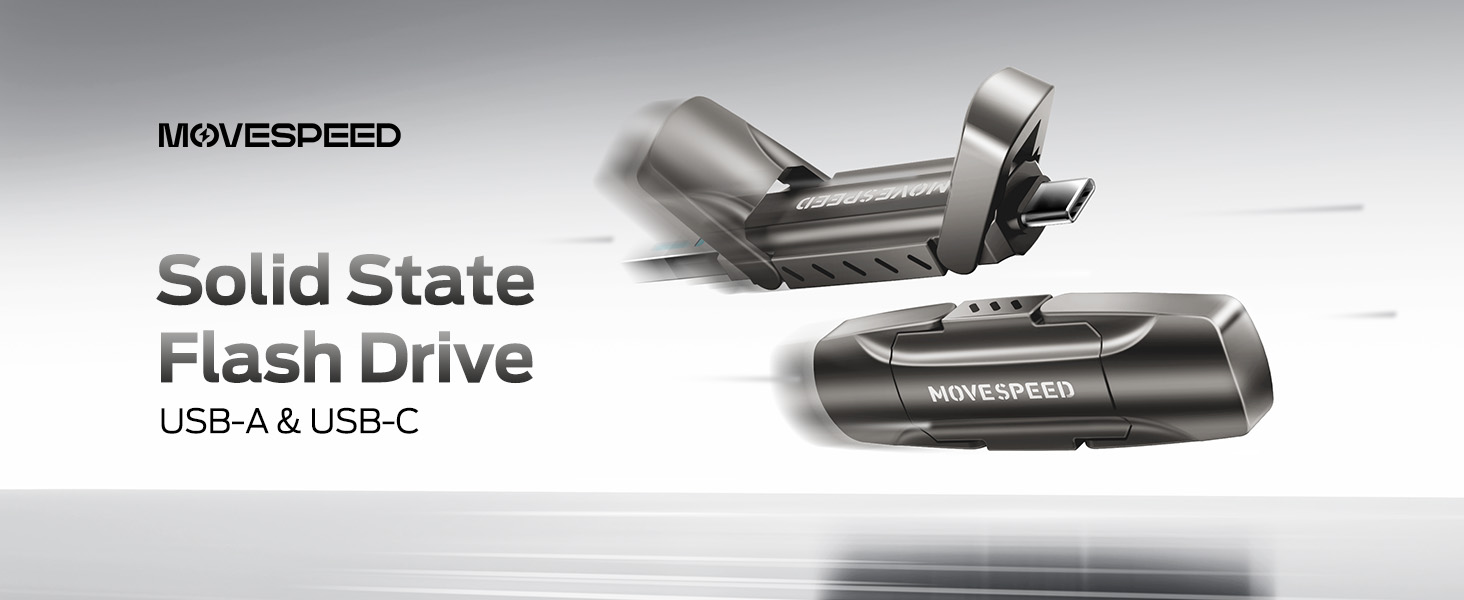
Image: A visual comparison illustrating the superior data transfer speed of the MOVE SPEED YV Pro drive compared to older USB technologies.
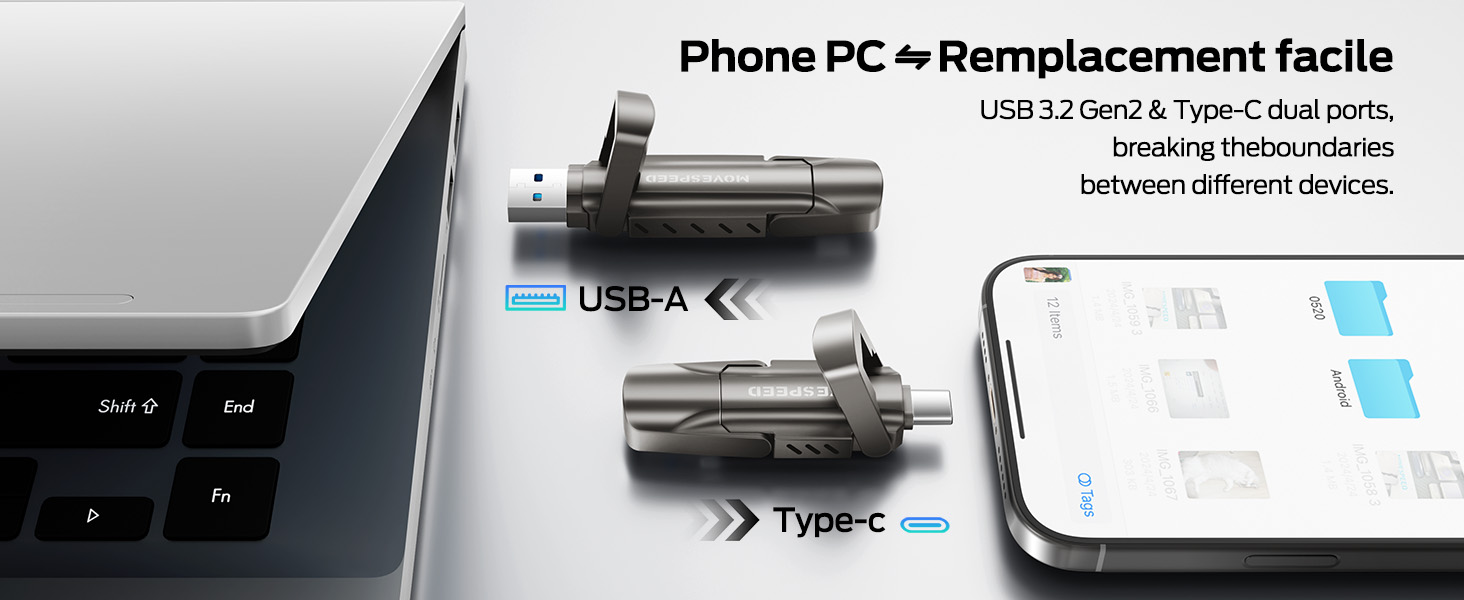
Image: A performance graph demonstrating the stable and high write speeds of the MOVE SPEED Vpro Series SSD Thumb Drive.
4.2 Usage with Various Devices
The dual interface ensures broad compatibility:
- コンピューター/ラップトップ: Connect via USB-A or USB-C port. Ideal for transferring large files, backups, or expanding storage.
- スマートフォン/タブレット: Connect via USB-C port (e.g., iPhone 15/16/17 Series, Android phones with USB-C). Use for direct photo/video backup, expanding phone storage, or playing media directly.
- Car Audio Systems/Smart TVs: Connect via USB-A port for media playback.
- ゲーム機: Plug and Play compatibility with various consoles for storage expansion or game data transfer.

Image: The thumb drive being used with a smartphone, laptop, and game console, highlighting its wide compatibility.

Image: An iPhone recording 4K 120fps ProRes video directly to the connected MOVE SPEED SSD Thumb Drive.

Image: A smartphone connected to the thumb drive, illustrating its use for storage expansion and data backup.
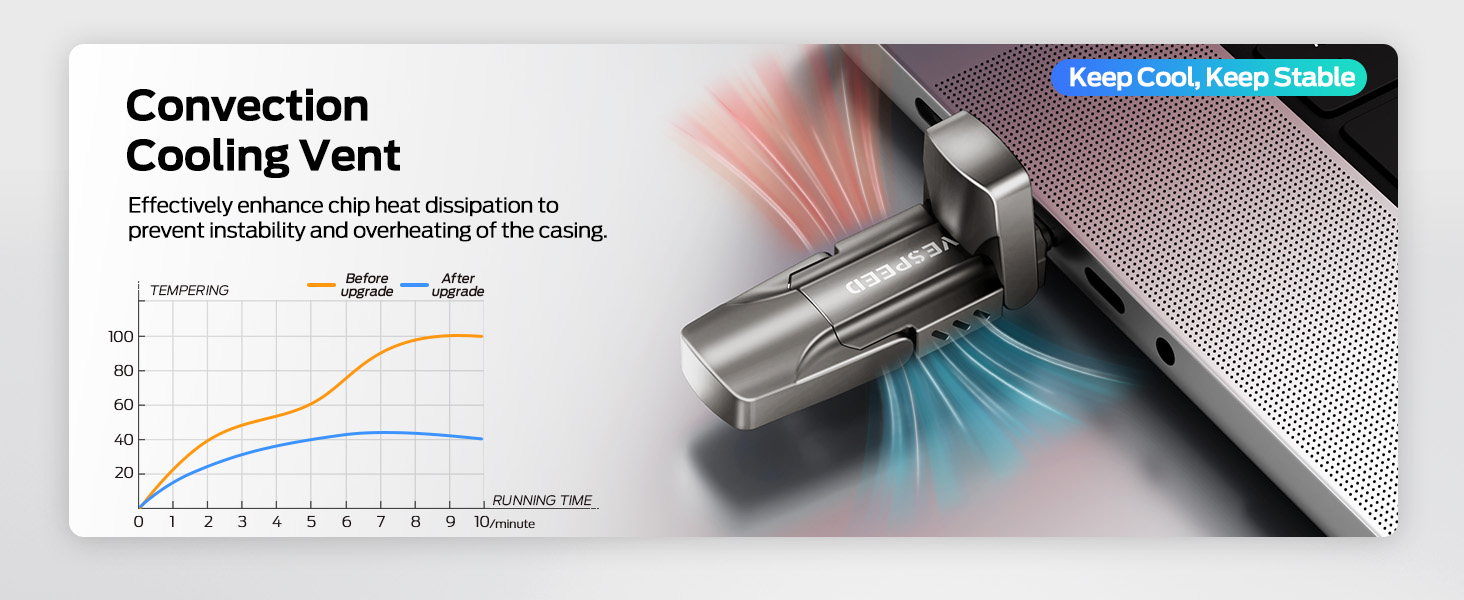
Image: A game console connected to the MOVE SPEED SSD Thumb Drive, indicating compatibility for gaming storage.
4.3 放熱
The upgraded SSD class thumb drive features improved heat dissipation performance. During prolonged high-speed transfers, it may become warm, which is normal and indicates efficient heat management to maintain stable performance.

Image: A diagram illustrating the convection cooling vent and a graph comparing temperature performance before and after the heat dissipation upgrade.
5. メンテナンス
5.1 耐久性
The drive is constructed with an SSD-level chip and a high-quality zinc alloy metal case, providing excellent waterproof, dust-proof, anti-drop, high temperature, and anti-magnetic properties. The included leather case offers additional protection during transport.
5.2 安全な取り外し
Always safely eject the drive from your operating system before physically disconnecting it. This prevents data corruption and ensures the longevity of the device.
- ウィンドウズ: Right-click the drive icon in 'This PC' or the taskbar, then select 'Eject'.
- MacOSの: Drag the drive icon to the Trash, or click the 'Eject' icon next to the drive in Finder.
- Android/iOS: Follow your device's specific instructions for safely unmounting external storage.
6。 トラブルシューティング
- ドライブが認識されません:
- ドライブが USB ポートに完全に挿入されていることを確認します。
- デバイスの別の USB ポートを試してください。
- コンピュータまたはデバイスを再起動します。
- Check your device's Disk Management (Windows) or Disk Utility (macOS) to see if the drive is detected but unformatted.
- 転送速度が遅い:
- Ensure you are using a USB 3.2 Gen2 (10Gbps) compatible port on your device. Older USB 2.0 or 3.0 ports will result in lower speeds.
- システム リソースを使用しているか、バックグラウンド転送を実行している可能性のある他のアプリケーションを閉じます。
- 多数の小さな file1つの大きな転送よりも遅い file 合計サイズは同じです。
- 使用中にドライブが熱くなる:
- This is normal during high-speed data transfers due to the SSD's performance and efficient heat dissipation. If it becomes excessively hot or causes performance issues, ensure adequate airflow around the drive.
7. 仕様
| 特徴 | 詳細 |
|---|---|
| ブランド | 移動速度 |
| モデル名 | Vpro Series |
| 容量 | 256GBソリッドステートドライブ |
| 読み取り速度 | 最大1000MB/秒 |
| 書き込み速度 | 最大1000MB/秒 |
| ハードウェアインターフェイス | USB 3.2 Gen 2 (USB Type A, USB Type C) |
| フラッシュメモリタイプ | USB SSD |
| 特集 | High Speed, Better Heat Dissipation, Dual Interface, SSD Level Chip Technology, Durable Metal Case (Waterproof, Dust-proof, Anti-drop, High Temperature, Anti-magnetic) |
| 互換性 | Android USB-C Phone, iPhone 15/16/17 Series, Desktop, Laptop, Car Audio, Smart TV, Game Consoles |
| アイテム重量 | 3.84オンス |
| パッケージ寸法 | 5.83 x 5.2 x 1.93インチ |

Image: A table detailing the storage capacity of different drive sizes and the estimated number of files they can hold.
8. 保証とサポート
保証情報およびカスタマーサポートについては、MOVE SPEEDの公式ウェブサイトをご覧ください。 web当サイトをご覧いただくか、販売店にお問い合わせください。保証請求のために購入時の領収書を保管してください。
また、 MOVE SPEED Amazonストア 追加の製品情報およびサポート リソースについては、こちらをご覧ください。