
Wedinard KFI-GT-5.2lk-36824
Wedinard Dpofirs 1080P WiFi Security Camera User Manual
ブランド: Wedinard
モデル: KFI-GT-5.2lk-36824 (A3)
1. はじめに
This manual provides comprehensive instructions for the setup, operation, and maintenance of your Wedinard Dpofirs 1080P WiFi Security Camera. Please read this manual carefully before using the product to ensure proper functionality and safety.
パッケージ内容
開梱したら、以下にリストされているすべてのアイテムが揃っていて良好な状態であることを確認してください。
- 1 x Wedinard Dpofirs 1080P WiFi Security Camera
- 充電ケーブル(Type-C)×1
- カメラベース x 1
- ユーザーマニュアル x 1
- 1 x Double-Sided Adhesive

Image: The Wedinard Dpofirs 1080P WiFi Security Camera, showing its compact design and the included base.
2.セットアップガイド
Follow these steps to set up your security camera for the first time:
- Download and Install the Application: 検索する the official camera application on your mobile device's app store (e.g., Google Play Store for Android). Download and install the application.
- カメラの電源をオンにする: Connect the camera to a power source using the provided Type-C charging cable. The camera will power on automatically.
- Check the Network Environment: Ensure your Wi-Fi network is stable and within range of the camera. The camera supports Wi-Fi connectivity.
- Network Access Settings:
- モバイル デバイスにインストールされたアプリケーションを開きます。
- Follow the on-screen instructions to add a new device. This typically involves scanning a QR code on the camera or manually entering its device ID.
- Wi-Fi ネットワークを選択し、プロンプトが表示されたらパスワードを入力します。
- Wait for the camera to connect to the network. A confirmation message or indicator light will signal a successful connection.
- カメラの取り付け: Use the included camera base and double-sided adhesive to mount the camera on a flat surface or wall. The swivel base allows for flexible positioning.

Image: The Wedinard Dpofirs camera positioned on a surface, illustrating its readiness for setup and use.
3. カメラの操作
Your Wedinard Dpofirs security camera offers several advanced features for enhanced monitoring:
3.1. 1080PフルHD画質
The camera is equipped with premium lenses, providing 1080P Full HD resolution. This ensures clear, vivid, and realistic image effects for detailed monitoring.

Image: A visual comparison demonstrating the superior clarity and detail of 1080P Full HD image quality provided by the camera.
3.2. Mobile Detection and Push Notifications
When the camera detects abnormal movement within its shooting area, it immediately triggers an alarm message. This message is sent as a push notification to your mobile phone application, allowing for real-time viewing and immediate response.

Image: An illustration of the camera's mobile detection feature, showing an alert being sent to a smartphone when motion is detected.
3.3. Infrared Night Vision with Automatic Switching
The camera features an infrared night vision mode that automatically activates in low-light conditions. This mode provides clear visibility up to 5-10 meters, ensuring monitoring even in complete darkness.

Image: A split image demonstrating the automatic switching of the camera's infrared night vision, showing a scene in both illuminated and dark conditions.
3.4. 双方向インターホン
With a built-in microphone, the camera supports two-way voice real-time calls. This allows you to communicate with individuals or pets near the camera as if you were face-to-face, providing interactive monitoring.

Image: An illustration of the two-way intercom feature, showing a user interacting with a pet through the camera's audio capabilities.
3.5. 自己完結型APホットスポット
The camera features its own AP (Access Point) hotspot. This allows the camera to continue recording even when your main Wi-Fi network is disconnected, ensuring continuous security and convenient data transmission.
3.6. 追加機能
- ワイヤレス接続: Seamless integration with your home Wi-Fi network.
- プレイバック: Review 記録されたfootage directly from the application.
- 回転ベース: Flexible positioning for optimal view角度を変える。
- タイプ C インターフェイス: Modern and convenient charging/power interface.
- ストレージ: Supports up to 128GB Micro Memory Card (not included) for local storage.
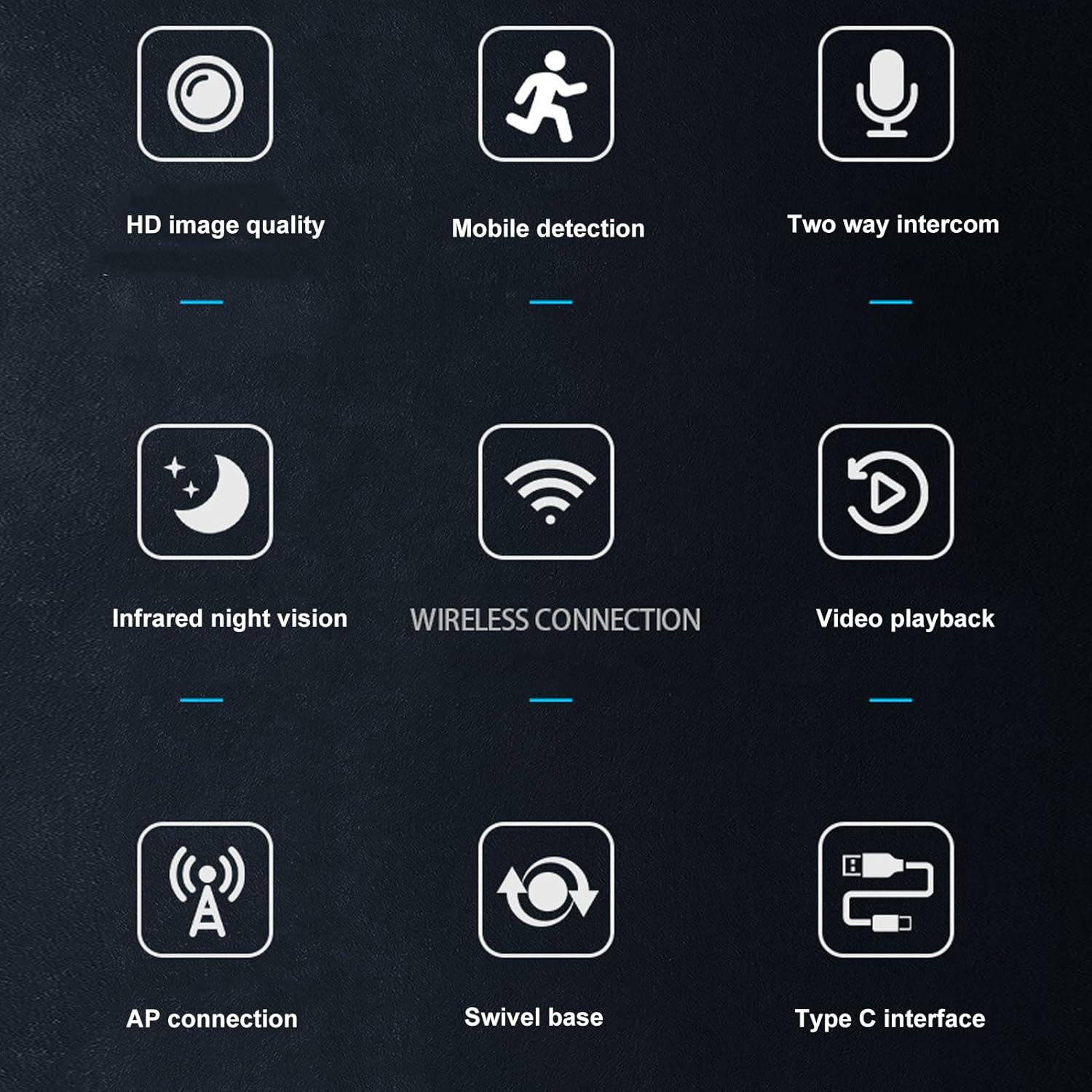
Image: A visual summary of the camera's key features, depicted through illustrative icons.
4. メンテナンス
適切なメンテナンスを行うことで、カメラの寿命が長くなり、最適なパフォーマンスが保証されます。
- クリーニング: カメラのレンズと本体のお手入れには、柔らかく乾いた布をご使用ください。表面やレンズを傷つける可能性のある液体クリーナーや研磨剤の使用は避けてください。
- 配置: While suitable for indoor and outdoor use, avoid placing the camera in direct sunlight for extended periods or in areas with extreme temperatures or humidity.
- ファームウェアの更新: Regularly check the mobile application for available firmware updates to ensure your camera has the latest features and security enhancements.
- Storage Card Management: If using a memory card, periodically review 保存された食品を管理するtage to prevent the card from becoming full, which could stop recording.
5。 トラブルシューティング
カメラに問題が発生した場合は、次の一般的な解決策を参照してください。
- カメラが Wi-Fi に接続していない:
- Wi-Fi パスワードが正しく入力されていることを確認してください。
- カメラが Wi-Fi ルーターの範囲内にあるかどうかを確認します。
- Wi-Fiルーターとカメラを再起動します。
- Verify that your Wi-Fi network is 2.4GHz, as most security cameras do not support 5GHz networks.
- 画質が悪い:
- カメラのレンズは柔らかく乾いた布で拭いてください。
- Ensure there is adequate lighting in the monitored area, especially for non-night vision footage.
- インターネット接続速度を確認してください。接続速度が遅いとストリーミング品質に影響する可能性があります。
- モーション検出アラートなし:
- Verify that motion detection is enabled in the camera's app settings.
- Check the sensitivity settings for motion detection; adjust if necessary.
- Ensure the app has permission to send notifications on your mobile device.
- 双方向オーディオが機能しない:
- モバイルデバイスとカメラアプリ内の音量設定を確認してください。
- カメラのマイクとスピーカーが遮られていないことを確認してください。
- Verify that the app has microphone permissions on your mobile device.
- カメラが録画しない:
- If using a memory card, ensure it is inserted correctly and not full.
- Check the recording settings in the app (e.g., continuous recording, motion-activated recording).
- クラウド ストレージを使用している場合は、サブスクリプションのステータスとインターネット接続を確認してください。
6. 仕様
Detailed technical specifications for the Wedinard Dpofirs 1080P WiFi Security Camera:
| 特徴 | 詳細 |
|---|---|
| 製品モデル | KFI-GT-5.2lk-36824 (A3) |
| アイテムタイプ | スマートカメラ |
| 製品素材 | アブソリュート |
| ビデオ解像度 | 1080PフルHD |
| 接続技術 | ワイヤレス(Wi-Fi) |
| 赤外線ナイトビジョン | Automatic Switching (5-10 meters range) |
| 双方向音声 | サポートあり(内蔵マイク) |
| 充電インターフェース | タイプCインタフェース |
| ストレージモード | Supports up to 128GB Micro Memory Card (Not Included) |
| 重さ | 約92g / 3.2オンス |
| 製品サイズ | 約45×85mm / 1.8×3.3インチ |
| 屋内/屋外での使用 | 屋外、屋内 |
| 電源 | コード式電気 |
| コントローラータイプ | Android (via APP) |
| 取り付けタイプ | 表面実装 |

Image: Diagram showing the approximate dimensions of the camera: 45mm (1.8 inches) in width and 85mm (3.3 inches) in height.
7. 保証とサポート
For information regarding warranty coverage and technical support, please refer to the warranty card included in your product packaging or visit the official Wedinard website. You may also contact customer service through the contact information provided on the product packaging or within the mobile application.
保証請求のための購入証明として、購入レシートを保管してください。
Ask a question about this manual
Ask about setup, troubleshooting, compatibility, parts, safety, or missing instructions. Manuals+ will review the question and use this page’s manual context to help answer it.