
導入
The 8Bitdo Micro Bluetooth Gamepad is an ultra-portable, versatile mini controller designed for a seamless gaming experience across multiple platforms. Weighing only 24.8 grams and featuring 16 buttons, it offers broad compatibility and customizable controls.
This manual provides detailed instructions for setting up, operating, maintaining, and troubleshooting your 8Bitdo Micro Gamepad.
設定
コントローラーの充電
Connect the 8Bitdo Micro Gamepad to a USB power source using the included USB-C cable. The LED indicator will show charging status and turn off when fully charged. A full charge typically takes 1-2 hours.
モード切り替え
The 8Bitdo Micro features a mode switch located on the bottom of the controller. This switch allows you to select the appropriate mode for your device:
- S (Switch Mode): For Nintendo Switch (version 3.0.0 or above).
- D (Android Mode): For Android devices (version 9.0 and above).
- K (Keyboard Mode): For Raspberry Pi (Raspberry Pi OS, Lakka, RetroPie, Recalbox, Batocera), Android, iOS, iPadOS, and Windows. This mode supports button mapping via the 8BitDo Ultimate Software mobile version.
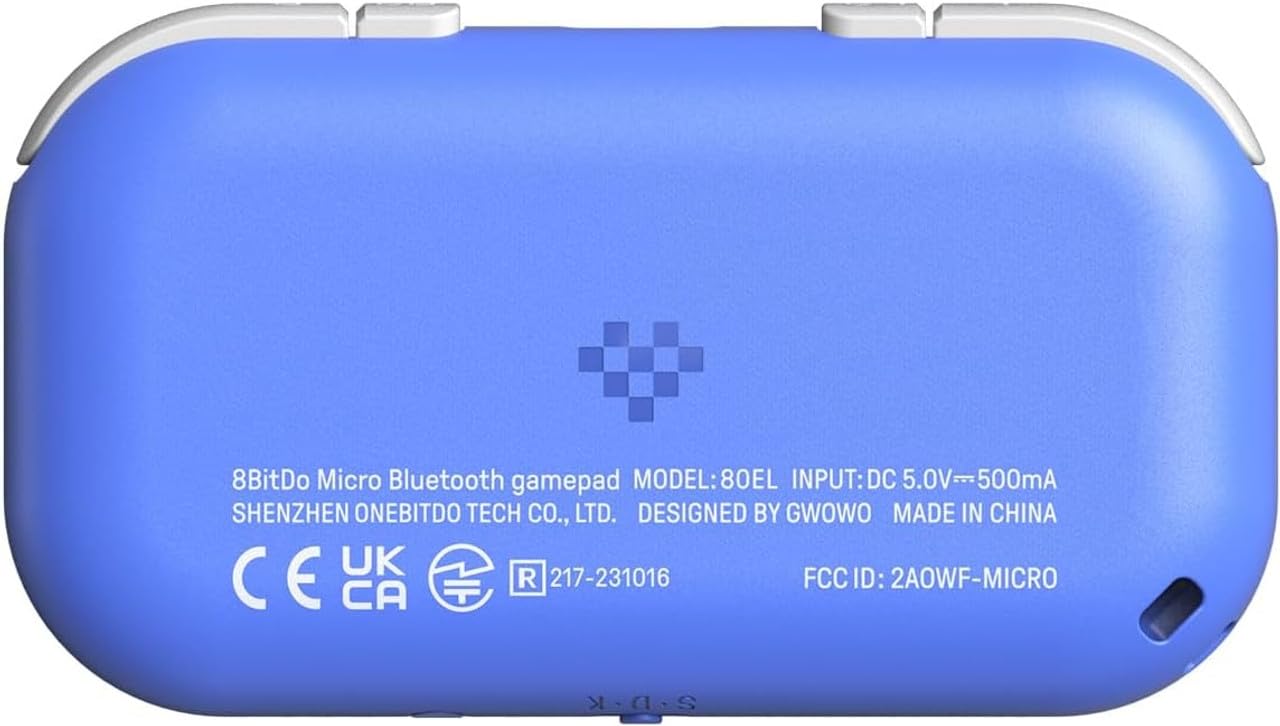
ペアリング手順
After selecting the desired mode, follow these steps to pair your controller:
- コントローラーの電源がオフになっていることを確認してください。
- Press and hold the pairing button (usually a small circular button on the side or bottom, refer to Figure 1 for location) for 3 seconds until the LED indicator starts blinking rapidly.
- On your device (Switch, Android, PC, etc.), navigate to the Bluetooth settings and search for new devices.
- 利用可能なデバイスのリストから「8Bitdo Micro」を選択します。
- Once connected, the LED indicator on the controller will turn solid.

Video 1: Official product video demonstrating the 8Bitdo Micro Bluetooth Gamepad's features and compact size.
コントローラーの操作
ボタンのレイアウトと機能
The 8Bitdo Micro features a standard button layout optimized for 2D games and various applications:
- 十字キー: 方向入力。
- A、B、X、Y ボタン: Standard action buttons (Nintendo layout by default).
- L1、L2、R1、R2 ボタン: Shoulder buttons located on the top edge.
- Select/Minus Button: 通常、メニューナビゲーションや特定のゲーム機能に使用されます。
- スタート/プラスボタン: 通常、ゲームを一時停止または開始するために使用されます。
- キャプチャボタン: For taking screenshots on compatible platforms (e.g., Nintendo Switch).
- ホームボタン: システムのホーム画面に戻ります。


Advanced Usage (Keyboard Mode)
In Keyboard Mode, the 8Bitdo Micro can be used as a versatile remote for various applications beyond gaming. You can map any button to a specific key or combination of keys using the 8BitDo Ultimate Software (mobile version). This allows for control of teleprompters, cameras, smart home devices, and other applications that accept keyboard inputs.


メンテナンス
クリーニング
To clean your 8Bitdo Micro Gamepad, use a soft, dry cloth. For stubborn dirt, a slightly damp cloth with mild soap can be used, ensuring no moisture enters the ports or button crevices. Do not use harsh chemicals or abrasive materials.
ファームウェアの更新
8Bitdo periodically releases firmware updates to improve performance, add features, or fix bugs. It is recommended to keep your controller's firmware updated for optimal performance. Visit the official 8Bitdo support web最新のファームウェアと更新手順については、こちらのサイトをご覧ください。
トラブルシューティング
- コントローラーがペアリングされない: Ensure the mode switch is set correctly for your device. Make sure Bluetooth is enabled on your device and the controller is in pairing mode (rapidly blinking LED). Try restarting both the controller and your device.
- 入力遅延/レイテンシー: While Bluetooth connectivity is generally stable, some devices or applications may experience slight input lag. For critical gaming, consider using a wired connection if supported by your device. Ensure no other strong wireless signals are interfering.
- Buttons not responding/incorrectly mapped: Verify that the controller is in the correct mode. If using Keyboard Mode, check your button mappings in the 8BitDo Ultimate Software mobile app. Perform a firmware update if available.
- バッテリーが充電されない: Ensure you are using a functional USB-C cable and power source. If the issue persists, contact 8Bitdo customer support.
- Accidental activation in pocket: Due to its compact size, the power button may be inadvertently pressed. Be mindful of how the controller is stored to prevent accidental power-on.
仕様
| モデル番号 | 6922621503576 |
| 寸法 | 3.94 x 1.97 x 0.5インチ |
| 重さ | 5.29オンス(150グラム) |
| 接続性 | Bluetooth、有線(USB-C) |
| バッテリー | 1 リチウムポリマー電池 (付属) |
| 互換性 | Nintendo Switch (3.0.0+), Android (9.0+), Raspberry Pi (various OS), iOS, iPadOS, macOS, Windows (Keyboard mode only) |
| 発売日 | 15年2023月XNUMX日 |
保証とサポート
The 8Bitdo Micro Bluetooth Gamepad is covered by a manufacturer's warranty. For detailed warranty information, product support, firmware updates, and frequently asked questions, please visit the official 8Bitdo support webサイト:
For further assistance, you may also contact 8Bitdo customer service directly through their webサイト。