
導入
This manual provides detailed instructions for the operation and maintenance of your Cuifati Portable Cassette Player with Auto Reverse. Please read this manual thoroughly before using the device to ensure proper functionality and to maximize your listening experience.
パッケージ内容
以下にリストされているすべてのアイテムがパッケージに含まれていることを確認してください。
- 1 x Cuifati Portable Cassette Player
- ヘッドフォン x 1
- USB電源コード1本
- ユーザーマニュアル x 1
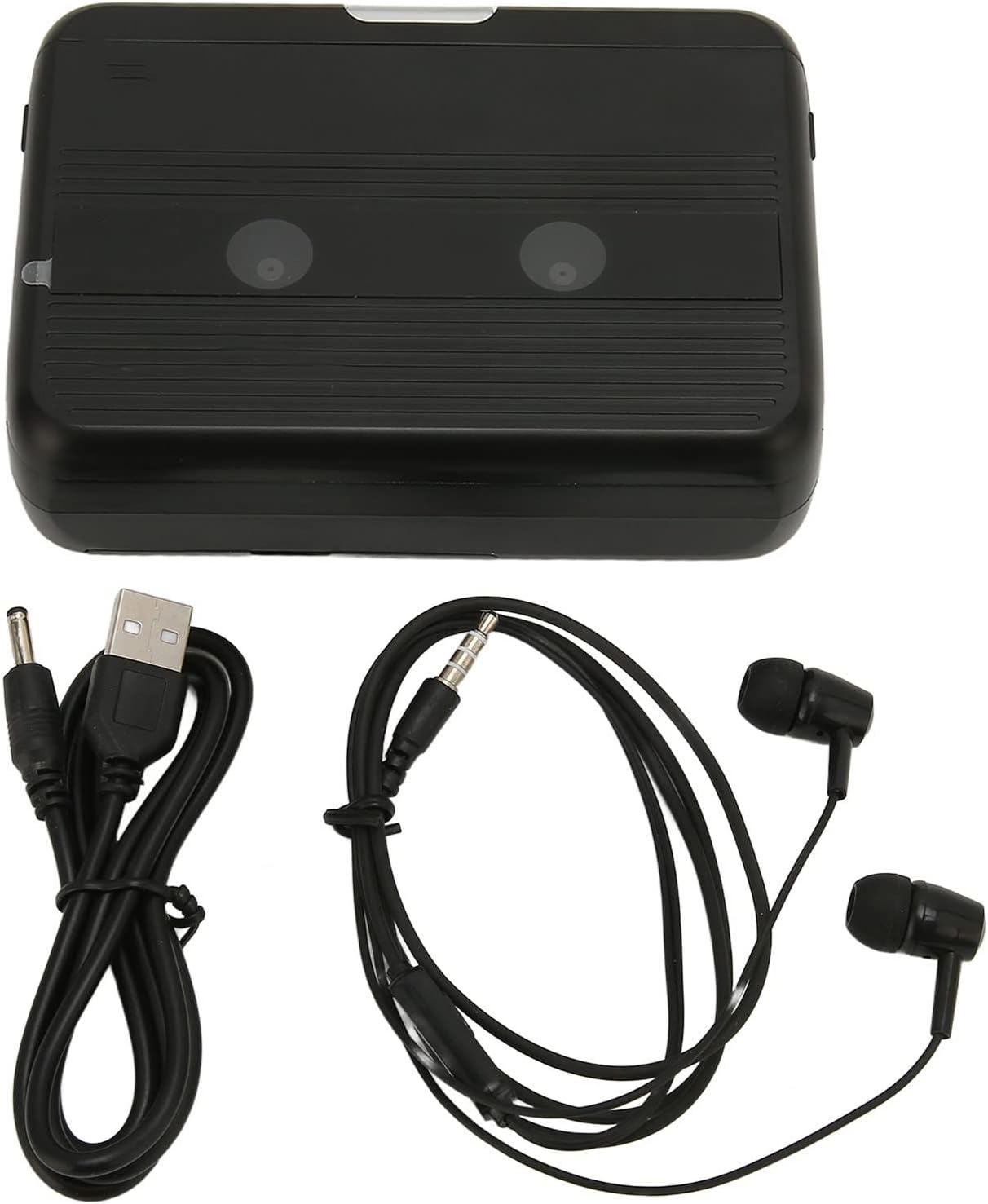
The Cuifati Portable Cassette Player shown alongside its included USB power cord and wired headphones.
製品終了view
カセット プレーヤーのさまざまな部品とコントロールについて理解しておきましょう。
フロント View (開ける)
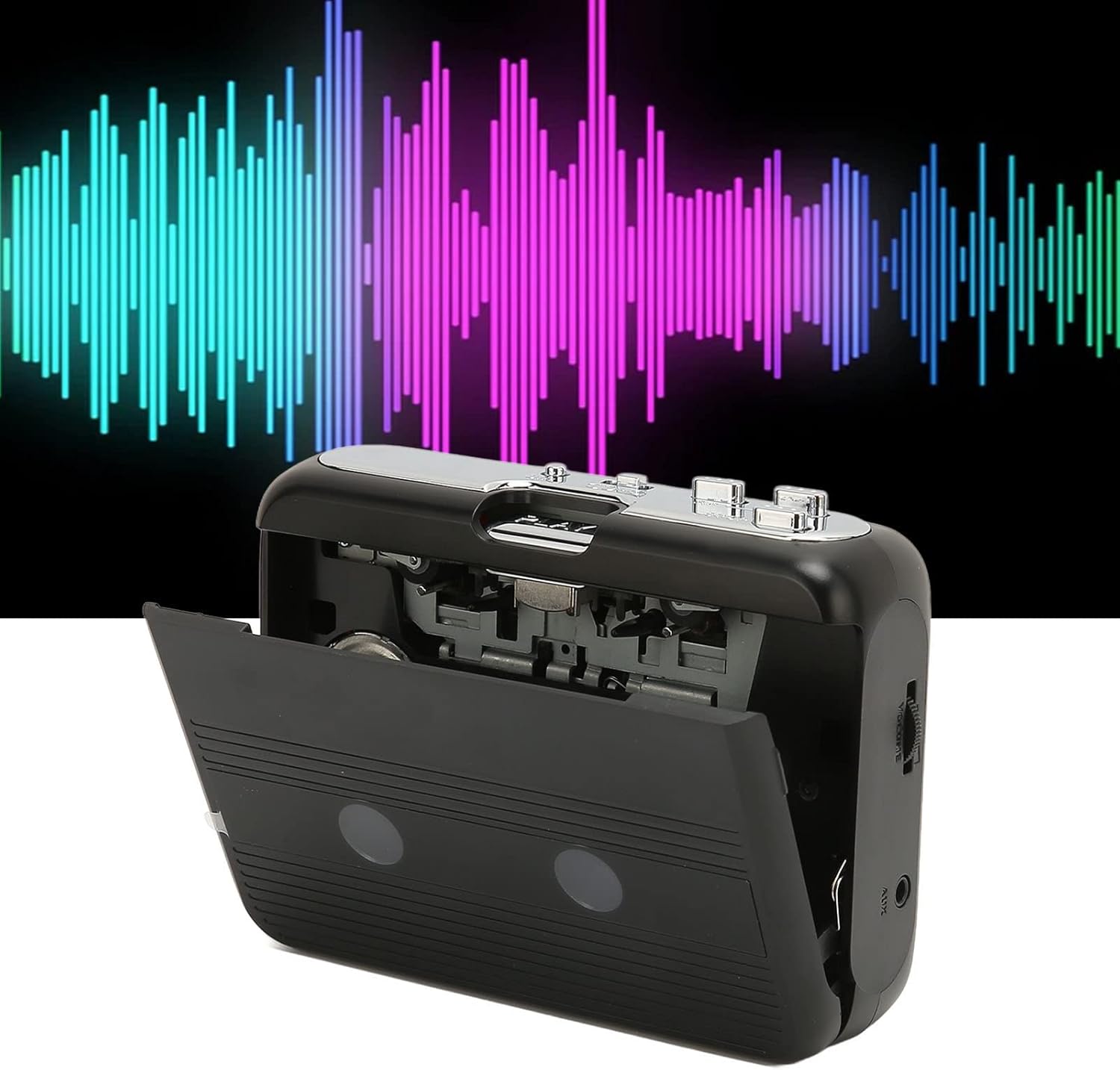
フロント view of the Cuifati Portable Cassette Player with the cassette compartment door open, revealing the tape mechanism.
フロント View (終了)
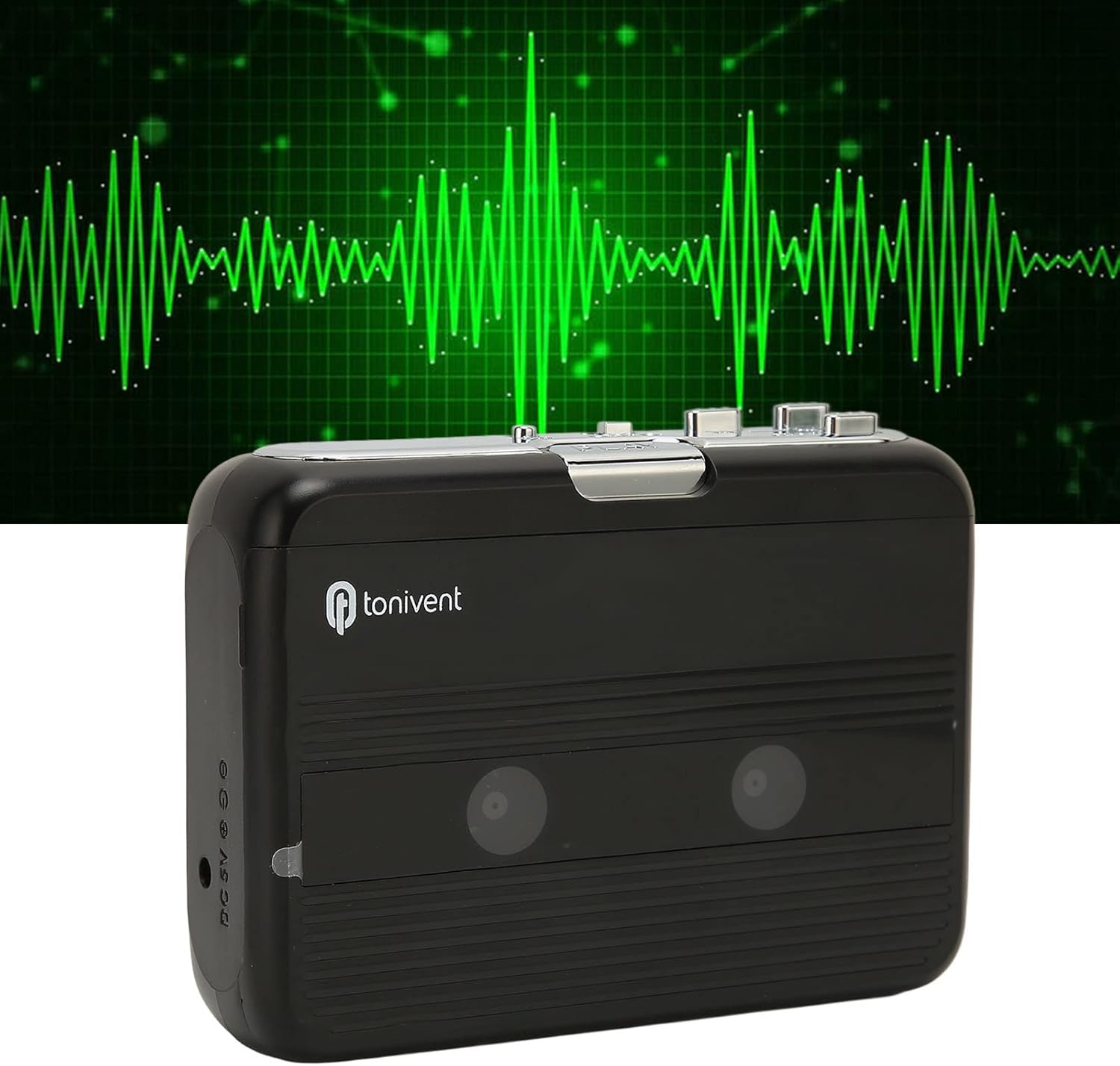
フロント view of the Cuifati Portable Cassette Player with the cassette compartment door closed.
Cassette Mechanism

閉じる view of the cassette player's internal mechanism, showing the tape heads and rollers.
側 View (コントロールとポート)

側 view of the cassette player, highlighting the volume control wheel and the AUX output port.
主なコントロール:
- 再生ボタン: カセットの再生を開始します。
- 停止ボタン: Halts playback.
- 早送り(FF)ボタン: テープを早く送ります。
- 巻き戻し(REW)ボタン: テープを早く巻き戻します。
- Auto Reverse Button: Changes tape direction during playback.
- ボリュームコントロールホイール: オーディオ出力レベルを調整します。
- FM/Tape Switch: Selects between FM radio and cassette playback mode.
- Headphone/AUX Output Jack: Connects headphones or external audio devices.
- DC5V 入力: USB電源用。
設定
電源
The cassette player can be powered by two (2) AA batteries or via a USB power supply.
- バッテリーの取り付け:
- デバイスの背面にある電池ボックスのカバーを開きます。
- 電池ボックス内の指示に従って、極性 (+/-) が正しいことを確認して、単 3 電池 2 本を挿入します。
- 電池カバーをしっかりと閉じてください。
- USB電源接続:
- Connect the small end of the included USB power cord to the DC 5V input port on the cassette player.
- 標準 USB 端子を USB 電源アダプタ (別売) またはコンピュータの USB ポートに接続します。
カセットテープの挿入
- カセットコンパートメントのドアをゆっくり開けます。
- Insert a cassette tape with the exposed tape facing upwards and the side you wish to play facing the front.
- カセットコンパートメントのドアをカチッと音がするまでしっかりと閉じます。
操作手順
カセットを再生する
- カセットテープが正しく挿入されていることを確認してください。
- Set the FM/Tape switch to the "Tape" position.
- を押す 遊ぶ 再生を開始するボタン。
- 調整する ボリュームコントロールホイール 希望するリスニングレベルに調整します。
- 再生を停止するには、を押します 停止 ボタン。
- 早送りするには、を押します FF ボタンを押します。巻き戻すには 戻る ボタン。 押す 停止 解除する。
オートリバース機能
The player features an auto-reverse function, allowing the tape to play in both directions without needing to manually flip the cassette.
- 再生中に、 自動リバース button to switch the tape direction. The player will automatically reverse and continue playing the other side of the tape.
FMラジオの使用
- Set the FM/Tape switch to the "FM" position.
- Use the tuning dial (if present, otherwise the FF/REW buttons might serve as tuning) to scan for FM radio stations.
- 調整する ボリュームコントロールホイール 希望するリスニングレベルに調整します。
Using the Built-in Speaker
The device includes a built-in speaker for direct audio output. No special action is required; audio will play through the speaker unless headphones are connected.
Connecting Headphones or External Audio Devices
For private listening or connecting to external speakers, use the 3.5mm headphone/AUX output jack.
- Plug the included headphones or your own 3.5mm audio cable into the Headphone/AUX Output Jack.
- When headphones are connected, audio will automatically switch from the built-in speaker to the headphones.

A person listening to music with headphones, illustrating the headphone usage.
メンテナンス
Proper care ensures the longevity and optimal performance of your cassette player.
- クリーニング: デバイスの外側を清掃する際は、柔らかく乾いた布をご使用ください。液体クリーナーや研磨剤は使用しないでください。
- テープヘッド: Periodically clean the tape heads with a specialized cassette head cleaner to maintain sound quality.
- ストレージ: 長期間使用しない場合は、液漏れを防ぐため電池を取り外してください。直射日光や極端な温度を避け、涼しく乾燥した場所に保管してください。
- ほこりを避ける: Keep the cassette compartment closed when not in use to prevent dust accumulation.
トラブルシューティング
If you encounter issues with your cassette player, refer to the following common problems and solutions:
| 問題 | 考えられる原因 | 解決 |
|---|---|---|
| 電源なし | Dead batteries; USB cable not connected; faulty power source. | Replace batteries; ensure USB cable is securely connected to a working power source. |
| スピーカー/ヘッドホンから音が出ない | Volume too low; headphones not fully plugged in; FM/Tape switch in wrong position; dirty tape heads. | Increase volume; ensure headphones are fully inserted; set switch to correct mode (Tape/FM); clean tape heads. |
| Poor sound quality (cassette) | Dirty tape heads; worn-out tape; incorrect tape insertion. | Clean tape heads; try a different tape; re-insert tape correctly. |
| FMラジオの雑音/受信状態が悪い | 信号が弱い; 干渉。 | Relocate the player to an area with better reception; try adjusting the player's orientation. |
| テープが再生されない/動かない | Tape jammed; mechanism issue; tape not inserted correctly. | Check for tape jams; ensure tape is inserted correctly; if issue persists, contact support. |
仕様
| 特徴 | 詳細 |
|---|---|
| ブランド | クイファティ |
| モデル番号 | Cuifatibi73wk0z4p |
| ASIN | B0CDD42V9J |
| 電源 | 2 x AA Batteries or USB DC 5V |
| 機能 | Cassette Playback, Auto Reverse, FM Radio, Built-in Speaker, Headphone Output |
| オーディオ出力 | 3.5mm Headphone/AUX Jack |
| アイテム重量 | 10.3オンス |
重要な安全情報
- デバイスを水、湿気、または極端な温度にさらさないでください。
- 落としたり、強い衝撃を与えないでください。
- ご自身でデバイスの分解や修理を試みないでください。すべてのメンテナンスは資格のある専門家にご依頼ください。
- 電池は地域の規制に従って責任を持って廃棄してください。
- 大きな音量で長時間聴くと聴覚障害を引き起こす可能性があります。安全な音量に調整してください。
保証とサポート
保証情報やテクニカルサポートについては、ご購入時に付属のマニュアルをご参照いただくか、販売店にお問い合わせください。ご購入の証明として、ご購入時のレシートを保管してください。