
1. はじめに
This manual provides detailed instructions for the installation, operation, and maintenance of your SEAFRONT MT242080P DC 24V Water Pressure Booster Pump. Please read this manual thoroughly before use to ensure correct operation and to prevent damage.
製品終了view
The SEAFRONT MT242080P is a fully automatic, low-noise DC 24V water pressure booster pump designed to increase water pressure for various applications, including showers and water heaters. It features an automatic water flow control switch and water deficiency protection.
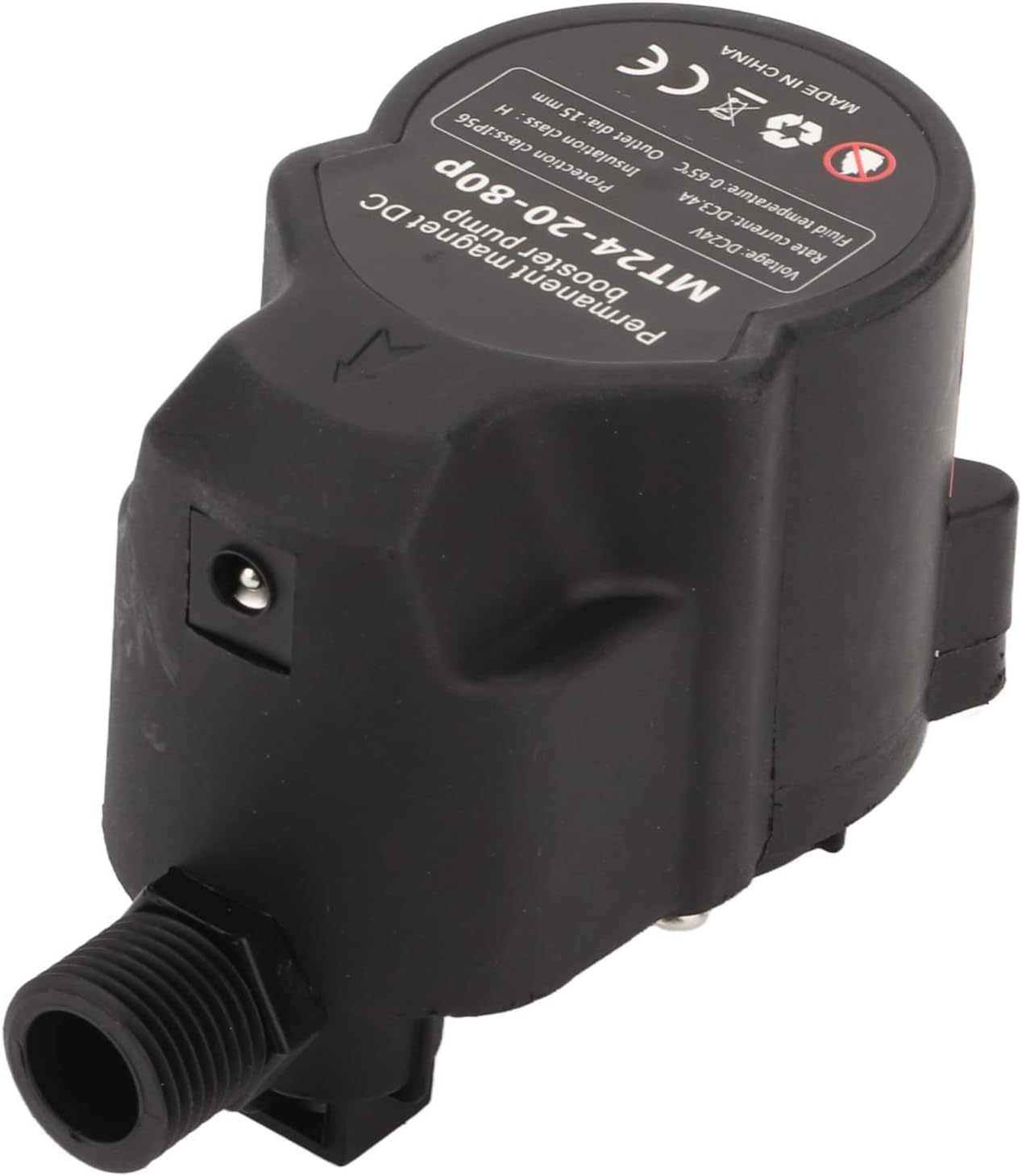
Image: The SEAFRONT MT242080P DC 24V Water Pressure Booster Pump, showing its compact design and connection points.

Image: The booster pump shown installed in a typical application, positioned beneath a water heater to enhance water pressure.
パッケージ内容
パッケージにすべてのアイテムが揃っていることを確認します。
- 1 x Water Pressure Booster Pump
- 1 x Power Supply (EU Plug)
- 1x水道管
- 取扱説明書(本書)1部
- フック2個
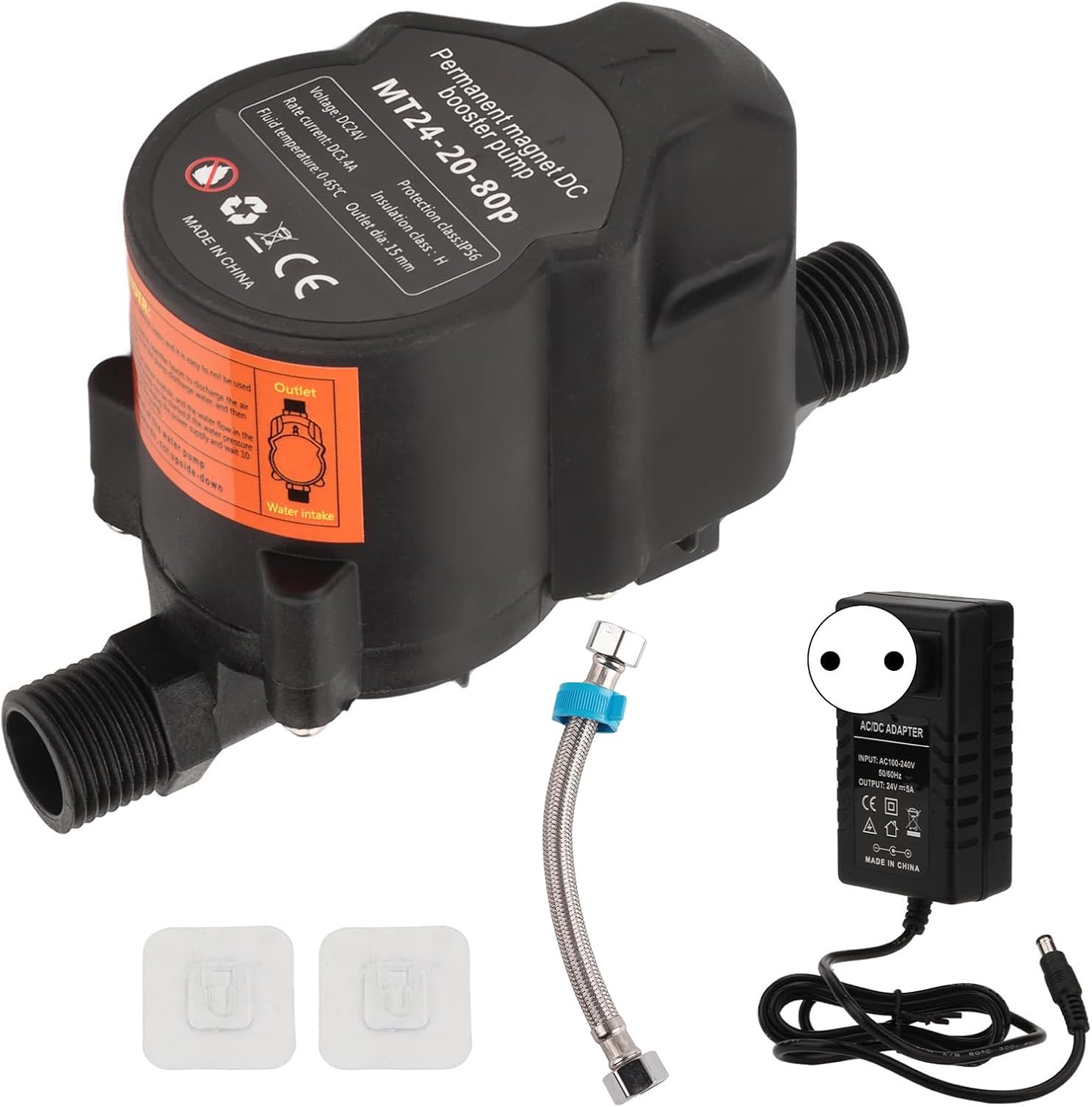
Image: All components included in the package: the booster pump, power supply, water pipe, and hooks.
2. 仕様
Refer to the following technical specifications for the MT242080P Water Pressure Booster Pump:
| 特徴 | 仕様 |
|---|---|
| 製品モデル | MT242080P |
| 営業巻tage | DC24V |
| 入力ボリュームtage(電源) | 100-240V |
| 絶縁クラス | クラスH |
| Charging Effect (Pressure) | 80パ |
| 騒音レベル | 低い |
| オープンモード | Automatic Water Flow Control |
| Delivery Head (Max Lift) | Approx. 20 m / 65.6 feet |
| Piping Inner Diameter | 約15mm / 0.6インチ |
| 中温 | 2〜65℃ |
| 最大流量 | 4.4ガロン/分(GPM) |
| 材料 | ABS, Red Copper, Metal, Plastic |
| アイテム重量 | 800グラム |
| メーカー型番 | SEAFRONTsyz0uwed89-12 |

Image: A visual representation highlighting key specifications such as piping inner diameter, head, maximum flow, and maximum lift, alongside various application exampレ。
3. 重要な安全情報
WARNING: Please read all instructions carefully before installation and operation to prevent injury or damage to the product.
- 電源のボリュームを確認してくださいtage matches the pump's requirements (DC 24V).
- Do not operate the pump with liquids outside the specified medium temperature range of 2-65°C.
- メンテナンスやインストール手順を実行する前に、必ず電源を切ってください。
- This product is designed for water boosting applications. Do not use with flammable or corrosive liquids.
- Ensure proper electrical connections and grounding if applicable.
- Keep the pump away from direct sunlight and extreme weather conditions.
- The pump has a built-in water flow switching valve. A minimum flow rate of 1.5 L/min is required to activate the pump automatically.
- If the water flow switch does not open, the pump can be forcibly started (see Troubleshooting section for details).
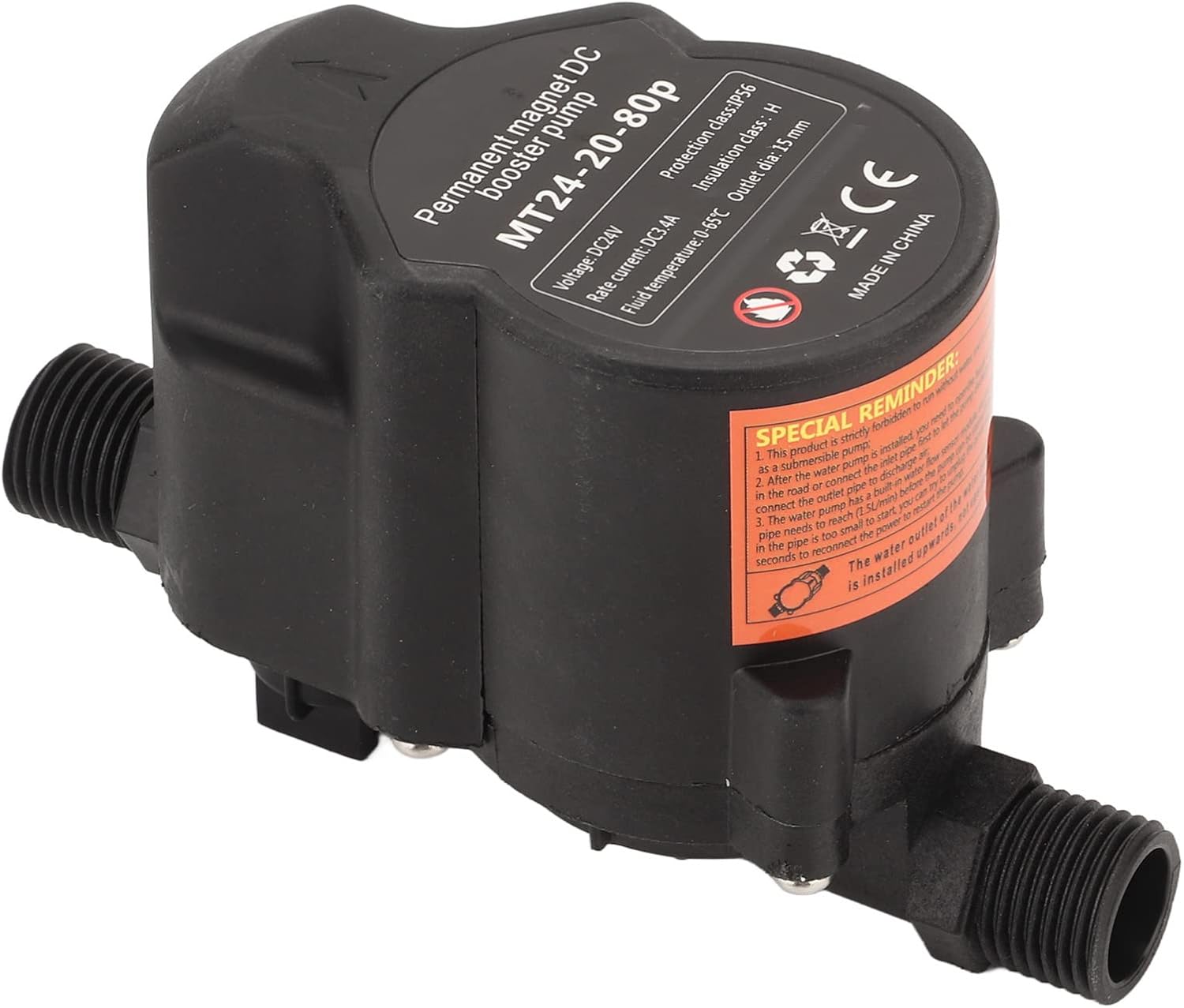
画像: クローズアップ view of the booster pump, showing a warning label with important operational details and safety reminders.

Image: A multi-language warning emphasizing the importance of reading the product instructions carefully before use.
4.インストールガイド
The SEAFRONT MT242080P pump is designed for direct installation and use. Follow these steps for proper setup:
一般的なインストール原則
- 場所を選択してください: Install the pump in a dry, well-ventilated area, protected from freezing temperatures and direct water spray.
- Water Flow Direction: Ensure the pump is installed according to the water flow direction indicated on the unit. The pump has an inlet and an outlet.
- パイプ接続: Connect the water pipes to the pump's inlet and outlet. The pump is designed for pipes with an inner diameter of approximately 15 mm (0.6 inches). Use the provided water pipe if suitable, or ensure your existing plumbing is compatible.
- 安全な取り付け: Use the provided hooks to securely mount the pump if necessary, reducing vibration and noise.
- 電源接続: Connect the DC 24V power supply to the pump, then plug the power supply into a standard 100-240V electrical outlet.
Typical Installation Scenarios

Image: Diagram illustrating the installation of the booster pump with a solar water heater system, showing cold water inlet and hot water pipe connections.

Image: Diagram showing a simple installation for a tankless water heater and shower system, indicating connections for cold water inlet, hot water pipe, and shower components.

Image: Diagram demonstrating the installation of the booster pump for a washing machine, connected to the cold water inlet pipe.
5. 操作手順
The MT242080P pump operates with an automatic water flow control system.
自動操作
- Ensure the pump is correctly installed and connected to power.
- Open the water tap or appliance (e.g., shower, washing machine) that the pump is boosting.
- The pump's built-in water flow switching valve requires a minimum flow rate of 1.5 liters per minute (L/min) to open and start the pump automatically.
- Once the water flow exceeds 1.5 L/min, the pump will detect the flow and automatically begin boosting water pressure.
- When the water tap or appliance is closed, the water flow will stop, and the pump will automatically shut off.
Water Deficiency Protection
The pump is equipped with water deficiency protection. If the water pressure at the pump's inlet approaches 0 (indicating a lack of incoming water), the pump will automatically stop operation to prevent damage.
6。 トラブルシューティング
Pump Does Not Start Automatically
If the pump does not start automatically when water is flowing, it may be due to insufficient water flow to trigger the automatic switch (below 1.5 L/min).
- 水の流れを確認する: Ensure the water flow from the tap or appliance is sufficient (at least 1.5 L/min).
- Forced Start Procedure: If the water flow switch cannot be opened automatically, perform a forced start:
- Disconnect the power supply to the pump for 3 to 5 seconds.
- Reconnect the power supply. The water pump will then be forcibly started and operate for 10 seconds.
- During these 10 seconds, observe if the water flow diverter valve opens. If it still does not open, the pump will automatically stop after 10 seconds, indicating a persistent issue with water flow detection or valve operation.
- Test Method for Flow Rate: To test if your flow rate is sufficient, use a 500ml mineral water bottle. If you can fill approximately three bottles in one minute, the flow rate is around 1.5 L/min.
その他の問題
- 電源なし: Check the power supply connection and the electrical outlet. Ensure the DC 24V adapter is functioning.
- Low Pressure After Installation: Verify all pipe connections are secure and free of leaks. Ensure no air is trapped in the system.
- 異常なノイズ: Check for loose connections or obstructions in the pump or piping. Ensure the pump is securely mounted.
7. メンテナンス
Regular maintenance helps ensure the longevity and optimal performance of your booster pump.
- 定期点検: ポンプと接続部に漏れ、腐食、損傷の兆候がないか定期的に点検してください。
- 清潔さ: ポンプの外側を清潔に保ち、ほこりやごみが付かないようにしてください。
- 冬季対策(該当する場合): If the pump is installed in an area prone to freezing temperatures, ensure it is drained or protected from freezing to prevent damage.
- フィルターチェック: If your system includes an inline filter, check and clean it regularly to prevent blockages that could reduce flow or damage the pump.
- プロフェッショナルサービス: For any complex issues or internal repairs, contact a qualified technician. Do not attempt to disassemble the pump yourself unless explicitly instructed.
8. 保証とサポート
For warranty information, please refer to the documentation provided at the time of purchase or contact your retailer. If you encounter any issues that cannot be resolved using the troubleshooting guide, please contact SEAFRONT customer support or your local distributor for assistance.
When contacting support, please have your product model (MT242080P) and purchase details ready.