
Babelio Palm-Sized Portable White Noise Machine with Night Light
モデル: BEBDB07
ユーザーマニュアル
1.製品オーバーview
The Babelio Palm-Sized Portable White Noise Machine with Night Light is designed to create a relaxing atmosphere for sleep, naps, meditation, yoga, or office use. It features 15 non-looping sounds, multiple lighting modes, adjustable brightness, and a timer function, all in a compact, portable design.

Image: The Babelio Portable White Noise Machine with Night Light, showcasinコンパクトなデザイン。
2. パッケージ内容
- Babelio Palm-Sized Portable White Noise Machine
- タイプC充電ケーブル
- ユーザーガイド
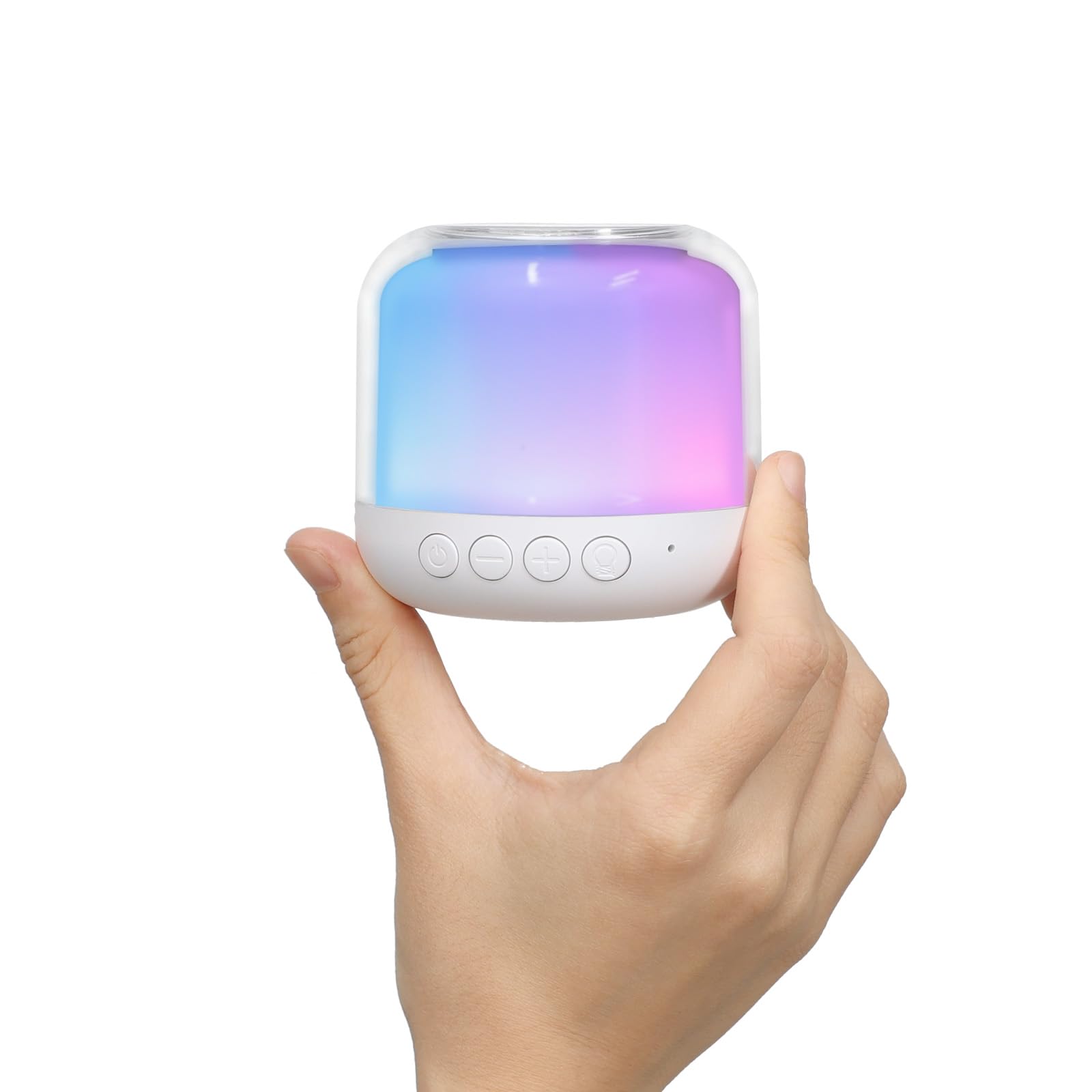
Image: The Babelio White Noise Machine in its retail packaging.
3. 安全情報
ご使用前にすべての指示をよくお読みになり、今後の参考のために保管してください。
- 電池はお子様の手の届かないところに保管してください。
- おもちゃとして使用しないでください。
- 過度の騒音にさらされないようにしてください。
- 水に浸さないでください。
- Do not use while sleeping if it causes discomfort or irritation.
4. セットアップ
4.1デバイスの充電
Before first use, fully charge the device using the provided Type-C charging cable. Connect the cable to the device and a compatible USB power source (e.g., power bank, laptop, or adapter). The device is rechargeable for wireless use.
4.2初期電源オン
電源ボタンを3秒間押し続けて、デバイスの電源を入れます。
5. 操作手順

Image: An illustration detailing the functions of each button on the Babelio Sound Machine.
5.1 電源オン/オフ
- To turn on: Short press the power button.
- To turn off: Press and hold the power button for 3 seconds.
5.2サウンドコントロール
The device offers 15 non-looping sounds, including white noise, pink noise, brown noise, fan sounds, rain, waves, insects, campfire, birds, and streams.
- To select a sound: Short press the sound button.
- To switch to the previous sound: Long press the '-' button for 2 seconds.
- To switch to the next sound: Long press the '+' button for 2 seconds.
- To adjust volume: Short press the '-' button for volume down, or the '+' button for volume up.
Video: Demonstration of how to control the sounds on the Babelio White Noise Machine.
ビデオ: 事前view of the various sounds available on the Babelio White Noise Machine.
5.3 夜間照明制御
The device features 4 lighting modes (warm, RGB, rainbow, or single-color) with over 15 light effects.
- To change light mode: Short press the light button.
- To adjust brightness: Long press the light button to increase/decrease brightness.
Video: Instructions on how to control the light modes and brightness of the Babelio White Noise Machine.

Image: The Babelio Sound Machine demonstrating various brightness levels of its night light.
5.4 タイマー機能
The sound machine offers three timer modes:
- 連続再生
- 30 minutes
- 60 minutes
To set the timer: Short press the timer button to cycle through the options.

Image: The Babelio Sound Machine displaying its auto time-off options (30 min, 60 min, continuous).
5.5メモリ機能
The device remembers the last sound and volume setting used for quick and easy setup upon next use.
6. メンテナンス
- 柔らかく乾いた布でデバイスを拭いてください。
- 過酷な化学薬品や研磨剤入りのクリーナーは使用しないでください。
- 充電または保管する前に、デバイスが完全に乾いていることを確認してください。
- デバイスを水に浸さないでください。
7。 トラブルシューティング
If you encounter any issues with your Babelio White Noise Machine, please try the following:
- デバイスが完全に充電されていることを確認してください。
- Verify that buttons are being pressed correctly (short press vs. long press).
- If the device is unresponsive, try connecting it to a power source to see if it powers on.
- For persistent issues, refer to the warranty and support section.
8. 仕様
| 特徴 | 詳細 |
|---|---|
| モデル番号 | BEBDB07 |
| 製品寸法 | 2.75 x 2.75 x 2.75インチ |
| 重さ | 7.05オンス |
| 電源 | 電池駆動 |
| 電池のタイプ | リチウムポリマー電池1個が必要 |
| コネクタタイプ | USBタイプC |
| 音の数 | 15 (Non-looping) |
| ライトモード | Warm, RGB, Rainbow, Single-color (15+ effects) |
| タイマーオプション | Continuous, 30 min, 60 min |
| 色 | 白 |
| 材料 | プラスチック |
| メーカー | BABELIO |
9. 保証とサポート
The Babelio Palm-Sized Portable White Noise Machine comes with a lifetime warranty. For any questions, concerns, or support needs, please contact Babelio customer service. Our friendly customer service team is ready to assist you.
For more information or to contact support, please visit the official Babelio Store: Babelio Store on Amazon