
1. はじめに
This manual provides instructions for the proper setup, operation, and maintenance of the Flashpoint Wave Commander II Camera Release Cable. This accessory is designed to provide remote shutter control and intervalometer functions for compatible cameras equipped with a Canon Sub-Mini Connector.
Please read this manual thoroughly before using the product to ensure safe and effective operation.
2.製品オーバーview
The Flashpoint Wave Commander II Camera Release Cable is a durable and reliable accessory that connects to your camera's remote port. It facilitates remote shutter release, reducing camera shake for sharper images, and offers advanced functions such as an intervalometer for time-lapse photography and a self-timer when used with a compatible remote unit.
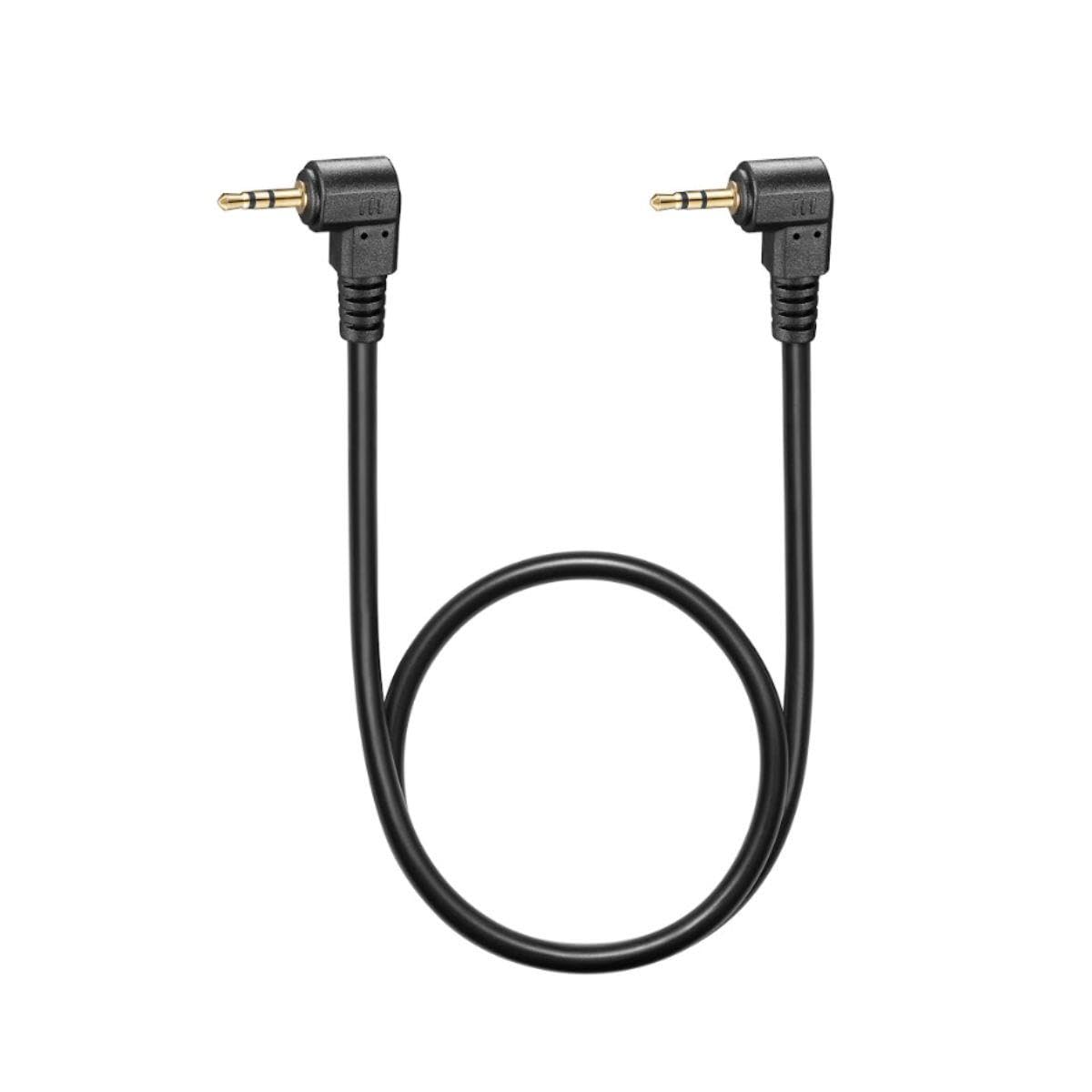
図1: Flashpoint Wave Commander II Camera Release Cable. This image shows the cable with its connectors, designed for remote camera control.
主な機能は次のとおりです。
- 拡張範囲: A 3-foot cable length allows for remote operation, preventing camera shake.
- 安定性の向上: Eliminates vibrations caused by direct shutter button presses.
- 耐久性のある構造: Built for regular use and reliable performance.
- 多機能: Enables remote shutter release, intervalometer, or self-timer functions when paired with a compatible remote unit.
3. 互換性
This cable is compatible with cameras featuring a Canon Sub-Mini Connector. Verified compatible camera models include, but are not limited to:
- Canon R6 II, R7, T7, R6, R, SX70, 90D, T8i, R10, RP, SL3, RP, G1X Mark III, 80D
- Fujifilm X-T5, FUJIFILM X-T30 II, FUJIFILM X-T4, FUJIFILM GFX 100S
For other camera models, please verify the connector type before use.
4. セットアップ
Follow these steps to connect the Wave Commander II Camera Release Cable to your camera:
- リモート ポートを見つけます。 Identify the remote control terminal on your camera. This is typically a small port, often labeled with a remote control icon or "REMOTE". For Canon cameras, this is the Sub-Mini Connector port.
- ケーブルを接続します。 Gently insert the connector end of the Wave Commander II cable into the camera's remote port. Ensure it is fully seated to establish a secure connection.
- Connect to Remote Unit (if applicable): If using with a separate remote trigger unit (e.g., Flashpoint Wave Commander II remote), connect the other end of the cable to the designated port on the remote unit.
- 電源オン: Turn on your camera and the remote unit (if applicable).
The cable is now ready for operation.
5. 操作手順
Once connected, the Wave Commander II cable enables various remote control functions:
5.1. Remote Shutter Release
- 半押し: Press the shutter button on your remote unit (or the cable's integrated button, if present) halfway down to activate autofocus and metering, similar to pressing the camera's shutter button halfway.
- フルプレス: Press the shutter button fully down to trigger the camera's shutter and capture a photograph.
- バルブモード: For long exposures in Bulb mode, press and hold the shutter button on the remote unit. Release the button to end the exposure. Some remote units may have a lock function for extended Bulb exposures.
5.2. Intervalometer / Self-Timer Functions
When used with a compatible remote unit that features intervalometer or self-timer capabilities, the cable transmits these commands to the camera. Refer to your remote unit's specific manual for detailed instructions on setting up time-lapse sequences, delayed shots, or continuous shooting modes.
6. メンテナンス
To ensure the longevity and optimal performance of your Wave Commander II Camera Release Cable, follow these maintenance guidelines:
- ストレージ: ケーブルは直射日光や極端な温度を避け、涼しく乾燥した場所に保管してください。ケーブルを強く巻き付けたり、強く曲げたりしないでください。内部の配線が損傷する恐れがあります。
- クリーニング: Use a soft, dry cloth to wipe the cable and connectors. Do not use liquid cleaners, solvents, or abrasive materials.
- 取り扱い: ケーブルを抜き差しする際は、必ずコネクタハウジングを掴んでください。ケーブル自体を直接引っ張らないでください。
- 検査: ケーブルに摩耗、ほつれ、コネクタの損傷がないか定期的に点検してください。損傷が見られる場合は使用を中止してください。
7。 トラブルシューティング
If you encounter issues with your Wave Commander II Camera Release Cable, consider the following:
- Cable Not Responding:
- Ensure the cable is securely connected to both the camera and the remote unit (if applicable).
- Verify that the camera and remote unit are powered on.
- Check camera settings to ensure remote control is enabled, if applicable.
- Test with another compatible camera or remote unit if available, to isolate the issue.
- 断続的な接続:
- Inspect connectors for dirt, dust, or damage. Clean gently with a dry, soft brush if necessary.
- Ensure the cable is not strained or bent at sharp angles during use.
- Camera Shake Still Occurs:
- While the cable reduces shake from pressing the shutter, other factors like tripod stability or wind can still cause movement. Ensure your camera setup is stable.
If problems persist, contact Flashpoint customer support for further assistance.
8. 仕様
| モデル番号: | Wave Commander II Cable |
| ブランド: | 引火点 |
| コネクタタイプ: | Canon Sub-Mini Connector |
| ケーブル長さ: | 約3フィート(0.9メートル) |
| 製品寸法: | 7 x 5 x 0.05インチ(梱包/配送時のおおよその寸法) |
| ASIN: | B0CD2M2G1N |
| 発売日: | 27年2023月XNUMX日 |
9. 保証とサポート
Specific warranty information for the Flashpoint Wave Commander II Camera Release Cable is not provided in this document. For details regarding warranty coverage, technical support, or service inquiries, please contact Flashpoint customer service directly or refer to the official Flashpoint webサイト。
保証請求の際に購入証明として購入レシートを保管してください。