
SEAFRONT SEAFRONToi9x6g5cus
SEAFRONT Mini VFD Inverter User Manual
Model: SEAFRONToi9x6g5cus
1. はじめに
This manual provides detailed instructions for the installation, operation, and maintenance of the SEAFRONT Single-Phase to Three-Phase Variable Frequency Drive (VFD) Controller. This device is designed to convert single-phase power (176-264V) into three-phase power (0-220V) for controlling the speed and torque of various AC motors, fans, and pumps. Please read this manual thoroughly before operating the device to ensure safe and efficient use.
2. 安全に関する注意事項
To prevent personal injury and equipment damage, always observe the following safety precautions:
- 配線やメンテナンスを行う前に、必ず電源を切ってください。
- 設置と配線は資格のある人のみが行ってください。
- Do not operate the VFD with wet hands or in damp 環境。
- VFD とモーターの接地が適切であることを確認します。
- Do not touch the terminals immediately after power-off, as residual voltageが存在する可能性があります。
- Protect the VFD from direct sunlight, dust, corrosive gases, and flammable materials.
- 入力ボリュームを確認するtage matches the VFD's specifications (1PH 176-264V).
3 製品の特徴
The SEAFRONT Mini VFD Inverter offers the following key features:
- 複数の制御モード: Supports V/F control, vector control, and output torque control for versatile motor management.
- 高品質のコンポーネント: Utilizes an excellent copper core coil, ensuring strong resistance, superior performance, and robust load capacity.
- コンパクトでポータブルなデザイン: Small size and lightweight construction make it highly flexible, convenient to move, transport, and energy-efficient.
- Clear LED Digital Display: Features an intuitive LED digital display panel for clear and convenient reading of operational parameters.
- 幅広い応用範囲: Ideal for use with various equipment including motors, fans, pumps, automated machine tools, and engraving machines.
4. コンポーネントとコントロール

図4.1: フロントパネルview
This image shows the front panel of the VFD inverter. It features a digital LED display at the top, indicating operational status and values. Below the display are several control buttons: "PROG" (Program), "UP" arrow, "DOWN" arrow, and "OK". At the bottom, there is a rotary knob for frequency adjustment, marked from 0 to 10. Additionally, there are "RUN" and "STOP" buttons for direct motor control, and a "FWD/REV" indicator.

図4.2: 配線端子
This image displays the side of the VFD inverter, highlighting the wiring terminals. On the left, there are terminals labeled "U", "V", "W" for 3-phase output to the motor, and "FG" for frame ground. Below these are two "AC" terminals for single-phase input power (220V). On the right, a green terminal block provides control signal connections, including RS+, RS-, GND, V+, +5V, COM, X1, X2, X3, X4, and X5 for external control and communication.
4.1 フロントパネルコントロール
- LEDディスプレイ: 周波数、電流、ボリュームを表示しますtage、およびエラー コード。
- PROGボタン: パラメータ設定モードを開始/終了します。
- ▲ / ▼ Buttons: パラメータまたは周波数を調整します。
- OKボタン: Confirms selection or parameter setting.
- 実行ボタン: モーターの動作を開始します。
- 停止ボタン: モーターの動作を停止します。
- ロータリーノブ: Fine-tunes output frequency.
4.2 端末の説明
| ターミナル | 説明 |
|---|---|
| AC(入力) | Single-phase AC power input (176-264V). |
| U, V, W (Output) | Three-phase AC output to motor (0-220V). |
| FG | Frame Ground. Connect to earth ground. |
| RS+、RS- | RS485 通信インターフェース。 |
| GND, V+, +5V, COM | Control power supply and common terminals. |
| X1、X2、X3、X4、X5 | Multi-function input terminals for external control signals. |
5. セットアップとインストール
5.1 取り付け

図5.1: 製品寸法
This diagram provides the physical dimensions of the VFD inverter. The overall length is 147mm (5.79in). The front panel dimensions are 60mm (2.36in) wide and 102mm (4.02in) high, with a mounting hole spacing of 52mm (2.05in) horizontally and 90mm (3.54in) vertically. The depth of the unit is 80mm (3.15in). Mounting holes have a diameter of 4mm (0.16in). Ensure adequate ventilation space around the unit.
Mount the VFD in a well-ventilated area, away from direct heat sources, moisture, and vibrations. Use the provided mounting holes to secure the unit. Ensure sufficient clearance for air circulation, especially around the cooling fan.
5.2配線
Refer to Figure 4.2 for terminal locations. Follow these steps for wiring:
- 電源入力: Connect the single-phase AC power supply (176-264V) to the "AC" input terminals. Ensure correct polarity if specified, though for AC, it's typically not critical.
- モーター出力: Connect the three-phase motor's U, V, W terminals to the VFD's "U", "V", "W" output terminals respectively.
- 接地: Connect the "FG" terminal to a reliable earth ground. This is crucial for safety and to prevent electromagnetic interference.
- 制御配線(オプション): If using external control (e.g., potentiometer, external switches, PLC), connect them to the appropriate "X" terminals, "GND", "V+", or "COM" as per your application requirements and the VFD's programming parameters.
重要: Double-check all wiring connections before applying power to prevent damage to the VFD or connected equipment.
6. 操作手順
6.1 基本操作
- 電源オン: After completing all wiring, apply power to the VFD. The LED display will light up.
- 周波数調整: Use the rotary knob on the front panel to set the desired output frequency. The display will show the current frequency setting.
- 始動モーター: を押す 走る ボタンを押すとモーターが始動します。モーターは設定された周波数まで加速します。
- モーター停止: を押す 停止 モーターを停止するにはボタンを押してください。モーターは減速して停止します。
6.2 Parameter Setting (PROG Mode)
The VFD has various parameters that can be configured to optimize performance for specific applications. Refer to the detailed parameter list in the full product manual (if available) for specific codes and functions.
- を押す プログラム ボタンを押してパラメータ設定モードに入ります。ディスプレイにパラメータコード(例:P001)が表示されます。
- 使用 ▲ そして ▼ buttons to navigate through parameter codes.
- を押す OK ボタンを押す view or edit the value of the selected parameter.
- 使用 ▲ そして ▼ パラメータ値を変更するためのボタン。
- プレス OK もう一度クリックして新しい値を保存します。
- プレス プログラム パラメータ設定モードを終了します。
7. 仕様
| パラメータ | 価値 |
|---|---|
| モデル番号 | SEAFRONToi9x6g5cus |
| 入力ボリュームtage | Single-Phase 176-264V AC |
| 出力巻tage | Three-Phase 0-220V AC |
| 出力電力 | 400ワット |
| 出力電流 | 2 Ampエルス |
| 頻度 | 50 Hz (Input) |
| 効率 | 85%から98% |
| 制御モード | V/F Control, Vector Control, Output Torque Control |
| 画面 | LEDデジタルディスプレイ |
| 認証 | CE |
| 寸法(長さ×幅×高さ) | 約147mm x 60mm x 102mm(5.79インチ x 2.36インチ x 4.02インチ) |
| 動作温度 | (Information not provided in source, typical range is 0-40°C) |
| 保管温度 | (Information not provided in source, typical range is -20-60°C) |

Figure 7.1: Application Scenes
This image illustrates common application scenarios for the VFD inverter. It shows a fan, a water pump, automated machine tools, and an engraving machine, demonstrating the versatility of the VFD in controlling various industrial and commercial equipment.
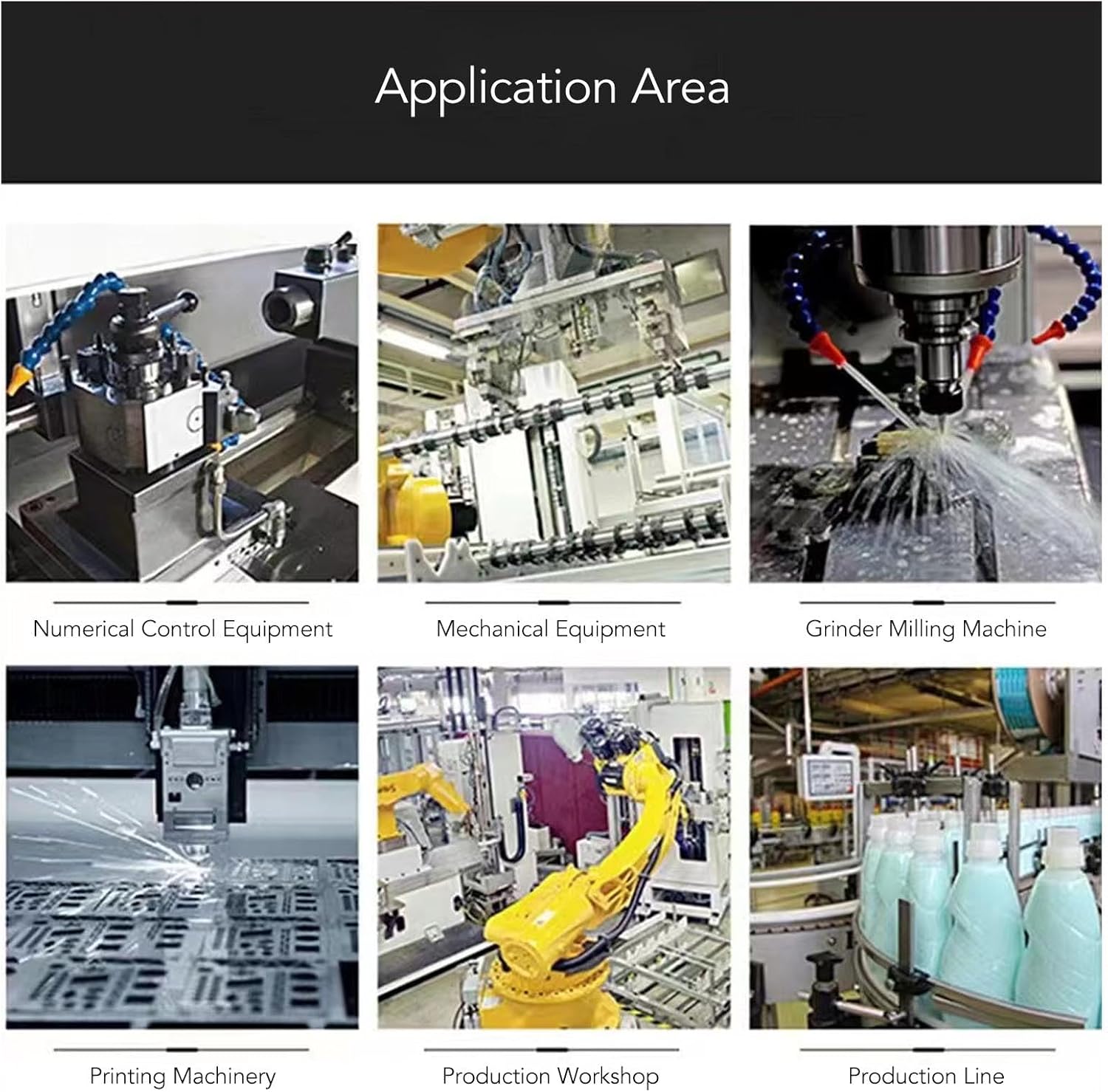
Figure 7.2: Broader Application Areas
This image expands on the application areas, showing the VFD's use in numerical control equipment, general mechanical equipment, grinder milling machines, printing machinery, production workshops, and integrated production lines. This highlights its adaptability across various industrial settings requiring precise motor control.
8。 トラブルシューティング
If you encounter issues with your VFD, refer to the table below for common problems and solutions. If the problem persists, contact customer support.
| 問題 | 考えられる原因 | 解決 |
|---|---|---|
| ディスプレイなし/電源なし | 入力電源がありません。配線が間違っています。内部ヒューズが切れています。 | Check power supply; verify AC input wiring; consult technician for fuse replacement. |
| モーターが動かない | Incorrect motor wiring (U, V, W); frequency set to 0; motor overload; VFD in fault state. | Check motor connections; increase frequency; reduce load; check for error codes on display. |
| 過電流フォルト | Motor short circuit; sudden load change; acceleration time too short. | Check motor and wiring; ensure stable load; increase acceleration time parameter. |
| オーバーボルtage障害 | 入力ボリュームtage が高すぎます。減速時間が短すぎます。 | 入力ボリュームを確認するtage within range; increase deceleration time parameter. |
| Overheat Fault | Insufficient ventilation; ambient temperature too high; cooling fan blocked. | Ensure proper ventilation; reduce ambient temperature; clean cooling fan. |
9. メンテナンス
Regular maintenance helps ensure the longevity and optimal performance of your VFD:
- クリーニング: ほこりがたまらないように、VFDの外装と通気口を定期的に清掃してください。柔らかく乾いた布を使用してください。液体洗剤は使用しないでください。
- 検査: Regularly inspect wiring connections for looseness or damage. Check for any signs of overheating or discoloration.
- 環境: 動作環境が指定された温度と湿度の範囲内であることを確認してください。
- ストレージ: If storing the VFD for an extended period, keep it in a dry, dust-free environment, away from extreme temperatures.
10. 保証とサポート
For technical assistance, warranty claims, or further inquiries, please contact SEAFRONT customer support through your point of purchase or the official SEAFRONT website. Please have your model number (SEAFRONToi9x6g5cus) and purchase details ready when contacting support.
Ask a question about this manual
Ask about setup, troubleshooting, compatibility, parts, safety, or missing instructions. Manuals+ will review the question and use this page’s manual context to help answer it.