
1. はじめに
This manual provides detailed instructions for the safe and effective use of your TOYOGO Instant Print Kids Camera Q5-T. Please read this manual thoroughly before operating the device and retain it for future reference.
The TOYOGO Q5-T is a digital camera designed for children, featuring instant thermal printing, 1080p HD video recording, and dual 24MP lenses for both front and selfie photography. It includes a 64GB SD card for ample storage and supports various creative functions.
2. 箱の中身
以下にリストされているすべてのアイテムがパッケージに含まれていることを確認してください。
- 1 x TOYOGO Instant Print Kids Camera
- プリント用紙ロール3本
- 1 x Replacement White Silicone Case
- USB充電ケーブル x 1
- 1 x 64GB Memory Card (SD Card)
- 1 x Cartoon Lanyard
- ユーザーマニュアル x 1

Image: Contents of the TOYOGO Instant Print Kids Camera package, including the camera, paper rolls, silicone case, USB cable, SD card, lanyard, and manual.
3.製品オーバーview
カメラのコンポーネントについて理解しましょう。
画像: 正面 view of the camera, showing the main lens, print output slot, and control buttons.
- メインレンズ: 写真やビデオを撮影するため。
- セルフィーレンズ: Located on the front for self-portraits.
- 表示画面: 2.4インチ画面 view写真やビデオを再生したり、メニューをナビゲートしたりできます。
- Print Output Slot: 印刷された写真が現れる場所。
- コントロールボタン: Power, Shutter, Navigation (Up, Down, Left, Right), Menu, Print.
- USBポート: 充電やデータ転送に。
- SDカードスロット: メモリーカードを挿入します。
4. セットアップ
4.1 カメラの充電
Before first use, fully charge the camera. Connect the provided USB charging cable to the camera's USB port and the other end to a standard USB power adapter (not included) or a computer's USB port. The charging indicator will illuminate during charging and turn off when complete.
The camera features an 800mAh rechargeable battery, providing approximately 3-4 hours of usage on a full charge.
4.2 SDカードの挿入
The camera comes with a 64GB SD card. Locate the SD card slot on the side of the camera. Insert the SD card with the metal contacts facing down until it clicks into place. To remove, gently push the card in until it springs out.

Image: Illustration showing the insertion of the SD card and connecting the camera to a computer via USB for data transfer.
4.3 Loading Print Paper
The camera uses ink-free thermal print paper. Follow these steps to load a new roll:
- ステップ1: Open the front flap of the camera where the print paper is housed.
- ステップ2: Insert a new paper roll into the compartment, ensuring it is oriented correctly. The paper should feed from the bottom of the roll towards the print output slot.
- ステップ3: Close the lid firmly. A small portion of the paper should protrude from the print output slot, indicating it is ready for printing.

Image: Visual guide demonstrating the three steps for loading thermal print paper into the camera.
5. 操作手順
5.1 電源オン/オフ
電源ボタンを長押しして、カメラの電源をオンまたはオフにします。
5.2 写真を撮る
In photo mode, frame your shot using the display screen. Press the Shutter button to capture an image. The camera supports 24MP high-definition color images.
- デュアルカメラ: Switch between the main lens and the selfie lens using the designated button or menu option.
- Photo Frames: Access the menu to select from various fun photo frames to add creative borders to your pictures.
- デジタルズーム: Use the navigation buttons (typically Up/Down) to adjust the digital zoom level (up to 5x).

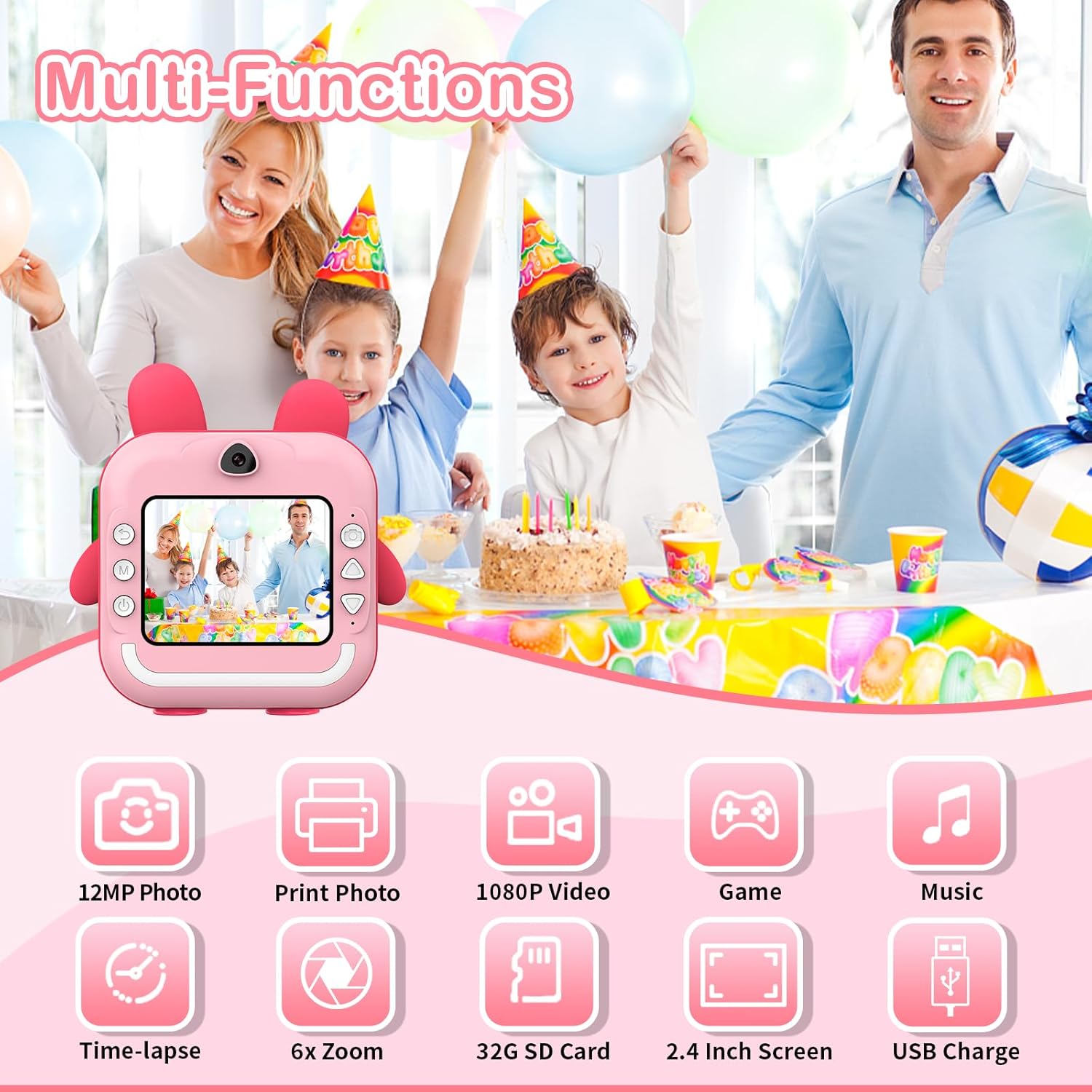
画像: 上view of camera functions, including photo capture, video recording, and entertainment options.
5.3ビデオの録画
Switch to video mode via the menu. Press the Shutter button to start recording 1080p HD video. Press it again to stop recording.
5.4 写真の印刷
After taking a photo, you can choose to print it instantly. The camera uses thermal printing technology, producing black and white images without ink. Printing takes approximately 3 seconds per photo.
- Instant Print: In photo review mode, select the print option to immediately print the displayed image.
- 印刷品質: The camera allows selection of print quality (Low, Middle, High) to optimize paper usage or detail.

Image: The camera demonstrating its instant printing capability, producing a photo in 3 seconds.
5.5 App Printing (Bluetooth Connectivity)
The camera supports connection to a mobile phone via Bluetooth for printing photos stored on your phone. Download the "Fun Print" application from your mobile app store (available on iOS and Android).
- ステップ1: Enable Bluetooth on your mobile phone and on the camera (via the camera's menu).
- ステップ2: Open the "Fun Print" app on your phone and pair it with the camera.
- ステップ3: Select photos from your phone's gallery within the app and use the print function to send them to the camera for printing.

Image: A smartphone screen showing the "Fun Print" app interface, connected to the camera for wireless printing.
アプリをダウンロード: https://www.pgyer.com/UNhf
5.6 Games and MP3 Playback
The camera includes built-in games and supports MP3 playback. Navigate to the respective modes via the camera's menu. Ensure MP3 files are loaded onto the SD card for playback.
5.7 タイムラプス機能
Utilize the time-lapse feature to capture a series of photos at set intervals (e.g., 3s, 5s, 10s). This function is accessible through the camera's menu settings.
6. メンテナンス
6.1 クリーニング
To clean the camera body, use a soft, dry cloth. For the lens, use a specialized lens cleaning cloth. Avoid using liquid cleaners or abrasive materials, as they may damage the camera.
6.2 ストレージ
Store the camera in a cool, dry place away from direct sunlight and extreme temperatures. When not in use for extended periods, ensure the battery is partially charged (around 50%) to prolong its lifespan.
7。 トラブルシューティング
| 問題 | 考えられる原因 | 解決 |
|---|---|---|
| カメラの電源が入りません。 | 電池が消耗しています。 | 付属のUSBケーブルを使用してカメラを充電します。 |
| 写真/ビデオを撮影できません。 | SD カードがいっぱいか、正しく挿入されていません。 | Check SD card insertion. Delete unnecessary fileまたは SD カードを交換してください。 |
| 写真が印刷されません。 | No print paper, paper loaded incorrectly, or print head issue. | Ensure paper is loaded correctly and sufficient. Check for any paper jams. |
| 印刷品質が悪い。 | Low print quality setting, dirty print head, or low battery. | Adjust print quality settings. Clean the print head gently. Ensure battery is charged. |
| Bluetooth接続の問題。 | Bluetooth not enabled, camera/phone too far apart, or app issue. | Ensure Bluetooth is active on both devices. Keep devices close. Restart app/camera. |
8. 仕様
- モデル: Q5-T
- 画面: 2.4インチ画面
- 写真解像度: 最大24 MP
- ビデオ解像度: 1080p HD
- 印刷技術: Ink-free Thermal Printing
- 印刷速度: Approximately 3 seconds per photo
- バッテリー: 800mAh リチウムポリマー(充電式)
- ストレージ: SDカードをサポート(64GB付属)
- 接続性: USB、ブルートゥース
- 寸法: 12 x 11.5 x 4 cm
- 重さ: 470グラム
- 光学ズーム: 6x
- デジタルズーム: 最大5倍
- Image Sensor Technology: シーモス
- サポート File 形式: MP4(ビデオ用)
9. 保証とサポート
For information regarding warranty and returns, please refer to the specific policies of your retailer or the manufacturer's official website. Generally, if you wish to return a product within 30 days of receipt due to a change of mind, consult the retailer's help page. If you have received a defective or damaged product, consult the retailer's help page for assistance. For specific information on purchases made through marketplaces, consult their respective help pages.
For technical support or further inquiries, please contact TOYOGO customer service through the contact information provided on the product packaging or the official TOYOGO webサイト。