
導入
This manual provides essential information for the safe and efficient operation, installation, and maintenance of your Candy RapidÓ CF 6C4F1X Dishwasher. Please read these instructions carefully before using the appliance and keep them for future reference.
The Candy RapidÓ CF 6C4F1X is a free-standing dishwasher designed for domestic dish cleaning, offering a capacity of 16 place settings. It features Wi-Fi and Bluetooth connectivity, 8 washing programs, and innovative functions like Smart Basket and Smart Door for enhanced convenience and performance.
安全情報
火災、感電、または人への傷害のリスクを軽減するために、電気製品を使用するときは常に基本的な安全上の注意事項に従ってください。
- アプライアンスが適切に接地されていることを確認してください。
- 食器洗い機が損傷している場合は操作しないでください。
- 特に食器洗い機が作動しているときは、子供を食器洗い機のそばに近づけないでください。
- 自動食器洗い機専用に設計された洗剤とリンス剤のみを使用してください。
- 運転中はドアを開けないでください。熱いお湯が噴き出す恐れがあります。
セットアップとインストール
The Candy RapidÓ CF 6C4F1X is a free-standing dishwasher. Proper installation is crucial for optimal performance and safety. Refer to the detailed installation instructions provided in the separate user manual included with your appliance for specific steps regarding electrical, water supply, and drainage connections.
配置
Position the dishwasher in a suitable location, ensuring adequate space for its dimensions (59.8P x 59.7l x 82H cm). Ensure the floor is level and capable of supporting the appliance's weight (approximately 50.65 kg).
接続
- 電気接続: Connect the dishwasher to a grounded electrical outlet with the specified voltage (230 ボルト)。
- 給水: 給水ホースを冷水供給に接続します。
- 排水: 排水ホースを適切な排水管またはシンクトラップに接続します。
It is recommended that installation be performed by a qualified technician to ensure correct setup and prevent potential issues.
操作手順
食器洗い機に食器を入れる
Proper loading ensures effective cleaning. Utilize the adjustable baskets and cutlery tray to maximize space and allow water to reach all surfaces.
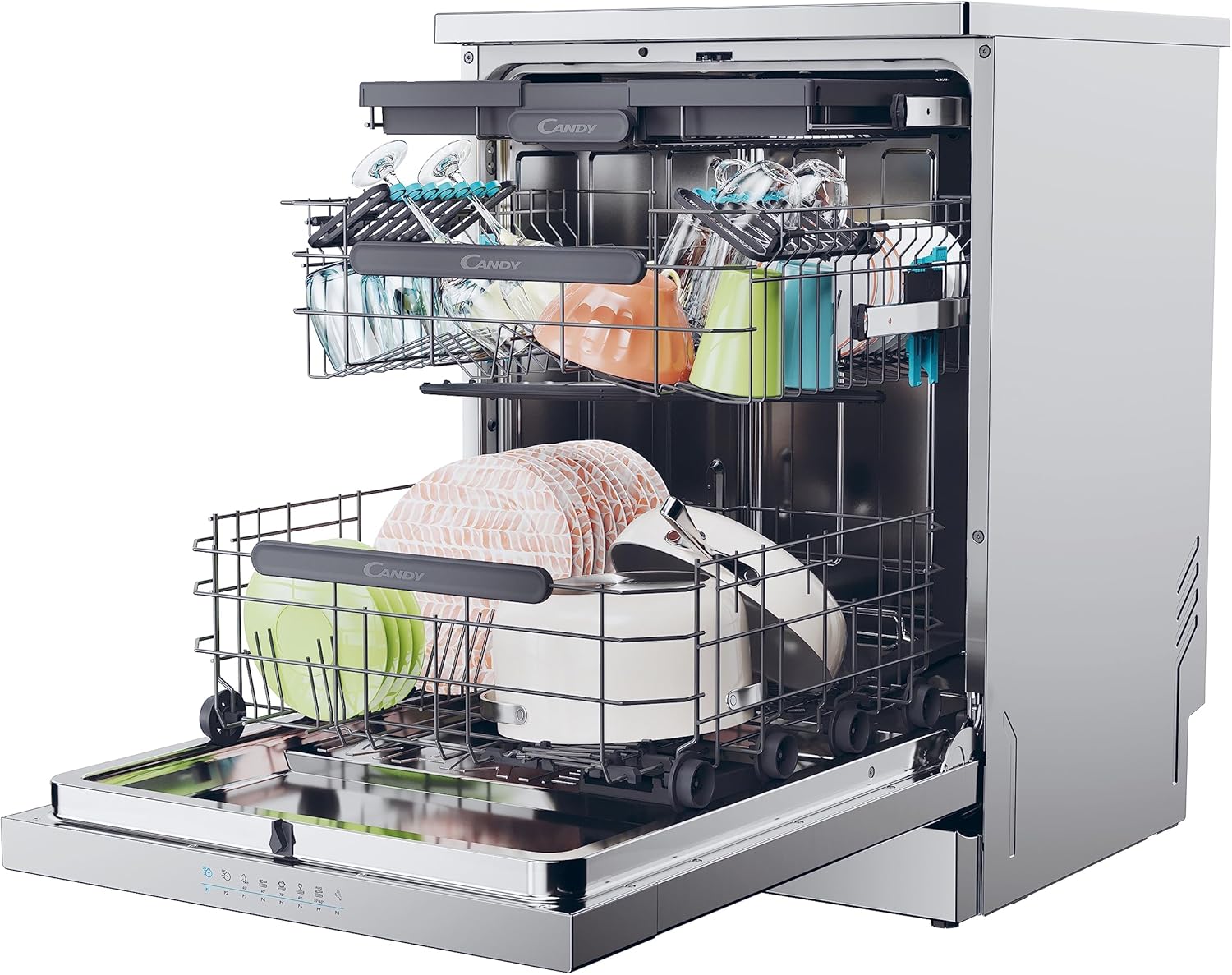
Image: Dishwasher interior showing dishes loaded in the upper and lower baskets, demonstrating capacity and organization.
Smart Basket System
The Smart Basket feature allows you to adjust the height of the baskets, providing flexibility for larger items in either the upper or lower rack. This helps accommodate various dish sizes, from tall glasses to large pots.

画像: クローズアップ view of the upper basket, specifically designed to hold delicate items like wine glasses securely.

Image: The empty lower basket of the dishwasher, illustrating its structure and capacity for larger items.
カトラリートレイ
The dedicated cutlery tray provides an organized space for forks, knives, and spoons, ensuring thorough cleaning and preventing scratching.

画像: トップダウン view of the cutlery tray, showing how utensils are neatly arranged for washing.

Image: A hand demonstrating the adjustment of the cutlery tray, highlighting its flexible design.
洗剤とリンス剤を追加する
Fill the detergent dispenser with the appropriate amount of dishwasher detergent. Add rinse aid to its dispenser for improved drying and to prevent water spots.
プログラムの選択
Your dishwasher offers 8 programs, including Normal, Rinse, Delicate, and Intensive cycles. Use the touch controls to select the desired program based on the soil level and type of dishes.
- Wash&Dry 35': A quick program designed to wash and dry dishes in just 35 minutes.
- 遅れたスタート: Allows you to postpone the start of a wash cycle by up to 24 hours.
サイクルの開始
Close the dishwasher door firmly and press the start button. The dishwasher will begin the selected program.
Smart Door Function
The Smart Door feature automatically opens the dishwasher door during the drying phase. This allows air to circulate, enhancing drying performance and reducing energy consumption.
Wi-Fi + BLE Connectivity
Your dishwasher can be connected to your home network via Wi-Fi and Bluetooth Low Energy (BLE). This allows for remote control, program selection, and monitoring through a compatible application on your smartphone.
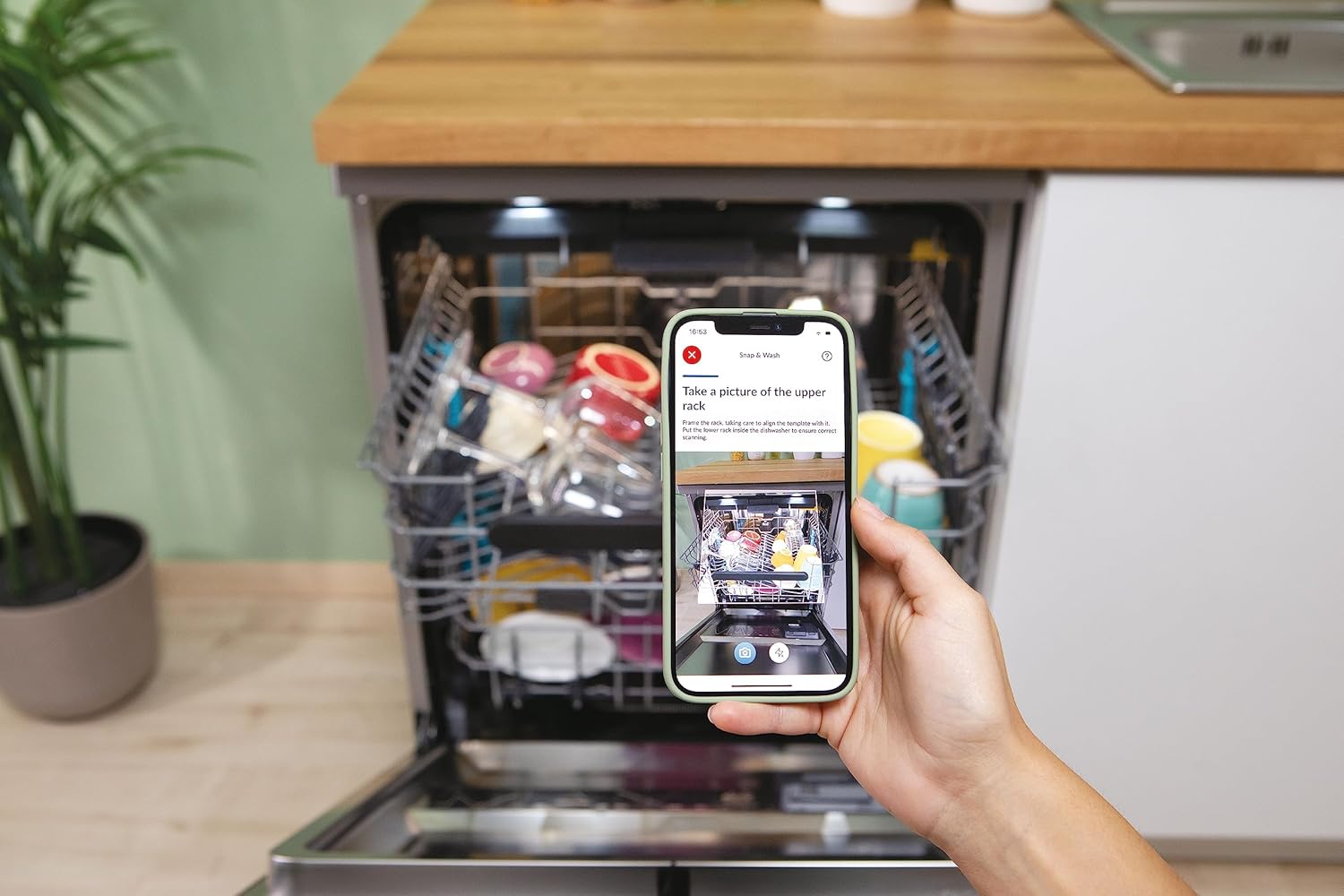
Image: A smartphone displaying the dishwasher's companion app, demonstrating smart control and loading guidance features.
メンテナンスとケア
定期的なメンテナンスにより、食器洗い機の寿命と効率が確保されます。
フィルターの清掃
Periodically check and clean the dishwasher filters to prevent blockages and ensure effective washing. Refer to the full user manual for detailed instructions on filter removal and cleaning.
内装と外装のクリーニング
- 広告で内部を拭くamp 布で食べ物の残留物を取り除きます。
- Clean the stainless steel exterior with a soft cloth and a non-abrasive cleaner suitable for stainless steel.
- Do not use harsh chemicals or abrasive materials that could damage the surface.
塩とリンスエイドの詰め替え
Monitor the salt and rinse aid indicators and refill as necessary to maintain optimal washing and drying results.
トラブルシューティング
食器洗い機が正しく機能しない場合は、サービスに連絡する前に、次の一般的な問題を参照してください。
| 問題 | 考えられる原因 | 解決 |
|---|---|---|
| 食器はきれいではありません | 不適切な装填、スプレーアームの詰まり、洗剤不足、フィルターの汚れ。 | Reload dishes correctly, clean spray arm nozzles, ensure proper detergent dosage, clean filters. |
| Cloudy glasses | Lack of rinse aid, hard water, incorrect detergent. | Refill rinse aid dispenser, adjust water softener settings (if applicable), use appropriate detergent. |
| 食器洗い機が起動しない | ドアが正しく閉まっていない、電源に問題がある、プログラムが選択されていない。 | Ensure door is latched, check power connection and circuit breaker, select a wash program. |
| 異常なノイズ | 皿がスプレーアームに干渉し、ポンプに異物が入っています。 | Rearrange dishes, inspect and remove any foreign objects. |
For more complex issues or if troubleshooting steps do not resolve the problem, refer to the comprehensive troubleshooting guide in your full user manual or contact Candy customer support.
仕様
| 特徴 | 詳細 |
|---|---|
| ブランド | あめ |
| モデル番号 | 32002507 |
| 製品寸法 (奥行き×幅×高さ) | 59.8 x 59.7 x 82 cm |
| 重さ | 50.65キログラム |
| 容量 | 16 つのプレースセッティング |
| エネルギー効率クラス | C |
| 騒音レベル | 44デシベル |
| 巻tage | 230ボルト |
| プログラム数 | 8 |
| コントロールタイプ | 触る |
| 材料 | ステンレス鋼 |
| インストールタイプ | 自立型 |
| 特集 | Portable (refers to free-standing nature), Wi-Fi + BLE, Smart Basket, Smart Door |
保証とサポート
製品保証に関する詳細は、製品に付属の保証書を参照するか、Candyの公式ウェブサイトをご覧ください。 webサイト。保証は通常、購入日から一定期間、製造上の欠陥を対象とします。
If you require technical assistance, spare parts, or have questions not covered in this manual, please contact Candy customer support. Have your model number (CF 6C4F1X) and serial number ready when contacting support.


