
1. はじめに
Thank you for choosing the ieGeek 5MP Solar WiFi Outdoor PTZ Security Camera. This manual provides essential information for the proper installation, operation, and maintenance of your device. Please read it thoroughly before use and retain it for future reference.
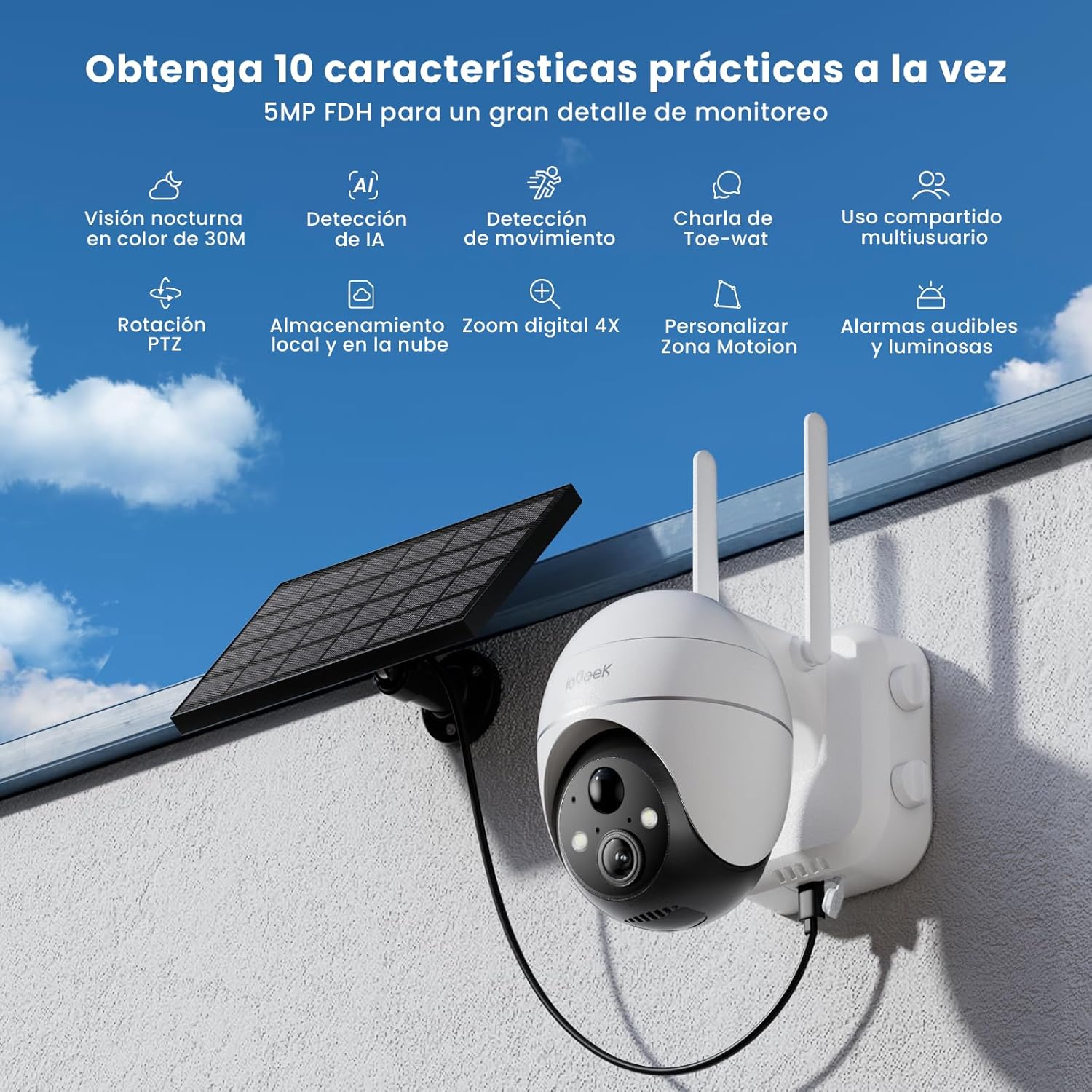
Figure 1: ieGeek 5MP Solar WiFi Outdoor PTZ Security Camera with solar panel, highlighting key features.
2.製品オーバーview
2.1 主な特徴
- 5MP Ultra-Clear Resolution: Provides superior visual images with 4x digital zoom for detailed viewing。
- Solar Power & Long-Lasting Battery: Operates using solar panels, eliminating power cables. The rechargeable battery lasts up to 60 days on a single charge.
- 355°パン&120°チルト: 幅広い分野を提供 view, ensuring comprehensive surveillance without blind spots.
- PIR Human Detection & Instant Alarms: Detects human shapes and sends alarm notifications within 2 seconds.
- カラーナイトビジョン: Equipped with motion-activated spotlights for full-color details day and night.
- 双方向オーディオ: Enables real-time listening and speaking through the camera via the app.
- ローカルおよびクラウドストレージ: Supports up to 128GB Micro SD card and offers 7 days of free cloud service.
- Alexa Smart Function: カメラを操作して view フーtage using Alexa Smart Voice.
- IP65耐候性: Designed for outdoor use, resistant to rain, snow, and varying temperatures (-20°C to 50°C).
2.2 パッケージ内容

図 2: 製品の寸法とパッケージの内容。
- ieGeek 5MP PTZ Security Camera x 1
- Solar Panel with Bracket x 1
- ユーザーマニュアル x 1
- Solar Panel User Manual x 1
- Mounting Screws and Expansion Screws x 7 sets
3.セットアップガイド
3.1 バッテリーの充電
Before initial use, fully charge the camera's internal battery using the provided USB cable. The solar panel will maintain the charge during outdoor operation.
3.2 アプリのダウンロードとアカウント作成
Download the 'ieGeek Cam' app from the Google Play Store or Apple App Store. Follow the in-app instructions to create an account and log in.

Figure 3: Download the 'ieGeek Cam' app.
3.3 カメラのペアリング
- カメラの電源を入れます。
- Open the 'ieGeek Cam' app and tap 'Add Device'.
- 画面上の指示に従って、カメラを 2.4GHz Wi-Fi ネットワークに接続します。
- 携帯電話に表示されるQRコードをカメラのレンズでスキャンします。
- 接続したら、カメラに名前を付けてセットアップを完了します。
3.4 インストール
Choose a location with good Wi-Fi signal and direct sunlight exposure for the solar panel. Use the provided screws and bracket to securely mount the camera and solar panel.

Figure 4: Flexible disassembly and easy installation.

Figure 5: Wireless setup with solar panel connection.
4. 操作手順
4.1 ライブ View PTZコントロール
Access the live feed through the 'ieGeek Cam' app. Use the on-screen controls to pan 355° horizontally and tilt 120° vertically, adjusting the camera's view 必要に応じて。

Figure 6: Remote PTZ control via smartphone app.
4.2 動きの検出とアラート
The camera features PIR human detection. When motion is detected, you will receive an instant alarm notification on your smartphone. Customize motion detection zones and sensitivity settings within the app to reduce false alerts.

Figure 7: Customizable motion detection zones.
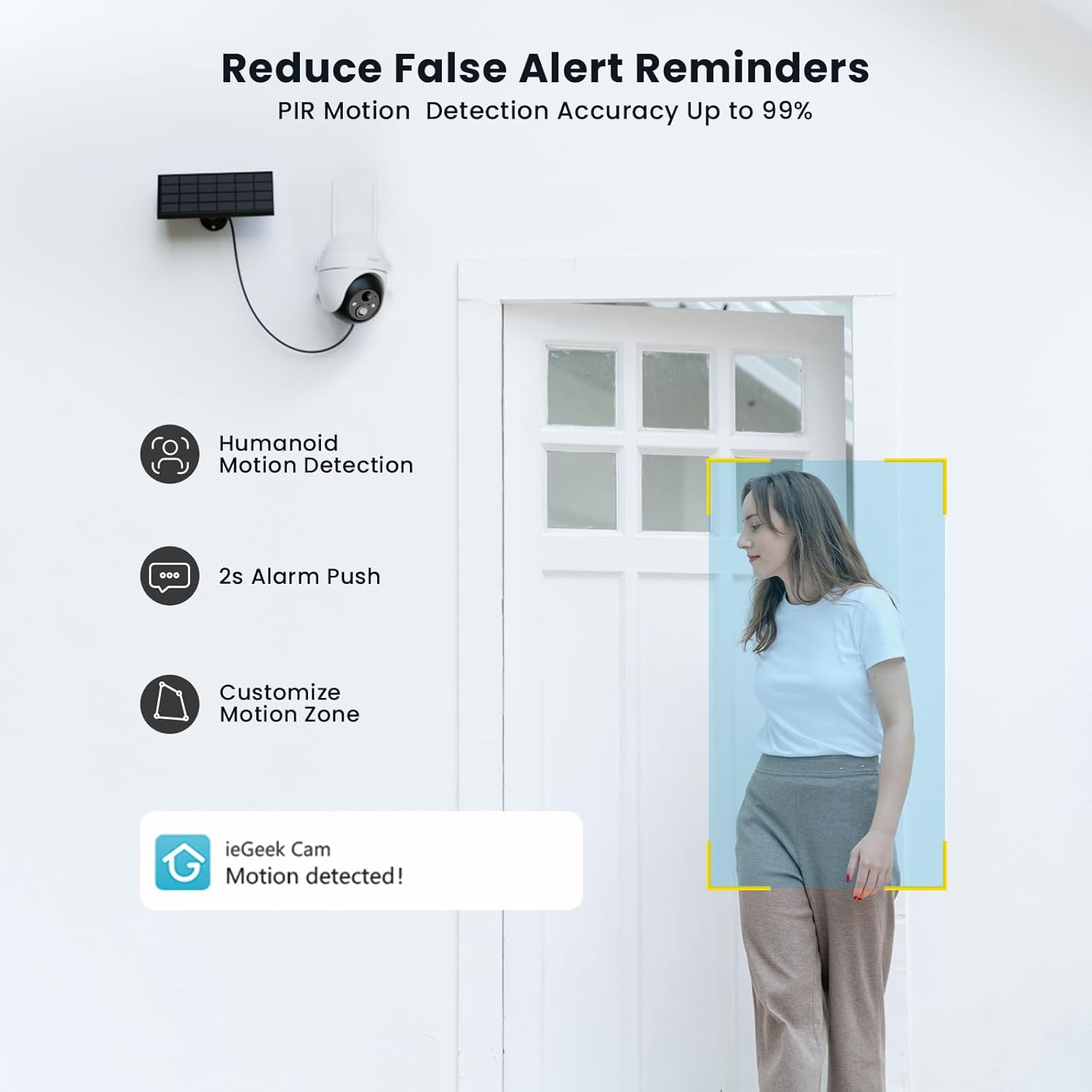
Figure 8: PIR Humanoid Motion Detection.
4.3 双方向オーディオ
Utilize the two-way audio feature to communicate with visitors or deter intruders. Tap the microphone icon in the app to speak, and listen through the camera's speaker.

図 9: 双方向音声通信。
4.4 ストレージオプション
The camera supports local storage via a Micro SD card (up to 128GB, purchased separately) and offers 7 days of free cloud storage. Recorded events can be accessed and reviewアプリを通じて。

Figure 10: Micro SD card slot for local storage.

Figure 11: Cloud storage options.
5. メンテナンス
- レンズを掃除します。 鮮明な画質を保つために、カメラのレンズを定期的に柔らかく乾いた布で拭いてください。
- クリーンソーラーパネル: 充電効率を最大限に高めるには、ソーラーパネルをほこり、汚れ、ゴミから守ってください。
- バッテリー残量を確認します: Monitor the battery status via the app and ensure the solar panel receives adequate sunlight.
- ファームウェアの更新: Keep the camera firmware updated through the app for optimal performance and security.
6。 トラブルシューティング
| 問題 | 考えられる原因 | 解決 |
|---|---|---|
| カメラがWi-Fiに接続できない | Wi-Fi パスワードが正しくありません。カメラがルーターから遠すぎます。2.4GHz Wi-Fi のみをサポートしています。 | Verify password; Move camera closer to router or use a Wi-Fi extender; Ensure your router is set to 2.4GHz. |
| 画質が悪い | Dirty lens; Low light conditions; Network issues. | Clean the lens; Ensure adequate lighting or rely on color night vision; Check Wi-Fi signal strength. |
| バッテリーが充電されない | Solar panel obstructed or dirty; Insufficient sunlight; Faulty cable. | Clear obstructions and clean solar panel; Relocate panel to receive more direct sunlight; Check cable connections. |
| 動き検出アラートなし | Motion detection disabled; Incorrect sensitivity settings; App notifications blocked. | Enable motion detection in app; Adjust sensitivity; Check phone notification settings for the 'ieGeek Cam' app. |
7. 仕様
| 特徴 | 詳細 |
|---|---|
| モデル名 | ieGeek ZS-GX4S |
| 解決 | 5 MP |
| 接続性 | ワイヤレス(Wi-Fi 2.4GHz) |
| 電源 | Battery, Solar Power |
| バッテリー容量 | 2000mAh |
| パン/チルト範囲 | 355°パン、120°チルト |
| デジタルズーム | 4x |
| ナイトビジョン | カラーナイトビジョン(赤外線) |
| モーション検出 | PIR人間検出 |
| オーディオ | 双方向オーディオ |
| ストレージ | Micro SD(最大128GB)、クラウドストレージ |
| 耐候性評価 | IP65 |
| 動作温度 | -20°C ~ 50°C |
| 寸法 | 18 x 17 x 12 センチメートル |
| 材料 | プラスチック |
| 互換性あり | アマゾンアレクサ |
8. 保証とサポート
ieGeek は信頼性の高い製品と優れた顧客サービスを提供することに尽力しています。
- 2年間保証: Your ieGeek camera is covered by a 2-year warranty from the date of purchase.
- 30日間返金保証: ご購入いただいた商品にご満足いただけない場合は、30 日以内に返品して全額返金を受けることができます。
- 生涯テクニカルサポート: ieGeek offers lifetime technical assistance for all its products.
For support, please contact us via email. Our customer service team is available 24/7 to assist you.

Figure 12: ieGeek Customer Support.