
1. はじめに
This manual provides essential information for setting up, operating, maintaining, and troubleshooting your Beelink SER5 5500U Mini PC. Please read it carefully before using the product to ensure optimal performance and longevity.
The Beelink SER5 5500U is a compact and powerful Mini PC featuring an AMD Ryzen 5 5500U processor, designed for various applications from office work to multimedia entertainment and light gaming. It supports dual 4K display output and offers robust connectivity options.
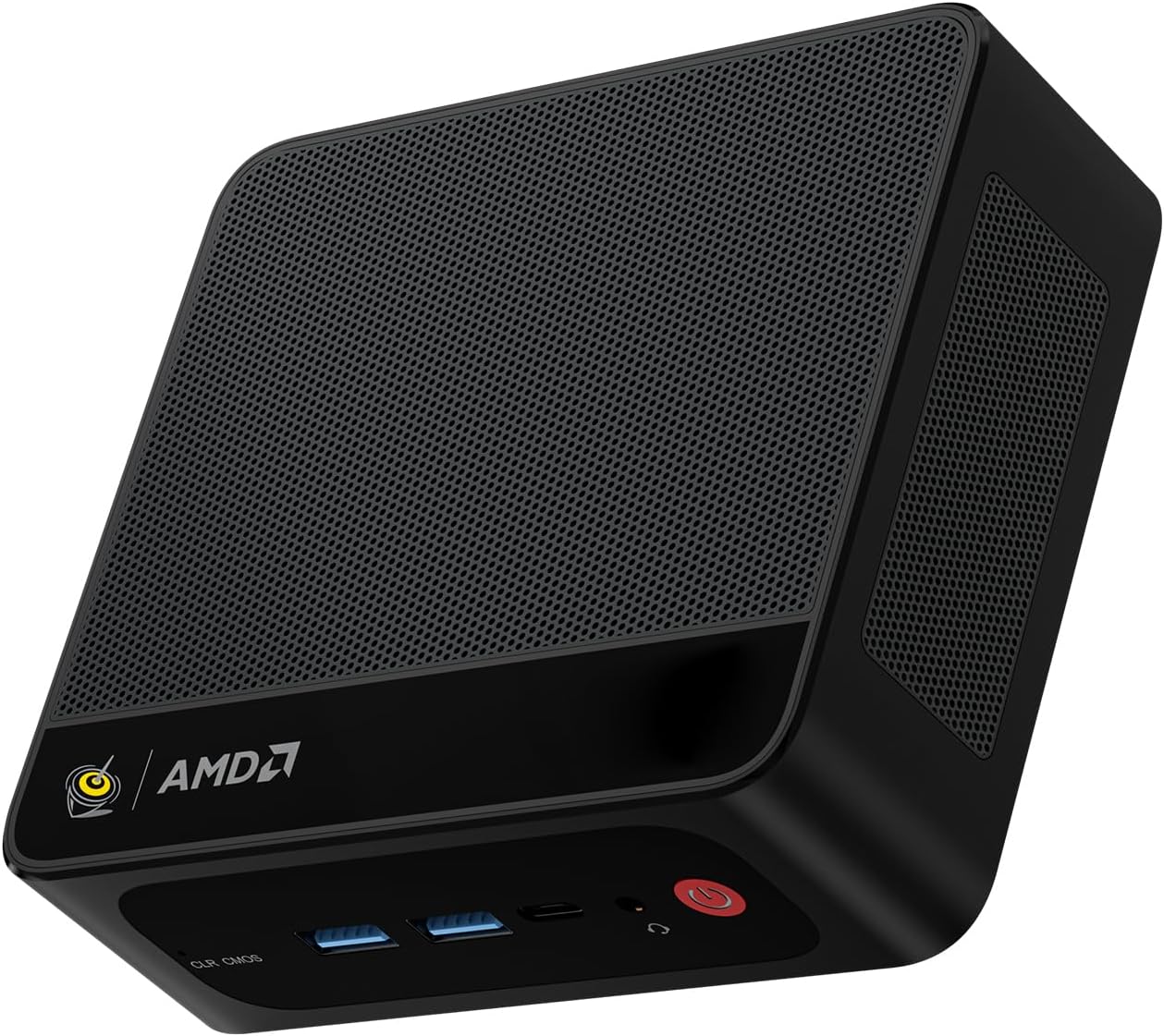
Figure 1: Beelink SER5 5500U Mini PC
2. パッケージ内容
パッケージにすべてのアイテムが揃っていることを確認します。
- Beelink SER5 5500U Mini PC (x1)
- HDMI Cable (100cm) (x1)
- 電源アダプター(19V/3.42A)(×1)
- Wall-Mounted Bracket (x1)
- ユーザーマニュアル(このドキュメント)
3. セットアップ手順
3.1 周辺機器の接続
- ディスプレイを接続する: Use the provided HDMI cable to connect your monitor to the HDMI port on the Mini PC. Alternatively, use a DisplayPort cable for DP connection.
- キーボードとマウスを接続します。 USB キーボードとマウスを利用可能な USB ポートに接続します。
- 接続電源: 電源アダプタをミニ PC の DC 入力ポートに接続し、アダプタを電源コンセントに差し込みます。
- ネットワーク接続(オプション): 有線接続の場合は、イーサネットケーブルを2.5G LANポートに接続してください。無線接続の場合は、Wi-Fiネットワークが利用可能であることを確認してください。

図2: 前面ポートと背面ポート
3.2 初期起動
Press the power button on the front of the Mini PC. The system will boot up, and you will see the Windows 11 Pro setup screen. Follow the on-screen instructions to complete the initial Windows setup.
4. 操作手順
4.1 電源のオン/オフと再起動
- 電源オン: 電源ボタンを押します。
- 電源を切る: Windowsのスタートボタンをクリックし、「電源」>「シャットダウン」を選択します。または、電源ボタンを5秒間押し続けて強制的にシャットダウンすることもできます(通常の使用には推奨されません)。
- 再起動: Windows の [スタート] ボタンをクリックし、[電源] > [再起動] を選択します。
4.2 デュアルディスプレイ設定
The Beelink SER5 5500U supports dual 4K display output via its HDMI and DisplayPort interfaces. Connect two monitors to these ports. Windows will automatically detect the displays. You can configure display settings (extend, duplicate, etc.) via Windows Display Settings.

図3: デュアルディスプレイ構成
4.3 ワイヤレス接続
- Wi-Fi 6: The Mini PC supports Wi-Fi 6 (802.11ax) for high-speed wireless internet. Connect via Windows network settings.
- Bluetooth 5.2: Windows の Bluetooth 設定を使用して、キーボード、マウス、ヘッドフォンなどの Bluetooth デバイスをペアリングします。
4.4 ストレージ拡張
The Mini PC includes a 500GB M.2 PCIe NVME 2280 SSD. For additional storage, a 2.5-inch HDD/SSD (not included) can be installed in the dedicated slot. Refer to the internal hardware guide for installation steps.
5. メンテナンス
5.1 クリーニング
Regularly clean the exterior of the Mini PC with a soft, dry cloth. Use compressed air to gently clear dust from the ventilation openings to maintain optimal airflow and cooling performance. Do not use liquid cleaners directly on the device.
5.2ソフトウェアアップデート
Keep your Windows operating system and device drivers updated. Windows Update will handle most OS updates. For graphics drivers (AMD Radeon Graphics), visit the AMD official web最新バージョンについてはサイトをご覧ください。
5.3冷却システム
The Beelink SER5 5500U features a high-speed cooling fan. Ensure the Mini PC is placed in a well-ventilated area and that the air vents are not obstructed to prevent overheating.

図4: 内部冷却ファン
6。 トラブルシューティング
6.1 電源なし
- 電源アダプタがミニ PC と正常な電源コンセントの両方にしっかりと接続されていることを確認します。
- 別のデバイスを接続して、電源コンセントが機能するかどうかを確認します。
- 互換性があり利用可能な場合は、別の電源アダプターを試してください。
6.2 表示なし
- Verify that the HDMI or DisplayPort cable is securely connected to both the Mini PC and the monitor.
- モニターの電源がオンになっており、正しい入力ソース (HDMI/DP) に設定されていることを確認します。
- 可能であれば、別のモニターまたはケーブルでテストしてください。
- If the issue persists, try resetting the CMOS by pressing the CLR CMOS button (refer to Figure 2 for location).
6.3 ネットワーク接続の問題
- 有線(LAN): Check the Ethernet cable connection and your router/modem.
- Wireless (Wi-Fi/Bluetooth): Ensure Wi-Fi and Bluetooth are enabled in Windows settings. Restart your router/modem.
- 必要に応じてネットワーク ドライバーを更新します。
6.4 システムの速度低下
- バックグラウンドで実行されている不要なアプリケーションを閉じます。
- 保留中の Windows 更新プログラムを確認してインストールします。
- Ensure the cooling vents are clear of obstructions.
- ディスク クリーンアップとデフラグを実行します (HDD の場合、SSD の場合は必要ありません)。
7. 仕様

図5: 製品仕様view
| 特徴 | 詳細 |
|---|---|
| ブランド | ビーリンク |
| モデル | SER5 5500U |
| オペレーティング·システム | ウィンドウズ11プロ |
| CPU | AMD Ryzen 5 5500U (6 Cores/12 Threads, 2.1GHz Base, up to 4.0GHz Boost) |
| グラフィックス | AMD Radeon グラフィックス (7 コア、1800 MHz) |
| ラム | 16GB DDR4(デュアルチャネル、最大64GBまで拡張可能) |
| ストレージ | 500GB M.2 PCIe NVME 2280 SSD (expandable with 2.5-inch HDD/SSD) |
| ビデオ出力 | HDMI x 1 (4K@60Hz)、DisplayPort x 1 (4K@60Hz) |
| USBポート | 3x USB 3.2 Gen2, 1x USB 2.0, 1x Type-C (Data) |
| ネットワーク | Wi-Fi 6 (802.11ax), Bluetooth 5.2, 2.5G LAN (RJ45) |
| オーディオ | オーディオジャック(HP&MIC) |
| 寸法 | 12.6 x 11.3 x 4.2 cm |
| 冷却 | 空冷 |
| 電源アダプター | 19V/3.42A |
8. 保証とサポート
8.1 保証情報
Your Beelink SER5 5500U Mini PC comes with a 3年間のメーカー保証保証請求のために購入証明書を保管してください。
8.2 Product Key Retrieval
If you received your product without a physical product key, you can contact Beelink support to obtain it. Please provide the SN code located on the bottom of your product when contacting support.
8.3 カスタマーサポート
For technical assistance, warranty claims, or any other inquiries, please contact Beelink customer support through the official Beelink store or website. Support is typically available within 24 hours for messages.