
1. はじめに
Welcome to the user manual for your new realme C53 smartphone. This guide provides essential information on setting up, operating, maintaining, and troubleshooting your device. The realme C53 is designed to offer a seamless user experience with its advanced camera system, efficient performance, and long-lasting battery.
2. パッケージ内容
以下の項目のボックスにチェックを入れてください。
- realme C53 端末
- 電源アダプター
- USBケーブル
- Important Info Booklet with Warranty Card
- クイックガイド
- SIMカードツール
- 保護ケース
3. デバイスのレイアウト
realme C53 スマートフォンの物理コンポーネントについて理解しましょう。
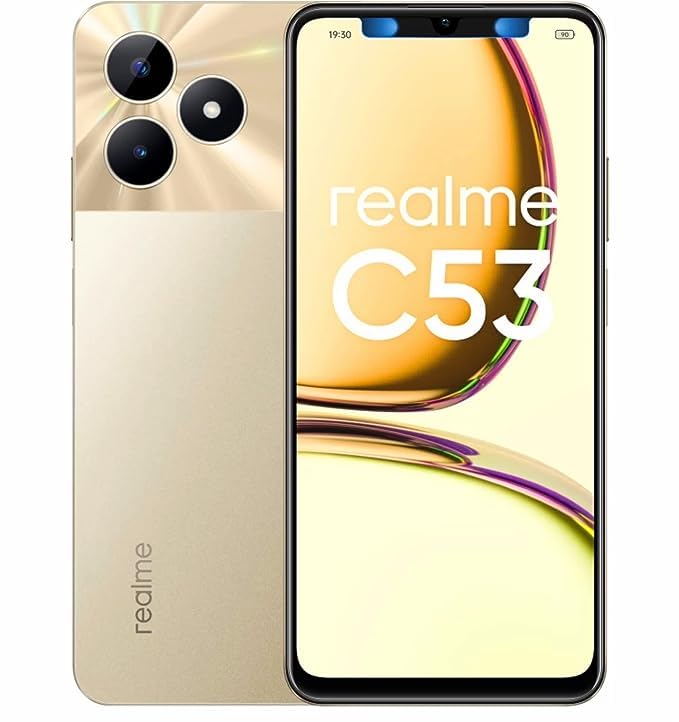
画像3.1: 前面と背面 view of the realme C53 smartphone in Champion Gold. The front features the display, while the back shows the camera module and realme branding.
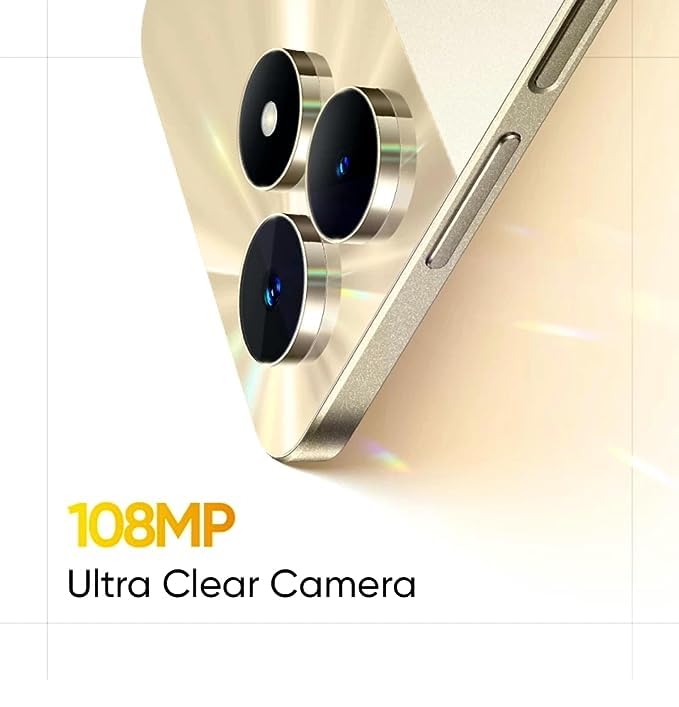
画像3.2: 詳細 view of the realme C53, highlighting the display and the slim profile デバイスの。
- フロント: Large touchscreen display, front camera, earpiece.
- 右側: Power button (integrated with fingerprint sensor), Volume Up/Down buttons.
- 左側: SIMカードトレイ。
- 底: USB-C port, microphone, speaker.
- 後方: Dual camera module (108MP main, 2MP depth), LED flash, realme logo.
4. セットアップ
4.1. SIMカードの取り付け
- デバイスの左側にある SIM カード トレイを見つけます。
- SIM イジェクタ ツールをトレイの横にある小さな穴に挿入し、トレイが飛び出すまでしっかりと押します。
- Place your Nano-SIM cards into the designated slots. The realme C53 supports Dual SIM functionality with a dedicated slot for a microSD card.
- トレイを慎重に電話機に再度挿入します。
4.2. 初回電源投入とセットアップ
- realme ロゴが表示されるまで、右側の電源ボタンを押し続けます。
- 画面上の指示に従って言語を選択し、Wi-Fi に接続し、Google アカウントを設定します。
- Configure security features such as fingerprint recognition and a screen lock (PIN, pattern, or password).
5. デバイスの操作
5.1. インターフェースの操作
Your realme C53 runs on Android 13, offering an intuitive and customizable user experience.
- タッチスクリーン: The 6.74-inch HD LCD display with a 90Hz refresh rate provides smooth scrolling and responsiveness. Use gestures like tap, swipe, pinch-to-zoom to interact with apps and content.
- 指紋認識: Unlock your device quickly and securely using the side-mounted fingerprint sensor integrated into the power button.
- 通知: 画面の上から下にスワイプして、通知とクイック設定パネルにアクセスします。
5.2. 接続性
The realme C53 supports various connectivity options:
- モバイルネットワーク: Supports 2G, 3G, and 4G cellular technologies. Ensure your SIM card is active and has a data plan.
- Wi-Fi: インターネットにアクセスするには、ワイヤレスネットワークに接続してください。接続を管理するには、「設定」>「ネットワークとインターネット」>「Wi-Fi」に移動してください。
- ブルートゥース: ワイヤレス ヘッドフォン、スピーカー、その他の Bluetooth 対応デバイスとペアリングします。
- USB: 充電やコンピューターとのデータ転送には USB-C ポートを使用します。
6. カメラ機能
Capture high-quality photos and videos with the realme C53's advanced camera system.
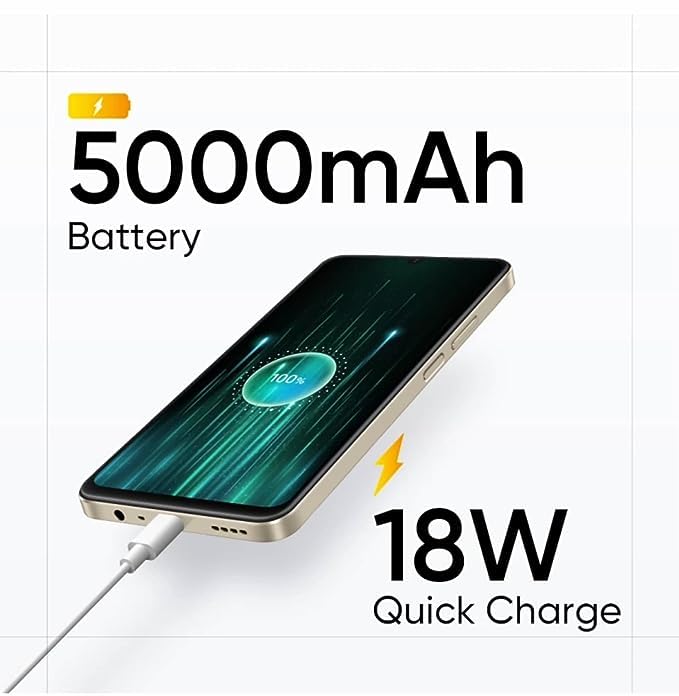
画像6.1: The 108MP Ultra Clear Camera module on the realme C53, designed for detailed photography.
- リアカメラ: Features a 108MP main sensor and a 2MP depth sensor for detailed photos and portrait effects.
- フロントカメラ: An 8MP front camera for selfies and video calls.
- カメラモード: Explore various modes including Photo, Portrait, Night, Pro, and Panorama. Utilize the 108MP mode for maximum detail and 3X zoom for distant subjects.
- ビデオ録画: Supports Full HD (1080p) video recording at 60 FPS.
7.バッテリー管理
The realme C53 is equipped with a high-capacity battery and fast charging capabilities.
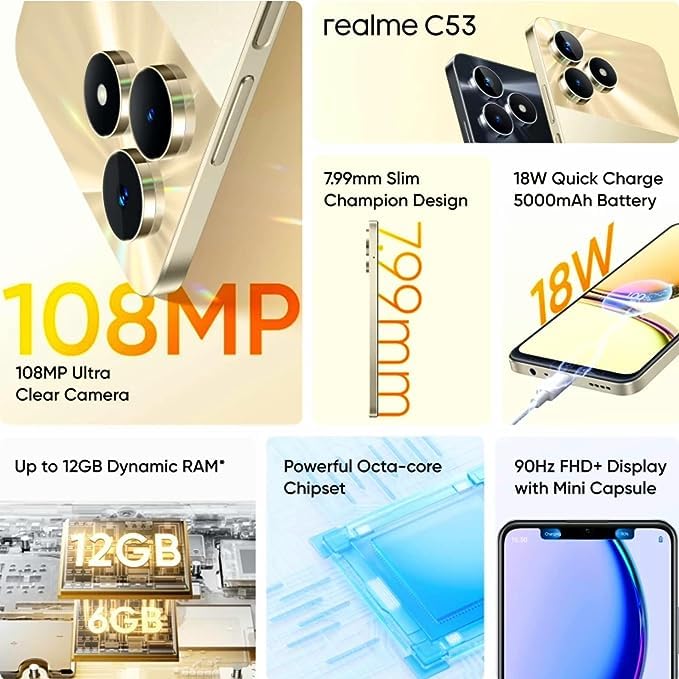
画像7.1: The realme C53 connected to an 18W Quick Charge adapter, illustrating its 5000mAh battery capacity.
- バッテリー容量: A 5000mAh Lithium-Ion battery provides extended usage time.
- 急速充電: Supports 18W Quick Charge. Use the provided adapter and USB cable for optimal charging speed.
- バッテリーの最適化: To prolong battery life, manage background app usage, reduce screen brightness, and enable power-saving modes when needed.
8. ストレージとパフォーマンス
Your device is designed for smooth performance and ampファイルストレージ。
- プロセッサ: Powered by an Octa-core Unisoc T612 processor for efficient multitasking and app performance.
- ラム: Comes with 4GB of RAM, with support for up to 12GB Dynamic RAM for enhanced responsiveness.
- 内部ストレージ: 128GB of internal storage for your apps, photos, and files.
- 拡張可能なストレージ: A dedicated microSD card slot allows storage expansion up to 2TB.
9. メンテナンス
Proper care ensures the longevity and optimal performance of your realme C53.
- クリーニング: 画面と本体の清掃には、柔らかく糸くずの出ない布をご使用ください。刺激の強い化学薬品や研磨剤は使用しないでください。
- 耐水性: The device has a water-resistant rating. Avoid submerging it in water or exposing it to high-pressure water jets.
- ソフトウェアアップデート: Regularly check for and install system updates to ensure your device has the latest features and security patches. Go to Settings > About phone > Software update.
- 温度: バッテリーや内部コンポーネントの損傷を防ぐため、デバイスを極端な温度(高温または低温)にさらさないでください。
10。 トラブルシューティング
If you encounter issues with your device, try these common troubleshooting steps.
- デバイスが応答しない: 電源ボタンを約 10 ~ 15 秒間押し続け、強制的に再起動します。
- アプリがクラッシュする: 問題のあるアプリのキャッシュをクリアしてください(設定 > アプリ > [アプリ名] > ストレージとキャッシュ > キャッシュをクリア)。問題が解決しない場合は、アプリを再インストールしてみてください。
- バッテリーの消耗が早い: Check battery usage in Settings > Battery to identify apps consuming excessive power. Reduce screen brightness and disable unnecessary features like GPS or Bluetooth when not in use.
- ネットワーク接続の問題: Toggle Airplane Mode on and off. Restart your device. Check your SIM card insertion. Reset network settings (Settings > System > Reset options > Reset Wi-Fi, mobile & Bluetooth).
- ストレージがいっぱいです: 不要な削除 files, photos, and videos. Uninstall unused apps. Consider moving media to the expandable microSD card.
11. 仕様
Detailed technical specifications for the realme C53 smartphone.
| 特徴 | 仕様 |
|---|---|
| モデル名 | C53 (RMX3762) |
| 表示サイズ | 17.12 cm (6.74 インチ) |
| 表示タイプ | HD LCDディスプレイ |
| 解決 | 1600 x 720 ピクセル |
| リフレッシュレート | 90Hz |
| オペレーティング·システム | アンドロイド13 |
| プロセッサ | Unisoc T612 Octa Core (1.82 GHz Primary, 1.8 GHz Secondary) |
| ラム | 4 GB (Up to 12GB Dynamic RAM) |
| 内部ストレージ | 128ギガバイト |
| 拡張可能なストレージ | Up to 2 TB (Dedicated Slot) |
| リアカメラ | 108MP + 2MP |
| フロントカメラ | 8MP |
| バッテリー容量 | 5000mAh |
| 充電 | 18W急速充電 |
| SIMタイプ | Dual Nano SIM (Dedicated Slot) |
| ネットワークタイプ | 2G、3G、4G |
| 生体認証セキュリティ | 指紋認識(側面搭載) |
| 寸法(高さ×幅×奥行き) | 167.16mm×76.67mm×7.99mm |
| 重さ | 186グラム |
| 材料 | プラスチック |
| 耐水性レベル | 耐水性 |
12. 保証とサポート
Your realme C53 smartphone comes with a manufacturer's warranty.
- Phone Warranty: 1 Year Manufacturer Warranty from the date of purchase.
- 付属品保証: 6 Months Warranty for in-box accessories (e.g., adapter, USB cable).
- 保証請求: For warranty service, please retain your proof of purchase and contact realme customer support. Refer to the "Important Info Booklet with Warranty Card" included in your package for detailed terms and conditions.
- メーカーの連絡先: Oppo Mobiles India Private Limited, 5th Floor, Tower-B, Building No. 8, DLF Cyber City, Gurugram, Haryana-122002, India.
For further assistance, visit the official realme support webサイトにアクセスするか、カスタマーサービスにお問い合わせください。