
CelsusSound S800C
CelsusSound S800C 骨伝導ヘッドホン ユーザーマニュアル
Model: S800C | Brand: CelsusSound
導入
Thank you for choosing CelsusSound S800C Bone Conduction Headphones. These open-ear Bluetooth headphones are designed to provide high-fidelity audio while maintaining situational awareness, making them ideal for sports and daily activities. This manual provides detailed instructions for setup, operation, and maintenance to ensure optimal performance and longevity of your device.

Image: CelsusSound S800C Bone Conduction Headphones, orange and black design.
箱の中身
- 1 x Bone Conduction Headphones (S800C)
- 1 x磁気充電ケーブル
- ユーザーマニュアル x 1

Image: The contents of the product packaging, including the headphones, charging cable, and user manual.
製品終了view
The CelsusSound S800C headphones feature an ergonomic design for comfortable wear and intuitive controls for easy operation.

Image: A diagram illustrating the location and function of the three independent control buttons on the headphone unit: Magnetic charging port, Volume up/Next song, Power on/off/Play/Pause, and Volume down/Previous song.
主な特徴:
- オープンイヤーデザイン: 周囲の状況を認識できるようになります。
- Bluetooth 5.3: 安定した高速接続。
- IPX7防水: Suitable for workouts and light rain.
- 長いバッテリー寿命: Up to 8-10 hours of playback.
- Flexible Titanium Frame: Durable and comfortable fit.
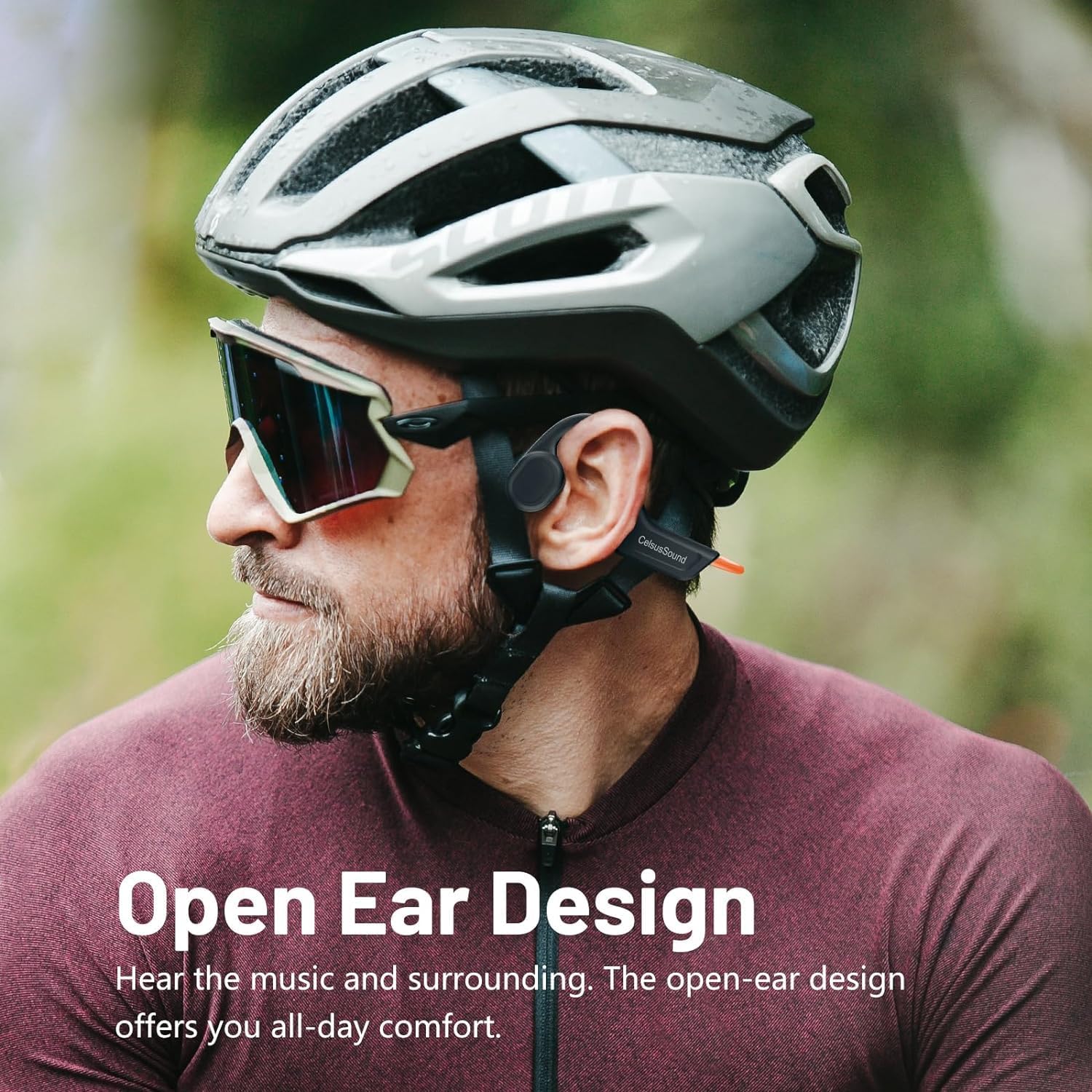
Image: A person wearing the CelsusSound S800C headphones, highlighting the open-ear design that allows ambient sound awareness.
設定
1. ヘッドフォンを充電する
初めてご使用になる前に、ヘッドホンを完全に充電してください。付属のマグネット式充電ケーブルを使用してください。マグネット式の端子をヘッドホンの充電ポートに接続し、USB端子を対応する電源(例:パソコンのUSBポート、USB電源アダプター)に接続してください。
- 充電時間: フル充電には約1.5時間かかります。
- バッテリーインジケーター: Refer to the LED indicator on the headphones for charging status.

画像: クローズアップ view of the magnetic charging connection point on the headphones.
2.電源のオン/オフ
- 電源オン: Long press the Power button for 3 seconds until the LED indicator lights up and you hear a power-on prompt.
- 電源を切る: Long press the Power button for 3 seconds until the LED indicator turns off and you hear a power-off prompt.
3.Bluetoothペアリング
ヘッドフォンをデバイスに接続するには:
- ヘッドフォンの電源がオフになっていることを確認してください。
- Long press the Power button for 3 seconds to power on. The headphones will automatically enter pairing mode, indicated by a flashing LED light.
- デバイス(スマートフォン、タブレット、コンピューター)で Bluetooth を有効にし、利用可能なデバイスを検索します。
- Select "S800C" from the list of found devices to connect.
- Once connected, the LED indicator will stop flashing, and you will hear a connection confirmation.
ヘッドフォンは使用できるようになりました。
Video: A demonstration on how to operate the CelsusSound S800C Bluetooth Headphones, including powering on, connecting via Bluetooth, and basic music controls.
操作手順
音楽再生に
- 再生/一時停止: 電源ボタンを1回クリックします。
- ボリュームアップ: Click the "+" button once.
- ボリュームダウン: Click the "-" button once.
- 次の曲: 「+」ボタンを2秒間長押しします。
- 前の曲: 「-」ボタンを2秒間長押しします。

Image: A visual guide detailing the functions of each button for music playback and call management, including single clicks and long presses.
通話管理
- 電話に出る/電話を切る: 電源ボタンを1回クリックします。
- 電話を拒否: 電源ボタンを 2 秒間長押しします。
メンテナンス
- クリーニング: ヘッドフォンを柔らかくて乾いた布で拭いてください。amp cloth. Do not use abrasive cleaners or immerse in water for cleaning.
- 耐水性: The headphones are IPX7 water-resistant, meaning they can withstand splashes, rain, and sweat. They are not suitable for swimming or prolonged submersion. Ensure the charging port is dry before charging.
- ストレージ: Store the headphones in a cool, dry place away from direct sunlight and extreme temperatures. The flexible design allows for easy storage.

Image: A person holding the CelsusSound S800C headphones with water splashing, demonstrating their IPX7 waterproof and sweatproof capabilities.
トラブルシューティング
| 問題 | 考えられる原因 | 解決 |
|---|---|---|
| 電源が入らない | 電池残量が少ない。ボタンを十分長く押さない。 | Charge the headphones fully. Long press the Power button for 3 seconds. |
| デバイスとペアリングできません | Bluetooth がオフです。ヘッドフォンがペアリング モードではありません。デバイスが遠すぎます。 | Ensure Bluetooth is enabled on your device. Power on headphones to enter pairing mode. Keep devices within 10 meters. |
| 音が出ない、または音量が小さい | Volume too low; Not connected; Audio source issue. | ヘッドホンとデバイスの音量を上げてください。ヘッドホンを再ペアリングしてください。デバイスのオーディオ出力設定を確認してください。 |
| 音質の問題 | 干渉、デバイスが遠すぎる、バッテリー残量が少ない。 | Move closer to the device. Charge headphones. Avoid strong electromagnetic interference. |
仕様
- モデル: S800C
- 接続技術: ブルートゥース5.3
- Bluetooth範囲: 15メートル
- オーディオ ドライバーの種類: 骨伝導ドライバー
- バッテリー容量: 230mAh
- 充電時間: 1.5時間
- 再生時間: 8~10時間
- 待機時間: 150時間
- 耐水性レベル: IPX7防水
- 材料: チタン合金
- 商品の重量: 1 Ounce (approx. 33g)
- 製品寸法: 6.1 x 2.17 x 5.39インチ
- 周波数範囲: 20 Hz - 20,000 Hz
- 制御方法: タッチ/ボタン
保証とサポート
CelsusSound is committed to the quality of its products. We offer:
- 生涯にわたる技術サポート。
- A 12-month worry-free warranty.
- 24時間カスタマーサービス。
For any questions or assistance, please contact CelsusSound customer service.
Ask a question about this manual
Ask about setup, troubleshooting, compatibility, parts, safety, or missing instructions. Manuals+ will review the question and use this page’s manual context to help answer it.