
1. はじめに
Thank you for choosing the SIMOLIO SM-829D2 Dual Wireless Headphones for TV. This system is designed to provide an enhanced audio experience for television viewing, offering clear dialogue, adjustable volume, and the convenience of wireless listening. The 2-in-1 transmitter and charging stand ensures your headphones are always ready for use. This manual will guide you through the setup, operation, and maintenance of your new headphones.
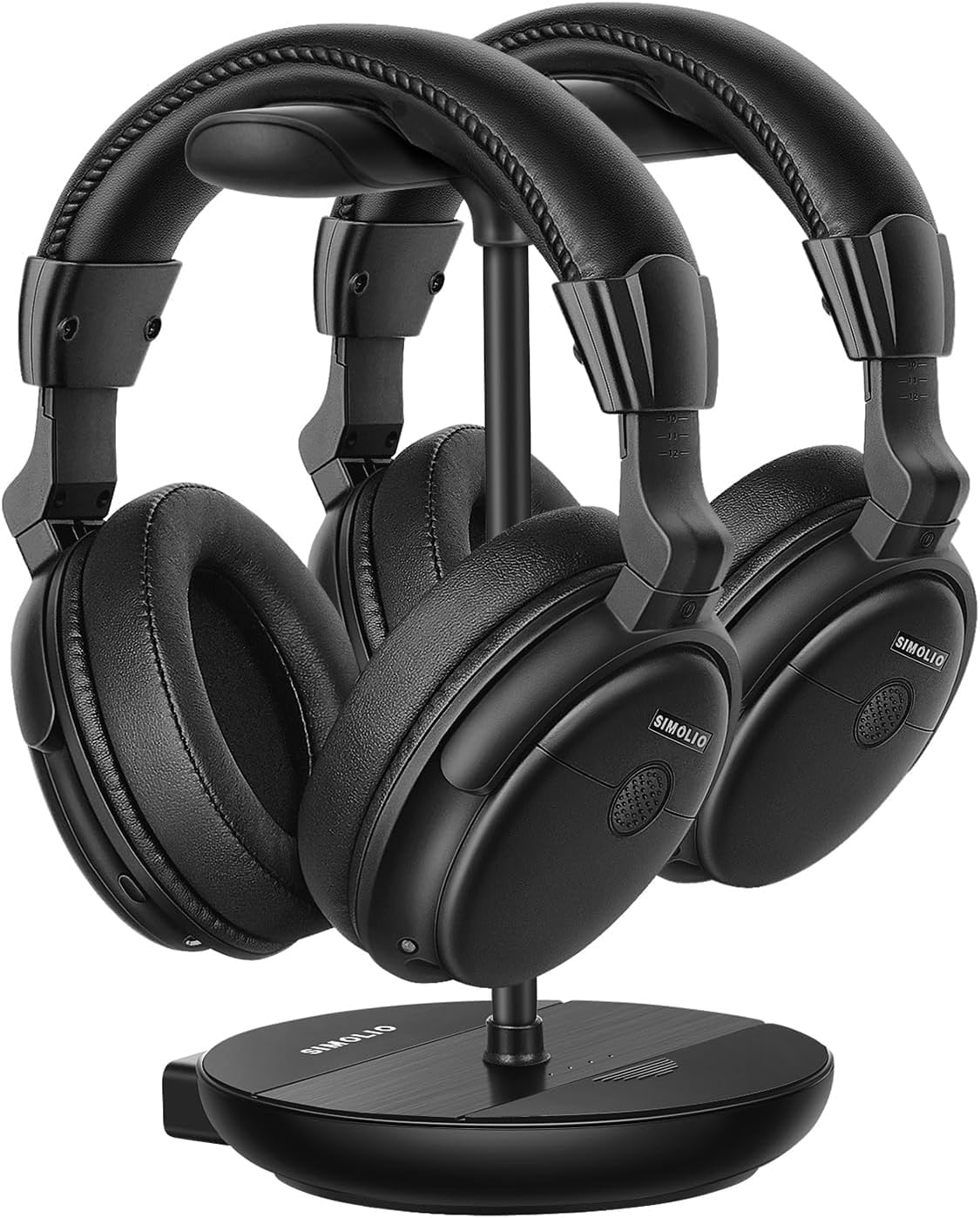
Image 1.1: The SIMOLIO SM-829D2 Dual Wireless Headphones with their charging stand.
2. パッケージ内容
パッケージにすべてのアイテムが含まれていることを確認してください。
- 2 x SIMOLIO SM-829D2 Wireless Headphones
- 1 x Transmitter / Charging Stand
- 光オーディオケーブル x 1
- 1xRCAオーディオケーブル
- 1mmオーディオケーブル x 3.5
- 2 xUSB充電ケーブル
- 電源アダプター x 1
- 1 x Spare Rechargeable Battery
- ユーザーマニュアル (本書) x 1

Image 2.1: All components included in the SIMOLIO SM-829D2 package.
3. 初期設定
3.1. ヘッドフォンを充電する
Before first use, fully charge both headphones and the spare battery. Place the headphones on the charging posts of the transmitter stand. Insert the spare battery into the designated slot on the stand. The charging indicator lights will show charging status.

Image 3.1: Headphones and spare battery charging on the 2-in-1 stand.
3.2. 送信機をテレビに接続する
The SIMOLIO SM-829D2 transmitter supports Optical, RCA, and 3.5mm AUX audio inputs. Choose the connection method compatible with your TV.
- Optical Connection (Recommended for Digital Audio):
- Connect one end of the Optical cable to the オプティカルアウト テレビのポート。
- もう一方の端を オプティカルイン port on the SIMOLIO transmitter.
- テレビのオーディオ設定で、デジタルオーディオ出力形式を PCM. (Refer to your TV manual for specific instructions).
- RCA Connection (Analog Audio):
- Connect the red and white plugs of the RCA cable to the corresponding オーディオ出力 (L/R) テレビのポート。
- もう一方の端を RCA入力 ports on the SIMOLIO transmitter.
- 3.5mm AUX Connection (Analog Audio):
- 3.5mm オーディオ ケーブルの一端を ヘッドホンアウト or オーディオ出力 テレビのポート。
- もう一方の端を AUX IN port on the SIMOLIO transmitter.

Image 3.2: Connection options for the SIMOLIO transmitter.
3.3. By-Pass Feature (Simultaneous Audio Output)
The transmitter includes a by-pass feature, allowing audio to be sent to both the headphones and an external sound system (soundbar or AV receiver) simultaneously. Connect your soundbar or AV receiver to the スピーカーへの出力 ports on the transmitter using the appropriate cable (Optical, RCA, or AUX).

Image 3.3: Using the by-pass feature to output audio to both headphones and a soundbar.
3.4. 電源オンと自動接続
Once the transmitter is connected to your TV and powered on, turn on the headphones. The headphones and transmitter will automatically connect. No complex pairing process is required. The system operates on a 2.4GHz radio frequency, providing a working range of up to 30 meters (100 feet).

Image 3.4: Plug & Play functionality with a 30-meter working range.
4. 操作手順
4.1. 音量とトーンの調整
Each headphone features independent volume controls. Use the volume buttons on the headphones to adjust the listening level to your preference. The transmitter also has a TONE adjustment switch with three presets (D+, D, S) to enhance dialogue clarity or provide a balanced sound experience.
- D+ (Dialogue+): Maximizes dialogue clarity, ideal for speech-heavy content.
- D (Dialogue): Enhances dialogue while maintaining a balanced sound.
- S (Standard): バランスの取れたオーディオプロを提供file 一般的なリスニング用。

Image 4.1: Personalize your TV sound with tone presets and individual volume control.
4.2.バランス制御
For users with different hearing levels in their left and right ears, the headphones offer a balance control feature. This allows you to adjust the audio output balance between the left and right earcups for a more comfortable and clear listening experience.
4.3. Ambient Sound Amplifier (MIC Button)
The MIC button on the headphones allows you to temporarily amplify ambient sounds, enabling you to hear your surroundings without removing the headphones. Press the MIC button to activate this feature and press it again to return to TV audio.
4.4. Dual Headset Usage
The SIMOLIO SM-829D2 system includes two headphones that can be used simultaneously with a single transmitter. This allows two individuals to enjoy TV audio at their preferred volume levels without disturbing others. The system ensures no lip-sync delay, providing synchronized audio with on-screen video.

Image 4.2: Enjoying TV with dual headphones and no lip-sync delay.
5. お手入れとメンテナンス
- クリーニング: ヘッドホンと送信機は、柔らかく乾いた布で拭いてください。研磨剤入りの洗剤や溶剤は使用しないでください。
- ストレージ: 使用しないときは、充電スタンドに置いて充電し、整理整頓してください。直射日光を避け、涼しく乾燥した場所に保管してください。
- バッテリーのケア: The built-in rechargeable batteries provide up to 12 hours of use. For optimal battery life, avoid fully discharging the batteries frequently. Always keep the spare battery charged in the stand.
- 耐水性: The headphones are not water-resistant. Avoid exposure to liquids.
6。 トラブルシューティング
If you encounter issues with your SIMOLIO SM-829D2 headphones, please refer to the following table for common problems and solutions:
| 問題 | 考えられる原因 | 解決 |
|---|---|---|
| ヘッドホンから音が出ない |
|
|
| 音が歪んだり途切れたりする |
|
|
| ヘッドフォンが充電されない |
|
|
| リップシンク遅延 |
|
|
7. 製品仕様
| 特徴 | 仕様 |
|---|---|
| モデル名 | SM-829D2 テレビ用ワイヤレスヘッドホン |
| 接続技術 | ワイヤレス(RF 2.4 GHz) |
| ヘッドフォンジャック | 3.5 mm Jack (for wired option, if applicable) |
| 対応デバイス | TVs, Soundbars |
| コントロールタイプ | Volume Control, Tone Control, Balance Control, Ambient Sound Ampリファイアー |
| 充電時間 | 約12時間(フル充電時) |
| バッテリーの平均寿命 | 最大12時間 |
| 電池のタイプ | リチウムポリマー(充電可能) |
| 材料 | プラスチック |
| 耳の位置 | オーバーイヤー |
| 騒音制御 | パッシブサウンドアイソレーション |
| 特集 | Adjustable Headband, Multipoint Pairing (multiple headphones to one transmitter) |
| マイクのフォーマット | Built-In (for ambient sound amplification) |
| 作業範囲 | 最大30メートル(100フィート) |
8. 保証と顧客サポート
8.1. 保証情報
SIMOLIO products are manufactured with high-quality materials and undergo rigorous quality control. This product is covered by a manufacturer's warranty against defects in materials and workmanship. Please refer to the warranty card included in your package or visit the official SIMOLIO web詳細な保証条件については、サイトをご覧ください。
8.2. カスタマーサポート
If you have any questions, require technical assistance, or experience issues not covered in this manual, please contact SIMOLIO customer support. Contact information can typically be found on the SIMOLIO website or on the product packaging. Please have your model number (SM-829D2) and purchase details ready when contacting support.