
導入
The Gtech Multi Platinum Cordless Handheld Vacuum Cleaner is designed for powerful and convenient cleaning in your car, home, and various other spaces. Its lightweight aluminum-reinforced construction ensures durability, while the rechargeable battery provides up to 30 minutes of runtime for fuss-free cleaning. This manual provides essential information for setup, operation, maintenance, and troubleshooting to help you get the most out of your vacuum cleaner.

Image: The Gtech Multi Platinum Cordless Handheld Vacuum Cleaner with its main components and included attachments.
パッケージ内容
Your Gtech Multi Platinum package should include the following items:
- Gtech Multi Platinum Handheld Vacuum Unit
- Power Head (Motorized Brush Head)
- 隙間ツール
- 延長チューブ
- ダスティングブラシ
- 充電式リチウムイオンバッテリー(プリインストールまたは別売)
- バッテリー充電器
- Scented Cartridges (replaceable)
- スペアフィルター
- ユーザーマニュアル(このドキュメント)

画像: クローズアップ view of the Gtech Multi Platinum handheld vacuum and its versatile attachments, including the crevice tool, extension tube, and dusting brush.
設定
1. バッテリーの充電
Before first use, fully charge the battery. The battery provides up to 30 minutes of runtime and takes approximately 3 hours to fully charge.
- Locate the battery charger.
- Connect the charger to the battery. The battery can be charged while installed in the unit or removed.
- 充電器を標準の壁のコンセントに差し込みます。
- The indicator lights on the battery will show the charging status. All lights will be solid when fully charged.
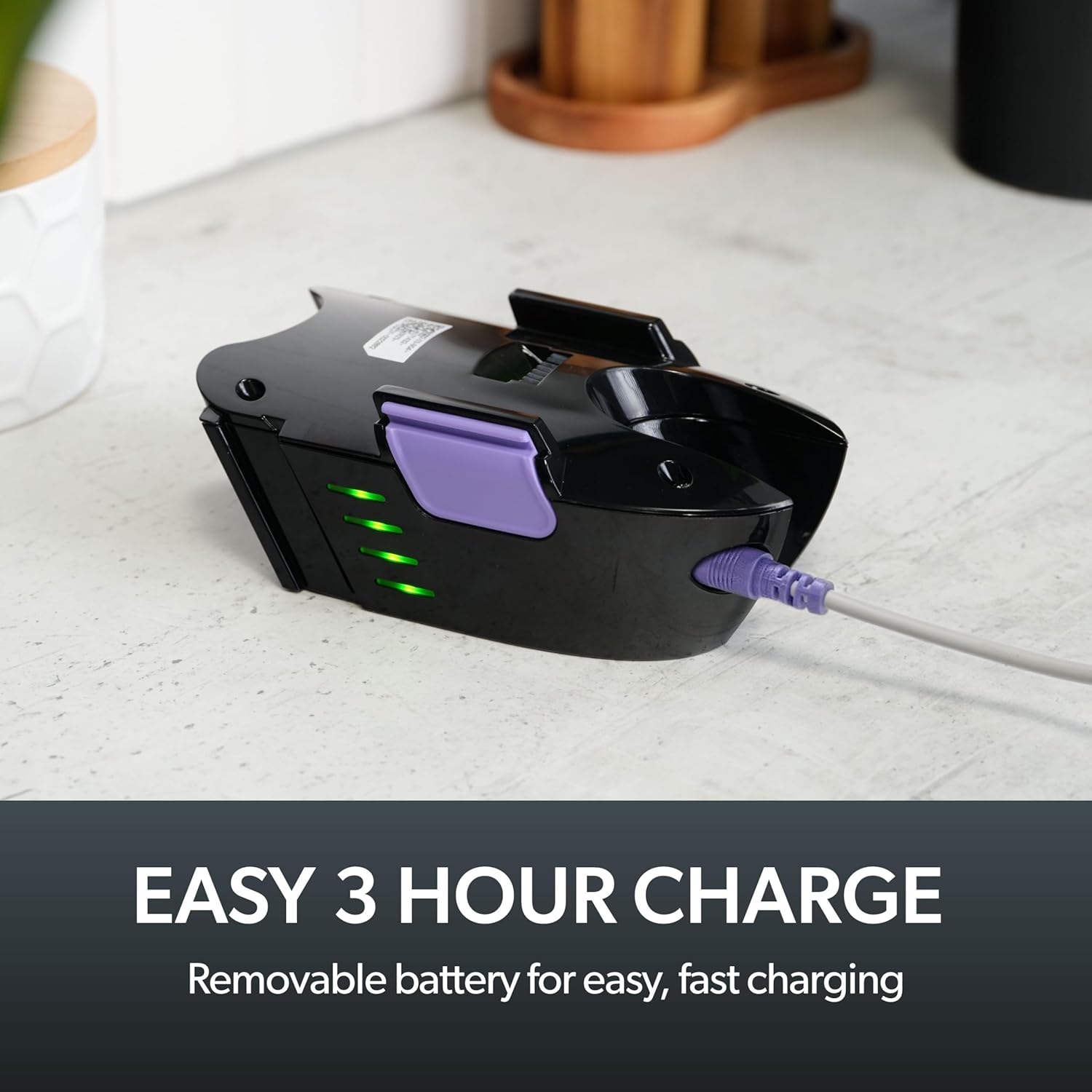
Image: The removable battery of the Gtech Multi Platinum connected to its charger, showing the indicator lights.
2. アクセサリの取り付け
The Gtech Multi Platinum comes with several handy attachments for various cleaning tasks:
- パワーヘッド: Ideal for carpets, upholstery, and stairs. Simply push it onto the main vacuum nozzle until it clicks into place.
- 隙間ツール: Perfect for tight spaces, corners, and edges. Attach directly to the main nozzle.
- 延長チューブ: Use with other attachments to reach high or low areas without bending or stretching. Connect it between the main nozzle and your chosen attachment.
- ダスティングブラシ: For delicate surfaces like keyboards, shelves, or blinds. Attach to the main nozzle or the extension tube.
操作手順
電源のオン/オフ
掃除機の電源を入れるには、ハンドルにある電源ボタンを押します。もう一度押すと掃除機の電源が切れます。
一般的な清掃
For general floor cleaning, attach the Power Head. Its motorized brush effectively lifts dirt, debris, and pet hair from various surfaces, including carpets and hard floors.

Image: The Gtech Multi Platinum in use, demonstrating its maneuverability on stairs, effectively cleaning both carpeted and hard surfaces.
添付ファイルの使用
清掃作業に適したアタッチメントを選択してください。
- 使用 隙間ツール for narrow gaps, car interiors, and along skirting boards.
- の 延長チューブ combined with the Crevice Tool or Dusting Brush is ideal for reaching cobwebs on ceilings or cleaning high shelves.
- の ダスティングブラシ is gentle enough for delicate items like computer keyboards or intricate furniture.

Image: The Gtech Multi Platinum with a dusting brush attachment, cleaning a laptop keyboard, highlighting its precision for delicate surfaces.

Image: The Gtech Multi Platinum with its extension tube and LED headlights, illuminating hidden dust and dirt in hard-to-reach areas.
Scented Cartridges
The vacuum includes lightly scented cartridges to help neutralize odors and leave your home smelling fresh. Replace them as needed.
メンテナンス
ダートビンを空にする
The large, easy-empty dirt bin should be emptied regularly to maintain optimal suction performance. Simply slide the ejector arm to release collected dirt and dust.

Image: A user emptying the easy-empty dirt bin of the Gtech Multi Platinum, demonstrating the quick and mess-free disposal of debris.
フィルターの清掃
The vacuum features a washable filter system. For best performance, clean the filter regularly:
- Remove the dirt bin and then the filter.
- Tap the filter to remove loose debris.
- Rinse the filter under cold water until the water runs clear.
- フィルターを掃除機に再び取り付ける前に、少なくとも24時間、完全に自然乾燥させてください。フィルターが濡れたまま掃除機を使用しないでください。
A spare filter is included to allow for continuous use while one filter is drying.
Cleaning the Power Head Brush Bar
Periodically check the Power Head brush bar for tangled hair or debris. Use scissors or the included hair/string cutter to carefully remove any obstructions. Ensure the vacuum is turned off before performing this maintenance.
トラブルシューティング
| 問題 | 考えられる原因 | 解決 |
|---|---|---|
| 掃除機が作動しない | バッテリーが充電されていません。バッテリーが正しく挿入されていません。 | Charge the battery fully; Ensure battery is securely clicked into place |
| 吸引力の低下 | Dirt bin full; Filter clogged; Obstruction in nozzle/attachments/brush bar | Empty dirt bin; Clean/replace filter; Remove any obstructions |
| Power Head brush bar not spinning | Obstruction in brush bar; Power Head not properly attached | Clear any tangled hair/debris; Reattach Power Head securely |
仕様
- モデル名: Multi Platinum
- モデル番号: ATF061
- ブランド: Gテック
- 特集: Lightweight, Handheld
- フィルタータイプ: カートリッジ(洗浄可能)
- コードレスですか?: はい
- 容量: 0.4キログラム
- ワットtage: 140ワット
- ランタイム: 最大30分
- 充電時間: 約3時間
- 推奨用途: Indoor (Car, Home, Upholstery, Stairs)
- フォームファクター: ハンドヘルド
- 色: ホワイト/パープル
- 製品寸法: 長さ15.2インチ x 幅5.4インチ x 高さ9.8インチ
- 騒音レベル: 70デシベル
- 商品の重量: 3.3ポンド
- バッテリー: リチウムイオン電池1個(付属)
公式製品ビデオ
Video: An official product video from Gtech Home USA showcasing the features and benefits of the Gtech Multi Platinum vacuum cleaner.
保証とサポート
Gtech products are designed for durability and performance. For specific warranty details, please refer to the warranty card included with your purchase or visit the official Gtech webサイト。
For customer support, technical assistance, or to purchase replacement parts and accessories, please contact Gtech Home USA directly:
- Webサイト: www.gtech.co.uk
- Amazonストア: AmazonのGtechストアをご覧ください
Please have your model number (ATF061) and purchase date ready when contacting support.