
1. セットアップ
This section guides you through the initial setup of your Natec ATX NPC-2038 Semi-Tower PC Case, from unpacking to component installation.
1.1 開梱
- Carefully open the packaging and remove the PC case.
- 輸送中にケースに損傷がないか確認してください。損傷が見つかった場合は、直ちに販売店にご連絡ください。
- Remove all internal packaging materials and accessories. Keep the packaging for future transport or warranty claims.
1.2 コンポーネントの識別
Familiarize yourself with the key components and features of your PC case.
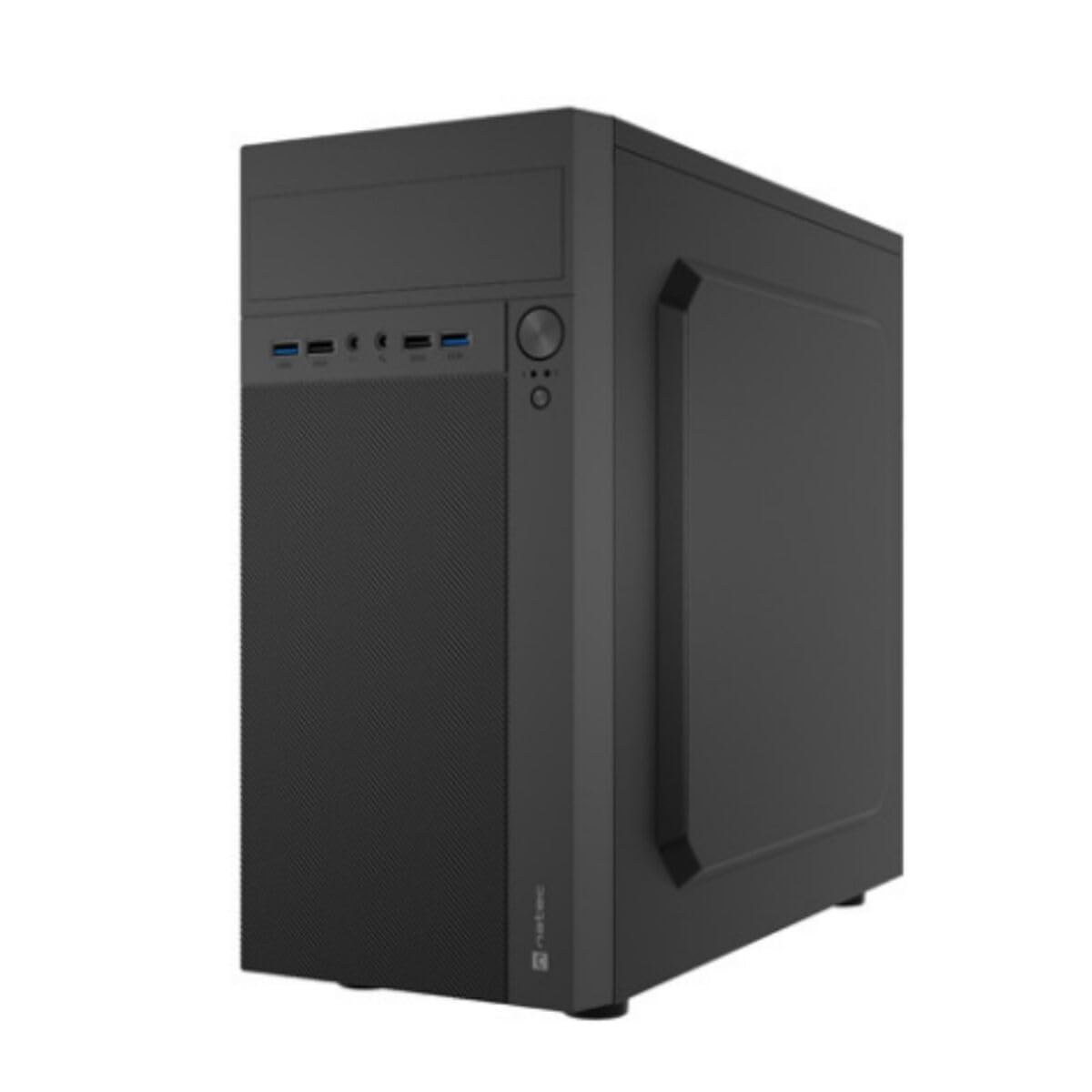
画像1: 前面と側面 view of the Natec ATX NPC-2038 Semi-Tower PC Case, highlighting its compact dimensions. The front panel features USB ports, audio jacks, and power/reset buttons. The case measures approximately 3.9 inches in depth, width, and height, indicating a compact design suitable for various setups.
- フロントパネル: Includes power button, reset button, USB 2.0 ports, USB 3.0 port, and audio input/output jacks.
- サイドパネル: Removable panels for easy access to internal components.
- 後面パネル: Features expansion slots and an opening for the motherboard I/O shield.
- 内部ベイ: Provides space for 3.5-inch hard drives and other storage devices.
1.3 インストール
- ケースを準備する: Lay the case on its side and remove the side panel(s) by unscrewing the thumb screws at the rear.
- マザーボードの取り付け: Secure the Mini ATX motherboard onto the standoffs provided. Ensure all screws are tightened appropriately.
- 電源を取り付けます: Mount the power supply unit (PSU) in the designated front mount area. Connect the necessary power cables to the motherboard and other components.
- ストレージドライブをインストールします。 Install 3.5-inch hard drives into the internal bays. Secure them with screws.
- 拡張カードをインストールします。 Remove the necessary expansion slot covers and install any graphics cards or other expansion cards.
- フロントパネルケーブルを接続します。 Connect the front panel USB, audio, power, and reset cables to the corresponding headers on your motherboard. Refer to your motherboard manual for specific pin layouts.
- ケーブル管理 Route cables neatly to ensure optimal airflow and a clean build.
- ケースを閉じる: Reattach the side panel(s) and secure them with the thumb screws.
2. 操作手順
This section details how to power on your system and utilize the front panel connections.
2.1電源オン
- すべての外部周辺機器 (モニター、キーボード、マウス) が接続されていることを確認します。
- Connect the power cable from your power supply unit to a wall outlet.
- Press the power button located on the front panel of the case. The system should initiate startup.
2.2 フロントパネルの接続
The front panel provides convenient access to various ports for your peripherals.
- USB 2.0 ポート (x2): For connecting standard USB devices such as keyboards, mice, and printers.
- USB 3.0 ポート (x1): For connecting high-speed USB devices like external hard drives or flash drives, offering faster data transfer rates.
- Audio Input (Microphone): Connect your microphone for voice communication.
- オーディオ出力(ヘッドフォン): Connect your headphones or speakers for audio playback.
3. メンテナンス
定期的なメンテナンスを行うことで、PC コンポーネントの寿命が長くなり、パフォーマンスが最適になります。
3.1 クリーニング
- 外観: 柔らかくてamp ケースの外側の表面を拭く際は布を使用してください。研磨剤入りの洗剤は使用しないでください。
- インテリア: 定期的にケースを開け、圧縮空気を使ってファン、ヒートシンク、その他のコンポーネントに溜まった埃を取り除いてください。内部を清掃する前に、必ずシステムの電源を切り、電源プラグを抜いてください。
- ダストフィルター: If your case includes dust filters, remove and clean them regularly to maintain good airflow.
3.2 エアフロー管理
Proper airflow is crucial for cooling your components. Ensure that the case fans are clean and unobstructed. Consider the direction of airflow (intake vs. exhaust) to optimize cooling efficiency.
4。 トラブルシューティング
This section addresses common issues you might encounter with your PC case and offers potential solutions.
| 問題 | 考えられる原因 | 解決 |
|---|---|---|
| システムの電源が入らない。 | 電源ケーブルが外れている、PSU スイッチがオフになっている、前面パネルの電源ボタンが正しく接続されていない。 | Check power cable connection, ensure PSU switch is on, verify front panel power cable connection to motherboard. |
| USB ポートが機能していません。 | Front panel USB cables not connected to motherboard. | Ensure USB 2.0 and USB 3.0 headers are correctly connected to the motherboard. |
| オーディオジャックが機能しません。 | フロントパネルのオーディオケーブルがマザーボードに接続されていません。 | Verify the HD Audio cable is securely connected to the motherboard's audio header. |
| コンポーネントが過熱しています。 | Poor airflow, dust buildup. | Clean dust filters and internal components. Ensure fans are properly oriented for optimal airflow. |
5. 仕様
Detailed technical specifications for the Natec ATX NPC-2038 Semi-Tower PC Case.
| 特徴 | 価値 |
|---|---|
| ブランド | Natec |
| モデル名 | HELIX (NPC-2038) |
| ケースタイプ | ミッドタワー |
| マザーボードの互換性 | ミニATX |
| 色 | multicoloured (Black) |
| 材料 | Legierter Stahl (Alloy Steel) |
| 電源取付タイプ | フロントマウント |
| 冷却方法 | 空気 |
| ファンサイズ | 120ミリメートル |
| ファン数 | 1 (pre-installed, if applicable) |
| Total Expansion Slots Quantity | 4 |
| Total USB 2.0 Ports | 2 |
| Total USB 3.0 Ports | 1 |
| Internal Bays Quantity | 3 (for 3.5 Inches Hard Disk Form Factor) |
| アイテム重量 | 1キログラム |
| 商品の寸法(奥行き x 幅 x 高さ) | 3.94"D x 3.94"W x 3.94"H (Approximate, based on provided data) |
| 製品の推奨用途 | General-Purpose Computing |
6. 保証情報
Natec products are manufactured to high-quality standards. This product is covered by a manufacturer's warranty against defects in materials and workmanship. The specific duration and terms of the warranty may vary by region and retailer. Please retain your proof of purchase for warranty claims. For detailed warranty information, refer to the documentation provided with your purchase or visit the official Natec webサイト。
7. サポート
If you encounter any issues not covered in this manual or require further assistance, please contact Natec customer support or your retailer. You can typically find contact information on the official Natec webサイトまたは製品パッケージに記載されています。
- オンラインサポート: Visit the official Natec webFAQ、ドライバー、サポート リソースのサイト。
- Contact Retailer: For purchase-related issues or initial troubleshooting, your retailer may be able to provide immediate assistance.