
導入
Thank you for choosing the BOROFONE BW41 Wireless Bluetooth Earbuds. These open-ear design earbuds provide a comfortable listening experience with advanced Bluetooth 5.3 technology, touch controls, and a long-lasting battery. This manual will guide you through the setup, operation, and maintenance of your new earbuds.
パッケージ内容
- BOROFONE BW41 Wireless Bluetooth Earbuds (Left and Right)
- 充電ケース
- USB充電ケーブル
- ユーザーマニュアル
製品終了view
Familiarize yourself with the components of your BOROFONE BW41 earbuds and charging case.

画像: BOROFONE BW41 Wireless Earbuds in their charging case, showing the LED battery display.
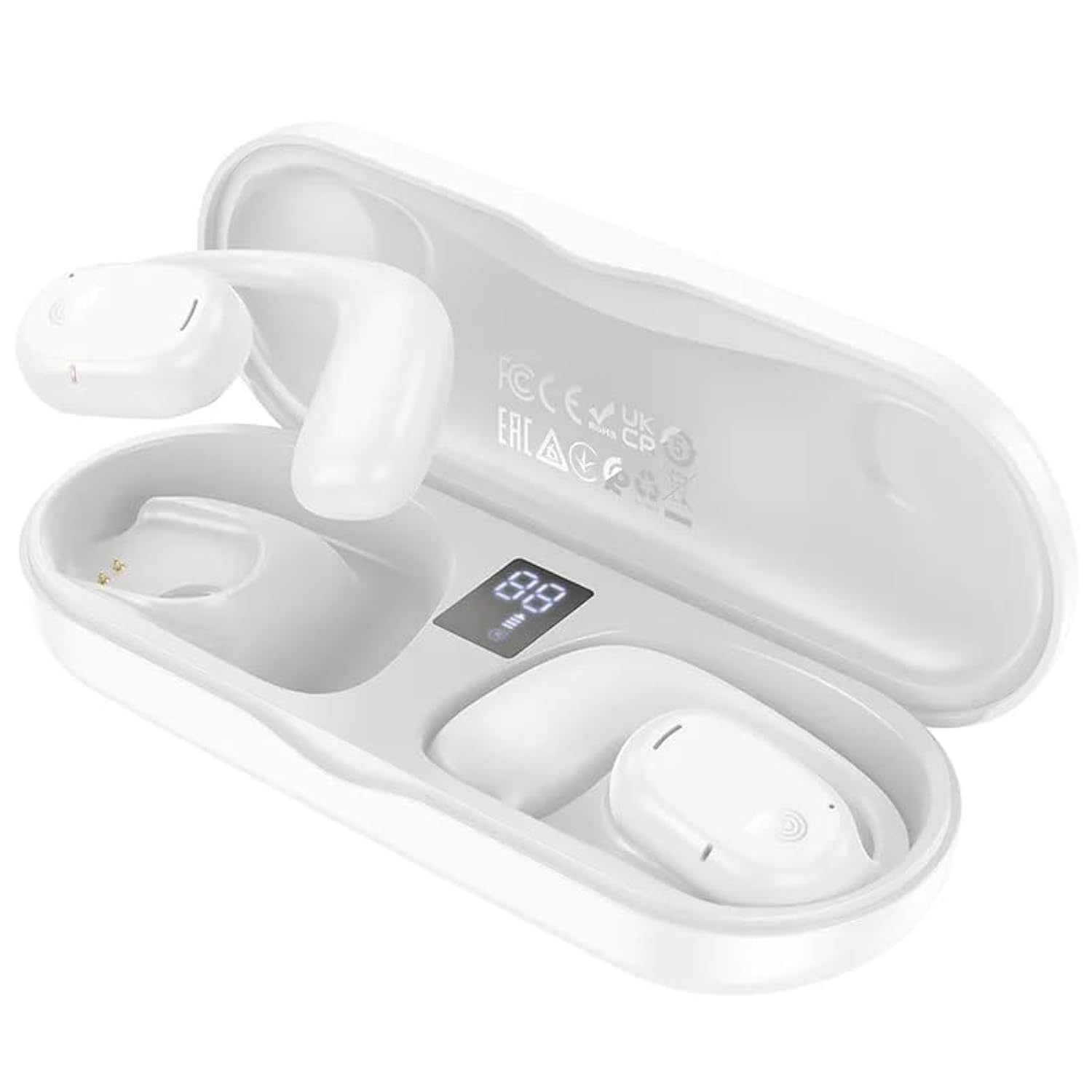
画像: BOROFONE BW41 Wireless Earbud in use, demonstrating the open-ear design.
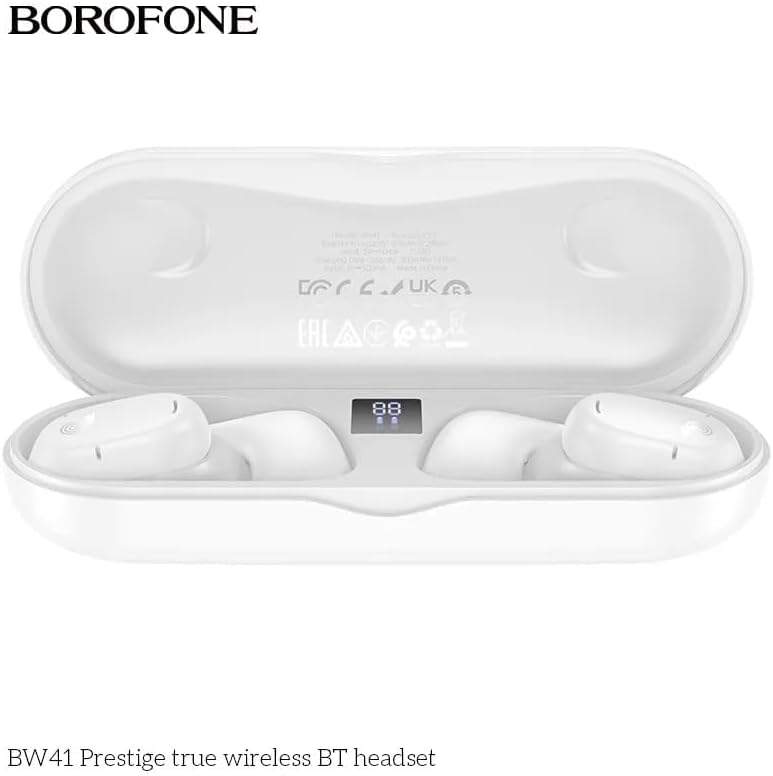
画像: BOROFONE BW41 charging case with earbuds, displaying the LED battery indicator.
設定
1. イヤホンとケースの充電
初めて使用する前に、イヤホンと充電ケースを完全に充電してください。
- イヤホンを充電ケースに入れてください。正しく装着されていることを確認してください。
- Connect the USB charging cable to the charging port on the case and to a DC 5V power source (e.g., a USB wall adapter or computer USB port).
- The LED display on the charging case will indicate the charging status. A full charge for both the earbuds and case takes approximately 1.5 hours.
2. Bluetoothデバイスとのペアリング
イヤホンをスマートフォンやその他の Bluetooth 対応デバイスに接続するには:
- 充電ケースを開けると、イヤホンの電源が自動的にオンになり、ペアリングモードになります。
- デバイスで Bluetooth 設定に移動し、Bluetooth が有効になっていることを確認します。
- 検索する available devices and select "BW41" from the list.
- 接続されると確認音が聞こえ、イヤホンが使用できるようになります。
- The earbuds support master-slave switching, allowing either earbud to be used independently.
操作手順
電源オン/オフ
- 電源オン: 充電ケースを開くか、両方のイヤホンのタッチ領域を 3 秒間押し続けます。
- 電源を切る: イヤホンを充電ケースに戻し、蓋を閉じるか、両方のイヤホンのタッチ領域を 5 秒間押し続けます。
通話管理
- 通話の応答/終了: どちらかのイヤホンのタッチ領域を 1 回タップします。
- 通話を拒否: どちらかのイヤホンのタッチ領域を 2 秒間押し続けます。
音楽再生に
- 再生/一時停止: どちらかのイヤホンのタッチ領域を 1 回タップします。
- 次のトラック: 右のイヤホンのタッチ領域をトリプルタップします。
- 前のトラック: 左のイヤホンのタッチ領域をトリプルタップします。
- ボリュームアップ: 右のイヤホンのタッチ領域をダブルタップします。
- ボリュームダウン: 左のイヤホンのタッチ領域をダブルタップします。
音声アシスタント(Siri/Google アシスタント)
- 活性化: どちらかのイヤホンのタッチ領域を 2 秒間押し続けます (通話中でないとき)。
LEDインジケーター
The charging case features an LED display that shows the battery level of the case and individual earbuds.
メンテナンス
イヤホンの寿命を延ばし、最適なパフォーマンスを確保するには:
- イヤホンと充電ケースは、定期的に柔らかく乾いた布で拭いてください。
- 研磨剤入りのクリーナーや溶剤の使用は避けてください。
- イヤホンの充電用接点とケース内部を清潔に保ち、ゴミが付着しないようにしてください。
- 使用していないときは、イヤホンを保護し、充電を保つために充電ケースに保管してください。
- イヤホンを極端な温度、湿度、または液体にさらさないでください。
トラブルシューティング
| 問題 | 考えられる解決策 |
|---|---|
| イヤホンがペアリングされない | Ensure earbuds are charged. Turn off and on your device's Bluetooth. Forget "BW41" from your device's Bluetooth list and re-pair. |
| イヤフォンから音が出ない | Check device volume. Ensure earbuds are connected. Try restarting both earbuds and your device. |
| 充電ケースが充電されない | Check the charging cable and power adapter. Ensure the cable is securely connected. Try a different cable or power source. |
| イヤホンが充電されない場合 | Ensure earbuds are properly seated in the case. Clean the charging contacts on both the earbuds and the case. Ensure the charging case itself has power. |
仕様
- Bluetoothバージョン: V5.3 (Jerry AC6973 chip)
- サポートされているプロトコル: Headset, Hands-Free, A2DP, Avrcp
- 伝送範囲: 最大10メートル
- 送信周波数: 2.4GHz
- スピーカーサイズ: 16mm
- インピーダンス: 20Ω±15%
- 周波数応答: 20Hz - 20000Hz
- 感度: 98dB±3dB
- 充電Voltage: DC5V
- イヤフォンの充電時間: 約1.5時間
- 充電ケースの充電時間: 約1.5時間
- イヤホンのバッテリー容量: 80mAh(各)
- 充電ケースのバッテリー容量: 300mAh
- 通話時間: 最大10時間
- 音楽再生時間: 最大10時間
- 待機時間: 最大200時間
- 製品寸法: 134 x 50 x 30 ミリメートル
- 製品の正味重量: 95グラム
- Single Earbud Net Weight: 10.5グラム
保証とサポート
BOROFONE products are designed and manufactured to the highest quality standards. For warranty information or technical support, please refer to the warranty card included in your package or visit the official BOROFONE webサイトでご確認ください。保証請求の際に必要となりますので、購入証明書を保管してください。