
1. はじめに
This manual provides comprehensive instructions for the safe and effective operation, maintenance, and troubleshooting of your Sofirn HS41 4000 Lumen Rechargeable LED Headlamp. Please read this manual thoroughly before using the product to ensure optimal performance and longevity.
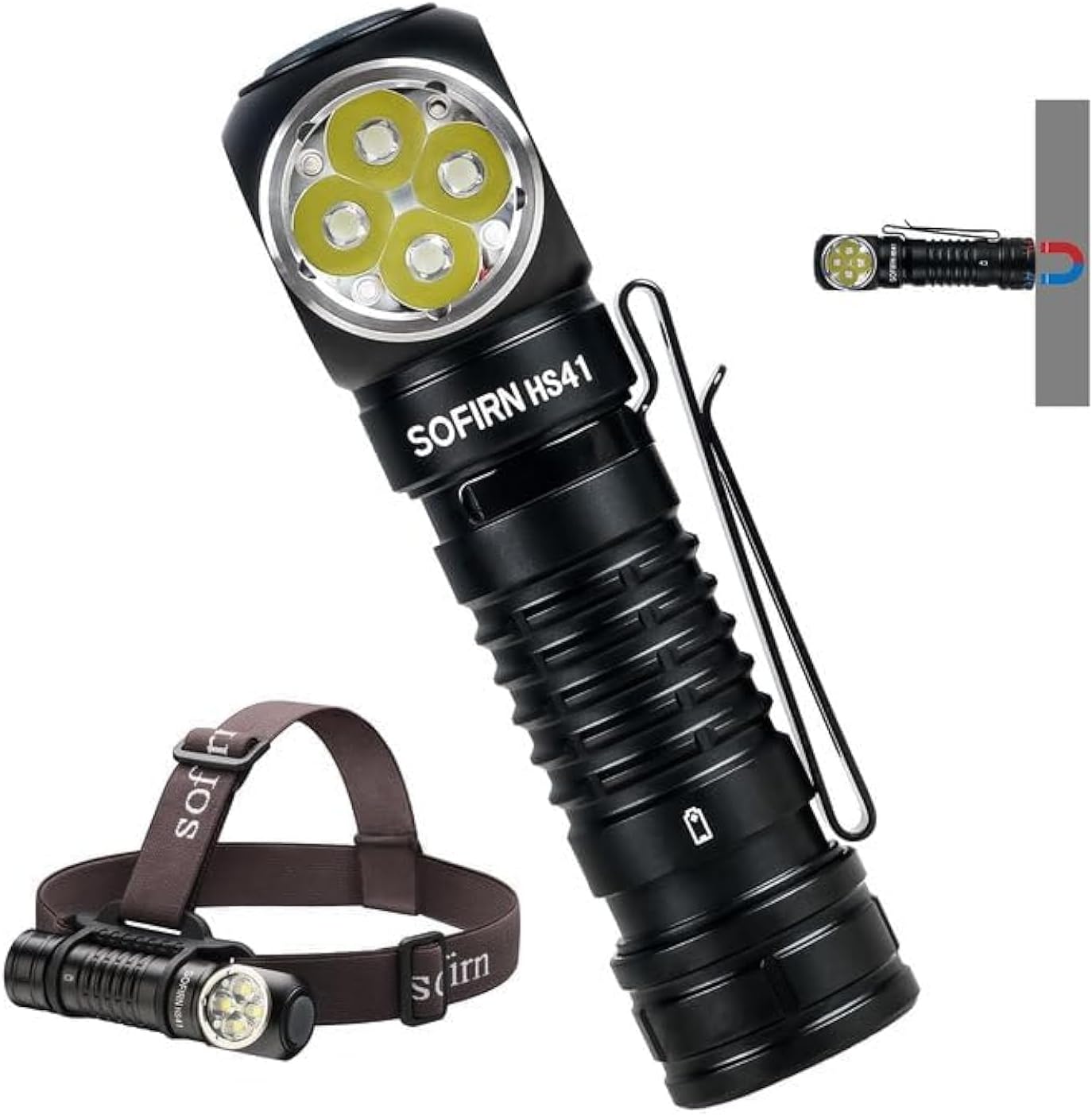
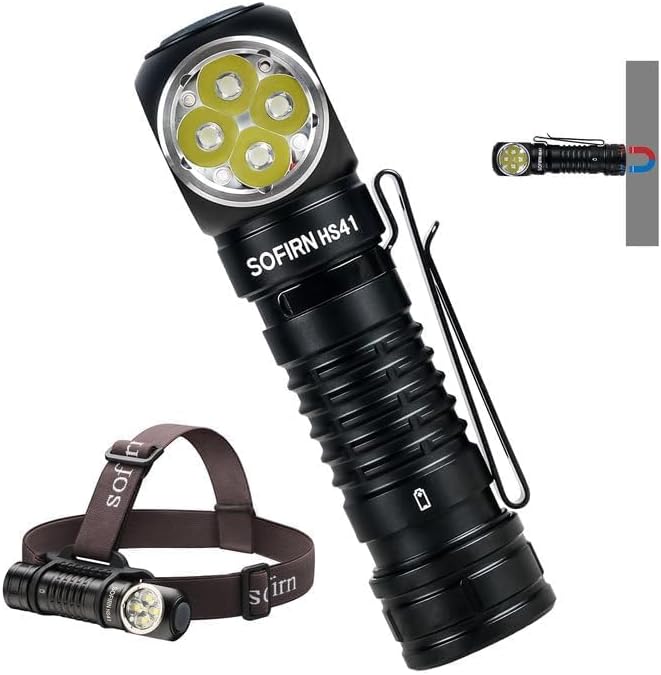
The Sofirn HS41 can be used as a headlamp with the included headband or as a versatile right-angle flashlight, featuring a magnetic base for hands-free operation.
2.製品オーバーview
主な特徴
- 高出力: Equipped with 4*SST20 LEDs, delivering up to 4000 lumens with a beam distance of 325 meters.
- USB-C充電: Built-in Type-C port for convenient and fast charging.
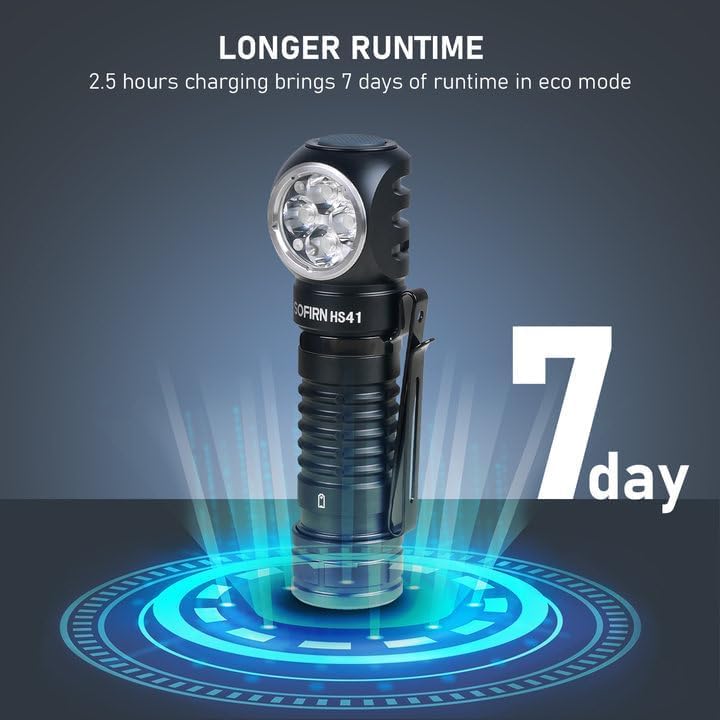
- 拡張ランタイム: Up to 29.5 days of usage in Moonlight mode on a single charge.
- 複数の照明モード: 9 modes including Moonlight, Eco, Low, Medium, High, Turbo, Strobe, SOS, and Beacon.
- 耐久性に優れたデザイン: IPX8 waterproof rating and impact resistance up to 1 meter.
- 多用途: 90-degree L-shape design allows use as a headlamp or right-angle flashlight with a powerful magnetic tailcap.
- 安全機能: Advanced Temperature Regulation (ATR) and Low Voltage保護。

This image highlights the main features of the HS41, such as its multiple lighting modes, extended battery life, convenient USB-C charging, and robust IP68 waterproof design.
箱の中身
- ソフィルン HS41 ヘッドルamp
- 1x Rechargeable Lithium Polymer Battery
- 1x Sturdy Head Band
- タイプC充電ケーブル x 1
- ユーザーマニュアル x 1
3. 安全に関する注意事項
- 光を直接目に当てないでください。高ルーメン出力により、一時的な視力障害を引き起こす可能性があります。
- お子様の手の届かない場所に保管してください。
- Use only the specified battery type. Incorrect battery usage can lead to damage or safety hazards.
- ヘッドを分解しないでくださいamp保証が無効になり、損傷が発生する可能性があります。
- ヘッドルの露出を避けるamp 極端な温度や長時間の直射日光にさらさないでください。
- 充電していないときは、耐水性を維持するために、USB-C ポート カバーがしっかりと閉じられていることを確認してください。
4. セットアップ
バッテリーの取り付け
- ヘッドのテールキャップを外すamp.
- Insert the included 18650 Lithium Polymer battery with the positive (+) end facing towards the head of the light.
- 適切な接触と耐水性を確保するために、テール キャップをしっかりと締めます。
充電
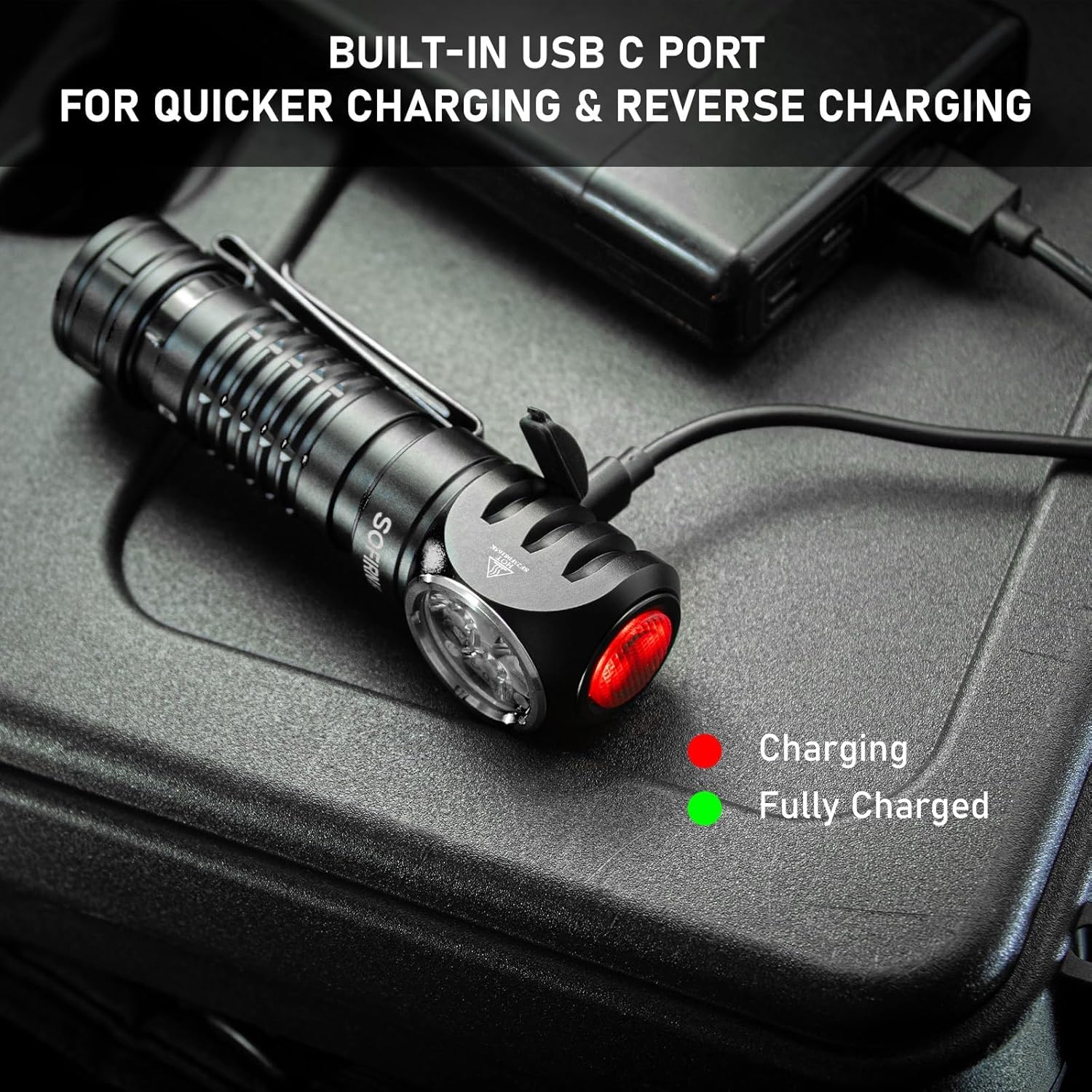
The HS41 features a built-in USB-C charging port.
- ヘッドライトの側面にあるUSB-C充電ポートを見つけますamp and open its protective cover.
- 付属のType-C充電ケーブルをヘッドホンに接続しますamp USB 電源 (例: 壁のアダプター、モバイルバッテリー、コンピューター) に接続します。
- ヘッドのインジケーターライトamp will show the charging status:
- 赤: 充電中です。
- 緑: 完全に充電されました。
- フル充電には通常約 2.5 時間かかります。
- Once charging is complete, disconnect the cable and securely close the USB-C port cover to maintain water resistance.
ヘッドルamp features a built-in USB-C port for convenient and fast charging. The indicator light changes color to show charging status.
5. 操作手順
The HS41 is operated via a single side switch.
基本操作
- オン/オフ: Single click the switch to turn the light on or off.
- 明るさの変更(Ramp): When the light is on, press and hold the switch to cycle through brightness levels (Moonlight, Eco, Low, Medium, High, Turbo). Release the switch at your desired brightness.
- モードメモリ: ヘッドルamp will remember the last used brightness level (except for special modes like Strobe, SOS, Beacon).
クイックアクセスモード
- 月光: From OFF, press and hold the switch for 1 second to activate Moonlight mode.
- ハイモード: From OFF, double-click the switch to directly activate High mode.
- ストロボモード: From OFF, triple-click the switch to activate Strobe mode.
ヘッドルamp's single button allows for quick access to frequently used modes: press and hold for Moonlight, double-click for High, and triple-click for Strobe.
特殊モード(ストロボ、SOS、ビーコン)
- From ON, triple-click the switch to enter Strobe mode.
- While in Strobe mode, double-click to cycle through SOS and Beacon modes.
- Single click to turn off or return to the previous brightness level.

The HS41 delivers a powerful 4000 lumens, providing extensive illumination for outdoor activities. The image shows the light beam and icons representing modes like Moonlight, Eco, Low, Medium, High, Turbo, Strobe, Beacon, and SOS.
ロックアウト機能
To prevent accidental activation, the HS41 features a lockout mode.
- ロックアウトを有効にする: From OFF, perform four quick clicks of the switch. The LED will blink twice to confirm lockout mode is active.
- ロックアウトを解除: Perform four quick clicks of the switch. The light will turn on to the last used mode.

ヘッドルamp features a lockout mode to prevent accidental activation. It is engaged by four quick clicks when the light is off, indicated by two blinks.
電源インジケーター
The power indicator displays the battery level for 5 seconds every time the light is turned on.
- 緑: バッテリー残量は良好です(70% - 100%)。
- 赤: バッテリー残量が少なくなっています(30%~69%)。
- 赤色点滅: Critical power (less than 30%). Recharge the battery as soon as possible.
The integrated power indicator provides real-time battery status: green (70-100%), red (30-69%), and flashing red (below 30%), prompting timely recharging.
低ボリュームtag警告
バッテリーの容量がtage drops below 3V, the indicator will flash red, and the headlamp will vibrate twice with a 1-minute interval between each vibration. This signals that the battery needs to be recharged immediately.

バッテリーの容量がtag3V以下に低下すると、ヘッドamp's indicator will flash red, and the device will vibrate twice with a one-minute interval, signaling a low voltag状態。
6. メンテナンス
クリーニング
- ヘッドを拭くamp 柔らかい、damp 汚れやゴミを取り除くための布。
- 研磨剤入りの洗剤や溶剤は、仕上げや内部部品を損傷する恐れがあるので使用しないでください。
- Clean the threads of the tail cap and O-rings periodically. Apply a thin layer of silicone grease to the O-rings to maintain water resistance.
バッテリーケア
- Recharge the battery regularly, especially if the headlamp 長期間使用されません。
- バッテリーは涼しく乾燥した場所に保管してください。
- If storing for a long time, remove the battery from the headlamp to prevent parasitic drain.
ストレージ
- ヘッドルを保管するamp in a dry environment, away from direct sunlight and extreme temperatures.
- ヘッドルを確認してくださいamp is in lockout mode or the battery is removed during storage to prevent accidental activation.
7。 トラブルシューティング
| 問題 | 考えられる原因 | 解決 |
|---|---|---|
| ライトが点灯しない | 電池が消耗しています Battery incorrectly inserted Tail cap loose ヘッドルamp in lockout mode | バッテリーを充電する 電池の極性を確認してください テールキャップを締める Deactivate lockout mode (4 clicks) |
| 光がちらつく、または暗い | バッテリー残量が少ない Poor contact between battery and terminals Dirty threads/contacts | バッテリーを充電する Ensure battery is fully inserted Clean threads and contacts with a cotton swab |
| 充電が機能しない | 充電ケーブルの故障 USB power source insufficient 充電ポートが汚れている | 別のUSB-Cケーブルを試してください Use a reliable USB power adapter Clean the USB-C port gently |
| ヘッドルamp gets hot quickly | ターボ/ハイモードで長時間運転 ATR (Advanced Temperature Regulation) is active | This is normal. The ATR system will automatically reduce brightness to prevent overheating. Reduce brightness manually if desired. |
8. 仕様
| 特徴 | 仕様 |
|---|---|
| モデル | HS41 |
| 光源 | SST20 LED 4個 |
| 最大輝度 | 4000ルーメン |
| ビーム距離 | 325メートル |
| 電源 | 1x Rechargeable Lithium Polymer Battery (included) |
| 充電ポート | USBタイプC |
| 材料 | アルミニウム合金 |
| 耐水性 | IPX8(水深2メートルまで30分間浸水可能) |
| 耐衝撃性 | 1メートル |
| 寸法 | 奥行き1インチ x 幅1インチ x 高さ1インチ (約30.1mm x 29mm x 115mm) |
| 重さ | 0.71 Pounds (approx. 11.4 ounces / 79g without battery) |
| 特集 | Adjustable Light Modes, Adjustable Strap, Magnetic Base, Low Voltage Warning, Advanced Temperature Regulation |
9. 保証とサポート
For warranty information or technical support, please contact the seller, 77 Outdoor Shop, or the manufacturer, Sofirn, directly through their official channels. Please retain your proof of purchase for any warranty claims.