
1. はじめに
Thank you for choosing the Jeecoo A30 Wired Computer Speaker Bar. This manual provides essential information for setting up, operating, and maintaining your speaker bar to ensure optimal performance and longevity. Please read these instructions carefully before use.
箱の中身
- Jeecoo A30 PC Speaker Bar (with integrated USB power cable and 3.5mm AUX audio cable)
2. 特徴
- コンパクトなデザイン: The Jeecoo A30 features a simple and modern design, ideal for desktop setups. Dimensions: 13.78 x 2.56 x 2.56 inches.
- クリアな音声: Equipped with two 5W powerful driver units, providing clear and loud audio with well-balanced highs, mids, and enhanced bass.
- 簡単な音量コントロール: A large dial allows for convenient volume adjustment and power on/off.
- 幅広い互換性: Connects via 3.5mm AUX for audio input and USB for power, compatible with various PCs, laptops, desktops, tablets, and smartphones. (Note: Not compatible with Xbox).
- 移植性: Weighing 1.2 lbs (560 grams), it is suitable for both office/home use and portable outdoor activities.

Image: The Jeecoo A30 Wired Computer Speaker Bar, showcasin洗練された黒のデザインと一体型ケーブルが特徴です。

画像: 爆発した view of the Jeecoo A30 speaker bar, highlighting its two 5W powerful driver units for clear and balanced audio with enhanced bass.
3. セットアップ
Follow these steps to connect your Jeecoo A30 speaker bar to your device:
- USB電源を接続: Plug the USB-A cable from the speaker bar into an available USB port on your computer, laptop, or a certified 5V/1A USB power adapter. This provides power to the speaker.
- Connect 3.5mm AUX Audio: Plug the 3.5mm AUX cable from the speaker bar into the headphone jack or audio output port of your device (PC, laptop, tablet, smartphone).
- 電源オン: Rotate the large volume dial clockwise until you hear a click or see an indicator light, turning the speaker on.
- 音量を調整: Continue rotating the dial clockwise to increase the volume.
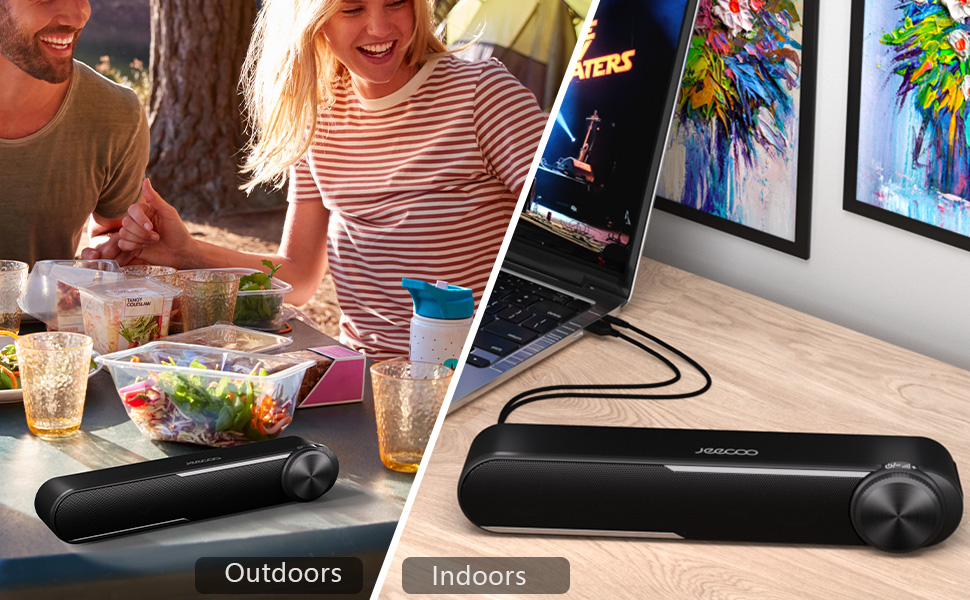
Image: Diagram showing how to connect the USB cable for power and the 3.5mm AUX cable for audio input to a laptop.
Video: Official Jeecoo video demonstrating the connection of the A30 Computer Speaker Bar with 3.5mm AUX input to a laptop.
4. 操作
音量コントロールと電源
The Jeecoo A30 features a large, integrated dial for convenient control:
- Power On/Increase Volume: Rotate the dial clockwise. The speaker will power on with a click, and continued rotation will increase the volume.
- Decrease Volume/Power Off: Rotate the dial anti-clockwise. The volume will decrease, and continued rotation past the minimum volume will power off the speaker with a click.

Image: A close-up of the large volume dial on the Jeecoo A30, illustrating how to rotate it clockwise to increase volume and anti-clockwise to decrease volume or power off.
5. 仕様
| 特徴 | 詳細 |
|---|---|
| モデル名 | ジークーA30 |
| スピーカータイプ | サウンドバー |
| 接続技術 | 補助(3.5mmジャック) |
| 電源 | USB(コード付き電気) |
| 入力ボリュームtage | 5ボルト |
| スピーカー最大出力 | 10ワット(5W×2) |
| オーディオ出力モード | ステレオ |
| サラウンドサウンドチャンネル構成 | 2.0 |
| スピーカーサイズ | 2インチ(ウーファー直径) |
| オーディオドライバータイプ | ダイナミックドライバ |
| 信号対ノイズ比 | 65デシベル |
| 周波数応答(最大) | 18 kHz |
| インピーダンス | 4オーム |
| 製品寸法(奥行き×幅×高さ) | 2.56インチ x 13.78インチ x 2.56インチ |
| アイテム重量 | 1.2ポンド(560グラム) |
| 材料 | プラスチック |
| 色 | 黒 |
| 取り付けタイプ | 卓上マウント |
| 対応デバイス | PC Laptops, Desktop Computers, Macbook Air/Pro, iMac, iPad, Smartphones, Tablets |
| 特集 | PC Speaker Bar with Clear Audio & Enhanced Bass |
6。 トラブルシューティング
If you encounter any issues with your Jeecoo A30 speaker bar, please refer to the following common troubleshooting steps:
- 電源なし:
- Ensure the USB power cable is securely connected to a powered USB port or a 5V/1A USB adapter.
- Rotate the volume dial clockwise to ensure the speaker is powered on.
- 音が出ない:
- Verify that the 3.5mm AUX audio cable is fully inserted into both the speaker bar and your device's audio output jack.
- Check the volume level on both the speaker bar (using the dial) and your connected device.
- Ensure your device's audio output is set to the correct output (e.g., "Headphones" or "External Speakers").
- Test the speaker with a different audio source or device to rule out device-specific issues.
- Distorted Sound / Static:
- Reduce the volume on both the speaker bar and your connected device. High volume levels can sometimes cause distortion.
- すべてのケーブル接続がしっかりと接続されていることを確認してください。
- Avoid placing the speaker near sources of electromagnetic interference (e.g., Wi-Fi routers, power adapters).
- 可能であれば、別のオーディオ ソースまたはケーブルでテストしてください。
7. メンテナンス
To maintain the performance and appearance of your speaker bar:
- スピーカーは柔らかく乾いた布で拭いてください。液体クリーナーやエアゾールは使用しないでください。
- Avoid exposing the speaker to excessive moisture, heat, or direct sunlight.
- スピーカーを自分で分解したり修理したりしないでください。保証が無効になります。
8. 保証とサポート
The Jeecoo A30 Wired Computer Speaker Bar comes with a limited warranty. For detailed warranty information, product support, or technical assistance, please contact Jeecoo customer service through the retailer where you purchased the product or visit the official Jeecoo webサイト。
保証請求のために購入証明書を保管してください。