
導入
This manual provides detailed instructions for the setup, operation, maintenance, and troubleshooting of your Divoom Songbird Karaoke Bluetooth Speaker. Please read this manual thoroughly before using the product to ensure proper function and longevity.

Figure 1: The Divoom Songbird Karaoke Bluetooth Speaker system, including the main speaker unit, two wireless microphones, and their charging base.
パッケージ内容
セットアップを進める前に、パッケージにすべてのコンポーネントが含まれていることを確認してください。
- 1 x SongBird-HQ Speaker Unit
- 2xワイヤレスマイク
- 1 x Microphone Charging Base
- ユーザーマニュアル (本書) x 1
- 1 x USB-C充電ケーブル
- 1 xAuxケーブル
- 1 x Giftbag (packaging)

Figure 2: All items included in the Divoom Songbird Karaoke Bluetooth Speaker package, showing the speaker, microphones, cables, and manual.
設定
1. デバイスの充電
The Divoom Songbird speaker and microphones are powered by internal Lithium Ion batteries. For optimal performance, fully charge all components before first use.
- Connect the provided USB-C cable to the charging port on the speaker unit and to a compatible USB power adapter (not included).
- Place the two microphones onto their charging base. Ensure they are seated correctly for charging.
- Charging indicators (LEDs) on the speaker and microphones will illuminate during charging and turn off or change color when fully charged.
2. 初回電源投入
- To power on the speaker, locate the power button (refer to Figure 3 for control layout) and press and hold it until you hear an audible prompt or see an indicator light.
- To power on the microphones, slide the power switch on each microphone to the 'ON' position.

Figure 3: Top panel of the Divoom Songbird speaker, illustrating the various control knobs and buttons for operation.
操作手順
1.Bluetooth接続
The Divoom Songbird speaker uses Bluetooth for wireless audio streaming.
- スピーカーの電源がオンになっていて、Bluetooth ペアリング モードになっていることを確認します (通常、点滅する LED で示されます)。
- モバイル デバイスまたはコンピューターで、Bluetooth 設定に移動します。
- 検索する available devices and select "Divoom Songbird" from the list.
- 接続されると、スピーカーから確認音が鳴り、LED インジケーターが点灯します。
2. 補助(AUX)接続
For wired audio playback, use the provided 3.5mm Aux cable.
- Connect one end of the Aux cable to the 3.5mm Aux-in port on the speaker.
- Connect the other end to the headphone jack or audio output of your audio source (e.g., smartphone, MP3 player).
- The speaker will automatically switch to AUX mode or may require manual selection via a mode button.
3. Using the Microphones for Karaoke
The two wireless microphones are designed for karaoke functionality.
- Ensure both the speaker and microphones are powered on.
- The microphones should automatically pair with the speaker. If not, refer to the troubleshooting section.
- Adjust microphone volume and echo effects using the dedicated knobs on the speaker's top panel (refer to Figure 3).
- Sing into the microphone while playing music through the speaker via Bluetooth or AUX.

Figure 4: The two wireless microphones for the Divoom Songbird speaker, shown resting in their charging base.
メンテナンス
1. 清掃
スピーカーの外観と機能を維持するには:
- 柔らかく、乾いた、糸くずの出ない布で外側の表面を拭いてください。
- 研磨剤入りの洗剤、アルコール、ベンゼン、その他の化学溶剤は仕上げを傷める恐れがあるので使用しないでください。
- 開口部に湿気が入らないようにしてください。
2. ストレージ
長期間使用しない場合:
- Store the speaker and microphones in a cool, dry place, away from direct sunlight and extreme temperatures.
- Ensure the batteries are partially charged (around 50%) before long-term storage to preserve battery health.
3. バッテリーのお手入れ
The device contains a built-in rechargeable Lithium Ion battery. To maximize battery lifespan:
- バッテリーを頻繁に完全に放電することは避けてください。
- Avoid leaving the device plugged in constantly after it's fully charged.
- 定期的に使用しない場合は、少なくとも 3 か月に 1 回はデバイスを充電してください。
トラブルシューティング
If you encounter issues with your Divoom Songbird speaker, refer to the following common problems and solutions:
| 問題 | 考えられる原因 | 解決 |
|---|---|---|
| 電源が入らない/デバイスが起動しない | 電池が消耗しています。 | Charge the speaker and microphones fully using the provided USB-C cable. |
| Bluetooth経由で接続できません | スピーカーがペアリングモードになっていません。デバイスの Bluetooth がオフになっています。スピーカーから遠すぎます。 | Ensure speaker is in pairing mode. Turn Bluetooth off and on again on your device. Move closer to the speaker (within 10 meters). Forget the device on your phone and re-pair. |
| スピーカーから音が出ない | 音量が低すぎる、入力モードが正しくない、オーディオ ソースに問題がある。 | Increase volume on both the speaker and your audio source. Ensure the correct input mode (Bluetooth/AUX) is selected. Check if the audio source is playing correctly. |
| マイクが機能しない | Microphones are off; not charged; not paired with speaker. | Ensure microphones are powered on and charged. Power cycle both the speaker and microphones. They should automatically pair. |
仕様
Detailed technical specifications for the Divoom Songbird Karaoke Bluetooth Speaker:
- モデル番号: 90100058218
- ブランド: ディヴォーム
- 製品寸法: 28 x 10 x 25 cm
- 商品の重量: 1.3キロ
- 電源: 電池式(リチウムイオン電池1個付属)
- サウンドパワー: 50ワット
- マイク: Dual Microphone 24bit
- バッテリー寿命: 約8時間
- 接続技術: 補助、Bluetooth
- コネクタタイプ: 3.5ミリジャック
- 特別な機能: Bluetooth、ポータブル
- 色: 緑
- 推奨用途: For music players, Karaoke
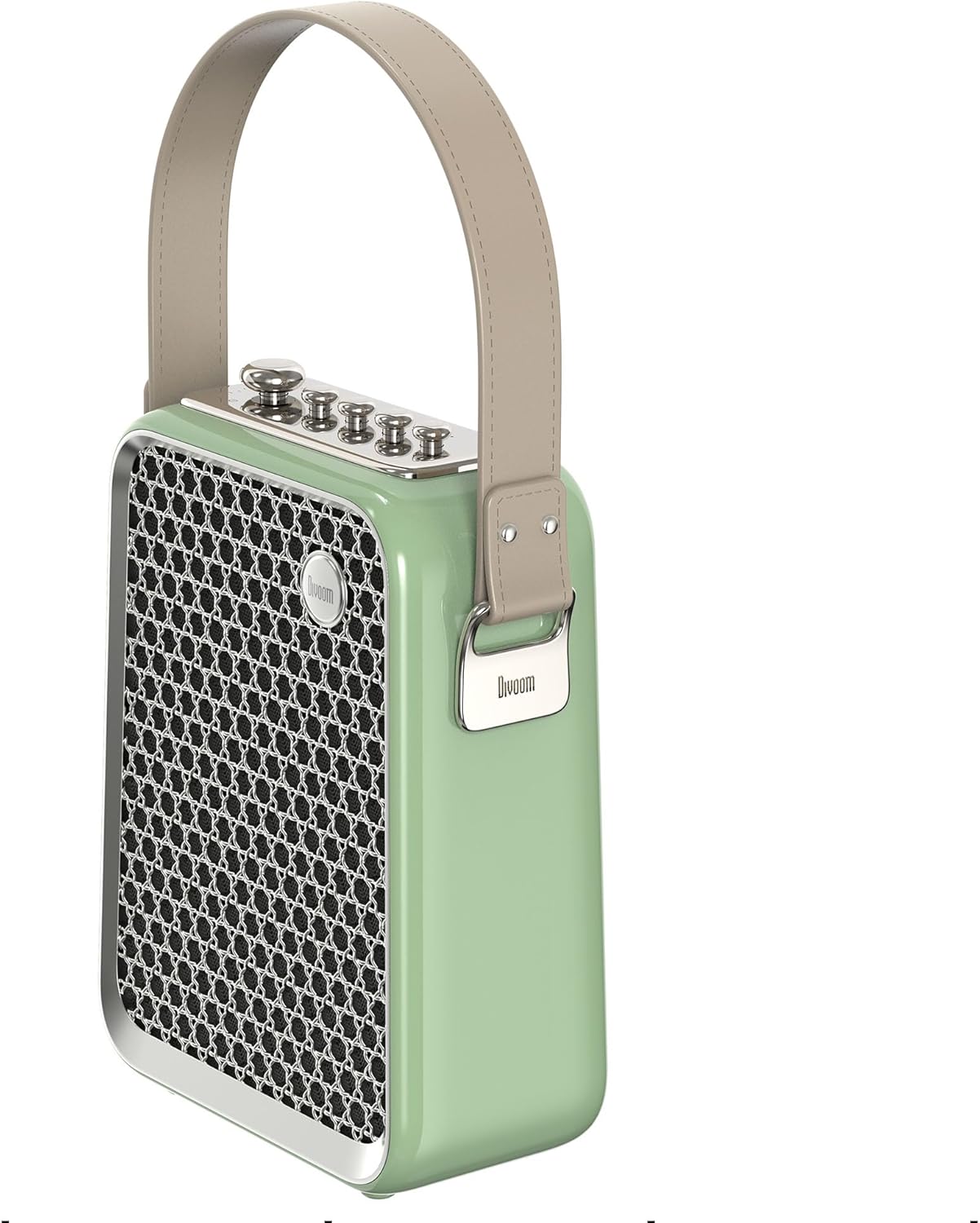
図5: サイドプロfile of the Divoom Songbird speaker, highlighting its compact dimensions and integrated carrying handle.
保証とサポート
保証情報
This product may be eligible for extended warranty plans and accidental damage protection plans. Please refer to your purchase documentation or contact your retailer for specific warranty terms and conditions applicable to your region.
- 1年間延長保証プラン: 購入可能です。
- 1年間の偶発的な損傷保護プラン: 購入可能です。
- 2年間延長保証プラン: 購入可能です。
カスタマーサポート
For technical assistance, troubleshooting beyond this manual, or warranty claims, please contact Divoom customer support. Visit the official Divoom website for contact information or refer to the support details provided with your product packaging.
また、 Divoom brand page on Amazon 詳細についてはこちらをご覧ください。