
導入
Thank you for choosing the Coby Mini True Wireless Bluetooth Earbuds. These lightweight, in-ear headphones are designed for convenience and high-quality audio, perfect for work, travel, or daily use. This manual provides detailed instructions to help you get the most out of your new earbuds, ensuring optimal performance and longevity.

Image: Coby Mini True Wireless Bluetooth Earbuds in their charging case, with a US dime and quarter placed nearby to illustrate their compact size.
箱の中身
パッケージの内容をチェックして、すべてのアイテムが揃っていることを確認してください。
- Coby Mini True Wireless Earbuds (Left and Right)
- 充電ケース
- USB充電ケーブル
- S/M/L Ear Gels (pre-installed or in separate bag)
- ストラップ
- ユーザーマニュアル(このドキュメント)
設定
1. イヤホンとケースの充電
Before first use, fully charge both the earbuds and the charging case. The case provides additional charges for the earbuds on the go.
- Place the earbuds into the charging case, ensuring they are correctly seated in their respective L (Left) and R (Right) slots. The earbuds will begin charging automatically.
- Connect the provided USB charging cable to the charging port on the case and the other end to a USB power source (e.g., computer USB port, wall adapter).
- The indicator lights on the case and/or earbuds will show charging status. Refer to the specific light patterns in the troubleshooting section if issues arise.
- 通常、イヤホンをフル充電するには約 1 ~ 2 時間、ケースをフル充電するには約 2 ~ 3 時間かかります。

Image: The Coby Mini Earbuds are shown inside their charging case, illustrating the charging process with glowing indicators.
2. Bluetoothデバイスとのペアリング
イヤホンをスマートフォン、タブレット、その他の Bluetooth 対応デバイスとペアリングするには、次の手順に従います。
- イヤホンが充電され、充電ケースに収納されていることを確認してください。
- 充電ケースを開けます。イヤホンは自動的にペアリングモードに入り、片方または両方のイヤホンのLEDライトが点滅します。
- デバイスで Bluetooth 設定に移動し、Bluetooth をオンにします。
- 検索する available devices. You should see "Coby Mini Earbuds" or a similar name appear in the list.
- Select the earbuds from the list to connect. Once connected, the LED indicator on the earbuds will stop flashing or change to a solid light, and you may hear an audible confirmation.
- ペアリングに失敗した場合は、デバイスの Bluetooth をオフにし、イヤホンをケースに戻し、蓋を閉じて数秒待ってから再度開いて再試行してください。
3. Achieving a Secure and Comfortable Fit
The Coby Mini Earbuds are designed to be miniature and discreet, providing a comfortable fit for extended wear. Experiment with the included S/M/L ear gels to find the size that best seals your ear canal for optimal sound quality and secure placement.

Image: A Coby Mini Earbud is shown inserted into an ear, demonstrating its compact and discreet design with a measurement of 0.59 inches.
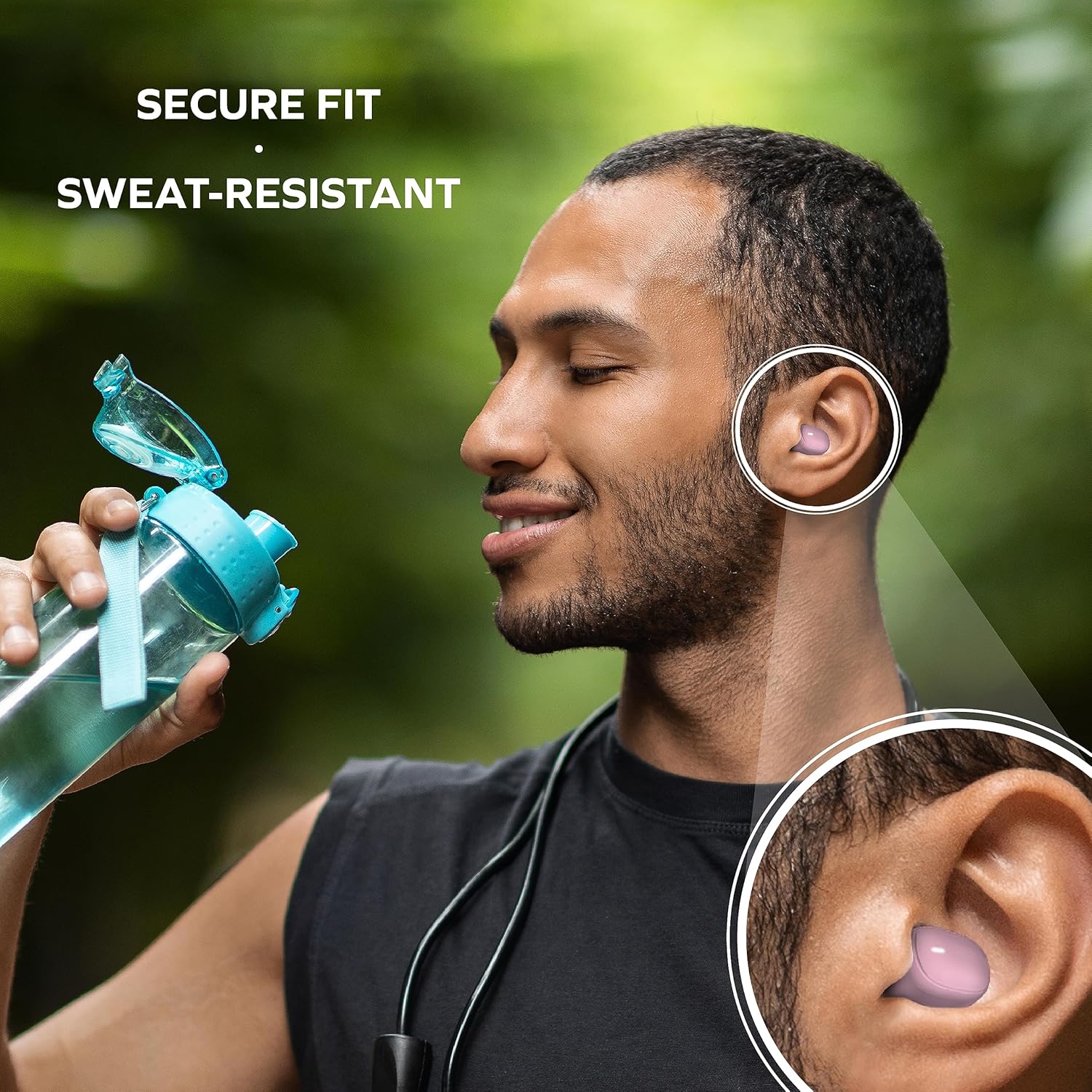
Image: A man is shown wearing the earbuds while exercising, emphasizing their secure fit and sweat-resistant design, suitable for active use.
イヤホンの操作
タッチコントロール
The Coby Mini Earbuds feature intuitive touch controls on each earbud for easy management of your audio and calls without needing to interact with your smartphone.
| アクション | コントロール |
|---|---|
| 音楽の再生/一時停止 | どちらかのイヤフォンをシングルタップ |
| 次のトラック | 右のイヤホンをダブルタップ |
| 前のトラック | 左のイヤホンをダブルタップ |
| 通話の応答/終了 | どちらかのイヤフォンをシングルタップ |
| 通話を拒否 | どちらかのイヤホンを 2 秒間押し続けます |
| 音声アシスタントを有効にする | どちらかのイヤホンをトリプルタップ |
ハンズフリー通話
With the built-in microphone, you can make and receive calls directly through your earbuds. Use the touch controls as described above to manage your calls.
音声アシスタントの互換性
The earbuds are compatible with popular voice assistants like Siri and Google Assistant. Simply triple tap an earbud to activate your device's voice assistant and issue commands.

Image: A user is shown with the earbuds while using a laptop, highlighting their compatibility with voice assistants like Siri and Google Assistant for hands-free control.
メンテナンス
イヤホンの掃除
定期的な清掃は音質と衛生を保つのに役立ちます。
- 柔らかく乾いた糸くずの出ない布でイヤホンと充電ケースを優しく拭いてください。
- For earwax or debris, use a dry cotton swab or a small, soft brush to carefully clean the ear tips and speaker mesh.
- Do not use abrasive cleaners, alcohol, or harsh chemicals. Avoid getting moisture into any openings.
ストレージ
When not in use, always store the earbuds in their charging case to protect them from dust, damage, and to keep them charged for your next use. Store in a cool, dry place away from extreme temperatures.
トラブルシューティング
If you encounter issues with your Coby Mini Earbuds, please refer to the following common solutions:
- イヤホンがペアリング/接続されない:
- 両方のイヤホンが充電されていることを確認します。
- デバイスの Bluetooth をオフにしてから、再度オンにします。
- Forget/delete the earbuds from your device's Bluetooth list and attempt to re-pair.
- Place earbuds back in the case, close the lid for 5 seconds, then reopen to reset pairing mode.
- 音が出ない、または音量が小さい:
- デバイスとイヤホンの両方の音量レベルを確認してください。
- Ensure earbuds are properly seated in your ears and the correct ear gel size is used.
- Confirm the earbuds are connected to your device and not another nearby device.
- 充電の問題:
- 充電ケーブルがケースと電源の両方にしっかりと接続されていることを確認してください。
- 別の USB ポートまたは電源アダプタを試してください。
- 乾いた綿棒でイヤホンとケース内部の充電用接点を清掃します。
- Earbuds Disconnecting Frequently:
- デバイスが 10 メートルの Bluetooth 範囲内にあることを確認してください。
- イヤホンとデバイスの間に物理的な障害物がないようにしてください。
- 他のワイヤレス デバイスからの干渉を最小限に抑えます。
仕様
Detailed technical specifications for the Coby Mini True Wireless Bluetooth Earbuds:
| 特徴 | 詳細 |
|---|---|
| モデル名 | ミニイヤホン |
| 商品型番 | CETW536BK |
| 接続技術 | 無線 |
| 無線通信技術 | ブルートゥース |
| Bluetoothバージョン | 5.3 |
| Bluetooth範囲 | 10メートル |
| バッテリー寿命(イヤホン) | Up to 12 Hours of Total Playtime |
| キャリングケースバッテリー容量 | 300ミリamp 営業時間 |
| コントロールタイプ | タッチコントロール |
| 耐水性レベル | Water Resistant (Sweat-Resistant) |
| 騒音制御 | アクティブノイズキャンセリング |
| アイテム重量 | 5.3オンス |
| 製品寸法(ケース) | 0.99 x 1.85 x 2.44インチ |
安全情報
Please read and follow these safety guidelines to prevent damage to your earbuds and ensure your personal safety:
- Do not expose earbuds or case to extreme temperatures, direct sunlight, or high humidity.
- Avoid dropping, impacting, or disassembling the device. This can void the warranty and cause damage.
- お子様やペットの手の届かない場所に保管してください。小さな部品が窒息の危険となる場合があります。
- 聴覚障害を引き起こす可能性があるため、イヤホンを長時間にわたって過度に大きな音量で使用しないでください。
- イヤホンを使用する際は、特に交通やその他の潜在的に危険な状況では、周囲に注意してください。
保証とサポート
For warranty information and customer support, please refer to the documentation included with your purchase or visit the official Coby webサイトでご確認ください。保証請求に備えて購入証明書を保管してください。
For further assistance, you may contact Coby customer service through their official channels. Details are typically available on the product packaging or the brand's webサイト。