
1. はじめに
Thank you for choosing the Baseus 35W USB C GaN5 Power Strip. This device is a versatile 7-in-1 charging station designed to power multiple electronic devices simultaneously. It features 3 AC outlets, 2 USB-C ports, and 2 USB-A ports, offering a total power output of 35W for fast charging and a 4000W power strip capacity. Equipped with advanced GaN5 technology and smart digital protection, it ensures efficient and safe charging for your laptops, tablets, smartphones, and other electronic gadgets.
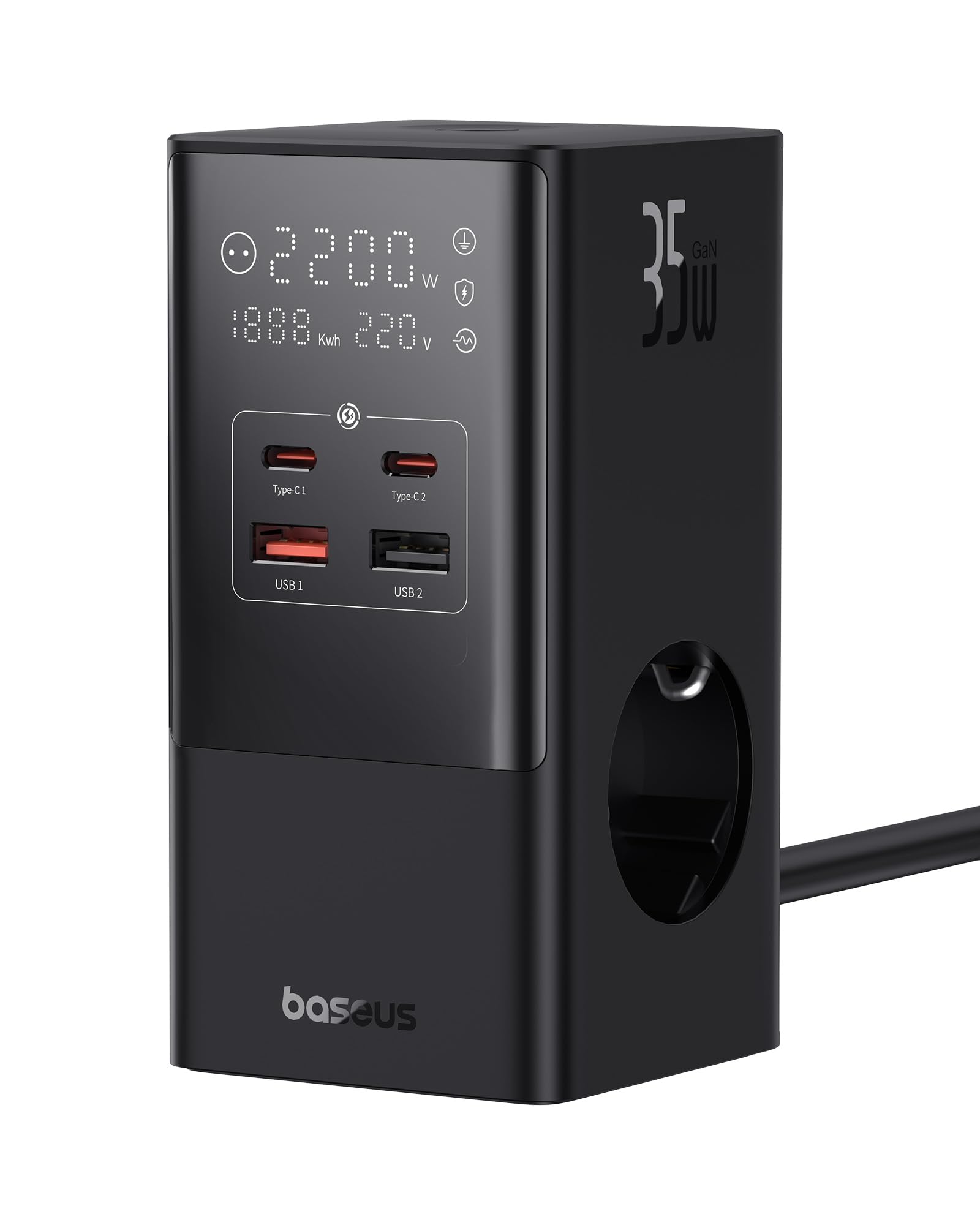
Image 1.1: The Baseus 7-in-1 Charging Station in use, illustrating its multiple ports and compact design.
2. 安全に関する注意事項
本製品をご使用になる前に、すべての安全に関する指示をよくお読みになり、理解してください。指示に従わない場合、感電、火災、または重傷を負う可能性があります。
- ACコンセントの最大負荷4000Wを超えないでください。
- This device is equipped with 1200J surge protection and lightning protection. However, avoid using it during thunderstorms.
- ご自身で本製品を分解、改造、修理しないでください。資格のあるサービス担当者にご相談ください。
- デバイスを水、湿気、高温から遠ざけてください。
- Ensure the power plug is fully inserted into the wall socket.
- ケーブルまたはプラグが損傷している場合は、デバイスを使用しないでください。
- お子様の手の届かない場所に保管してください。
- The device features a 0.1-second automatic short-circuit shutdown to protect connected devices from overcurrent, overvoltage、およびアンダーボリュームtage.

Image 2.1: Illustration of the 1200J Surge & Lightning Protection feature, highlighting enhanced safety.
3. パッケージ内容
パッケージにすべてのアイテムが揃っていることを確認します。
- 1 x Baseus 35W USB C GaN5 Power Strip
- ユーザーマニュアル x 1
- 保証カード x 1
- 1 x Nano Adhesive Pad
4 製品の特徴
The Baseus 35W USB C GaN5 Power Strip offers a comprehensive charging solution with multiple advanced features:
- 7-in-1充電ステーション: Equipped with 3 AC power outlets, 2 USB-C ports, and 2 USB-A ports to charge up to 7 devices simultaneously.
- 35W PD急速充電: Utilizes GaN5 technology for efficient and rapid charging of compatible devices, such as MacBooks, iPads, and iPhones.
- 4000W Power Strip: Provides robust power delivery for various appliances and electronics.
- スマートデジタルディスプレイ: A unique digital screen monitors real-time charging information, including power, current, and charging status.
- 包括的な安全保護: Features 1200J surge protection, lightning protection, and 9 additional safety measures to safeguard your devices from current fluctuations and potential hazards.
- 0.1s Automatic Short-Circuit Shutdown: Industry-leading rapid shutdown mechanism to protect devices from damage due to short circuits or overloads.
- Automatic Power Split (BPS 2.0): Intelligently distributes power across connected USB ports for optimized charging efficiency.
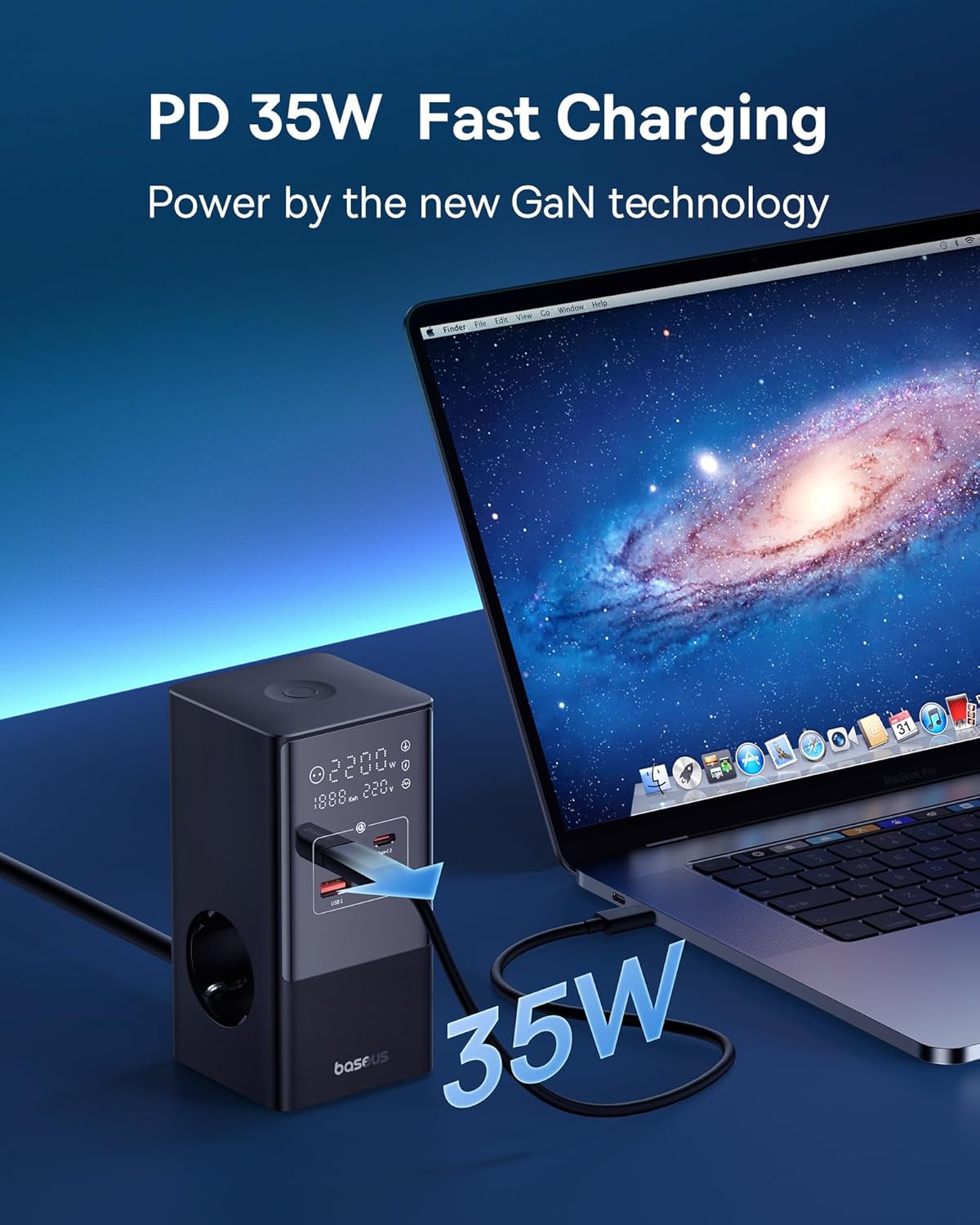
Image 4.1: The power strip providing 35W PD fast charging to a MacBook Pro.

Image 4.2: Visual representation of the Automatic Split Power feature, ensuring optimal power distribution.

Image 4.3: Digital Smart Protection actively eliminating potential hazards compared to standard power strips.
5. セットアップ
- デバイスを開梱します。 Carefully remove the power strip and all accessories from the packaging.
- 場所を選択: Place the power strip on a stable, flat surface, away from direct sunlight, heat sources, and moisture. Ensure adequate ventilation.
- 電源に接続: Plug the power strip's main cable into a grounded wall outlet.
- Optional: Secure with Nano Adhesive Pad: If desired, use the provided nano adhesive pad to secure the power strip to a surface. Ensure the surface is clean and dry before application.
- デバイスを接続する: Plug your electronic devices into the available AC outlets, USB-C ports, or USB-A ports.
6. 操作手順
6.1 ACコンセントの使用
- Insert the power plugs of your devices into the 3 AC outlets.
- Ensure that the total power consumption of all connected AC devices does not exceed 4000W.
6.2 USB充電ポートの使用
- Connect your USB-C compatible devices to the 2 USB-C ports for fast charging.
- USB-A 対応デバイスを 2 つの USB-A ポートに接続します。
- The power strip will automatically detect the connected device and deliver optimal charging current.
6.3 デジタルディスプレイの理解
The integrated digital display provides real-time feedback on the power strip's status:
- Working Status Display: Shows the current power output (W) and voltage(V)。
- Digital Protection Indication: Indicates active protection features.
- Grounded Indication: Confirms proper grounding for safety.

Image 6.1: The smart digital display providing real-time charging status and safety indicators.
7. メンテナンス
- クリーニング: 清掃する前に、電源タップを壁のコンセントから抜いてください。表面を拭く際は、柔らかく乾いた布を使用してください。液体洗剤やエアゾールは使用しないでください。
- ストレージ: 長期間使用しない場合は、デバイスのプラグを抜いて、涼しく乾燥した場所に保管してください。
- 検査: 電源コードとプラグに損傷がないか定期的に確認してください。損傷が見つかった場合は、使用を中止し、カスタマーサポートにご連絡ください。
8。 トラブルシューティング
If you encounter issues with your Baseus Power Strip, refer to the following common problems and solutions:
| 問題 | 考えられる原因 | 解決 |
|---|---|---|
| 接続されたデバイスに電源が供給されません。 | Power strip not plugged in; wall outlet not working; device's power switch off; internal safety mechanism triggered. | Ensure the power strip is securely plugged into a live wall outlet. Check if the wall outlet works with another device. Verify connected devices are switched on. Unplug all devices, wait a few minutes, and plug them back in. |
| USB ポート経由の充電が遅い。 | Cable issue; device not supporting fast charging; multiple devices drawing high power simultaneously. | Use a high-quality, fast-charging compatible USB cable. Ensure your device supports PD fast charging. If many devices are connected, the power may be distributed, reducing individual port speed. Try charging fewer devices. |
| デジタル表示が消えたり、ちらついたりします。 | 接続が緩んでいます。内部に障害があります。 | Ensure the power strip is firmly plugged into the wall outlet. If the issue persists, discontinue use and contact customer support. |
| 電源タップが熱く感じます。 | 過負荷、換気不良。 | Reduce the number of connected devices, especially high-power ones. Ensure the power strip has adequate airflow and is not covered. If it remains excessively hot, unplug immediately. |
9. 仕様
| ブランド | ベースス |
| モデル | CCGAN35-S3ACE |
| 色 | 黒 |
| ACアウトレット | 3 |
| USBポート | 2 x USB-C, 2 x USB-A (Total 4 USB ports) |
| Max AC Power Output | 4000W |
| Max USB Power Output | 35W(合計) |
| 巻tage | 230V |
| 最大電流 | 17.39 Ampエルス |
| サージ保護定格 | 1200ジュール |
| 材料 | プラスチック |
| 寸法(L x W) | 6.6 x6.6センチ |
| 重さ | 519グラム |
| 対応デバイス | MacBook Pro/Air, XPS, ThinkPad, MateBook, iPhone 15/14/13/12 series, iPad Pro/Air/Mini, Galaxy S/Tab series, Pixel, Redmi, Xiaomi, and other USB-C/USB-A powered devices. |
10. 保証と顧客サポート
This product comes with a warranty. Please refer to the included Warranty Card for specific terms and conditions regarding coverage and duration. For technical support, troubleshooting assistance, or warranty claims, please contact Baseus customer service through their official web製品を購入したサイトまたは小売店。
For further information, you may visit the official Baseus store: Baseus公式ストア