
導入
This manual provides comprehensive instructions for the Veho Kuzo Sports Smart Watch F1S. Please read this manual carefully before using your device to ensure proper operation and to maximize its features. Keep this manual for future reference.

画像: 正面 view of the Veho Kuzo Sports Smart Watch F1S, showcasin丸いディスプレイと頑丈なデザインが特徴です。
安全情報
Always follow basic safety precautions when using this device to reduce the risk of injury, electric shock, fire, or damage to the product.
- デバイスを分解または変更しようとしないでください。
- デバイスは極端な温度や直射日光を避けて保管してください。
- デバイスを強い衝撃や落下から守ってください。
- 特に既存の健康状態に問題がある場合は、新しい運動療法を開始する前に医療専門家に相談してください。
- The device is water-resistant (IP68) but not waterproof for diving or high-pressure water activities.
パッケージ内容
箱の中にすべてのアイテムが揃っていることを確認します。
- Veho Kuzo Sports Smart Watch F1S (Black)
- Magnetic Charging Cradle (USB-A)
- 多言語ユーザーマニュアル
設定
1. スマートウォッチの充電
Before first use, fully charge your Veho Kuzo F1S Smart Watch.
- Connect the magnetic charging cradle to a USB-A power source (e.g., computer USB port, wall adapter).
- Align the magnetic pins of the cradle with the charging contacts on the back of the watch. The watch will snap into place and display a charging indicator.
- Charge for approximately 2 hours for a full charge. A full charge provides up to 15 days of typical use.

Image: Graphic illustrating the 15-day battery life of the Veho Kuzo F1S Smart Watch.
2. コンパニオンアプリのインストール
To unlock all features and synchronize data, download the official companion app on your smartphone.
- The app is compatible with Apple iOS and Android devices.
- 検索する "Kuzo" or "Veho Kuzo" in your device's app store.
- アプリをインストールし、画面の指示に従ってアカウントを作成します。
3. スマートフォンとのペアリング
After installing the app, pair your watch with your phone via Bluetooth.
- スマートフォンでBluetoothが有効になっていることを確認します。
- Open the companion app and navigate to the device pairing section.
- Turn on your Veho Kuzo F1S Smart Watch.
- Select your watch from the list of available devices in the app.
- 時計とスマートフォンの両方でペアリング要求を確認します。

Image: A smartphone displaying the Veho Kuzo companion app, showing health and activity data.
操作手順
基本的なナビゲーション
The Veho Kuzo F1S features a 1.3-inch AMOLED touchscreen and physical buttons for navigation.
- タッチスクリーン: メニューやウィジェットを移動するには、上下左右にスワイプします。項目を選択するにはタップします。
- サイドボタン: Use the physical buttons on the side of the watch to return to the home screen, access sports modes, or other quick functions.
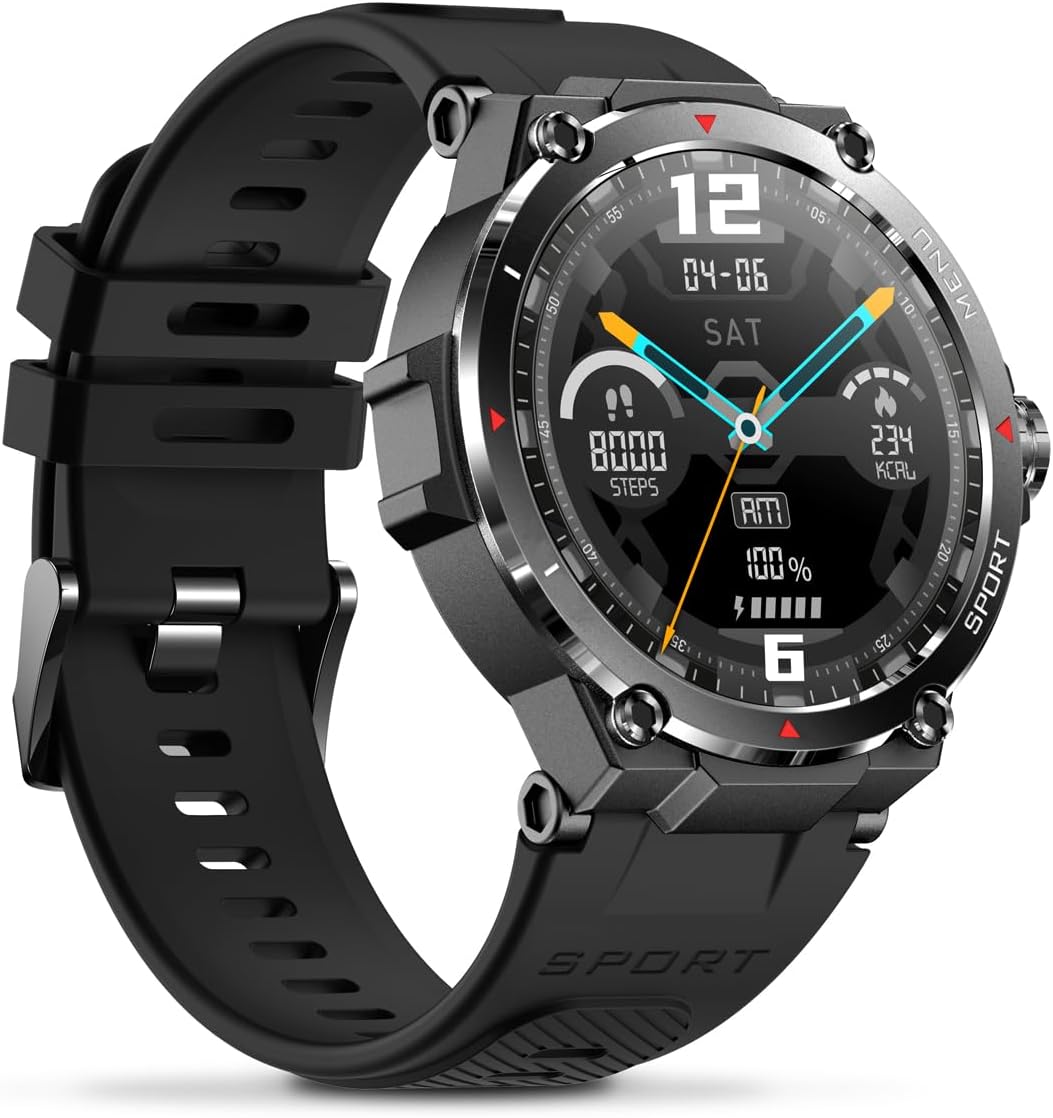
画像: サイド view of the Veho Kuzo F1S Smart Watch, highlighting the control buttons and rugged casing.
健康とフィットネスの追跡
The watch continuously monitors various health and fitness metrics.
- 心拍: 24時間7日の心拍数モニタリング。 View 時計でリアルタイムのデータを確認したり、アプリで詳細な傾向を確認したりできます。
- 血中酸素: 血中酸素濃度を測定します。
- アクティビティトラッカー: Tracks steps, calories burned, and distance covered. Supports walking, running, and cycling.
- 睡眠モニター: Monitors daily, weekly, and monthly sleep patterns, detailing deep sleep, light sleep, and awake times.
- GPS: Built-in 3-mode GPS (GPS+Beidou+Glonass) and Assisted GPS (AGPS) for accurate outdoor performance tracking and live map positioning. Compatible with STRAVA.

Image: The Veho Kuzo F1S Smart Watch displaying heart rate monitoring data.
スマート機能
- 通知: Receive push notifications from apps like WhatsApp, Twitter, Facebook, LinkedIn, Skype, YouTube, Messenger, and Instagram directly on your watch.
- 音楽コントロール: Control music playback (volume, skip tracks, play/pause) on your paired smartphone directly from the watch.
- 時間関数: Access alarm, timer, intermittent timer, stopwatch, and countdown functions.
- 電話を探す: 時計を使用して、ペアリングされたスマートフォンを見つけます。
- News/Weather App: Integrated news and weather application functionality.
- カスタマイズ可能なウォッチフェイス: Choose from hundreds of different watch face designs through the companion app.
メンテナンス
クリーニング
時計の外観と機能を維持するには:
- 時計とストラップを定期的に柔らかくて乾いた布で拭いてください。amp 布。
- 強力な化学薬品や研磨剤入りの洗剤の使用は避けてください。
- 充電する前に、充電接点が清潔で乾燥していることを確認してください。
耐水性(IP68)
The Veho Kuzo F1S Smart Watch has an IP68 rating, meaning it is water-resistant in fresh water up to a maximum depth of 1.5 meters for up to 30 minutes, and is protected from dust.
- Do not use the watch for diving, snorkeling, or high-speed water sports.
- Avoid exposing the watch to hot water, steam, or detergents.
- 時計が水に濡れた場合は、完全に乾かしてください。
バッテリーケア
- バッテリーの健康を維持するために、定期的に時計を充電してください。
- 頻繁にバッテリーを完全に消耗しないようにしてください。
- 長期間使用しない場合は、時計を涼しく乾燥した場所に保管してください。
トラブルシューティング
If you encounter issues with your Veho Kuzo F1S Smart Watch, refer to the following common solutions:
- 時計がオンにならない: Ensure the watch is fully charged. Connect it to the charging cradle and check for the charging indicator.
- 携帯電話とペアリングできません:
- 携帯電話と時計で Bluetooth が有効になっていることを確認してください。
- 時計が携帯電話の範囲内にあることを確認してください。
- 時計と携帯電話の両方を再起動します。
- アプリからデバイスのペアリングを解除し、再度ペアリングしてみてください。
- 不正確な健康データ:
- 時計が手首にぴったりとフィットしていることを確認しますが、締めすぎないようにしてください。
- 時計の裏側にあるセンサーを清掃してください。
- Environmental factors and skin conditions can affect accuracy.
- 通知が表示されない:
- 携帯電話とコンパニオン アプリ内のアプリ通知設定を確認します。
- 時計が Bluetooth 経由で携帯電話に接続されていることを確認します。
さらにサポートが必要な場合は、サポート セクションを参照するか、カスタマー サービスにお問い合わせください。
仕様
| モデル名 | F1S |
| モデル番号 | VSW-001-F1S-B (164426) |
| 画面 | 1.3インチ AMOLED タッチスクリーン |
| 解決 | 360 x 360 ピクセル |
| チップセット | Dialogue14695, PPGHX3690 |
| メモリ | ROM 128MB + RAM 2MB |
| ブルートゥース | バージョン5.1 |
| バッテリー容量 | 300mAh リチウムポリマー |
| 勤務時間 | 最長15日間 |
| 待機時間 | 最長21日間 |
| 充電時間 | 約2時間 |
| 充電タイプ | USB-A to Magnetic Charging Cradle |
| 耐水性 | IP68 (up to 1.5 meters for 30 minutes in fresh water) |
| GPSシステム | 3-mode (GPS+Beidou+Glonass) |
| 寸法 | 46mm×12.9mm |
| 重さ | 51グラム |
| ストラップの幅 | 22mm |
| ストラップの長さ | 260mm |
| OSの互換性 | アンドロイド、iOS |
| サポートされている言語 | All major languages (replicates paired smartphone language) |
保証とサポート
The Veho Kuzo Sports Smart Watch F1S comes with a limited warranty. Please refer to the warranty card included in your package or visit the official Veho web詳細な保証条件については、サイトをご覧ください。
カスタマーサポート
For technical support, troubleshooting, or warranty claims, please contact Veho customer service through their official webサイトまたは製品ドキュメントに記載されている連絡先情報を参照してください。
- オンラインサポート: www.veho-world.com/support (元amp(リンクは変更される場合があります)
- メールアドレス: support@veho-world.com (Exampメールアドレスは変更される場合があります。