
1. はじめに
This manual provides essential information for setting up, operating, maintaining, and troubleshooting your VIBOX VIII-100 Gaming PC. This high-performance system is designed for gaming, photo editing, and video editing, featuring an Intel Core i9-12900KF processor, Nvidia GeForce RTX 5060 graphics card, 16GB DDR4 RAM, and a 1TB SSD, running on Windows 11 Home.

The VIBOX VIII-100 Gaming PC, highlighting its internal components and vibrant RGB lighting.
2. セットアップ
2.1 開梱と初期検査
すべての部品をパッケージから慎重に取り出します。以下のものがすべて揃っていることを確認してください。
- VIBOX VIII-100 PC Tower
- 23型モニター
- ゲーミングキーボード
- ゲーミングマウス
- ヘッドセット
- LEDマウスパッド
- USB Wi-Fi 6 AX900 and Bluetooth 5.4 Adapter
- 電源ケーブル
- Display Cables (HDMI/DisplayPort)
2.2 周辺機器の接続
Connect your monitor, keyboard, mouse, and headset to the appropriate ports on the rear and front of the PC tower. The PC features versatile connectivity options.
- モニター: Use the HDMI or DisplayPort outputs on the graphics card.
- キーボードとマウス: Connect to any available USB ports (USB 2.0 or USB 3.0).
- ヘッドセット: Connect to the audio jacks (headphone and microphone) or a USB port if it's a USB headset.
- 力: Connect the power cable to the PC and a wall outlet.
- ネットワーク: Connect an Ethernet cable for wired internet or use the provided USB Wi-Fi adapter for wireless connectivity.

Front panel connectivity ports, including USB 3.0, USB 2.0, headphone jack, RGB control, and power.
2.3 最初の電源オン
Press the power button on the front of the PC tower. The system will boot into Windows 11 Home. Follow the on-screen instructions for initial Windows setup, including language, region, and user account creation.
3. 操作手順
3.1 Windows 11 ホーム
Your VIBOX VIII-100 PC comes pre-installed with Windows 11 Home, optimized for gaming. Key features include:
- DirectStorage: For faster game loading times.
- 自動HDR: Enhances visuals for supported games.
- Xbox Game Pass Integration: Seamless access to a library of games.
- Optimized CPU Performance: For a smoother gaming experience.
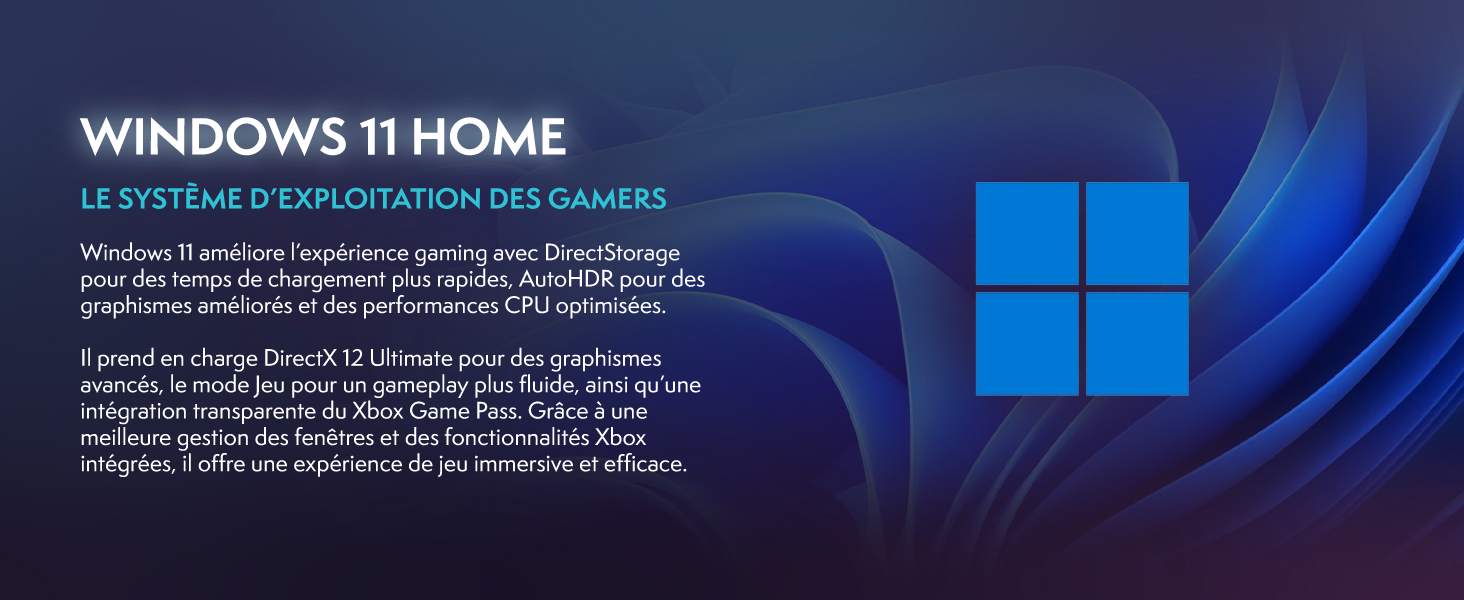
Windows 11 Home, the operating system designed for gamers.
3.2 ゲームとパフォーマンス
The Intel Core i9-12900KF processor and Nvidia GeForce RTX 5060 graphics card provide excellent performance for demanding games and applications. The 16GB DDR4 RAM ensures smooth multitasking.
For optimal gaming performance, ensure your graphics drivers are up to date. You can manage RGB lighting effects using the dedicated button on the front panel or through compatible software.
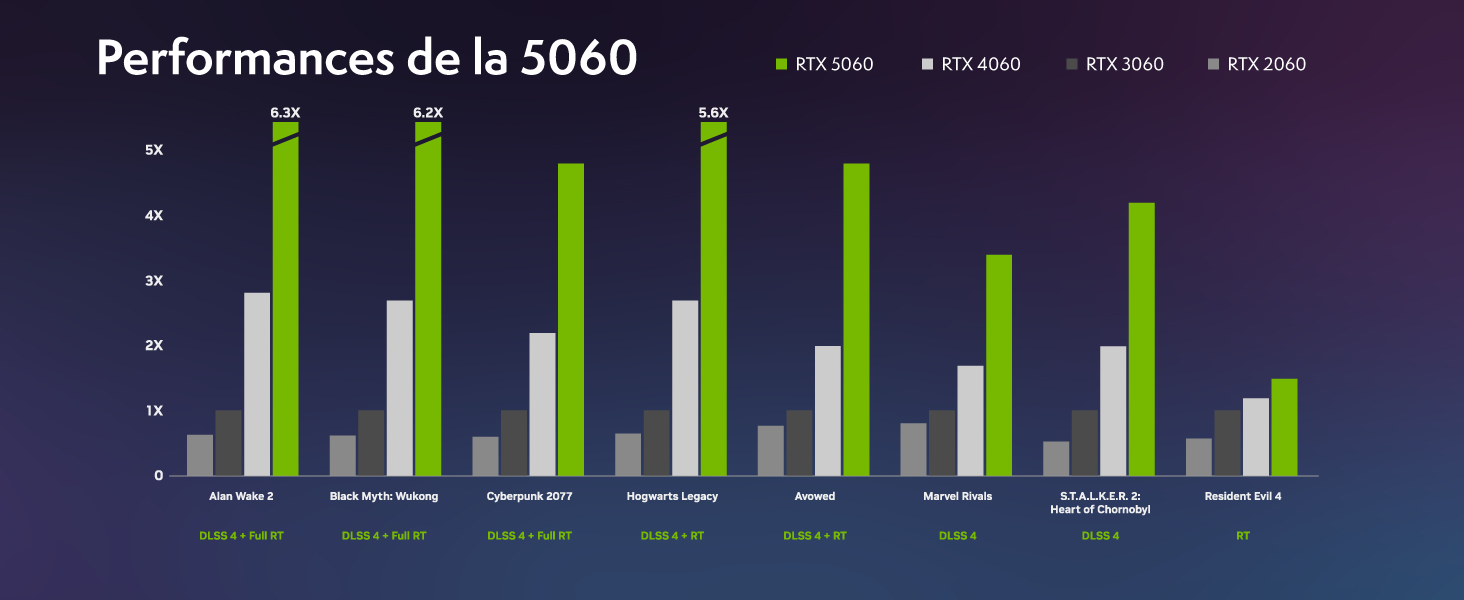
Performance benchmarks for the RTX 5060 in popular games.
4. メンテナンス
4.1冷却システム
Your VIBOX VIII-100 PC features an advanced cooling system, including a 120mm AIO liquid cooler for the CPU and Hex RGB Infinity 120mm fans for optimal airflow. The mesh design of the ATX gaming case ensures excellent ventilation.
- AIO液体クーラー: Provides efficient and quiet CPU cooling.
- Hex RGB Fans: Enhance airflow and allow for customizable aesthetics.
- メッシュデザイン: Promotes superior air intake and exhaust.

The VIBOX AIO 120mm liquid cooler ensures stable CPU temperatures.
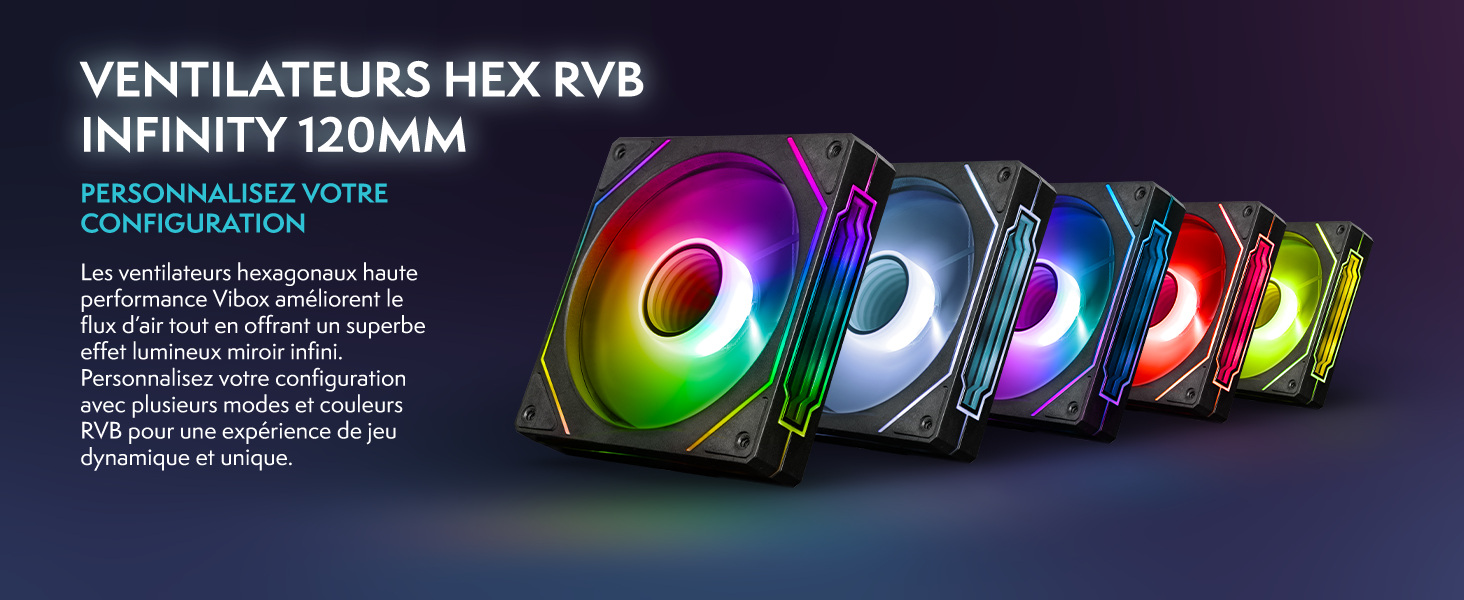
Hex RGB Infinity 120mm fans for personalized aesthetics and improved airflow.
4.2 クリーニング
Regular cleaning helps maintain optimal performance and extends the lifespan of your PC. The VTX-3 case features a magnetic, hinged tempered glass side panel for easy access to components for cleaning and maintenance.
- 外観: 外側の表面を柔らかい布で拭きます。amp 布。刺激の強い化学物質は避けてください。
- インテリア: Periodically open the side panel and use compressed air to remove dust from fans, heatsinks, and other components. Ensure the PC is powered off and unplugged before cleaning the interior.

The modern ATX gaming case with mesh design and tempered glass side panel for easy access.
4.3ソフトウェアアップデート
Keep your operating system and drivers updated to ensure stability, security, and optimal performance. Windows Update will handle OS updates, and graphics drivers can be updated via NVIDIA's official webサイトまたは GeForce Experience ソフトウェア。
5。 トラブルシューティング
If you encounter issues with your VIBOX VIII-100 PC, consider the following common troubleshooting steps:
- 電源なし: Ensure all power cables are securely connected to the PC and the wall outlet. Check the power switch on the power supply unit (PSU) at the back of the PC.
- 表示なし: Verify that the monitor is connected to the graphics card's output (HDMI or DisplayPort), not the motherboard's integrated graphics ports. Ensure the monitor is powered on and set to the correct input source.
- ファンの騒音: While the cooling system is designed for efficiency, high fan speeds can occur under heavy load. Ensure the PC has adequate ventilation and is not obstructed. If noise is excessive or unusual, check for dust buildup in fans and heatsinks.
- システムの不安定性/クラッシュ: Ensure all drivers are up to date. Check for Windows updates. Monitor component temperatures using software utilities.
- 周辺機器の問題: Try connecting the keyboard, mouse, or headset to different USB ports. Ensure drivers for specialized peripherals are installed.
For persistent issues, refer to the official VIBOX support resources or contact customer service.
6. 仕様
Detailed technical specifications for your VIBOX VIII-100 Gaming PC:
| 成分 | 仕様 |
|---|---|
| ブランド | ヴィボックス |
| モデル名 | VIII-100 |
| オペレーティング·システム | Windows 11 ホーム |
| CPUモデル | Intel Core i9-12900KF |
| CPU速度 | 3.2 GHz (Max 5.2 GHz) |
| CPUコア | 16 |
| グラフィックスコプロセッサ | エヌビディアGeForce RTX 5060 |
| グラフィック RAM | 8GB GDDR7 |
| RAM Installed | 16GB DDR4 |
| サポートされる最大RAM | 128ギガバイト |
| ストレージ容量 | 1TB SSD |
| 接続性 | Ethernet, HDMI, USB, Wi-Fi 6 AX900, Bluetooth 5.4 |
| ビデオ出力インターフェース | HDMI、DisplayPort |
| 冷却方法 | Water Cooling (AIO 120mm) |
| 寸法(長さ×幅×高さ) | 40 x 21 x 45 cm |
| Included Monitor Size | 23インチ |
| モニター解像度 | 1920x1080ピクセル |
| キーボードレイアウト | アゼルティ |

以上view of the VIBOX VIII-100's core components.
7. 保証とサポート
7.1 保証情報
Your VIBOX VIII-100 Gaming PC comes with a 2年間の部品保証 そして lifetime labor warranty保証請求のために購入証明書を保管してください。
7.2 カスタマーサポート
For technical assistance, warranty inquiries, or any other support needs, please contact VIBOX customer service. You can also refer to the official user guide PDF for more detailed information.
公式ユーザーガイド(PDF): ダウンロードはこちら