
1. はじめにview
The Buffbee Sound Machine & Alarm Clock is a versatile 2-in-1 device designed to enhance your sleep and wake-up experience. It combines a high-quality sound machine with a precise digital alarm clock, offering a range of features to create a peaceful environment and ensure timely waking.

Image 1.1: The Buffbee device highlighting its dual functionality as a sound machine and an alarm clock.
主な特徴:
- 2-in-1 機能: Combines a sound machine and a digital alarm clock in one compact unit.
- 18の心地よいサウンド: Includes 5 white noises, 3 fan sounds, and 10 nature sounds (ocean, lullaby, waves, rain, thunderstorm, stream, croaks, bird chirps, summer night, campfire) to aid sleep and relaxation.
- 調整可能なディスプレイの明るさ: Clock face brightness can be dimmed from 0% to 100% to suit your preference.
- 正確なボリュームコントロール: Offers 30 levels of volume adjustment for optimal sound output.
- 目覚まし時計: Set the sound machine to automatically turn off after 15, 30, 60, 90, or 120 minutes, or allow continuous play.
- 7色のナイトライト: Features a soothing colored light at the base with 7 color options and ON/OFF functionality.
- 高品質スピーカー: Equipped with a 5W speaker for rich, detailed sound.

画像1.2:正面 view of the Buffbee Sound Machine & Alarm Clock, displaying the time and the top control panel.
2. セットアップ
2.1 開梱と内容物
Carefully remove the Buffbee Sound Machine & Alarm Clock from its packaging. Verify that all components are present:
- Buffbee Sound Machine & Alarm Clock unit
- 電源アダプター(USBケーブルと壁のアダプター)
- ユーザーマニュアル(このドキュメント)
2.2電源接続
The device is powered by an electrical cable.
- Insert the small end of the USB power cable into the DC IN port on the back of the Buffbee unit.
- Plug the larger end of the USB cable into the provided wall adapter.
- 壁のアダプタを標準の電源コンセントに差し込みます。
The device will power on automatically, and the digital display will illuminate.
2.3時間の設定
Upon initial power-on or after a power outage, you may need to set the correct time.
- を押し続けます 時間設定 button (usually indicated by a clock icon) on the top panel until the hour digits begin to flash.
- 使用 +/- buttons (or arrow buttons) to adjust the hour.
- を押す 時間設定 もう一度ボタンを押すと分調整に切り替わります。
- 使用 +/- 分を調整するためのボタン。
- を押す 時間設定 もう一度ボタンを押して確定し、時間設定モードを終了します。
3. 操作手順
3.1 Sound Machine Function
The Buffbee Sound Machine offers 18 soothing sounds to help you relax and sleep.

画像3.1: 内部 view illustrating the upward-firing speaker for enhanced sound quality.
サウンドの再生:
- を押す サウンドモード button (often a music note icon) to cycle through the available sound categories (White Noise, Fan Sounds, Nature Sounds).
- 使用 Next/Previous Sound buttons (arrow icons) to select a specific sound within the chosen category.
- The sound will begin playing automatically.
音量の調整:
The device features 30 levels of precise volume control.
- を押す ボリュームアップ(+) or ボリュームダウン (-) 音量を上げたり下げたりするボタン。

Image 3.2: Illustration of the auto-off timer and 30-level precise volume control features.
スリープタイマーの設定:
The sleep timer allows the sound machine to turn off automatically after a set duration.
- を押す タイマー button (often an hourglass icon) repeatedly to cycle through the available timer options: 15 minutes, 30 minutes, 60 minutes, 90 minutes, 120 minutes, or continuous play (indicated by 'ON' or no timer display).
- The selected timer duration will be displayed briefly on the screen.
3.2 目覚まし時計機能
The Buffbee device functions as a digital alarm clock with customizable wake-up sounds.
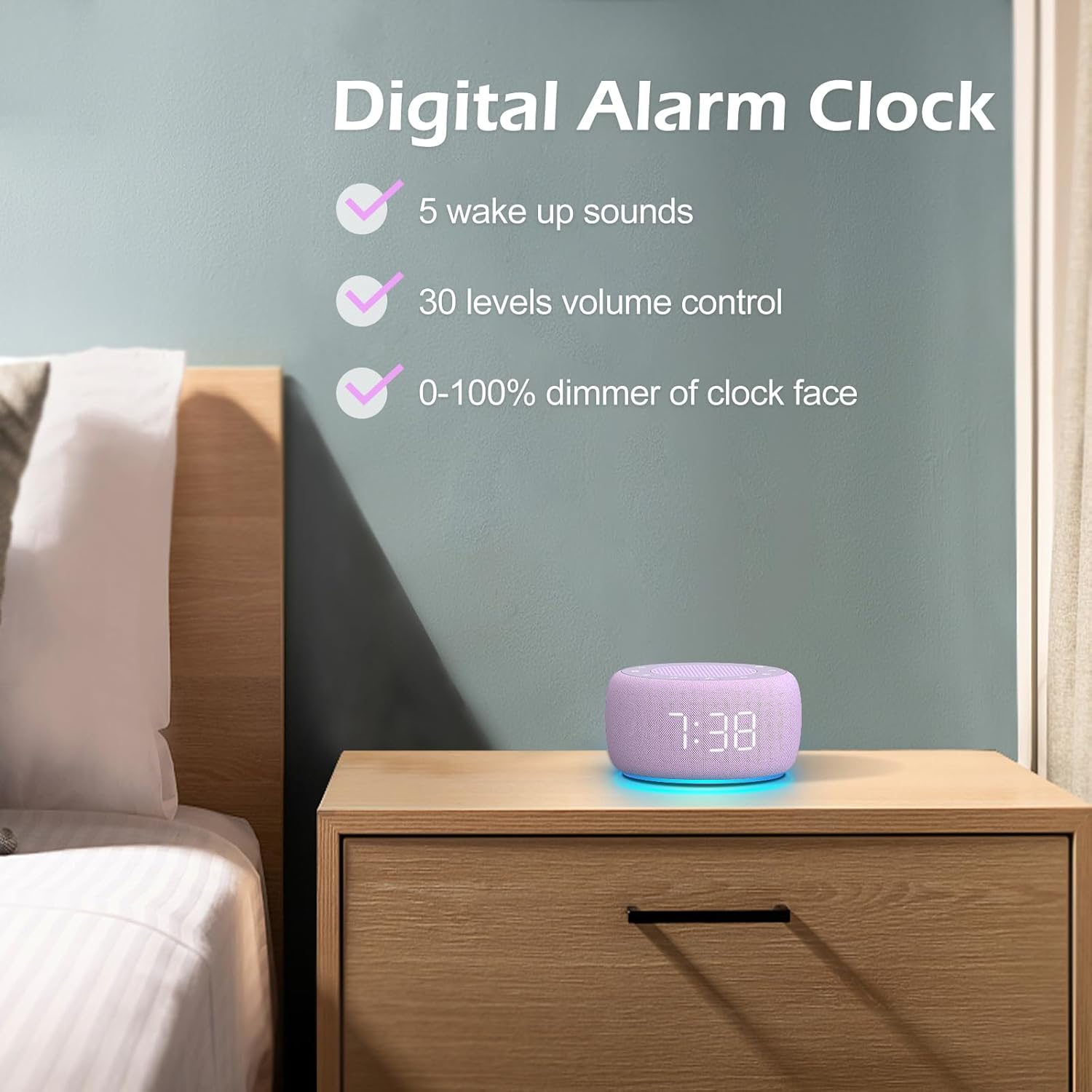
画像3.3: 以上view of the digital alarm clock features, including wake-up sounds, volume control, and display dimmer.
アラームを設定する:
- を押し続けます アラームセット button (often an alarm clock icon) until the alarm hour digits begin to flash.
- 使用 +/- ボタンでアラーム時間を調整します。
- を押す アラームセット もう一度ボタンを押すと分調整に切り替わります。
- 使用 +/- アラームの分数を調整するボタン。
- を押す アラームセット button one more time to confirm the alarm time.
- After setting the time, you can select the wake-up sound by pressing the サウンドセレクト button (if available, or use +/- buttons while alarm sound is flashing). There are 5 wake-up sounds available.
- を押す アラームセット button again to activate the alarm. An alarm icon will appear on the display.
スヌーズ機能:
アラームが鳴ったら、を押します スヌーズ button (usually a large button on top or a dedicated snooze icon) to temporarily silence the alarm for a few minutes (typically 9 minutes). The alarm will sound again after the snooze period.
アラームをオフにする:
アラームを完全にオフにするには、 アラームのオン/オフ button (often the same as the Alarm Set button, or a dedicated toggle). The alarm icon will disappear from the display.
3.3 Display & Light Functions
ディスプレイの明るさの調整:
The digital display brightness can be adjusted from 0% (completely dark) to 100% (brightest).

Image 3.4: Demonstration of the 0-100% display dimmer feature, showing various brightness levels.
- を押す 調光器 button (often a sun icon) repeatedly to cycle through different brightness levels.
- 保持する 調光器 button to smoothly adjust the brightness from 0% to 100% and vice versa. Release the button at your desired brightness.
常夜灯の使用:
The device features a colored night light at its base with 7 color options.

Image 3.5: The Buffbee device showcasing its 7-color night light feature in a bedroom setting.
- を押す ライト button (often a light bulb icon) to turn the night light ON.
- を押す ライト button repeatedly to cycle through the 7 available colors.
- を押す ライト button one more time after cycling through all colors to turn the night light OFF.
4. メンテナンス
4.1 クリーニング
To maintain the appearance and functionality of your Buffbee device:
- 清掃する前に必ずデバイスのプラグを電源コンセントから抜いてください。
- 柔らかく乾いた、糸くずの出ない布を使用して、外側の表面を拭いてください。
- 研磨剤入りの洗剤、ワックス、溶剤は仕上げを傷める恐れがあるので使用しないでください。
- 開口部に湿気が入らないようにしてください。
4.2 ストレージ
長期間使用しない場合は、直射日光や極端な温度を避け、涼しく乾燥した場所にデバイスを保管してください。
4.3 安全上の警告
次の安全上の注意事項を守ってください。
- この製品は玩具ではありません。お子様の手の届かないところに保管してください。
- Handle with care to avoid electric shock. Do not expose the device to water or excessive moisture.
- Use within recommended noise exposure limits to prevent hearing damage.
- ご自身でデバイスの分解や修理を試みないでください。すべてのメンテナンスは資格のある専門家にご依頼ください。
5。 トラブルシューティング
If you encounter issues with your Buffbee Sound Machine & Alarm Clock, please refer to the following common problems and solutions:
| 問題 | 考えられる原因 | 解決 |
|---|---|---|
| デバイスの電源が入りません。 | 電源接続がないか、アダプタに障害があります。 | Ensure the power cable is securely plugged into the device and the wall outlet. Try a different outlet. |
| スピーカーから音が出ない。 | Volume is too low or muted. Incorrect sound selected. | を使用して音量を上げます。 ボリュームアップ(+) button. Ensure a sound is selected and not paused. |
| アラームは鳴りません。 | Alarm is not set or not activated. Alarm volume is too low. | Verify that the alarm time is set correctly and the alarm icon is displayed. Increase the alarm volume (if separate from main volume). |
| ディスプレイが暗すぎるか明るすぎます。 | ディスプレイの調光設定が正しくありません。 | を押すか押したままにします 調光器 button to adjust the brightness to your preference. |
| 夜間照明が機能していません。 | Night light is turned off. | を押す ライト button to turn on and cycle through colors. |
6. 仕様
Detailed technical specifications for the Buffbee Sound Machine & Alarm Clock (Model BK11):
| 特徴 | 仕様 |
|---|---|
| ブランド | バフビー |
| モデル番号 | BK11 |
| 色 | バイオレット |
| 材料 | プラスチック |
| 電源 | コード式電気 |
| 製品寸法 | 14.3 x 11.2 x 7.7 cm(5.6 x 4.4 x 3.0インチ) |
| アイテム重量 | 322グラム(0.71ポンド) |
| スピーカー出力 | 5W |
| サウンドオプション | 18 Soothing Sounds (5 White Noise, 3 Fan, 10 Nature) |
| 音量レベル | 30 Precise Levels |
| ディスプレイ調光器 | 0-100% Adjustable Brightness |
| 夜間照明の色 | 7色 |
| スリープタイマーオプション | 15, 30, 60, 90, 120 minutes, or Continuous Play |
| 目覚まし音 | 5 Alarm Sounds |
7. 保証とサポート
7.1 保証情報
この製品にはメーカーの標準保証が付いています。製品パッケージまたは販売元の保証書をご覧ください。 web期間や保証内容の詳細など、具体的な保証条件については、こちらのサイトをご覧ください。
7.2 カスタマーサポート
For any questions, technical assistance, or warranty claims, please contact Buffbee customer support through the retailer's platform or the official Buffbee website. Have your product model number (BK11) and purchase details ready when contacting support.