
1. はじめに
Thank you for choosing the GNMN V7 Bluetooth Headphones. These wireless earbuds are designed to provide a high-fidelity audio experience with comfort and durability, suitable for various activities including sports and daily use. This manual provides detailed instructions on how to set up, operate, and maintain your earbuds to ensure optimal performance.

Image 1.1: GNMN V7 Bluetooth Headphones and Charging Case.
2. パッケージ内容
パッケージに以下の項目が含まれているか確認してください。
- ワイヤレスイヤホン(左右)
- 充電ケース
- USB-Cケーブル
- イヤーチップ(S、M、Lサイズ)
- ユーザーマニュアル
3.製品オーバーview
3.1 イヤホンのコンポーネント
Each earbud features an ergonomic design with a secure earhook for stability during physical activity. The touch control area allows for easy management of music and calls.

Image 3.1: Earbud design highlighting secure earhooks and three eartip sizes (S, M, L) for a customized fit.
3.2充電ケース
The charging case protects your earbuds and provides additional battery life. It features a digital LED display to show the remaining battery percentagケースのサイズと各イヤホンの充電状態を表示します。

Image 3.2: The charging case displaying battery levels for the case and individual earbuds.
4. セットアップ
4.1 イヤホンとケースの充電
初めて使用する前に、イヤホンと充電ケースの両方を完全に充電してください。
- イヤホンを充電ケースに入れます。正しく装着されていることを確認してください。イヤホンのLEDインジケーターが点灯します。
- Connect the USB-C cable to the charging port on the case and the other end to a USB power adapter (not included) or a computer's USB port.
- 充電ケースのデジタルディスプレイにバッテリー残量が表示されますtage. When fully charged, the display will indicate 100%.
A single charge provides up to 8 hours of playback, and the charging case extends total playback time to approximately 48 hours.
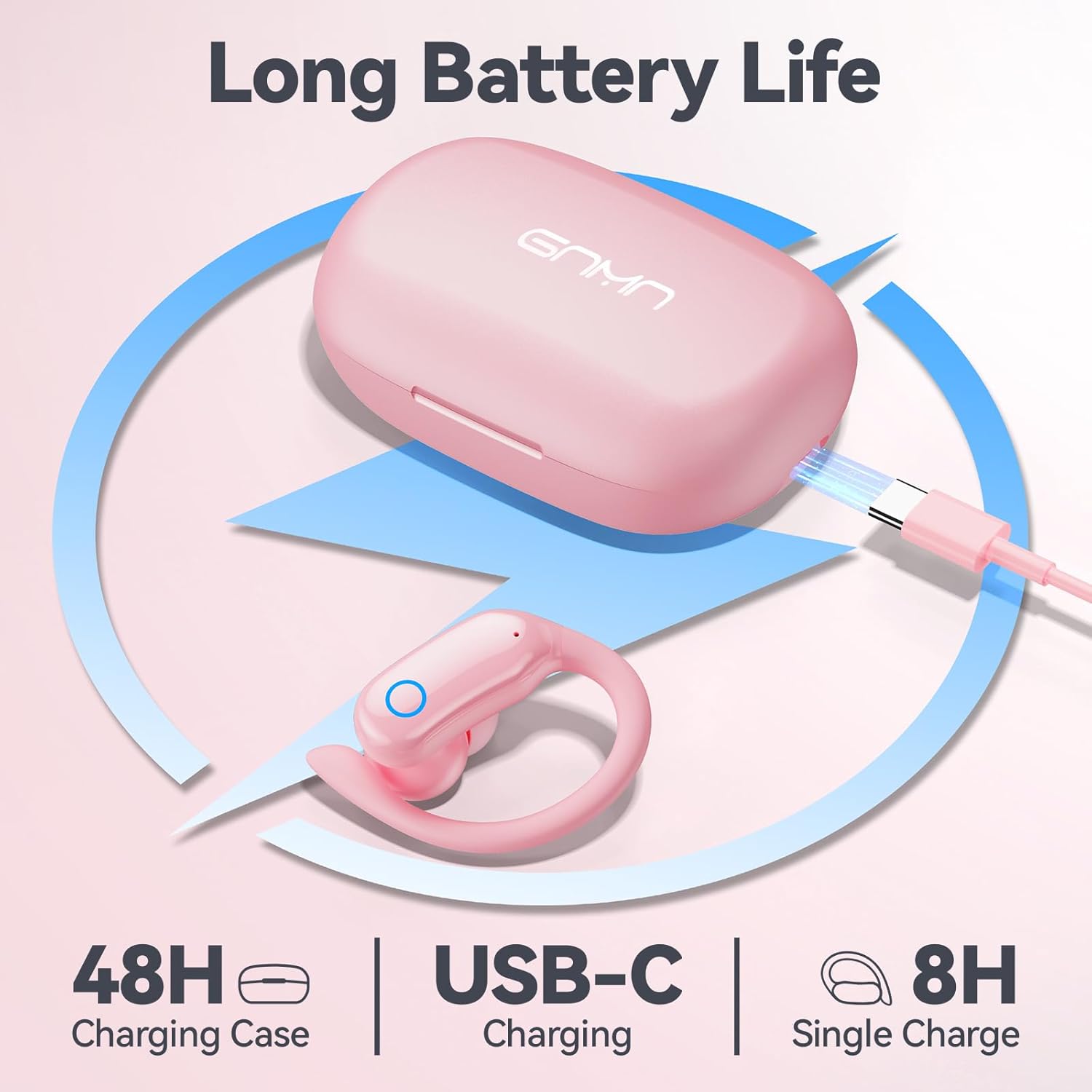
Image 4.1: Charging the GNMN V7 earbuds and case using the provided USB-C cable.
4.2 デバイスとのペアリング
イヤホンには便利なワンステップ自動ペアリング機能が搭載されています。
- デバイスの Bluetooth が有効になっていることを確認してください。
- 充電ケースを開けて両方のイヤホンを取り出します。自動的にペアリングモードになります。
- On your device, search for Bluetooth devices and select "V7" from the list.
- 接続されると確認プロンプトが聞こえ、イヤホンが使用できるようになります。
デバイスで Bluetooth が有効になっている場合、イヤホンはケースから取り出すと最後にペアリングしたデバイスに自動的に再接続されます。

Image 4.2: Illustrates the one-step auto-pairing process with a smartphone showing "V7" in the Bluetooth device list.
4.3 イヤホンの装着
最適な音質と快適さを得るには、適切なサイズのイヤーチップを選択し、しっかりとフィットするようにしてください。
- Select the eartips (S, M, L) that best fit your ear canals. A snug fit improves bass response and noise isolation.
- Place the earbud into your ear, then gently rotate it to position the earhook over your ear for a stable and comfortable fit.
5. 操作手順
5.1 タッチコントロール
The GNMN V7 earbuds feature sensitive touch controls on each earbud. The specific functions are as follows:
| アクション | 左イヤホン | 右イヤフォン |
|---|---|---|
| 再生/一時停止 | シングルタップ | シングルタップ |
| 次のトラック | ダブルタップ | ダブルタップ |
| 前のトラック | トリプルタップ | トリプルタップ |
| 音量を上げる | 押し続ける | 該当なし |
| 音量を下げる | 該当なし | 押し続ける |
| 通話の応答/終了 | シングルタップ | シングルタップ |
| 通話を拒否 | 押し続ける | 押し続ける |
| 音声アシスタントを有効にする | クアドラプルタップ | クアドラプルタップ |

Image 5.1: The touch-sensitive area on the earbud for controlling functions.
5.2 音質
The earbuds are equipped with 11mm speaker driver units and an in-ear structure to deliver hi-fi sound with strong bass, clear mids, and bright treble. The large chamber acoustic design helps balance air pressure for optimal audio performance.

画像5.2: 分解図 view of the earbud's internal components, showcasing the 11mm dynamic driver and biological fiber composite diaphragm.
6. メンテナンス
6.1 クリーニング
定期的な清掃は音質と衛生を維持するのに役立ちます。
- 柔らかく乾いた糸くずの出ない布を使用して、イヤホンと充電ケースを拭いてください。
- For eartips, remove them from the earbuds and clean with a mild soap solution, then rinse thoroughly and dry completely before reattaching.
- 研磨剤入りの洗剤、アルコール、化学スプレーは使用しないでください。
6.2 ストレージ
使用しないときは、ほこりや損傷から保護するために、イヤホンを充電ケースに保管してください。
6.3 防水性能(IPX7)
The earbuds are IPX7 waterproof, meaning they can withstand immersion in water up to 1 meter for 30 minutes. This protects them from sweat and rain. 注意: 充電ケースは防水ではありません。 Avoid exposing the charging case to liquids.
7。 トラブルシューティング
問題が発生した場合は、次の一般的な問題と解決策を参照してください。
| 問題 | 考えられる解決策 |
|---|---|
| イヤホンがペアリングされない | Ensure earbuds are charged. Turn off and on your device's Bluetooth. Forget "V7" from your device's Bluetooth list and re-pair. |
| イヤホンが XNUMX つしか機能していない | Place both earbuds back into the charging case, close the lid, then open and take them out again. Ensure both are charged. |
| 音が出ない | デバイスの音量とイヤホンの音量を確認してください。イヤホンが正しいデバイスに接続されていることを確認してください。 |
| 充電ケースが充電されない | Ensure the USB-C cable is properly connected to both the case and the power source. Try a different cable or power adapter. |
| タッチコントロールが反応しない | 指が清潔で乾いていることを確認してください。イヤホンをケースに入れてから取り出し、再起動してください。 |
8. 仕様
| 特徴 | 詳細 |
|---|---|
| モデル名 | V7 |
| 接続技術 | ブルートゥース |
| 無線通信技術 | 真のワイヤレス |
| Bluetoothバージョン | 5.3 |
| オーディオドライバータイプ | ダイナミックドライバー(11mm) |
| バッテリー寿命(イヤホン) | 最大8時間(1回の充電) |
| 合計再生時間(ケース付き) | 最大48時間 |
| 充電ポート | USB-C |
| 耐水性レベル | IPX7(イヤホンのみ) |
| コントロールタイプ | タッチコントロール |
| 耳の位置 | オーバーイヤー(イヤーフック付き) |
| 対応デバイス | Smartphones, TV, Computers, Laptops, Smart Watches |
| 製品寸法 | 1.38 x 1.42 x 2.32インチ |
| アイテム重量 | 5.1オンス |
9. 安全情報
- 製品を分解したり改造したりしないでください。
- Keep away from extreme temperatures, humidity, and corrosive materials.
- 聴覚障害を防ぐために、大音量に長時間さらされることは避けてください。
- 製品とバッテリーは地域の規制に従って責任を持って廃棄してください。
10. 保証とサポート
GNMN products are designed and manufactured to the highest quality standards. For warranty information or technical support, please refer to the contact details provided on the product packaging or the official GNMN webサイトでご確認ください。保証請求のために購入証明書を保管してください。