
1. はじめに
The Laserliner MultiWet-Finder Plus is a versatile diagnostic tool designed for non-destructive measurement of material moisture and ambient conditions. It provides quick and reliable readings for various building materials, along with air temperature, relative humidity, and dew point temperature. This manual provides essential information for the safe and efficient operation of your device.

図1: The Laserliner MultiWet-Finder Plus device. This image shows the front view of the device, highlighting its large digital display, control buttons, and the spherical sensor at the top.
2. 安全に関する注意事項
本製品をご使用になる前に、以下の安全に関する注意事項をよくお読みください。これらの指示に従わない場合、感電、火災、または怪我の原因となる可能性があります。
- デバイスを湿気や直射日光から遠ざけてください。
- Do not open the device. Repairs should only be performed by authorized personnel.
- Use only specified batteries. Ensure correct polarity during installation.
- 強い衝撃を与えたり、デバイスを落としたりしないでください。
- 爆発性雰囲気内や可燃性物質の近くではデバイスを使用しないでください。
- 電池とデバイスは地域の規制に従って廃棄してください。
3.製品オーバーview
3.1 デバイスコンポーネント
The MultiWet-Finder Plus features a robust design with intuitive controls and a clear display.
- Spherical Sensor: For non-destructive material moisture measurement.
- LCDディスプレイ: Shows measurement values, modes, and indicators.
- モードボタン: To switch between measurement modes (Index, CM%, MASS%).
- REFボタン: To set a reference value.
- MAX/SET Button: に view maximum/minimum values or confirm settings.
- FIND Button: To activate the measurement.
- Temperature/Humidity Sensors: Located on the side for ambient condition measurements.

図2: 側 view of the device showing the integrated sensors for air temperature and relative humidity. The image also indicates the measurement ranges for these sensors: air temperature from -10°C to 60°C, relative humidity from 20% to 90% RH, and dew point temperature from -20°C to 60°C.
3.2 表示インジケータ
LCD ディスプレイには包括的な情報が表示されます。
- 温度(℃): Ambient air temperature.
- Relative Humidity (% RH): Ambient air humidity.
- Dew Point Temperature (°C): Calculated dew point.
- Moisture Index: A relative value indicating moisture content.
- CM% / MASS%: Specific moisture content for selected materials.
- DRY/WET Bar Graph: Visual indication of moisture level (green for dry, red for wet).

図3: The device's display showing readings in "INDEX MODE". This view includes air temperature, relative humidity, dew point, and a large numerical index value, along with the DRY/WET bar graph.
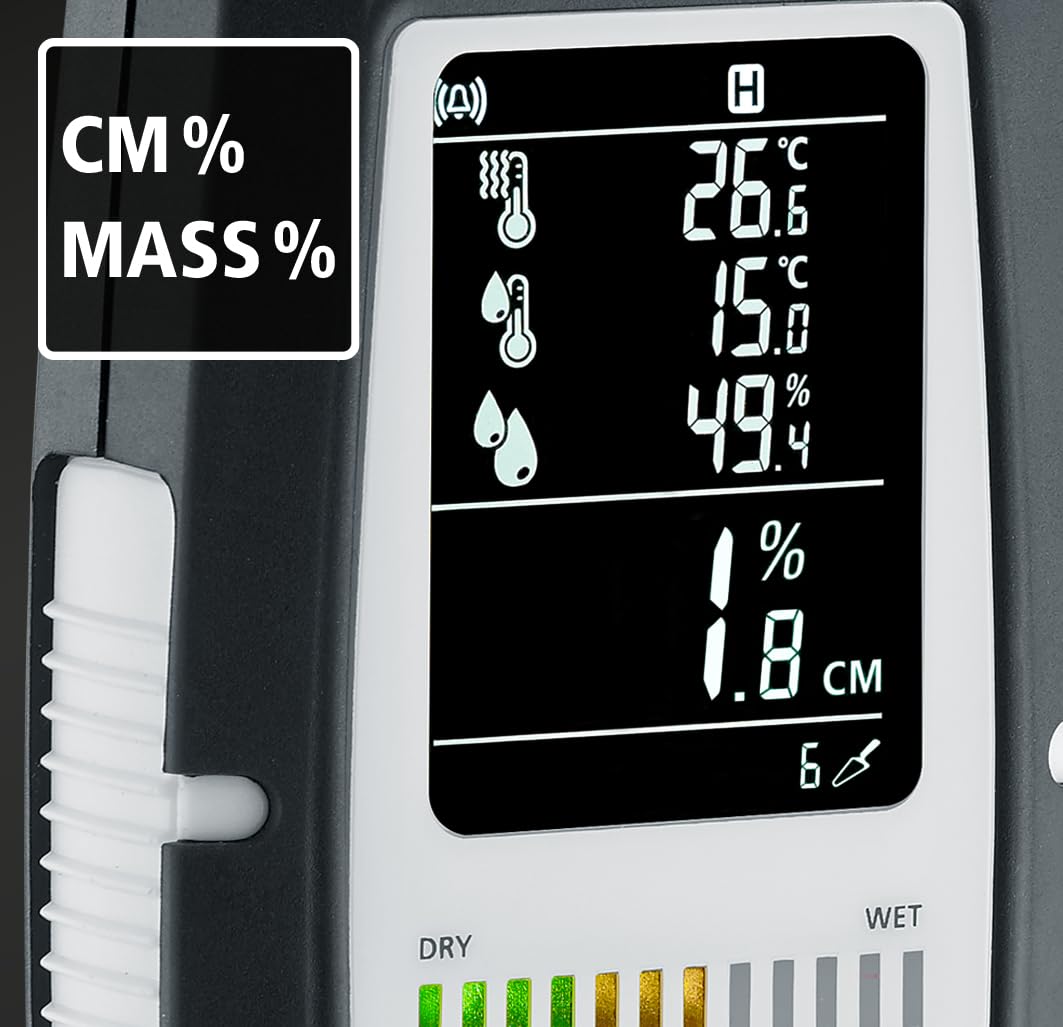
図4: The device's display showing readings in "CM%" or "MASS%" mode. This view provides specific moisture content percentages, alongside the ambient condition readings.
4. セットアップ
4.1 バッテリーの取り付け
The MultiWet-Finder Plus requires standard AAA batteries for operation.
- デバイスの背面にある電池ボックスのカバーを見つけます。
- Open the cover by sliding or unscrewing it (refer to the diagram if available).
- 必要な数の単4電池を挿入し、正しい極性 (+/-) を確認します。
- 電池カバーをしっかりと閉じてください。

図5: The MultiWet-Finder Plus shown alongside its packaging, which indicates the use of AAA batteries. This image implies the battery type required for the device.
5. 操作手順
5.1 電源のオン/オフ
を押し続けます モード デバイスの電源をオンまたはオフにするボタン。
5.2 測定モードの選択
短く押すと モード 利用可能な測定モードを切り替えるボタン:
- INDEXモード: Provides a relative moisture index, useful for quick comparisons and identifying moisture patterns.
- CM% / MASS% Mode: Displays specific moisture content as a percentage for selected material types. Refer to the device's internal material tables for accurate readings.
5.3 Taking a Material Moisture Measurement
- 希望の測定モードを選択します。 モード ボタン。
- Place the spherical sensor directly onto the surface of the material to be measured. Ensure full contact.
- を押す 探す ボタンを押して測定を開始します。
- Read the moisture value on the display. The device measures moisture up to a depth of approximately 40 mm.

図6: Illustration demonstrating the non-destructive measurement capability of the MultiWet-Finder Plus. The image shows the spherical sensor penetrating a material surface, indicating a measurement depth of up to 40 mm.

図7: Close-up of the device's display, highlighting the DRY/WET bar graph and the control buttons. The bar graph visually represents the moisture level, transitioning from green (dry) to red (wet).
5.4 Ambient Condition Measurement
The device continuously measures air temperature, relative humidity, and calculates the dew point temperature. These values are displayed on the upper part of the LCD screen.
5.5 参照関数(REF)
の 参照 button allows you to set a reference value. This is useful for comparing current measurements against a known dry or acceptable moisture level in a specific material.
- Take a measurement on a known dry area of the material.
- を押し続けます 参照 button to set this value as the reference.
- Subsequent measurements will show the deviation from this reference.
5.6 Max/Min Function (MAX SET)
を押す MAX/SET ボタンを押す view the maximum or minimum measured values during a session. This helps in identifying the highest or lowest moisture points.
5.7 Digital Connection (App)
The MultiWet-Finder Plus supports digital connection to a smartphone application for data logging and analysis. Refer to the app's instructions for pairing and usage.
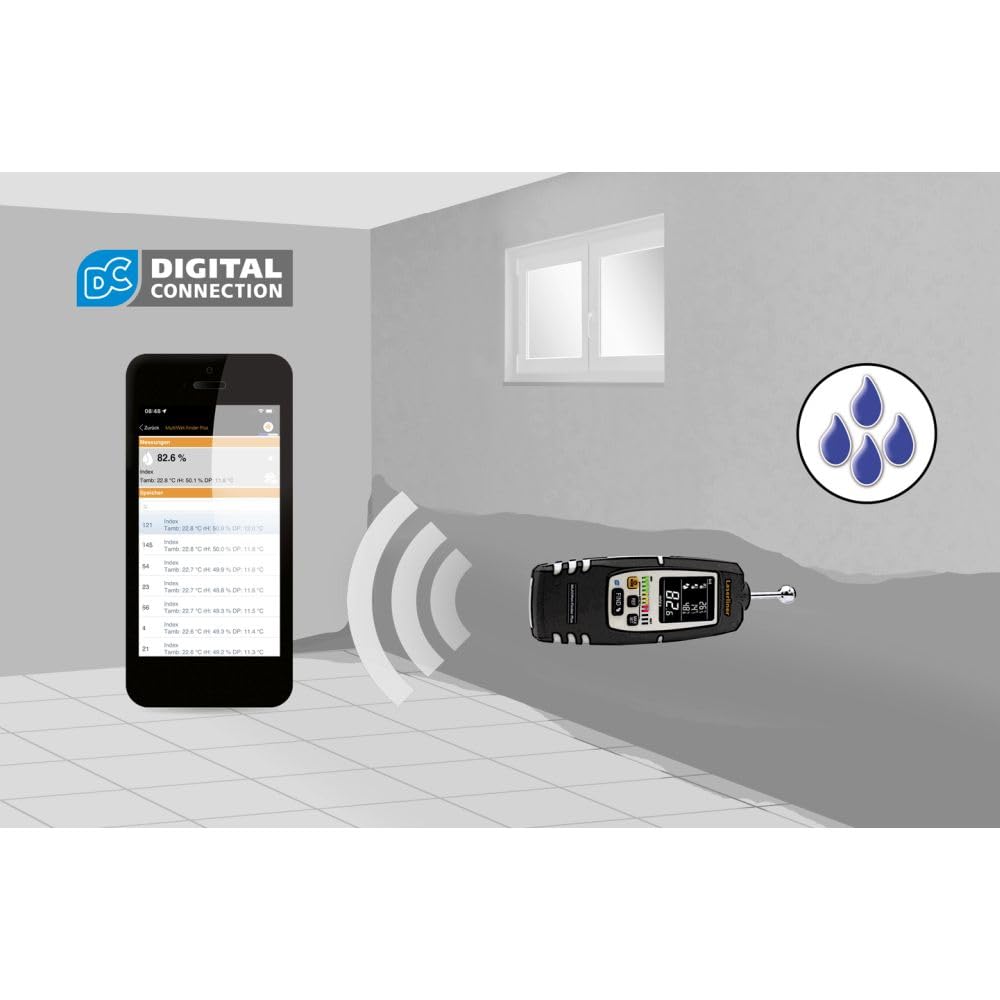
図8: The MultiWet-Finder Plus wirelessly connected to a smartphone displaying the "DIGITAL CONNECTION" feature. This image illustrates the device's capability to transmit data to a mobile application for further analysis and recording.

図9: The MultiWet-Finder Plus being used in a bathroom setting, indicating its application in detecting moisture in damp environments. The image shows the device pointed towards a wall, with a water droplet icon suggesting moisture detection.
6. メンテナンス
- クリーニング: ソフトでデバイスを拭いてください、damp 布で拭いてください。研磨剤や溶剤は使用しないでください。
- ストレージ: Store the device in a dry, cool place, away from direct sunlight. Remove batteries if storing for extended periods to prevent leakage.
- 較正: The device is factory calibrated. If you suspect inaccuracies, contact Laserliner support for recalibration services.
7。 トラブルシューティング
| 問題 | 考えられる原因 | 解決 |
|---|---|---|
| デバイスの電源が入りません。 | 電池が切れているか、正しく挿入されていない。 | 正しい極性を確認して、新しい電池と交換してください。 |
| 水分の測定値が不正確です。 | Poor contact with material, incorrect mode selected, or material outside measurement range. | Ensure full contact with the spherical sensor. Select the appropriate material mode. Consult specifications for measurement range. |
| ディスプレイが空白またはちらつきます。 | Low battery power or internal error. | 電池を交換してください。問題が解決しない場合は、カスタマーサポートにお問い合わせください。 |
8. 仕様
| 特徴 | 詳細 |
|---|---|
| モデル番号 | 082.091A |
| 製品寸法 | 5.51 x 5.51 x 8.66インチ |
| 重さ | 1.32 ポンド |
| メーカー | レーザーライナー |
| 材料 | Stainless Steel (sensor ball, device body is likely plastic) |
| 測定深度 | Approx. 40 mm (non-destructive) |
| 気温範囲 | -10°C ~ 60°C |
| 相対湿度範囲 | 20%~90% RH |
| 露点温度範囲 | -20°C ~ 60°C |
9. 保証とサポート
For warranty information, technical support, or service inquiries, please contact Laserliner customer service or visit their official webサイトでご確認ください。購入証明として購入レシートを保管してください。
メーカー: レーザーライナー
Webサイト: www.laserliner.com (元amp(リンクは変更される場合があります)