
導入
The D-Link DMS-108 is an 8-Port 2.5GB Unmanaged Multi-Gigabit Switch designed to enhance network performance for devices requiring high-speed data transfer. This switch is ideal for connecting 2.5G NAS, 2.5G PCIe Adapters, 2.5G Servers, gaming PCs, and Wi-Fi 6 Access Points with 2.5G WAN ports. It features a durable metal housing, fanless design for silent operation, and supports energy-efficient Ethernet (EEE) to reduce power consumption.
This manual provides instructions for setting up, operating, maintaining, and troubleshooting your DMS-108 switch.
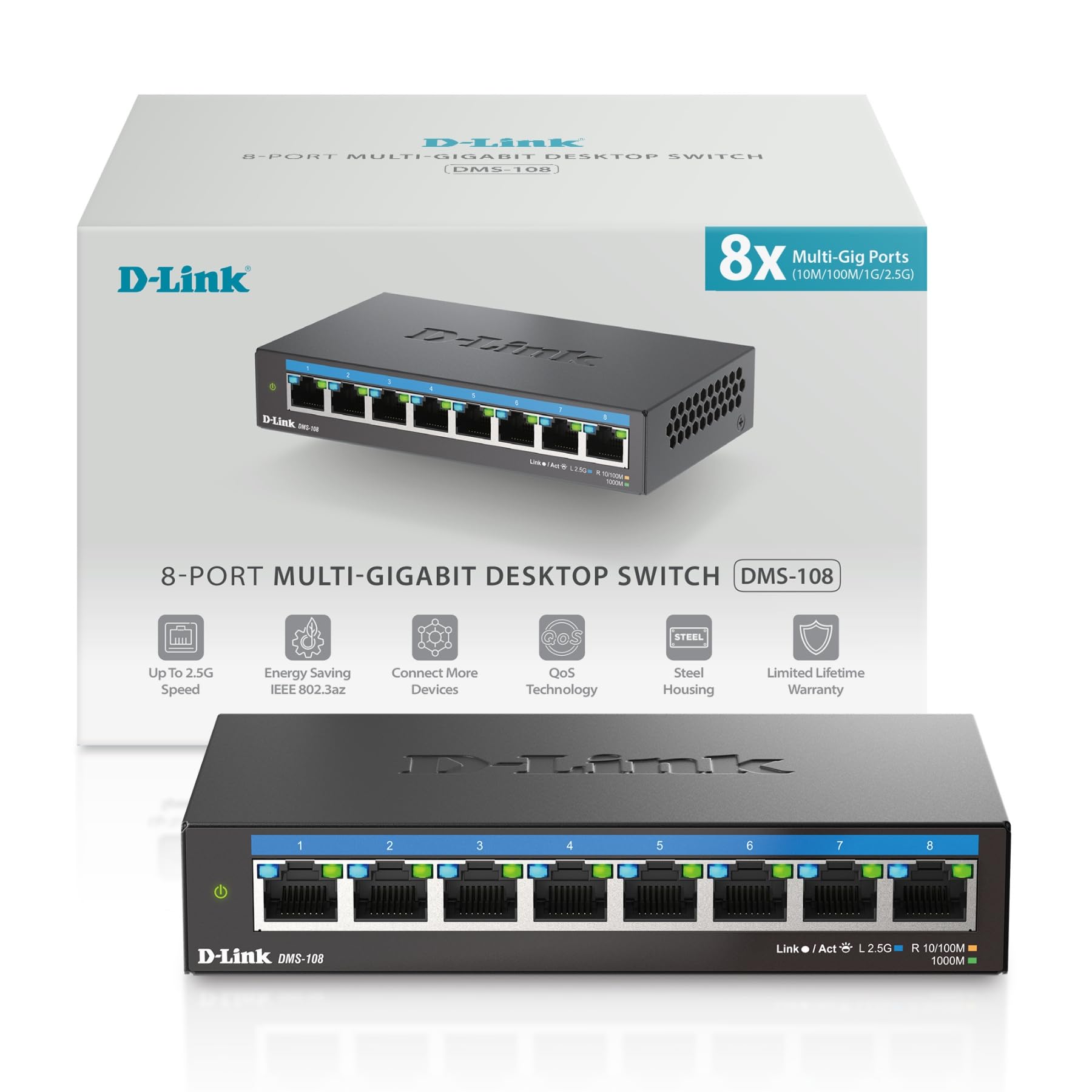 画像: 正面 view of the D-Link DMS-108 switch, showing 8 Ethernet ports and LED indicators.
パッケージ内容
パッケージに次のアイテムが含まれていることを確認してください。
- D-Link DMS-108 8ポート 2.5GB アンマネージド マルチギガビットスイッチ
- 電源アダプター
- クイックインストールガイド(QIG)
不足または破損している品目がある場合は、お近くの D-Link 販売代理店にお問い合わせください。
設定
物理的なインストール
The DMS-108 switch can be placed on a desktop or mounted on a wall. Ensure the installation location provides adequate ventilation and is free from excessive heat, humidity, or electromagnetic interference.
スイッチの接続
- 電源接続: Connect the provided power adapter to the power input port on the rear panel of the DMS-108 switch. Plug the other end of the power adapter into a standard electrical outlet. The power LED on the front panel will illuminate.
 Image: Rear panel of the DMS-108, highlighting the power input (12V===1A), ground screw (SWITCH GND), and Kensington lock slot.
 - ネットワークデバイスの接続: Connect your network devices (e.g., computers, NAS, Wi-Fi 6 APs, gaming consoles) to any of the 8 available 2.5 Gigabit Ethernet ports using standard Ethernet cables (Cat5e or Cat6 recommended for optimal performance).
 Image: The D-Link DMS-108 switch demonstrating compatibility with existing Cat5e and Cat6 cables for 2.5x faster transfer rates.
The DMS-108 is a plug-and-play device, requiring no software installation or configuration. It will automatically detect the link speeds of connected devices (100Mb/1G/2.5G) and adjust for optimal performance.
スイッチの操作
LEDインジケーター
The front panel of the DMS-108 features LED indicators for each port and for power status. These LEDs provide visual feedback on the switch's operation:
- 電源LED: Indicates if the switch is powered on.
- リンク/アクト LED (ポートごと):
- Solid Green: Indicates a stable 2.5G network link.
- Solid Blue: Indicates a stable 1G network link.
- Solid Amber: Indicates a stable 100Mb network link.
- Flashing: Indicates network activity (data transmission).
- オフ: リンクまたはデバイスが接続されていません。
 画像: 詳細な view of the DMS-108's front panel, highlighting the Link/Act LEDs for each of the 8 ports.
主な特徴
- 自動ネゴシエーション: Automatically senses the link speeds of connected devices (100Mb/1G/2.5G) and adjusts for compatibility and optimal performance.
- サービス品質 (QoS): Allows network traffic to be classified into 8 priority levels, ensuring critical data (e.g., gaming, video streaming) receives preferential treatment.
- フロー制御: Helps minimize dropped packets during periods of high network congestion, leading to more reliable connections.
- IGMPスヌーピング: Optimizes multicast data streams, which is beneficial for bandwidth-intensive applications like IPTV, by forwarding multicast traffic only to ports that have requested it.
- Energy-Efficient Ethernet (EEE) (IEEE 802.3az): Reduces power consumption during periods of low network activity, conserving energy and lowering operational costs.
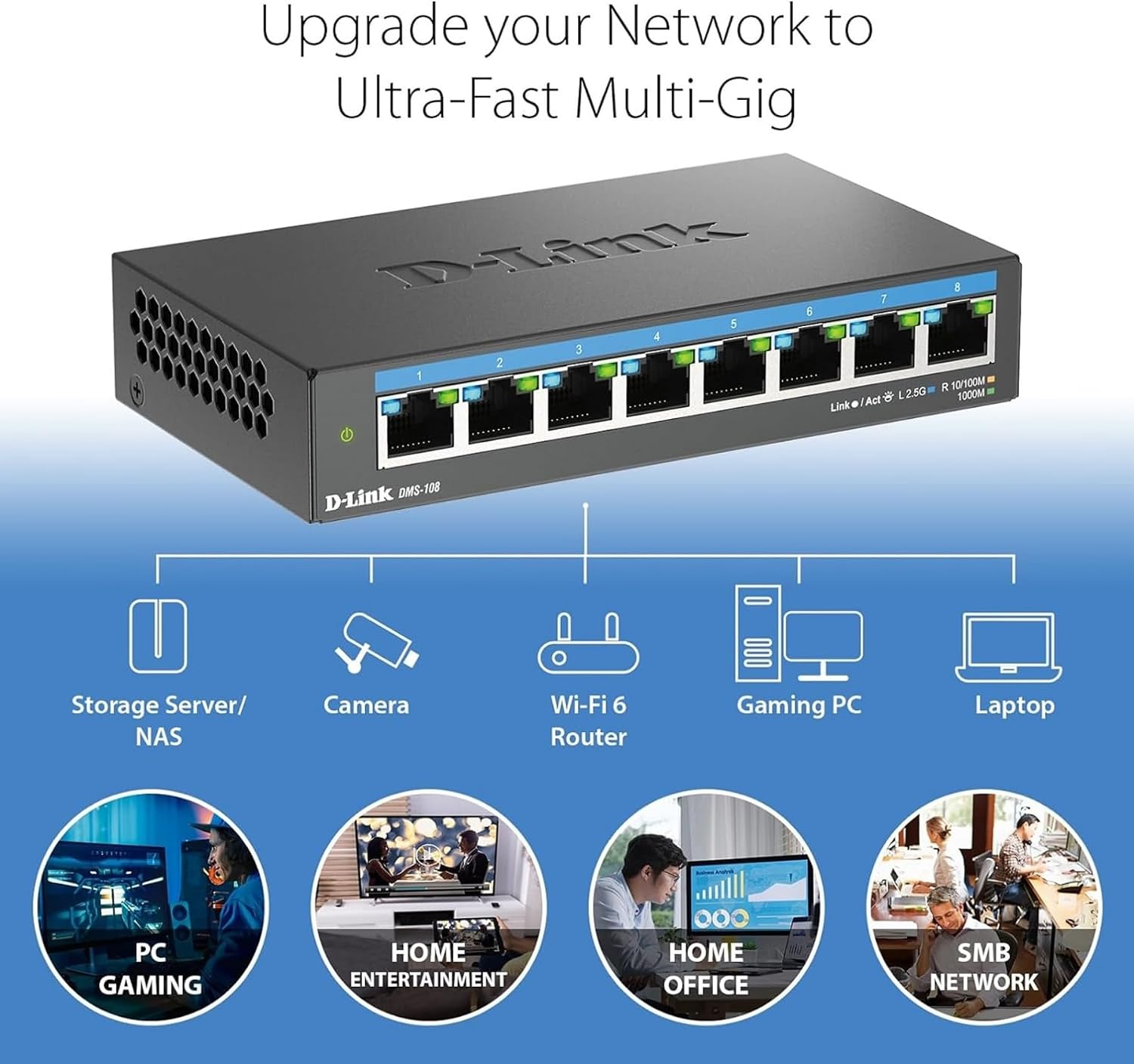 Image: An illustration demonstrating how the DMS-108 switch can upgrade a network to ultra-fast multi-gigabit speeds by connecting various devices.
 Image: The DMS-108 switch highlighting its durable metal casing, silent fanless design, energy-efficient features, and D-Link's 35+ years of experience.
メンテナンス
To ensure optimal performance and longevity of your D-Link DMS-108 switch, follow these maintenance guidelines:
- 換気: Ensure the switch is placed in a location with adequate airflow. Do not block the ventilation holes on the sides of the device.
- クリーニング: スイッチの外側は、定期的に柔らかく乾いた布で拭いてください。液体クリーナーやエアゾールクリーナーはデバイスを損傷する可能性があるため、使用しないでください。
- ケーブル管理 信号の劣化を防ぐために、ネットワーク ケーブルを整理し、よじれたり過度に曲がったりしないようにしてください。
- 電源: Use only the power adapter provided with the switch. If the power adapter is damaged, contact D-Link support for a replacement.
- ファームウェアの更新: As an unmanaged switch, the DMS-108 typically does not require firmware updates. However, always refer to the D-Link support website for any specific recommendations.
トラブルシューティング
If you encounter issues with your DMS-108 switch, refer to the following troubleshooting tips:
- 電源なし:
- Check if the power adapter is securely connected to the switch and the electrical outlet.
- 別のデバイスを接続して、電源コンセントが正しく機能していることを確認します。
- Ensure the power LED on the switch is illuminated.
- ポートにリンクがありません:
- イーサネット ケーブルがスイッチ ポートと接続されたデバイスの両方にしっかりと接続されていることを確認します。
- Verify that the connected device is powered on and its network adapter is enabled.
- ケーブルに欠陥がないか確認するため、別のイーサネット ケーブルを試してください。
- スイッチの別のポートでテストします。
- Check the Link/Act LED for the specific port. If it's off, there's no active connection.
- ネットワーク速度が遅い:
- Ensure you are using Cat5e or Cat6 Ethernet cables for 2.5G connections. Older cables (e.g., Cat5) may limit speed.
- Verify that your connected devices support 2.5G Ethernet. The switch will operate at the highest common speed.
- Check the Link/Act LED color for the port to confirm the negotiated speed (Green for 2.5G, Blue for 1G, Amber for 100Mb).
- Reduce network congestion by limiting simultaneous bandwidth-intensive activities.
- 断続的な接続:
- すべてのケーブル接続に緩みや損傷がないか確認してください。
- スイッチが過熱していないことを確認してください。十分な換気を行ってください。
- 強い電磁干渉の発生源の近くにスイッチを配置しないでください。
If problems persist, contact D-Link Technical Support for further assistance.
仕様
| 特徴 | 説明 |
|---|---|
| ブランド | Dリンク |
| モデル番号 | DMS-108 |
| ポート数 | 8 |
| インタフェース | RJ45 |
| データ転送速度 | Up to 40 Gigabits Per Second (Switching Capacity) |
| スイッチタイプ | Multi-speed or Multi-gigabit Store-and-Forward |
| ケース素材の種類 | 金属 |
| 色 | 黒 |
| 商品の寸法 (長さ x 幅 x 高さ) | 長さ5.71インチ x 幅3.34インチ x 高さ1.1インチ |
| アイテム重量 | 0.77 ポンド |
| 上限温度定格 | 摂氏40度 |
| 含まれるコンポーネント | Device, Power Supply, QIG |
| 欧州連合 | 790069470509 |
保証情報
The D-Link DMS-108 switch comes with a Limited Warranty. For detailed information regarding the terms and conditions of your warranty, please refer to the official D-Link webサイトまたは製品に付属の保証カードをご覧ください。
Optional protection plans may be available for purchase, offering extended coverage beyond the standard manufacturer's warranty. Please check with your retailer for details on available protection plans.
サポート
For technical support, product registration, or to download the latest documentation and software, please visit the official D-Link support webサイト:
You can also find additional resources and frequently asked questions on the D-Link webサイト。
製品ビデオ
Watch the official D-Link video for an overview of D-Link Switch Solutions for various environments.