
1. はじめに
This user manual provides detailed instructions for the installation, operation, and maintenance of your Rettru 4K Wireless WiFi Camera, Model Q18. Please read this manual thoroughly before using the product to ensure proper functionality and safety. This camera is designed for indoor and outdoor surveillance, offering high-resolution video and advanced detection features.
2. パッケージ内容
下記のすべての品目がパッケージに含まれていることをご確認ください。不足または破損している品目がある場合は、カスタマーサポートまでご連絡ください。
- 1 x Rettru Q18 Camera
- 1 x磁気ベース
- 1 XマイクロSDカードリーダー
- USBケーブル1本
- ユーザーマニュアル x 1
3.製品オーバーview
The Rettru Q18 camera is a compact and versatile surveillance device. It features a 4K (2560x1440) resolution lens, a 160-degree wide-angle view, and an 1800mAh built-in battery for extended operation. Its small size allows for discreet placement.
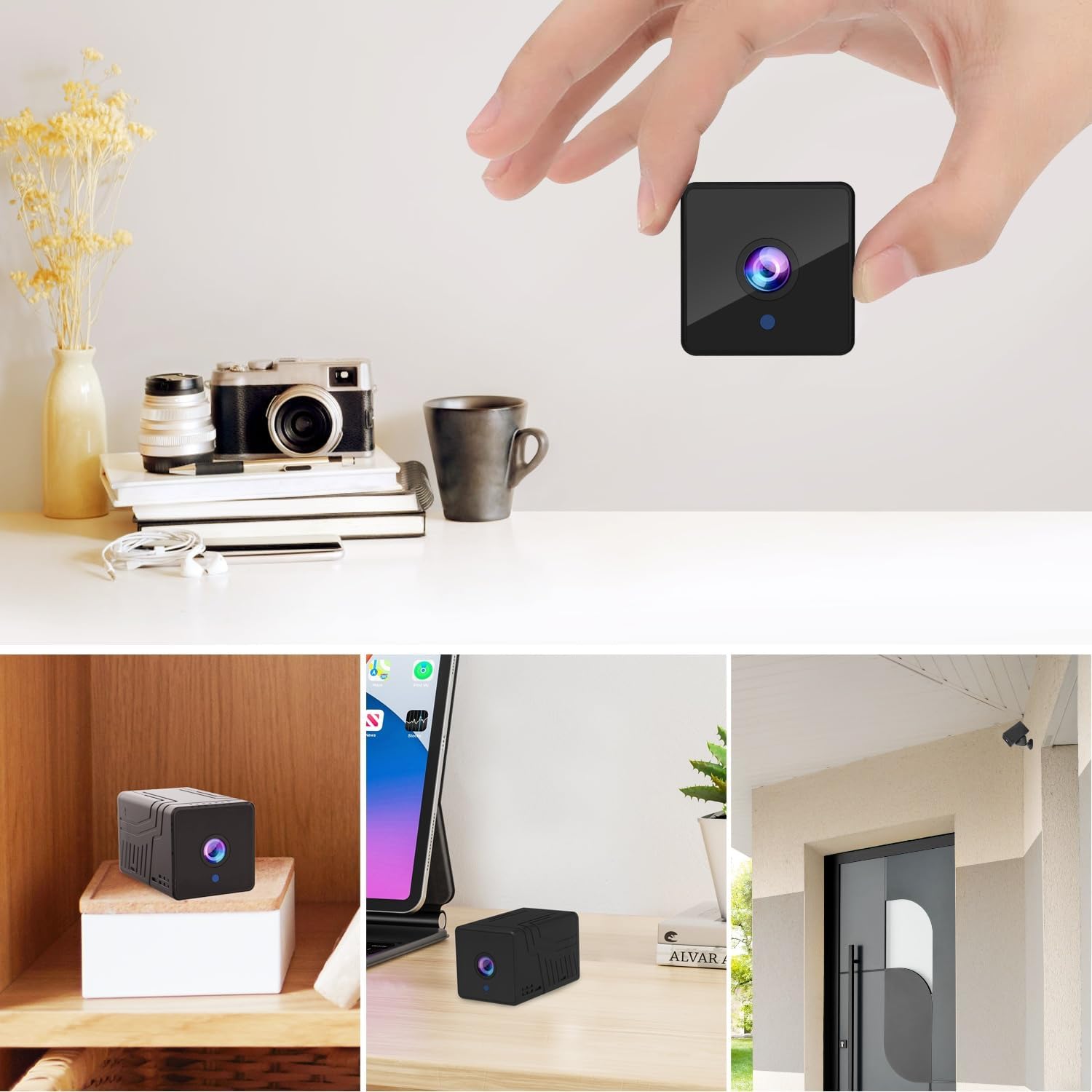
図3.1: フロント view of the Rettru Q18 camera with its magnetic base. This image highlights the compact design and the lens of the camera.

図3.2: The Rettru Q18 camera shown in different indoor and outdoor settings, demonstrating its small size and ease of concealment. The image illustrates its "Super Tiny, Easy to Hide" characteristic.
4. セットアップ手順
4.1 初期充電
Before first use, fully charge the camera using the provided USB cable and a standard 5V USB power adapter (not included). The built-in 1800mAh battery provides approximately 6 hours of continuous recording or up to 100 days of standby time.

図4.1: Graphic illustrating the 1800mAh battery capacity of the Rettru Q18 camera, highlighting its 6-hour continuous recording and 100-day ultra-long standby capabilities.
4.2 アプリのダウンロードと接続
To operate the camera and access its features, you need to download the "V380 Pro" application on your smartphone.
- アプリをダウンロード: 検索する "V380 Pro" in your smartphone's app store (Google Play Store for Android or Apple App Store for iOS) and install it.
- カメラの電源オン: Turn on the Rettru Q18 camera. Refer to the camera's physical buttons for power control.
- Wi-Fiに接続します: アプリ内の指示に従って、カメラを自宅の Wi-Fi ネットワークに接続します。 注記: The camera only supports 2.4GHz Wi-Fi networks. Ensure your router is configured for 2.4GHz or has a mixed mode enabled.
- ライブ View: Once connected, you can access the live video feed and control the camera through the V380 Pro app.
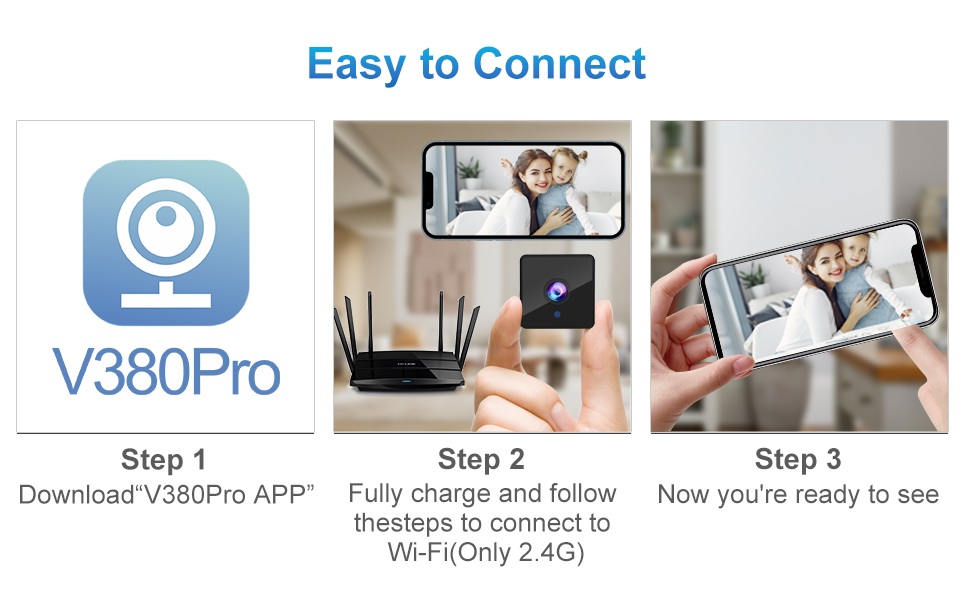
図4.2: Visual guide for connecting the Rettru Q18 camera using the V380 Pro app, showing steps for app download, charging, and Wi-Fi connection.
5. 操作手順
5.1 ライブビデオ監視
Open the V380 Pro app on your smartphone. Select your camera from the device list to view the live 2K Ultra HD video feed. You can pan, tilt, and zoom digitally within the app if supported by the camera's software.
5.2 記録と保存
The camera supports local storage via a Micro SD card (up to 128GB). Insert the Micro SD card into the designated slot on the camera. The camera will automatically begin recording based on your settings (e.g., continuous recording, motion-activated recording). Recorded video files are in AVI format. 注記: Due to Amazon's policy, recorded videos do not include audio.
5.3 ナイトビジョン
The Rettru Q18 camera is equipped with 8 straw hat 940nm infrared lights for automatic night vision. The IR-CUT feature ensures clear black and white video in low-light conditions, with a night vision range of up to 28 feet. The camera automatically switches between day and night modes.
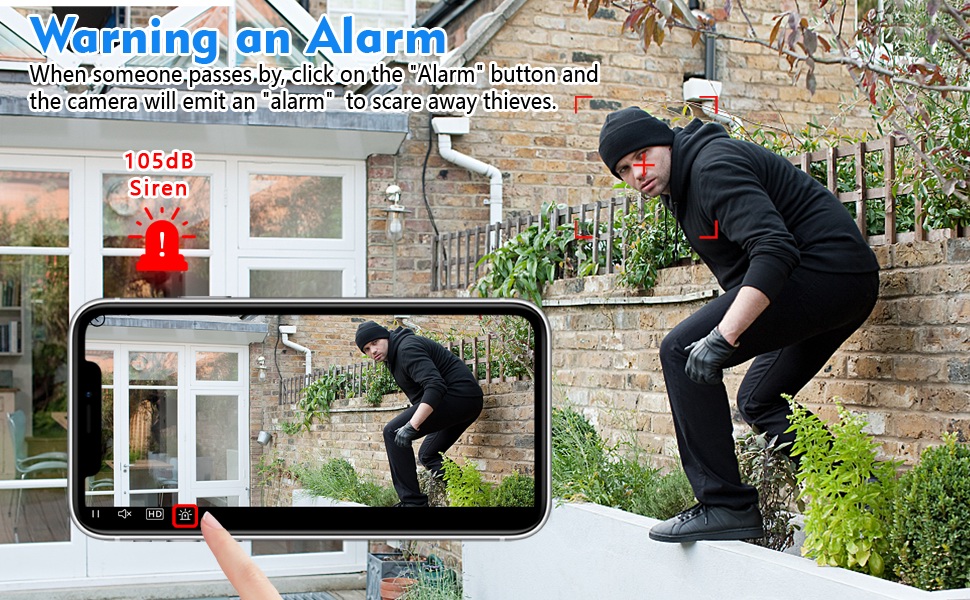
図5.1: Comparison of day and night vision capabilities of the Rettru Q18 camera, showing automatic IR ON/OFF and enhanced night vision up to 26ft.
5.4 動きの検出とアラート
The camera features AI Human Detection, which can distinguish human movement from other motions, reducing false alarms. When motion is detected, the camera can send alert notifications to your smartphone via the V380 Pro app. You can also activate a built-in 105dB siren through the app to deter intruders.
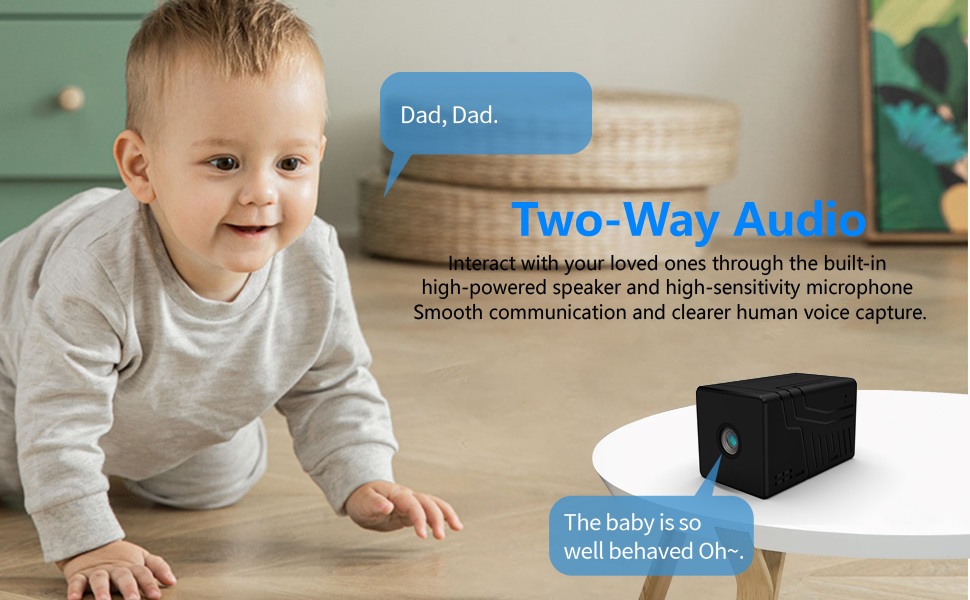
図5.2: Illustration of the camera's alarm function, showing a user activating a 105dB siren via the app to deter a potential intruder.
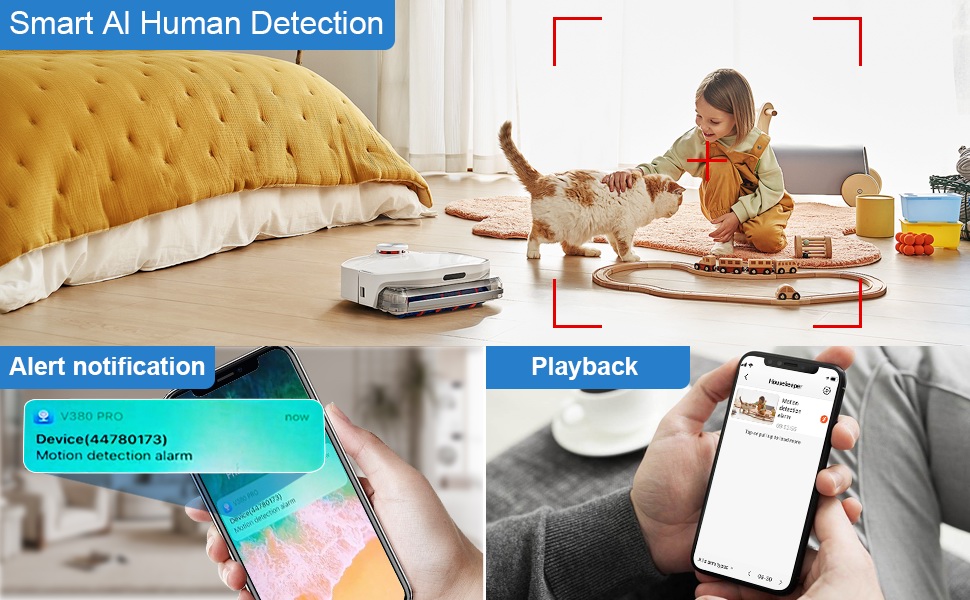
図5.3: Depiction of the Smart AI Human Detection feature, showing how the camera identifies human movement and sends alert notifications to the V380 Pro app.
5.5 双方向通信
The camera supports two-way communication through its built-in high-powered speaker and high-sensitivity microphone. This allows you to interact with individuals near the camera via the V380 Pro app. Please note that while two-way communication is supported, recorded video files do not contain audio.

図5.4: An image illustrating the two-way audio capability of the Rettru Q18 camera, showing communication between a parent and a child.
6. 主な特徴
- ウルトラHD 2K解像度: Records video at 2560x1440 (5 Megapixels) for clear and detailed footage.
- 広い View角度: 160-degree lens captures a broad area.
- 長いバッテリー寿命: Equipped with an 1800mAh dual lithium battery, offering up to 6 hours of continuous recording or 100 days of standby.
- 強化されたナイトビジョン: Automatic IR-CUT with 940nm infrared lights provides clear night vision up to 28 feet without a visible red glow.
- AI人間検出: Intelligent motion detection reduces false alarms by focusing on human shapes.
- Instant Alerts & Siren: Receive smartphone notifications upon motion detection and activate a 105dB siren remotely.
- 双方向コミュニケーション: Speak and listen through the camera via the V380 Pro app (recorded video is without audio).
- ローカルストレージ: Supports Micro SD cards up to 128GB for video storage.
- コンパクトなデザイン: Small and lightweight, suitable for discreet placement indoors or outdoors (IP65 rated).
- Wi-Fi接続: Connects to 2.4GHz Wi-Fi networks for remote access.
7. メンテナンス
7.1 カメラのクリーニング
To maintain optimal performance, regularly clean the camera lens and body. Use a soft, dry cloth to wipe away dust and smudges. For stubborn dirt on the lens, use a lens cleaning solution specifically designed for optical surfaces. Avoid using harsh chemicals or abrasive materials.
7.2バッテリーケア
To prolong battery life, avoid exposing the camera to extreme temperatures. If storing the camera for an extended period, ensure it is partially charged (around 50%) and recharge it every few months to prevent deep discharge.
7.3ファームウェアアップデート
Periodically check the V380 Pro app for available firmware updates. Keeping your camera's firmware up-to-date ensures you have the latest features, security enhancements, and bug fixes.
8。 トラブルシューティング
| 問題 | 考えられる解決策 |
|---|---|
| カメラの電源が入りません。 | Ensure the camera is fully charged. Connect it to a power source using the USB cable and check if the charging indicator light is on. |
| Wi-Fiに接続できません。 |
|
| ビデオ品質が悪い、または遅延がある。 |
|
| モーション検出アラートが受信されません。 |
|
| SD カードに録画されません。 |
|
9. 仕様
| 特徴 | 詳細 |
|---|---|
| モデル番号 | Q18 |
| ビデオキャプチャ解像度 | 2K(2560x1440) |
| 実効静止画解像度 | 5 MP |
| View角度 | 160度 |
| 接続プロトコル | Wi-Fi(2.4GHzのみ) |
| コントローラータイプ | V380Proアプリ |
| 電源 | バッテリー駆動(1800mAhリチウムイオン) |
| バッテリー寿命 | Approx. 6 hours continuous recording, 100 days standby |
| 暗視範囲 | 最大28フィート |
| ストレージ | Micro SD カード(最大 128 GB、別売) |
| ビデオキャプチャフォーマット | 動画 |
| アラートの種類 | 動きのみ(AIによる人検知) |
| 国際保護格付け | IP65 |
| アイテム重量 | 75グラム(2.65オンス) |
| 製品寸法 | 21.6 x 13.3 x 13.3 inches (packaging dimensions, actual camera is smaller) |
| メーカー | Rettru |
10. 安全情報
- Do not expose the camera to extreme temperatures, direct sunlight for prolonged periods, or excessive moisture.
- 充電には付属の USB ケーブルのみを使用してください。
- カメラとその付属品は子供やペットの手の届かないところに保管してください。
- カメラを分解したり改造したりしないでください。保証が無効になり、損傷の原因となる可能性があります。
- カメラが落下しないようにしっかりと取り付けられていることを確認してください。
- Respect privacy laws and regulations when using surveillance equipment.
11. 保証とサポート
For warranty information or technical support, please refer to the contact details provided with your purchase or visit the official Rettru webサイトでご確認ください。保証請求の際は購入証明として領収書を保管してください。