
導入
The Hama C-Rotate Pro is a versatile and robust flash drive designed for convenient data storage and transfer. Featuring both USB-C 3.0 and USB 3.0/3.1 (Gen. 1) Type-A connectors, it offers broad compatibility with various devices. Its rotating mechanism protects the connectors, making it ideal for on-the-go use. This manual provides essential information for setting up, operating, maintaining, and troubleshooting your device.
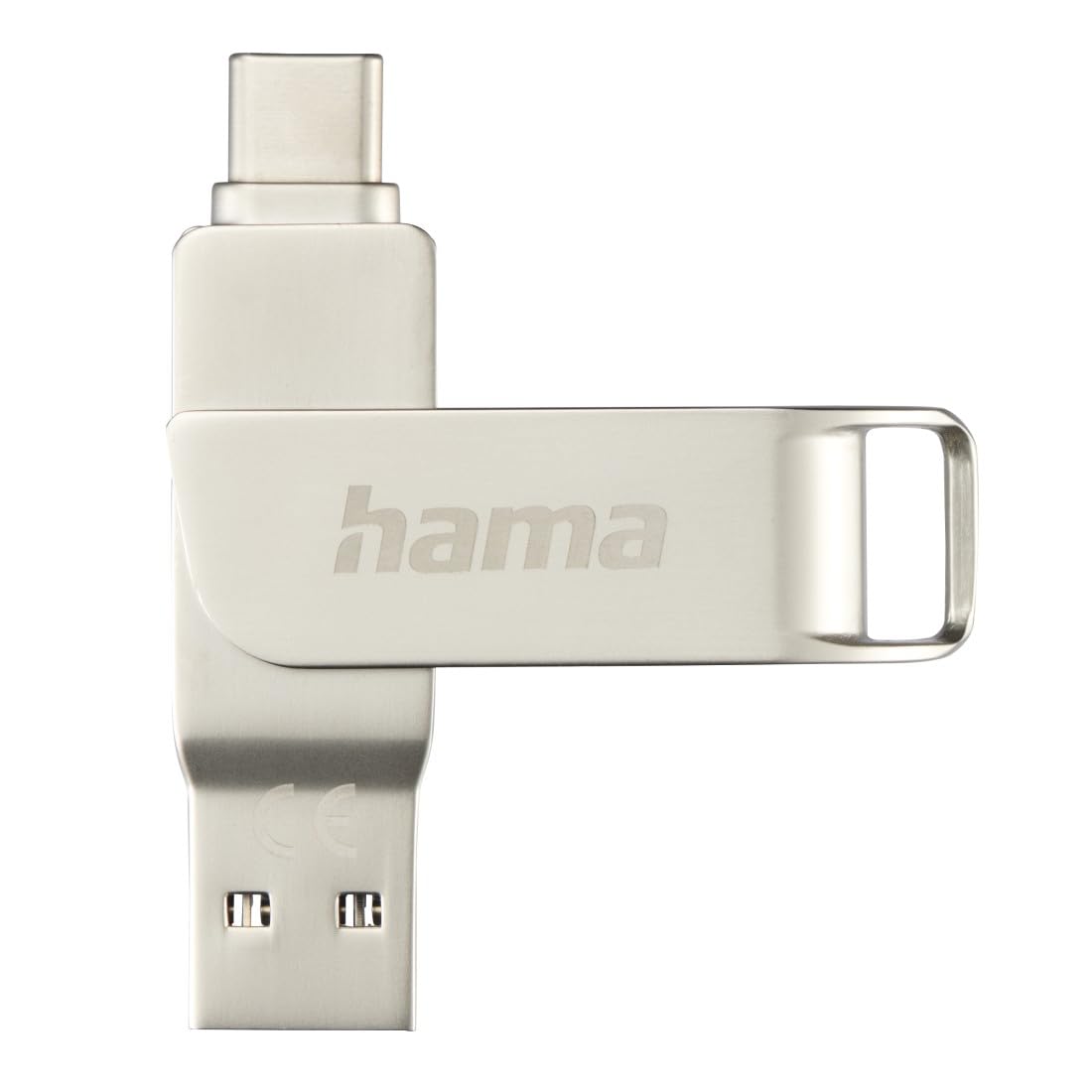
Image: The Hama C-Rotate Pro flash drive, showcasing its dual USB-A and USB-C connectors and the protective rotating metal casing.
設定
The Hama C-Rotate Pro flash drive is designed for plug-and-play functionality, requiring no special driver installation for most operating systems.
- 正しいポートを特定します。 デバイスに USB-C ポートがあるか、標準の USB-A ポートがあるかを確認します。
- Rotate the connector: 金属cをゆっくりと回転させますasing to expose either the USB-C or the USB-A connector.
- フラッシュドライブを挿入します。 Plug the appropriate connector into the corresponding port on your computer, smartphone, or other compatible device.
- Device recognition: Your operating system (Windows 10/8/7, MacOS 9.x or higher) should automatically recognize the flash drive as a removable storage device.
Important Note: Never attempt to use both the USB-C and USB-A connectors simultaneously. Only one connector should be exposed and connected at a time.
操作手順
Once connected, the Hama C-Rotate Pro functions like any standard removable storage device.
- アクセス Files: コンピュータの file explorer (Windows) or Finder (macOS) and locate the drive, typically labeled as a removable disk.
- 転送中 Files: ドラッグアンドドロップ files to and from the flash drive. For optimal speed, ensure you are using a USB 3.0/3.1 (Gen. 1) or USB-C 3.0 port.
- Full HD Video Playback/Recording: The drive supports direct recording and playback of Full HD videos, provided your device and software support this functionality.
- 安全な取り外し Always safely eject the flash drive from your operating system before physically removing it to prevent data corruption.

Image: The Hama C-Rotate Pro with its USB-C connector ready for use.

Image: The Hama C-Rotate Pro with its USB-A connector ready for use.
メンテナンス
The Hama C-Rotate Pro is designed with a robust metal casing for durability. Minimal maintenance is required.
- クリーニング: Use a soft, dry cloth to wipe the exterior of the flash drive. Avoid liquid cleaners or abrasive materials.
- ストレージ: When not in use, rotate the casing to protect both connectors from dust and physical damage. Store in a cool, dry place.
- 取り扱い: デバイスを落としたり、過度の力を加えたりしないでください。
トラブルシューティング
- Issue: Flash drive not recognized by the device.
- 解決:
- フラッシュドライブが USB ポートに完全に挿入されていることを確認します。
- デバイスの別の USB ポートを試してください。
- Ensure only one connector (USB-C or USB-A) is exposed and connected at a time.
- コンピュータまたはデバイスを再起動します。
- Check if your operating system is compatible (Windows 10/8/7, MacOS 9.x or higher).
- 問題: データ転送速度が遅い。
- 解決:
- Ensure you are connecting the flash drive to a USB 3.0/3.1 (Gen. 1) or USB-C 3.0 port on your device. Connecting to a USB 2.0 port will result in significantly slower speeds.
- 確認する files being transferred are not excessively fragmented or corrupted.
- システム リソースを使用しているか、ディスク操作を実行している可能性のある他のアプリケーションを閉じます。
- Issue: Data corruption or loss.
- 解決:
- Always use the "Safely Remove Hardware" or "Eject" option in your operating system before physically disconnecting the flash drive.
- Avoid disconnecting the drive during active data transfer.
仕様
| モデル名 | C-回転プロ |
| モデル番号 | ハム_n17_00182490 |
| ストレージ容量 | 64ギガバイト |
| インタフェース | USB-C 3.0, USB 3.0/3.1 (Gen. 1) Type-A |
| 読み取り速度 | Up to 70 MB/s (with USB 3.0/3.1 Gen. 1 or USB-C 3.0 interface) |
| 材料 | 金属 |
| 寸法(長さ×幅×高さ) | 62.2mm×14mm×8.9mm |
| 重さ | 16.34グラム |
| オペレーティングシステムの互換性 | Windows 10/8/7, MacOS 9.x or higher |
| 特集 | Rotating mechanism, OTG (On-The-Go) functionality |
サポート情報
For further assistance or to access the official product page and additional resources, please visit the Hama webサイト。
- オンラインマニュアル: The user manual for the Hama C-Rotate Pro USB stick can be found on www.hama.com under item number 00182490.
- メーカー Webサイト: For general product information and support, visit www.hama.com.
保証情報は通常、製品のパッケージに記載されているか、メーカーの公式ウェブサイトで入手できます。 website. Please refer to those resources for details regarding your product's warranty.