
1. はじめに
This manual provides detailed instructions for the proper setup, operation, and maintenance of your Radioddity QT40 10 Meter SSB Ham Radio. Please read this manual thoroughly before using the device to ensure safe and optimal performance.
2. 安全情報
- アンテナが正しく接続されていない状態でラジオを操作しないでください。
- 電源のボリュームを確認してくださいtage は無線の要件に適合します。
- ラジオを極端な温度、直射日光、湿気にさらさないでください。
- 無線機を分解したり改造したりしないでください。修理はすべて資格のある専門家に依頼してください。
- Maintain a safe distance from the antenna during transmission to avoid exposure to RF energy.
3. パッケージ内容
パッケージにすべてのアイテムが含まれていることを確認します。
- QT40 Radio x 1
- マイク×1
- USB Programming Cable x 1
4.製品オーバーview
The Radioddity QT40 is a 10-meter SSB ham radio designed for reliable communication. It features 40 watts of transmission power, digital noise reduction, and a frequency range of 28.000-29.695MHz.
4.1 フロントパネルコントロール

This image displays the front panel of the Radioddity QT40, highlighting the various controls and indicators. Key elements include the S-Meter, NB/ANL control, NRC function control, Monitor/10K on/off switch, Echo function control, H/L/WX band switch, TX/RX indicator, Channel Display, 4-Pin Mic Connector, Power/Volume control, Squelch Level control, SSB Frequency FINE function, RF Gain Level, PA/FM/AM/USB/LSB Mode selector, Working Band Selection, Mic Gain Level control, Power Level control, and Channel Switch.
- Sメーター: Indicates signal strength and output power.
- NB/ANL Control: Noise Blanker and Automatic Noise Limiter.
- NRC Function Control: Digital Noise Reduction activation.
- Control Monitor/10K on/off: Monitor function and 10KHz step switch.
- ECHO Function Control: Activates and adjusts echo effect.
- H/L/WX Band Switch: High/Low power and Weather band selection.
- TX / RXインジケーター: Shows transmit (TX) or receive (RX) status.
- チャンネル表示: 現在の動作チャンネルを表示します。
- 4-Pin Mic Connector: For connecting the supplied microphone.
- 電源/音量コントロール: ラジオのオン/オフを切り替え、音量を調整します。
- Squelch Level Control: Adjusts the squelch threshold.
- SSB Frequency FINE Function: Fine-tunes SSB frequency.
- RF Gain Level: Adjusts receiver RF gain.
- PA/FM/AM/USB/LSB Mode: Selects the operating modulation mode.
- Working Band Selection: 動作周波数帯域を選択します。
- Mic Gain Level Control: マイクの入力感度を調整します。
- Power Level Control: Adjusts transmit power output.
- チャンネルスイッチ: Selects operating channels.
4.2 リアパネルの接続

This image illustrates the rear panel connections of the Radioddity QT40. These include the SO-239 Antenna Connector, External PA Jack, PC Programming Port, 3.5MM External Speaker Jack, and Power Supply Jack.
- SO-239 Antenna Connector: For connecting your external antenna.
- External PA Jack: For connecting an external Public Address speaker.
- PC Programming Port: For connecting the USB programming cable to a computer.
- 3.5MM External Speaker Jack: オプションの外部スピーカーを接続します。
- 電源ジャック: For connecting the DC power cable.
4.3 マイク

The included microphone features Channel Up/Down buttons, a Push-To-Talk (PTT) button, the microphone element, and a 4-Pin Microphone Connector for connection to the radio.
- チャンネルアップ: チャンネル番号を増やします。
- チャンネルダウン: チャンネル番号を減らします。
- PTT(プッシュ・トゥ・トーク): 押すと送信が起動します。
- マイク: Microphone element.
- マイクケーブル: Connects the microphone to the radio.
- 4-Pin Microphone Connector: Connects to the radio's front panel.
5. セットアップ
5.1 アンテナ接続
Connect a suitable 10-meter antenna to the SO-239 Antenna Connector on the rear panel of the radio. Ensure the connection is secure. An improperly connected or mismatched antenna can damage the radio.
5.2電源接続
Connect the DC power cable to the Power Supply Jack on the rear panel. Connect the other end of the power cable to a compatible 13.8V DC power source. Observe correct polarity (red to positive, black to negative).
5.3 マイクの接続
Plug the 4-Pin Microphone Connector into the corresponding jack on the front panel of the radio.
6. 操作手順
6.1 基本操作
- 電源オン/オフ: 回転する 電源/音量コントロール clockwise to turn the radio on. Continue rotating to adjust the audio volume.
- スケルチ調整: 回転する スケルチレベルコントロール clockwise until background noise disappears. Rotate counter-clockwise to hear weaker signals.
- チャンネル選択: 使用 チャンネルスイッチ フロントパネルのノブまたは チャンネルアップ/ダウン buttons on the microphone to select your desired operating channel.
6.2 Modulation Modes (AM/FM/SSB)
使用 PA/FM/AM/USB/LSB Mode selector to choose your desired modulation mode:
- 午前 (Amp光度変調): Common for local communication.
- FM(周波数変調): Offers clearer audio over shorter distances.
- USB (Upper Sideband) / LSB (Lower Sideband): Used for long-distance SSB communication. Fine-tune with the SSB Frequency FINE Function.
- PA (Public Address): Outputs audio to an external PA speaker.
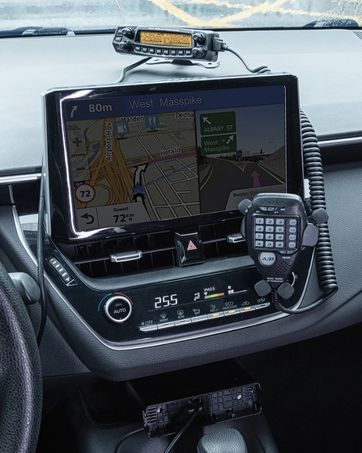
This image shows the Radioddity QT40 radio in a vehicle, illustrating its capability for AM/FM/SSB modulation, crucial for various communication needs.
6.3 Digital Noise Reduction (NRC)
The QT40 features TX and RX digital noise reduction technology. Activate the NRC Function Control to reduce background noise during transmission and reception, improving audio clarity.
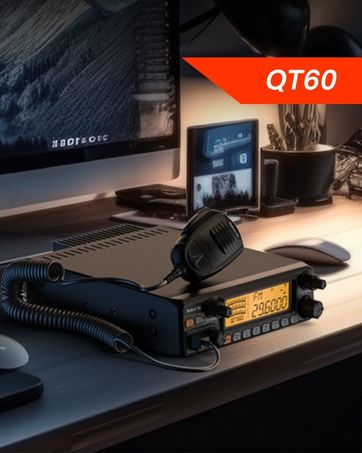
This image depicts the Radioddity QT40 radio installed in a vehicle, emphasizing its digital noise reduction feature for clearer communication in noisy environments.
6.4 Weather Channel and NOAA Alert
To access weather channels and NOAA alerts, use the H/L/WX Band Switch to select the WX band. This feature provides timely weather information and alerts.
6.5 CTCSS/DCS
The radio supports CTCSS (Continuous Tone-Coded Squelch System) and DCS (Digital Coded Squelch) for selective calling. These features can be configured via the programming software.
6.6 VOX機能
The VOX (Voice Operated Transmit) function allows for hands-free operation. When activated, the radio will transmit automatically when it detects your voice. Adjust VOX sensitivity via the programming software.
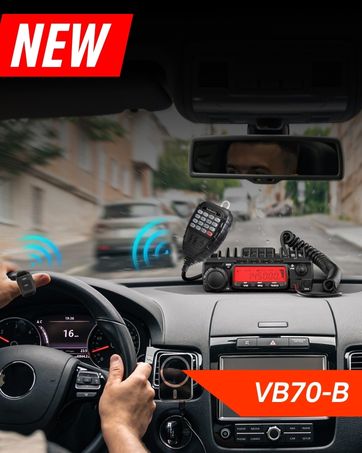
This image shows the Radioddity QT40 microphone mounted in a vehicle, demonstrating the convenience of the VOX hands-free function for drivers.
6.7 PCプログラミング
The Radioddity QT40 can be customized using PC programming software and the included USB programming cable. This allows for advanced settings adjustments, including CTCSS/DCS codes, VOX levels, and other features. Software and drivers are typically available on the manufacturer's webサイト。
7. メンテナンス
- クリーニング: 柔らかくてamp ラジオの外装を拭く際は布を使用してください。刺激の強い化学薬品や研磨剤入りの洗剤は使用しないでください。
- ストレージ: When not in use for extended periods, store the radio in a dry, dust-free environment.
- アンテナチェック: Periodically inspect antenna connections for corrosion or damage.
8。 トラブルシューティング
| 問題 | 考えられる原因 | 解決 |
|---|---|---|
| 電源なし | 電源ケーブルが外れています。音量が正しくありません。tage; ヒューズが切れた。 | Check power connections; verify power source; inspect fuse. |
| 受信不可 | Squelch too high; antenna disconnected; incorrect channel/mode. | Adjust squelch; check antenna connection; verify channel and mode settings. |
| 送信できません | Microphone not connected; PTT button faulty; antenna issue. | Ensure microphone is connected; test PTT; check antenna and SWR. |
| 音質が悪い | Low signal strength; high noise; incorrect mode. | Adjust RF Gain; activate NRC; ensure correct modulation mode. |
| E5 エラーコード | High SWR (Standing Wave Ratio) detected, indicating an antenna mismatch or fault. | Check antenna connection; verify antenna tuning for the operating frequency; inspect antenna cable for damage. Do not transmit with high SWR to prevent radio damage. |
9. 仕様
| 特徴 | 仕様 |
|---|---|
| ブランド | ラジオディティ |
| モデル番号 | QT40 |
| 周波数範囲 | 28.000-29.7MHz |
| チャンネル数 | 40 |
| 送信電力 | 40ワット |
| 変調モード | AM, FM, SSB (USB/LSB), PA |
| 特集 | Automatic Squelch, Echo, PC programmable, VOX Function, Digital Noise Reduction, NOAA Alert |
| アイテム重量 | 3.3ポンド(1.5kg) |
| 製品寸法 | 11.3 x 7.87 x 2.4 インチ (287 x 200 x 61 mm) |
| 通話範囲最大 | 10マイル(概算、状況により異なります) |
| 耐水性レベル | 耐水性はありません |

This image provides a visual representation of the Radioddity QT40's dimensions (11.2 inches length, 7.9 inches width, 2.4 inches height) and weight (3.3 lbs).
10. 保証情報
The Radioddity QT40 comes with an 18-month warranty from the date of purchase. This warranty covers manufacturing defects. Please retain your proof of purchase for warranty claims. The warranty does not cover damage caused by misuse, unauthorized modifications, or improper installation.
11. サポート
For technical assistance, troubleshooting beyond this manual, or warranty inquiries, please contact Radioddity customer support. Refer to the official Radioddity web最新の連絡先情報とサポート リソースについては、こちらのサイトをご覧ください。
Official Radioddity Webサイト: www.radioddity.com