
VR-robot build-in
VR-robot MP3 Player User Manual
Model: build-in
導入
ご購入ありがとうございますasing the VR-robot MP3 Player. This device is designed to provide a versatile and portable entertainment experience, featuring music playback, video viewing, FM radio, voice recording, and e-book reading capabilities. With its compact design and expandable storage, it is ideal for various activities such as running, walking, or simply enjoying your favorite media on the go. This manual will guide you through the setup, operation, maintenance, and troubleshooting of your new MP3 player.
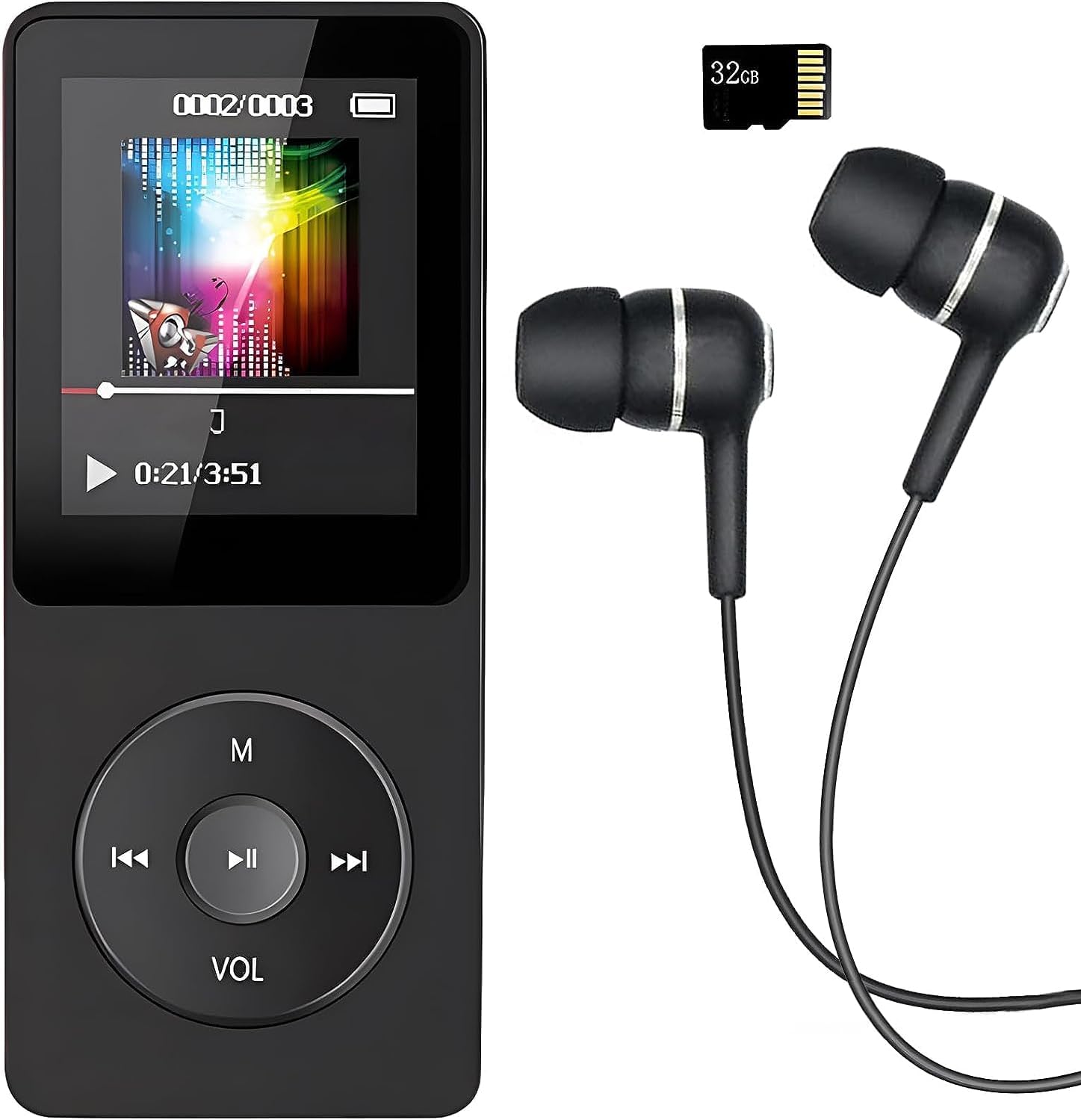
Image: The VR-robot MP3 Player, showcasing its compact design, screen, control buttons, and the included 32GB Micro SD card and wired earphones.
設定
1. デバイスの充電
Before first use, fully charge the MP3 player. Connect the device to a USB power adapter (not included) or a computer's USB port using the provided USB cable. The battery indicator on the screen will show charging progress. A full charge typically takes 2-3 hours and provides up to 10 hours of music playback.
2. Micro SDカードの挿入
Your MP3 player comes with a 32GB Micro SD card. Locate the Micro SD card slot on the side of the device. Gently insert the Micro SD card into the slot until it clicks into place. The device supports Micro SD cards up to 128GB for expanded storage.

Image: A hand inserting a blue Micro SD card into the dedicated slot on the side of the VR-robot MP3 Player, illustrating the expandable storage feature.
3. Connecting to a Computer for File 移行
To transfer music, videos, photos, or e-books to your MP3 player, connect it to your computer using the USB cable. The device will appear as a removable disk drive. You can then drag and drop fileデバイスまたは挿入された Micro SD カード上の適切なフォルダーにコピーします。
操作手順
基本的なナビゲーション
The MP3 player features a central control pad with directional buttons and a central play/pause button. The 'M' button typically serves as a menu or back button, while 'VOL' controls volume. Navigate through menus and select options using these buttons.
音楽再生に
The player supports multiple audio formats including MP3, WMA, APE, WAV, and FLAC. For optimal sound quality, the device incorporates a professional intelligent digital noise reduction chip. Connect the included earphones or use the built-in speaker for audio output.

Image: A person wearing headphones, illustrating the high-fidelity sound experience provided by the MP3 player, with text indicating support for various audio formats.
- 音楽を再生する: Select "Music" from the main menu, then browse by artist, album, song, or folder.
- 音量コントロール: Use the 'VOL' button to adjust the playback volume.
- ABリピート: This function allows you to loop a specific segment of an audio track. Select the start point (A) and end point (B) during playback.
ビデオの再生
MP3プレーヤーはビデオ再生をサポートしています。ビデオが files are in a compatible format for smooth playback. Refer to the device specifications for supported video formats.
FMラジオ
To use the FM radio function, connect wired headphones to the device, as they serve as the antenna. Navigate to the "FM Radio" option in the main menu. You can then auto-scan for stations or manually tune to a specific frequency (87.5 MHz - 108 MHz).

Image: A person with an earphone in, surrounded by circular graphics indicating various FM radio frequencies, demonstrating the FM radio capability of the MP3 player.
ボイスレコーダー
The built-in voice recorder allows you to capture audio notes or lectures. Select "Record" from the main menu to start a new recording. Recordings are typically saved in WAV format.

Image: The VR-robot MP3 Player displaying a recording interface, with a child studying in the background, highlighting its use as a voice recorder.
電子ブックリーダー
Load compatible e-book files onto your device to read on the go. Navigate to the "E-Book" section to access your digital library.
アラーム機能
The device includes an alarm function. Set alarms through the settings menu for reminders or as a wake-up call.
フォルダーブラウジング
アクセス files directly by browsing folders. This is useful for organizing different types of media or for audiobooks where tracks are separated into specific folders.

Image: The VR-robot MP3 Player screen displaying icons for E-Book, Alarm, Record, Music, Folder, FM Radio, A-B Repeat, and Video, illustrating its diverse functionalities.
メンテナンス
- クリーニング: デバイスの清掃には、柔らかく乾いた布をご使用ください。液体クリーナーや研磨剤の使用は避けてください。
- ストレージ: MP3 プレーヤーは、直射日光や極端な温度を避け、涼しく乾燥した場所に保管してください。
- バッテリーのケア: バッテリーの寿命を延ばすには、バッテリーを頻繁に完全に放電させないでください。長期間使用しない場合でも、定期的に充電してください。
- ソフトウェアアップデート: メーカーの web最適なパフォーマンスを確保するために、定期的にサイトでファームウェアのアップデートを確認してください。
トラブルシューティング
| 問題 | 考えられる原因 / 解決策 |
|---|---|
| デバイスの電源が入らない。 | Battery is depleted. Charge the device for at least 30 minutes. If still unresponsive, try a different USB cable or charging port. |
| 転送できません filesデバイスに。 | Ensure the USB cable is securely connected. Try a different USB port on your computer. The device might be in charging mode; check if it needs to be set to "Media Device (MTP)" or "USB Storage" mode. |
| 音楽 files are not playing or are corrupted. | 音楽を確認する files are in a supported format (MP3, WMA, APE, WAV, FLAC). Ensure files are not corrupted. Re-transfer the file■必要に応じて。 |
| FM Radio signal is weak or non-existent. | Ensure wired headphones are properly plugged in, as they act as the antenna. Try moving to an area with better signal reception. |
| Albums/folders are not separated correctly. | あなたの音楽を保証します files have correct ID3 tags and are organized into distinct folders on the device's storage. Some players may combine tracks if metadata is inconsistent. |
| 音声録音が機能しません。 | Check if there is sufficient storage space. Ensure the microphone is not obstructed. |
仕様
- ブランド: VRロボット
- モデル名: build-in
- 記憶容量: 32 GB (Micro SD card included), supports up to 128 GB
- 接続技術: ブルートゥース、USB
- 特別な機能: Video Playback, Voice Recorder, FM Radio, E-Book Reader, Built-in Speaker
- 画面サイズ: 3.5インチ
- 色: 黒
- 商品の重量: 2.89オンス
- 電池: 1 個のリチウムイオン電池が必要 (付属)
- パッケージ寸法: 4.84 x 2.87 x 1.42インチ
- 含まれるコンポーネント: MP3 Player, 32GB Micro SD Card, Earphone, USB Cable
保証とサポート
Your VR-robot MP3 Player comes with a 12ヶ月保証 ご購入日から1年間有効です。この保証は製造上の欠陥をカバーし、製品の品質を保証します。
If you encounter any problems or have questions regarding your device, please do not hesitate to contact our professional after-sales service team. You can typically find contact information on the seller's page or through your purchase platform. We are committed to providing a quick and satisfactory response to ensure your satisfaction.
For further assistance, please refer to the VR-robot store on Amazon: VR-robot Store
Ask a question about this manual
Ask about setup, troubleshooting, compatibility, parts, safety, or missing instructions. Manuals+ will review the question and use this page’s manual context to help answer it.